Stepping into the world of mechanical keyboards opens up a realm of tactile satisfaction and unparalleled precision. For many, the full-size mechanical keyboard stands as the quintessential choice, offering a complete array of keys and an uncompromising approach to functionality. Whether you’re a seasoned typist, a dedicated gamer, or a professional navigating complex spreadsheets, understanding the nuances of these impressive devices is key to unlocking your perfect setup. This comprehensive guide will equip you with all the knowledge needed to select, customize, and maintain your ideal full-size mechanical keyboard, ensuring every keystroke is a pleasure.
Understanding the Full-Size Mechanical Keyboard
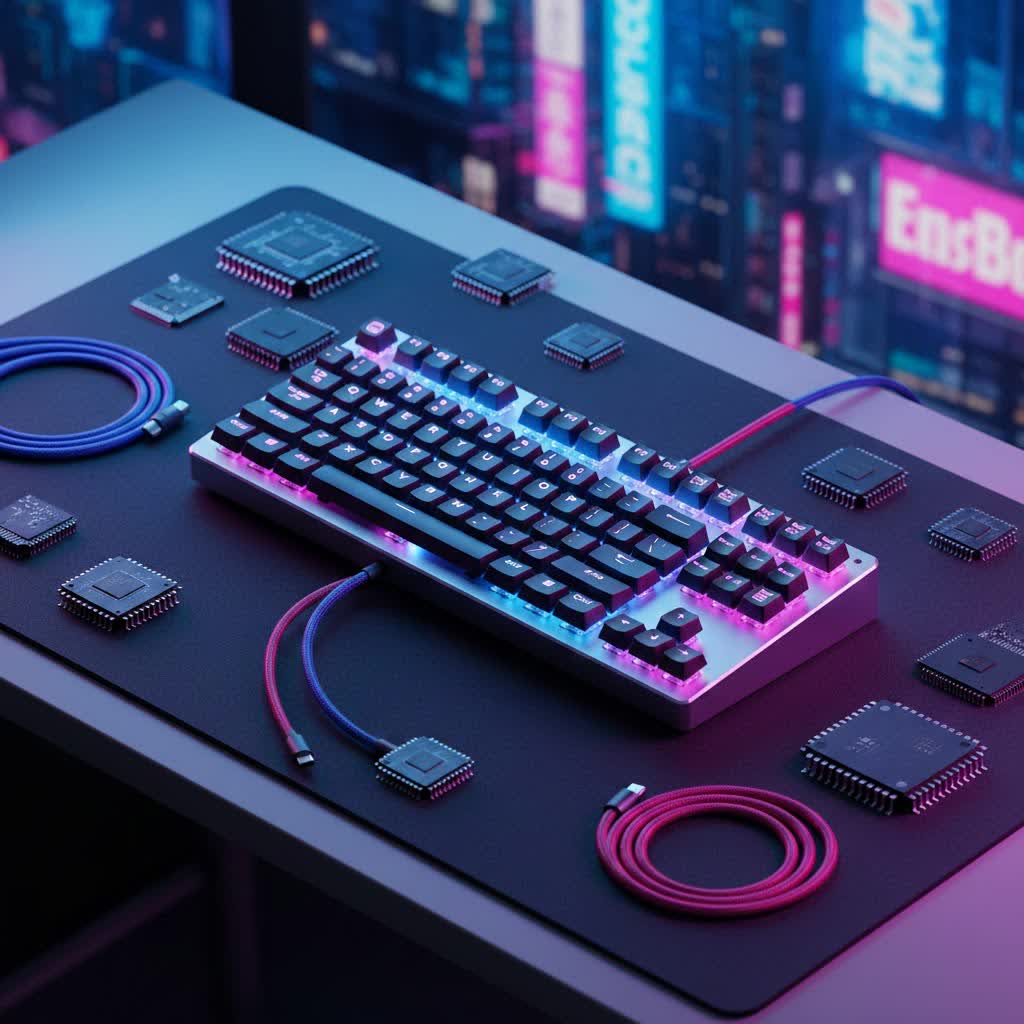
A full-size mechanical keyboard, often referred to as a “100% layout,” is the most traditional and comprehensive keyboard size available. It typically features between 104 (ANSI standard) and 105 (ISO standard) keys. This includes a dedicated number pad, a full function row (F1-F12), essential arrow keys, and a complete navigation cluster (Insert, Delete, Home, End, Page Up, Page Down). This extensive layout is a significant advantage for users who require every key for their daily tasks, eliminating the need to memorize complex key combinations or function layers often found on smaller boards.
The history of mechanical keyboards dates back decades, with early models featuring robust, individual switches under each key. While membrane keyboards dominated the market for a period due to their lower manufacturing cost, mechanical keyboards have experienced a significant resurgence. This comeback is driven by their superior typing feel, durability, and the growing desire for customization among enthusiasts and professionals alike. Modern mechanical keyboards blend vintage charm with cutting-edge technology, offering a robust and personalized computing experience.
When considering a full-size mechanical keyboard, it’s essential to understand its distinctions from other popular layouts like tenkeyless (TKL) or 60% keyboards. The primary advantage of a full-size model is its complete key set, which is invaluable for data entry, complex software requiring dedicated function keys, and a familiar typing experience without compromises. Many full-size boards also incorporate additional features like dedicated media controls, USB passthroughs, and programmable macro keys, enhancing productivity and convenience. However, this extensive functionality comes at the cost of a larger desk footprint, making full-size keyboards less ideal for users with limited space or those who prioritize portability. In contrast, TKL keyboards omit the number pad for a more compact design, while 60% keyboards are dramatically smaller, relying heavily on function layers for missing keys.
Decoding Mechanical Switches: Your Typing Engine
At the heart of every mechanical keyboard lies its switches, the tiny mechanisms beneath each keycap that register your presses. These switches largely define the typing and gaming experience, offering distinct feels, sounds, and actuation points. Understanding the main categories is crucial for choosing a keyboard that aligns with your preferences.
Linear Switches: Smooth and Swift
|
Our Picks for the Best Mechanical Keyboard in 2026
As an Amazon Associate I earn from qualifying purchases.
|
||
| Num | Product | Action |
|---|---|---|
| 1 | AULA F75 Pro Wireless Mechanical Keyboard,75% Hot Swappable Custom Keyboard with Knob,RGB Backlit,Pre-lubed Reaper Switches,Side Printed PBT Keycaps,2.4GHz/USB-C/BT5.0 Mechanical Gaming Keyboards |

|
| 2 | MageGee Portable 60% Mechanical Gaming Keyboard, MK-Box LED Backlit Compact 68 Keys Mini Wired Office Keyboard with Red Switch for Windows Laptop PC Mac - Black/Grey |
|
| 3 | GravaStar Mercury V75 HE Keyboard, 75% Hall‑Effect Magnetic Switch Gaming Keyboard, 8000 Hz Polling, 0.005RT, Wired USB-C, RGB Backlit, Adjustable Actuation, Semi‑Aluminum Chassis-Stealth Black |
|
| 4 | Redragon Mechanical Gaming Keyboard Wired, 11 Programmable Backlit Modes, Hot-Swappable Red Switch, Anti-Ghosting, Double-Shot PBT Keycaps, Light Up Keyboard for PC Mac |
|
| 5 | AULA F99 Wireless Mechanical Keyboard,Tri-Mode BT5.0/2.4GHz/USB-C Hot Swappable Custom Keyboard,Pre-lubed Linear Switches,RGB Backlit Computer Gaming Keyboards for PC/Tablet/PS/Xbox |
|
| 6 | Wood Pattern Mechanical Keyboard Wireless & Bluetooth Brown Keyboard – RGB Backlit Hot-Swappable PBT Keycaps Aesthetic Keyboard for Mac, Windows, iOS & Android – Ergonomic Gaming & Office Keyboard |
|
| 7 | Logitech MX Mechanical Wireless Illuminated Performance Keyboard, Tactile Quiet Switches, Backlit Keys, Bluetooth, USB-C, macOS, Windows, Linux, iOS, Android, Metal, Graphite |
|
| 8 | AULA F2088 Typewriter Style Mechanical Gaming Keyboard Wired,Blue Switches,Rainbow LED Backlit,Removable Wrist Rest,Media Control Knob,Retro Punk Round Keycaps,USB Wired Computer Keyboard |
|
| 9 | SOLAKAKA A99 Pro Mechanical Keyboard with LCD Screen & Metal Knob, Wireless Gaming Keyboard with BT5.0/2.4GHz/USB-C, Hot Swappable Creamy Keyboard, Gasket Structure, RGB Backlit, for Win/Mac |
|
| 10 | SteelSeries USB Apex 5 Hybrid Mechanical Gaming Keyboard – Per-Key RGB Illumination – Aircraft Grade Aluminum Alloy Frame – OLED Smart Display (Hybrid Blue Switch) |
|
Linear switches are characterized by a smooth, consistent keystroke from top to bottom, with no tactile bump or audible click. This allows for very fast, unimpeded presses, making them a favorite among competitive gamers who need rapid-fire key inputs. Common examples include Cherry MX Red, Gateron Red, and Cherry MX Speed Silver. These switches are ideal for individuals who prioritize speed and a quiet typing experience, and those who frequently bottom out their keys without needing physical feedback.
Tactile Switches: Feedback You Can Feel
Tactile switches provide a noticeable “bump” or resistance during the keypress, signaling actuation without an audible click. This tactile feedback can greatly enhance typing accuracy and comfort, as it confirms that a keypress has been registered. Cherry MX Brown, Gateron Brown, and Zealios V2 are popular tactile options. These switches are well-suited for typists and programmers who appreciate the physical confirmation of a keypress but prefer a quieter operation than clicky switches. They strike a balance between typing efficiency and gaming responsiveness.
Clicky Switches: The Auditory Experience
Clicky switches offer both a tactile bump and a distinct, audible “click” sound upon actuation. This provides a satisfying auditory and physical feedback that many typists find highly enjoyable and reassuring. Cherry MX Blue, Gateron Blue, and Kailh Box White are widely recognized clicky switches. While the pronounced click can be highly satisfying for some, it can also be disruptive in shared environments. These switches are best for users who work in private settings and revel in the classic “typewriter” feel and sound.
Comparing Switch Types: Finding Your Perfect Match
| Switch Type | Characteristics | Ideal For | Pros | Cons |
|---|---|---|---|---|
| Linear | Smooth, no bump, no click | Gaming, Fast Typing | Rapid actuation, Quiet | Lack of tactile feedback |
| Tactile | Tactile bump, no click | Typing, General Use | Good feedback, Moderate noise | Slower than linear for rapid presses |
| Clicky | Tactile bump, audible click | Typing Enthusiasts | Satisfying feedback and sound | Can be loud, disruptive in quiet environments |
Keycaps: The Interface to Your Typing Experience
Keycaps are the individual covers that sit atop your mechanical switches, serving as the direct interface between your fingers and the keyboard’s mechanics. Beyond aesthetics, their material, profile, and legends significantly impact typing feel, durability, and overall user experience.
Keycap Materials: ABS, PBT, and Beyond
The two most common keycap materials are ABS and PBT plastic. ABS (Acrylonitrile Butadiene Styrene) keycaps are typically smoother, more affordable, and widely used. However, they are more prone to developing a glossy “shine” over time due to finger oils and wear, and can feel less substantial. PBT (Polybutylene Terephthalate) keycaps, on the other hand, are denser, more durable, and resistant to shine and oils. They often have a slightly textured, matte finish that provides better grip and a more premium feel, though they are generally more expensive. POM (Polyoxymethylene) is another durable plastic, offering a slick, smooth surface. Beyond these, niche materials like resin, rubber, metal, and wood are used by enthusiasts for custom keycaps, each offering unique tactile and aesthetic qualities.
Keycap Profiles: Shaping Your Typing Feel
Keycap “profile” refers to the shape and height of the keycaps across the keyboard. Profiles can be broadly categorized as sculpted or uniform. Sculpted profiles, like OEM (the most common standard on many keyboards) and Cherry (a slightly lower, more subtly sculpted version of OEM), feature varying heights and angles across different rows to conform to the natural curve of your fingertips and hand. This ergonomic design aims to reduce strain during extended typing sessions. In contrast, uniform profiles, such as DSA (low-profile, spherical tops) and SA (high-profile, sculpted, spherical tops), maintain a consistent height and shape across all rows. While uniform profiles offer a distinct aesthetic and make keycap swapping easier, sculpted profiles are often preferred for their ergonomic benefits and comfortable typing experience. Other profiles like XDA, MT3, KAT, and KAM offer diverse tactile sensations and visual styles for custom builders.
Printing Methods: Ensuring Lasting Legends
The method used to apply legends (letters, numbers, and symbols) to keycaps affects their durability and appearance. Double-shot injection is a highly durable method where two separate plastics are molded together. The legend is formed by one plastic, and the keycap body by another, ensuring the legends will never fade or wear off. Dye-sublimation uses heat to infuse dye into the plastic, creating long-lasting, smooth legends that are highly resistant to wear. Other methods like laser etching or pad printing are less durable and may show wear over time.
Curated Choices: A Comparison of Top Full-Size Mechanical Keyboards
When selecting a full-size mechanical keyboard, the market offers a vast array of options. Here’s a look at common categories and factors to consider, drawing from popular trends and features.
| Category | Typical Price Range | Common Switch Types | Keycap Material | Notable Features |
|---|---|---|---|---|
| Premium Pick | $180 – $350+ | Gasket-mounted, lubed linear/tactile switches | Double-shot PBT | Aluminum chassis, hot-swappable, QMK/VIA software, advanced sound dampening |
| Gaming Powerhouse | $150 – $280 | Rapid-actuation linear switches, optical switches | ABS or Double-shot PBT | Dedicated macro keys, high polling rate, customizable RGB, comfortable wrist rests |
| Budget-Friendly | $60 – $120 | Gateron, Outemu, or basic Cherry MX | ABS | Solid build for the price, basic backlighting, wired only or simple wireless |
| Customization Champion | $100 – $250 (barebones) | Hot-swappable sockets | PBT (aftermarket) | Modular design, extensive software compatibility, customizable rotary knobs, multiple mounting options |
- Premium Pick Keyboards: Often feature robust aluminum cases, advanced mounting systems like gasket-mounts for a softer typing feel, and come with pre-lubricated switches and high-quality PBT keycaps. They offer a luxurious typing experience and excellent durability.
- Gaming Powerhouse Keyboards: Focus on speed and responsiveness. They frequently incorporate features like dedicated macro keys for in-game commands, very fast linear or optical switches, high polling rates for minimal input lag, and vibrant RGB lighting to match gaming setups.
- Budget-Friendly Keyboards: Provide a solid introduction to mechanical keyboards without breaking the bank. While they might use ABS keycaps and simpler switches, many offer decent build quality and essential full-size functionality, making them excellent value.
- Customization Champion Keyboards: Are designed for enthusiasts who enjoy tailoring every aspect of their board. These often come as barebones kits, allowing users to choose their preferred switches, keycaps, and even internal components like plates and foam, often with extensive software support like QMK/VIA.
> “The true beauty of a full-size mechanical keyboard lies in its ability to be a versatile workhorse for productivity, yet transform into a precision instrument for gaming, all while offering a deeply satisfying tactile experience.”
Your Definitive Full-Size Mechanical Keyboard Buying Guide
Choosing the right full-size mechanical keyboard involves more than just picking a cool-looking device; it’s about matching the keyboard’s features to your specific needs and preferences. With so many options available, a structured approach can help you make an informed decision.
Identifying Your Needs: Gaming, Productivity, or Programming?
Your primary use case will heavily influence your choice.
- For Gaming: Look for features like fast-actuating linear switches (e.g., Cherry MX Red, Gateron Yellow), dedicated macro keys, high polling rates (1000Hz or higher), and robust build quality. A comfortable wrist rest can also be beneficial for long sessions.
- For Productivity/Office Work: Tactile switches (e.g., Cherry MX Brown) are often preferred for their feedback and moderate noise levels. PBT keycaps are a good choice for their durability and resistance to shine. A full-size layout with a number pad is essential for data entry.
- For Programming: A reliable layout with a full function row and navigation cluster is paramount. Tactile switches or quieter linear switches are popular. Programmable keys and QMK/VIA compatibility can also be highly valuable for custom shortcuts and layers.
Setting Your Budget: What to Expect at Each Price Point
Mechanical keyboards span a wide price range.
- Entry-Level ($60-$120): Expect solid functionality with essential features. Keycaps might be ABS, and switches might be entry-level Gateron or Outemu. Build quality will be decent, often plastic.
- Mid-Range ($120-$200): Here you’ll find higher-quality components, including better PBT keycaps, more reputable switch brands (like Cherry MX), and improved build materials (e.g., aluminum plates, more rigid plastic cases). Wireless connectivity options often appear in this range.
- High-End ($200-$350+): This category boasts premium materials like full aluminum cases, advanced mounting systems (gasket mount), hot-swappable switches, intricate RGB lighting, and extensive software customization. These are often enthusiast-grade keyboards.
Key Considerations: Layout, Switches, Keycaps, Build Quality, Connectivity, Software
- Layout: While a full-size is generally 104/105 keys, some slight variations exist (e.g., 96% compact full-size that condenses the numpad). Ensure it fits your desk space.
- Switch Type: Revisit the linear, tactile, and clicky options. If possible, try out different switches to find your preference.
- Keycap Material & Profile: PBT offers durability and a textured feel, while ABS is smoother and more common. Choose a profile (OEM, Cherry, SA, DSA) that feels comfortable for your typing style.
- Build Quality: Consider the case material (plastic, aluminum), the plate material (steel, aluminum, polycarbonate), and the mounting style (tray mount, gasket mount, top mount). These elements significantly influence the keyboard’s sound and feel.
- Connectivity: Decide between wired (most reliable, no latency) and wireless (Bluetooth, 2.4GHz dongle for flexibility). Many modern keyboards offer both.
- Software: Look for robust software (or firmware like QMK/VIA) that allows for key remapping, macro programming, and RGB customization if these features are important to you.
Where to Buy Your Mechanical Keyboard
Reputable online retailers specializing in PC peripherals, dedicated mechanical keyboard stores, and major electronics retailers are good places to start. Reading reviews from trusted tech sites and user communities can provide valuable insights into real-world performance and reliability.
Maintaining Your Mechanical Masterpiece: Care and Longevity
A mechanical keyboard is an investment, and with proper care, it can last for many years. Regular cleaning and maintenance are essential to preserve its functionality, aesthetic appeal, and satisfying typing experience.
Routine Cleaning: Keeping it Fresh Daily
Daily or weekly routine cleaning can prevent significant buildup of dust, crumbs, and grime. Start by gently wiping the surface of your keyboard and keycaps with a damp, ultra-fine microfiber cloth. This removes surface dust and oils. For stubborn crumbs between keys, use a soft-bristled brush or a handheld vacuum on a low setting to dislodge debris. Always ensure your keyboard is unplugged before cleaning to prevent accidental key presses or electrical issues.
Deep Cleaning Your Keyboard: A Step-by-Step Approach
For a more thorough clean, especially if your keyboard feels sluggish or appears discolored, a deep clean is in order.
- Unplug Your Keyboard: Disconnect it from your computer. This is a critical safety step.
- Take a Photo: Before removing any keycaps, take a clear photo of your keyboard. This will serve as a reference when reassembling to ensure all keycaps are placed correctly.
- Remove Keycaps: Use a keycap puller (often included with mechanical keyboards) to gently lift each keycap off its switch. Work slowly to avoid damaging the keycaps or switches.
- Clean Keycaps: Place all removed keycaps in a bowl of warm water with a few drops of mild dish soap or a denture cleaning tablet. Let them soak for 15-20 minutes (or longer for heavily soiled keycaps, but avoid boiling water). After soaking, rinse the keycaps thoroughly under cold running water to remove all soap residue. Lay them out on a clean towel, face up first to drain any water, then turn them upside down to ensure the underside is completely dry. Air dry for several hours or overnight before reassembly.
- Clean the Board: While the keycaps are drying, clean the keyboard base. Use a soft brush (like a clean paintbrush or toothbrush) to dislodge dust, hair, and crumbs from around and between the switches. For persistent dirt or sticky residues, gently wipe with a cotton swab lightly dampened with isopropyl alcohol. Avoid spraying liquids directly onto the board or using excessive moisture near the switches. A small handheld vacuum can also be effective for removing loose debris from the plate.
- Reassemble the Keyboard: Once all components are completely dry, carefully reattach the keycaps, referring to your photo to ensure correct placement. Gently push each keycap down until it clicks securely onto its switch.
Important Precautions:
- Never use abrasive cleaners or harsh chemicals, which can damage keycaps and finishes.
- Avoid pushing debris into the switches; always try to remove it out from the board.
- Ensure all parts are absolutely dry before plugging your keyboard back in to prevent electrical damage.
- While compressed air can be used for light dusting, avoid directly blasting switches as it can sometimes force debris deeper or cause condensation.
By following these simple guidelines, you can significantly extend the life of your full-size mechanical keyboard and maintain that satisfying typing feel for years to come.
In conclusion, the full-size mechanical keyboard remains a dominant force in the peripheral market, offering unparalleled functionality, customization, and a premium typing experience. From understanding the tactile feedback of different switches to selecting durable keycap materials and diligently maintaining your device, every choice contributes to a personalized and highly effective tool. Are you ready to embrace the comprehensive power and satisfying feel of a full-size mechanical keyboard?
Frequently Asked Questions
Is a full-size mechanical keyboard worth it?
A full-size mechanical keyboard is definitely worth it for users who require a dedicated number pad, function keys, and navigation cluster for productivity, data entry, or specific software. While they take up more desk space, their complete functionality and superior typing experience often outweigh this drawback for many users.
What’s the best switch for a full-size mechanical keyboard?
The “best” switch depends entirely on personal preference and intended use. Linear switches are great for gaming due to their smooth presses. Tactile switches offer a satisfying bump for accurate typing. Clicky switches provide both tactile and audible feedback for those who enjoy a classic typing experience.
How often should I clean my mechanical keyboard?
For routine maintenance, wiping the surface and clearing loose debris weekly is recommended. A deep clean, involving keycap removal and thorough cleaning of the board, should be performed every 3-6 months, or more frequently if you often eat or drink near your keyboard.
Can I change the keycaps on any full-size mechanical keyboard?
Most mechanical keyboards use Cherry MX-style switches with a cross-shaped stem, which are compatible with a wide range of aftermarket keycaps. However, some keyboards might have non-standard bottom row layouts or unique switch types, so it’s always best to verify compatibility before purchasing new keycaps.
Are full-size mechanical keyboards good for gaming?
Yes, full-size mechanical keyboards can be excellent for gaming, especially for games that benefit from dedicated macro keys, a number pad, or simply a familiar, robust layout. While smaller layouts like TKL or 60% are favored for competitive FPS gaming due to increased mouse space, a full-size board offers versatility without compromise for many other genres and uses.
