Step into a world where satisfying tactile feedback meets unparalleled wireless freedom. If you’re tired of tangled cables cluttering your workspace or constantly switching keyboards between devices, a Bluetooth mechanical keyboard might be your perfect solution. These innovative peripherals combine the robust, responsive typing experience of mechanical switches with the convenience of wireless connectivity, transforming how you work and play.
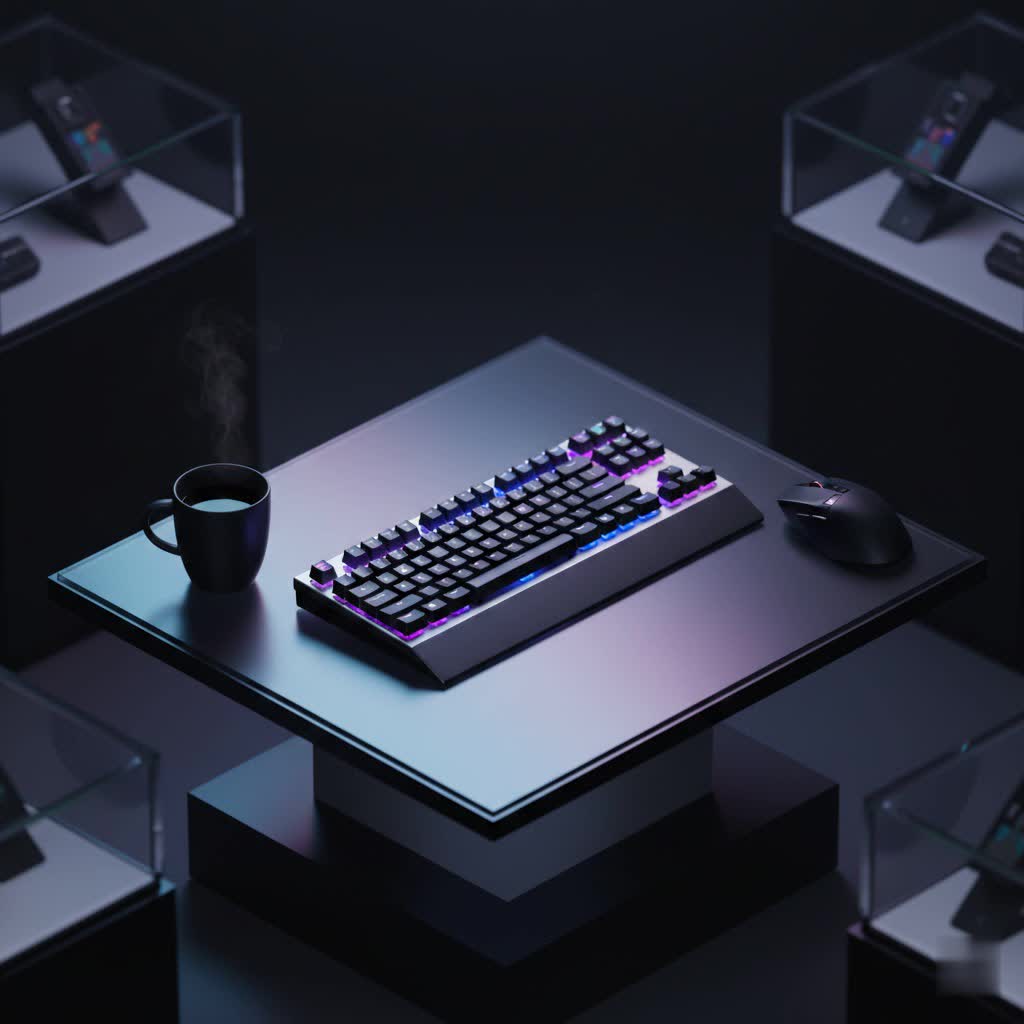
In this comprehensive guide, we’ll dive deep into everything you need to know about Bluetooth mechanical keyboards. From understanding their core components and connectivity options to choosing the right switches and keycaps for your preferences, we’ll equip you with the knowledge to select the ideal keyboard that elevates your daily interactions and declutters your digital life.
What is a Bluetooth Mechanical Keyboard?
A Bluetooth mechanical keyboard is a sophisticated input device that integrates the distinctive physical switches of a mechanical keyboard with the versatility of Bluetooth wireless technology. Unlike traditional membrane keyboards, which use a single rubber dome sheet beneath the keys, mechanical keyboards feature individual switches for each key. This design delivers superior tactile feedback, enhanced durability, and greater precision with every keystroke.
The evolution of mechanical keyboards saw a significant leap with the introduction of wireless capabilities, and Bluetooth connectivity has been a cornerstone of this advancement. Early mechanical keyboards were almost exclusively wired, prized by enthusiasts for their performance and reliability. However, as mobile computing and multi-device setups became prevalent, the demand for cable-free solutions grew. Bluetooth technology offered a seamless way to connect keyboards to a wide array of devices, from desktops and laptops to tablets and smartphones, without the need for a dedicated USB receiver. This shift has made mechanical keyboards more accessible and practical for diverse environments, from bustling offices to minimalist home setups and on-the-go professionals.
At its core, a Bluetooth mechanical keyboard comprises several key components working in harmony. The switches are perhaps the most defining element, dictating the typing feel and sound. Each switch is a self-contained unit under a keycap, which is the physical top of the key you press. Beneath the switches, a plate often provides structural integrity, mounted within a case that houses the internal electronics, including the printed circuit board (PCB) and, crucially for Bluetooth models, the rechargeable battery and Bluetooth module. These internal components are carefully engineered to manage power efficiently while maintaining a stable wireless connection, often supporting multiple device pairings and quick switching.
Bluetooth vs. 2.4GHz vs. Wired: Understanding Connectivity Options
When exploring wireless mechanical keyboards, you’ll often encounter three primary connectivity methods: Bluetooth, 2.4GHz wireless, and traditional wired (USB-C). Many modern wireless mechanical keyboards are “tri-mode,” offering all three, providing incredible flexibility to suit various needs and preferences. Understanding the distinctions between these options is crucial for making an informed choice.
Bluetooth Connectivity
Bluetooth is renowned for its widespread compatibility and convenience, making it a popular choice for mechanical keyboards.
-
Pros:
- Broad Compatibility: Connects seamlessly with a vast range of devices, including PCs, Macs, laptops, tablets, and smartphones, without needing a dedicated receiver.
- No Dongle Required: Frees up valuable USB ports, particularly beneficial for devices with limited connectivity.
- Multi-Device Pairing: Most Bluetooth mechanical keyboards allow you to pair with multiple devices (often 3-4) and switch between them effortlessly, ideal for a multi-tasking workflow.
- Superior Range: Generally offers a longer wireless range compared to 2.4GHz connections, allowing you to type from a greater distance.
-
Cons:
- Potential for Higher Latency: While greatly improved with modern Bluetooth versions (like 5.0 and higher), Bluetooth can still introduce a slight delay compared to wired or 2.4GHz connections, which might be noticeable in competitive gaming.
- Prone to Interference: Bluetooth signals can occasionally experience disruptions from other wireless devices operating on similar frequencies, potentially leading to connection drops or missed keystrokes.
- Higher Power Consumption: Bluetooth usage typically consumes more battery power than a 2.4GHz connection during active use, requiring more frequent charging.
|
Our Picks for the Best Mechanical Keyboard in 2026
As an Amazon Associate I earn from qualifying purchases.
|
||
| Num | Product | Action |
|---|---|---|
| 1 | AULA F75 Pro Wireless Mechanical Keyboard,75% Hot Swappable Custom Keyboard with Knob,RGB Backlit,Pre-lubed Reaper Switches,Side Printed PBT Keycaps,2.4GHz/USB-C/BT5.0 Mechanical Gaming Keyboards |

|
| 2 | Wood Pattern Mechanical Keyboard Wireless & Bluetooth Brown Keyboard – RGB Backlit Hot-Swappable PBT Keycaps Aesthetic Keyboard for Mac, Windows, iOS & Android – Ergonomic Gaming & Office Keyboard |
|
| 3 | AULA F2088 Typewriter Style Mechanical Gaming Keyboard Wired,Blue Switches,Rainbow LED Backlit,Removable Wrist Rest,Media Control Knob,Retro Punk Round Keycaps,USB Wired Computer Keyboard |
|
| 4 | Redragon Mechanical Gaming Keyboard Wired, 11 Programmable Backlit Modes, Hot-Swappable Red Switch, Anti-Ghosting, Double-Shot PBT Keycaps, Light Up Keyboard for PC Mac |
|
| 5 | Logitech MX Mechanical Wireless Illuminated Performance Keyboard, Tactile Quiet Switches, Backlit Keys, Bluetooth, USB-C, macOS, Windows, Linux, iOS, Android, Metal, Graphite |
|
| 6 | AULA F99 Wireless Mechanical Keyboard,Tri-Mode BT5.0/2.4GHz/USB-C Hot Swappable Custom Keyboard,Pre-lubed Linear Switches,RGB Backlit Computer Gaming Keyboards for PC/Tablet/PS/Xbox |
|
| 7 | MageGee Portable 60% Mechanical Gaming Keyboard, MK-Box LED Backlit Compact 68 Keys Mini Wired Office Keyboard with Red Switch for Windows Laptop PC Mac - Black/Grey |
|
| 8 | SOLAKAKA A99 Pro Mechanical Keyboard with LCD Screen & Metal Knob, Wireless Gaming Keyboard with BT5.0/2.4GHz/USB-C, Hot Swappable Creamy Keyboard, Gasket Structure, RGB Backlit, for Win/Mac |
|
| 9 | SteelSeries USB Apex 5 Hybrid Mechanical Gaming Keyboard – Per-Key RGB Illumination – Aircraft Grade Aluminum Alloy Frame – OLED Smart Display (Hybrid Blue Switch) |
|
| 10 | GravaStar Mercury V75 HE Keyboard, 75% Hall‑Effect Magnetic Switch Gaming Keyboard, 8000 Hz Polling, 0.005RT, Wired USB-C, RGB Backlit, Adjustable Actuation, Semi‑Aluminum Chassis-Stealth Black |
|
2.4GHz Wireless (via USB Dongle)
The 2.4GHz wireless connection, typically established through a dedicated USB dongle, offers a performance-oriented alternative.
-
Pros:
- Lower Latency: Offers significantly lower input lag, often comparable to a wired connection, making it the preferred choice for fast-paced gaming where split-second responses are critical.
- More Stable Connection: Less susceptible to interference from other wireless devices, providing a more reliable and consistent connection.
- Dedicated Connection: The direct dongle-to-keyboard link ensures optimized performance without sharing bandwidth with other Bluetooth devices.
-
Cons:
- Requires a USB Port: The dongle occupies a USB port, which can be inconvenient on devices with limited ports or for mobile use.
- Less Broad Compatibility: Primarily designed for computers; not natively compatible with most smartphones or tablets without an adapter.
- Shorter Range: Generally has a shorter effective range than Bluetooth.
Wired (USB-C)
The traditional wired connection remains the gold standard for raw performance and reliability.
-
Pros:
- Zero Latency: Offers the absolute fastest response time, essential for professional gamers and those who demand instant feedback.
- No Interference: Immune to wireless interference, ensuring a perfectly stable and consistent connection.
- No Battery Concerns: Draws power directly from the connected device, eliminating the need for charging or battery replacement.
- Cost-Effective: Wired mechanical keyboards often have a lower price point due to fewer complex wireless components.
-
Cons:
- Limited Mobility: The physical cable restricts movement and keyboard placement.
- Cable Clutter: Contributes to a less tidy desk aesthetic.
- Less Versatile: Cannot be used wirelessly with multiple devices.
For many users, especially those seeking a clutter-free desk and the ability to switch between devices, a Bluetooth mechanical keyboard is an excellent choice. However, if competitive gaming is your priority, a tri-mode keyboard that offers a 2.4GHz connection is often recommended, giving you the best of both worlds.
Choosing Your Switches: The Heart of the Experience
The type of switch under each keycap is arguably the most defining characteristic of a mechanical keyboard, fundamentally shaping your typing and gaming experience. Mechanical switches come in a vast array of types, but they are generally categorized into three main families: linear, tactile, and clicky.
Linear Switches
Linear switches provide a smooth, consistent keystroke from top to bottom, without any tactile bump or audible click.
- Characteristics: Smooth and quiet operation, uniform resistance throughout the key travel.
- Pros: Ideal for fast-paced gaming where rapid, repeated key presses are common, as there’s no bump to overcome. Also preferred by some typists who value a fluid, uninterrupted press.
- Cons: Lacks the feedback that some typists desire, which can lead to accidental key presses if you don’t bottom out.
- Popular Types: Cherry MX Red, Gateron Red, Cherry MX Speed Silver, Silent Peach.
- Best for: Gamers, users who prefer a quiet typing experience.
Tactile Switches
Tactile switches feature a noticeable “bump” in the middle of the keystroke, providing feedback that a key actuation has occurred without an audible click.
- Characteristics: A distinct tactile bump that lets you feel when the key has registered.
- Pros: Offers a good balance for both typing and gaming. The tactile feedback helps typists know when a key has been pressed, potentially reducing errors and improving typing speed.
- Cons: The bump can slightly slow down rapid key presses compared to linear switches.
- Popular Types: Cherry MX Brown, Gateron Brown, Zealios V2, Kailh Box Browns.
- Best for: Typists, programmers, general users, and those who game but also do a lot of typing.
Clicky Switches
Clicky switches offer both a tactile bump and a distinct audible “click” sound when the key actuates.
- Characteristics: A tactile bump combined with a loud, satisfying click sound.
- Pros: Many typists find the auditory and tactile feedback highly gratifying, making typing feel more deliberate and enjoyable. The clear feedback can enhance typing accuracy.
- Cons: The loud click can be disruptive in shared environments like offices or during late-night use. Not typically recommended for competitive gaming due to the slightly higher actuation force and reset point.
- Popular Types: Cherry MX Blue, Gateron Blue, Kailh Box White.
- Best for: Typists who work in private spaces and appreciate strong auditory feedback.
Low-Profile Switches
These switches have a shorter stem and travel distance, allowing for slimmer keyboard designs.
- Characteristics: Reduced height and total travel distance compared to standard switches.
- Pros: Enable sleeker, more portable keyboards. Can be more comfortable for users who prefer a flatter typing angle or those transitioning from laptop keyboards.
- Cons: Less travel distance may feel less “mechanical” to some, and the shorter keycaps can affect the typing feel.
- Best for: Portability, users who prefer a minimalist aesthetic or struggle with higher keyboard profiles.
Hot-Swappable Switches
A significant innovation in mechanical keyboards, hot-swappable sockets allow you to change out switches without soldering.
- Benefits:
- Customization: Easily experiment with different switch types to find your perfect feel.
- Repairability: Replace a faulty switch quickly without needing specialized tools or expertise.
- Longevity: Extends the life of your keyboard by allowing easy component replacement.
Choosing the right switch type comes down to personal preference. If possible, try out different switch types before committing. Otherwise, reading detailed reviews and watching sound tests can provide a good indication of what to expect.
Keycaps: Material, Profile, and Aesthetics
Beyond the switches, keycaps play a pivotal role in the feel, sound, and visual appeal of your Bluetooth mechanical keyboard. They are the physical interfaces your fingers interact with, and their material, manufacturing process, and profile significantly influence your overall experience.
Keycap Materials
The most common materials for keycaps are ABS and PBT, each with distinct advantages and disadvantages.
- ABS (Acrylonitrile Butadiene Styrene):
- Pros: Generally smoother, offers vibrant colors, and is often used for transparent legends (shine-through). More affordable and widely available.
- Cons: Tends to develop a “shine” or greasy look over time due to finger oils, and can feel thinner or less premium. Less durable than PBT.
- PBT (Polybutylene Terephthalate):
- Pros: Highly durable, resistant to shine and wear, and maintains its textured surface over long periods. Offers a more robust and premium feel. Often produces a deeper, more satisfying sound profile.
- Cons: Can be more expensive, and less color variety might be available for certain sets.
- POM (Polyoxymethylene):
- Pros: Known for a unique, smooth, and slightly slick texture. Very durable and resistant to oils.
- Cons: Less common and can be challenging to find in a wide variety of styles.
Manufacturing Process:
- Dye-sublimation: Dyes are infused into the plastic, resulting in highly durable legends that won’t fade or wear off. Typically used with PBT.
- Double-shot: Two separate plastic layers are molded together – one for the legend and one for the keycap body. This creates legends that are extremely durable and will never fade, often with excellent crispness. It’s frequently found on higher-quality ABS and PBT keycaps.
Keycap Profiles
The “profile” refers to the shape and height of the keycaps. Different profiles can dramatically alter the ergonomics and typing feel.
- OEM Profile: The most common profile, found on many pre-built keyboards. Keys are sculpted, with varying heights and angles across rows for a generally comfortable typing experience.
- Cherry Profile: Similar to OEM but slightly shorter and with a subtly different sculpting angle, preferred by many enthusiasts for its comfortable and less aggressive curvature.
- DSA Profile: A uniform, spherical profile where all keycaps have the same height and shape. This offers flexibility for key remapping but can feel less intuitive for touch typists accustomed to sculpted profiles.
- SA Profile: A tall, sculpted, spherical profile that gives a vintage aesthetic and a very distinct, often deep sound. It can take some getting used to due to its height.
- Low-Profile: Designed specifically for low-profile switches, these keycaps are much flatter and shorter, contributing to a slim keyboard design.
How to Choose Keycaps
- Durability and Feel: For longevity and a premium feel, PBT or double-shot ABS keycaps are generally recommended.
- Aesthetics: Consider the color scheme, legends (font, style), and whether you want RGB lighting to shine through the legends.
- Ergonomics: Experiment with different profiles if possible. OEM or Cherry profiles are safe bets for general comfort, while DSA offers uniformity, and SA provides a unique, retro feel.
The right keycaps not only enhance the visual appeal of your Bluetooth mechanical keyboard but also contribute significantly to the overall typing comfort and sonic feedback, making it truly yours.
Top Bluetooth Mechanical Keyboards in 2026
The market for Bluetooth mechanical keyboards is vibrant and continuously evolving, offering a wide array of options for every need and budget. Here’s a look at some highly-rated models that stand out for their features, performance, and user satisfaction, incorporating the latest models and trends.
> “The beauty of modern Bluetooth mechanical keyboards lies in their versatility. Whether you’re a gamer seeking minimal latency with 2.4GHz, a professional needing multi-device Bluetooth, or someone who values a pristine wired connection, the best keyboards today offer all three.” – Alex Chen, Lead Keyboard Engineer, GearHead Innovations
| Model | Price Range | Connectivity | Switch Options | Keycaps | Special Features | Ideal User |
|---|---|---|---|---|---|---|
| Keychron Q5 Max | Premium | Tri-mode (BT, 2.4GHz, USB-C) | Gateron G Pro (Hot-swappable) | Double-shot PBT | Gasket mount, CNC aluminum body, QMK/VIA support, volume knob | Enthusiasts, professionals, multi-OS users |
| NuPhy Air75 V2 | Mid-range | Tri-mode (BT 5.3, 2.4GHz, USB-C) | Low-profile (Hot-swappable) | PBT/PC Double-shot | Slim design, excellent for portability, multi-device, custom software | Travelers, minimalists, mobile users |
| Logitech MX Mechanical Mini | Mid-range | Bluetooth, USB-C | Low-profile (Tactile, Linear, Clicky) | ABS | Multi-device (3), smart backlighting, long battery life, Flow compatibility | Office, productivity, multi-device professional |
| Cooler Master MK770 | Mid-range | Tri-mode (BT 5.1, 2.4GHz, USB-C) | Kailh Box V2 (Hot-swappable) | PBT | Gasket mount, volume knob, vibrant RGB, software customization | Gamers, typists, custom builders |
| Anne Pro 2 Wireless | Budget | Bluetooth, USB-C | Gateron/Kailh Box | Double-shot PBT | Compact 60% layout, fully programmable, long battery life, RGB | Portability, compact desk setups, budget-conscious |
- Keychron Q5 Max (or similar Q-series Max models): Known for premium build quality, often featuring aluminum cases, gasket mounts for a comfortable typing feel, and comprehensive customization via QMK/VIA software. These keyboards typically support tri-mode connectivity, making them highly versatile for users who demand the best in wired, 2.4GHz, and Bluetooth performance across different operating systems.
- NuPhy Air75 V2: An excellent option for those seeking a low-profile, portable, and aesthetically pleasing mechanical keyboard. It offers strong tri-mode connectivity, comfortable low-profile switches (often hot-swappable), and a compact layout that’s ideal for travel or small workspaces. Its excellent battery life and multi-device support further enhance its appeal for mobile professionals.
- Logitech MX Mechanical Mini: While not always fully customizable in the enthusiast sense, Logitech’s MX series excels in productivity. The Mechanical Mini offers a sleek, low-profile design, excellent battery life, and seamless multi-device pairing. It’s particularly praised for its comfortable typing feel and robust software ecosystem, making it a reliable choice for office work.
- Cooler Master MK770: This model stands out for offering enthusiast-grade features like hot-swappable switches, a gasket-mounted design, and PBT keycaps at a competitive mid-range price. Its tri-mode connectivity (including Bluetooth 5.1 and 2.4GHz) and robust build quality make it a strong contender for both gaming and general use, especially for users who appreciate the ability to easily swap switches.
- Anne Pro 2 Wireless: A highly popular compact (60%) keyboard, the Anne Pro 2 is a fantastic budget-friendly option. It features robust Bluetooth connectivity, double-shot PBT keycaps, and offers various Gateron or Kailh Box switch options. Its full programmability and customizable RGB lighting make it a strong choice for users looking for a portable and customizable mechanical keyboard without breaking the bank.
These examples represent the diverse landscape of Bluetooth mechanical keyboards available today, each catering to slightly different user preferences, from high-end customization to portability and productivity.
Your Bluetooth Mechanical Keyboard Buying Guide
Choosing the perfect Bluetooth mechanical keyboard requires careful consideration of several factors to ensure it aligns with your specific needs and preferences. Here’s a detailed guide to help you navigate the options:
1. Identify Your Usage Needs
Your primary use case will heavily influence your ideal keyboard.
- Gaming: If competitive gaming is a priority, look for models with low-latency 2.4GHz wireless connectivity (often found in tri-mode keyboards) in addition to Bluetooth. Linear switches are typically preferred for rapid key presses.
- Office/Productivity: Multi-device Bluetooth pairing and excellent battery life are key. Tactile switches are often favored for comfortable, accurate typing. Consider a comfortable layout (TKL or full-size with a numpad if needed).
- Programming: Similar to office work, tactile switches are often recommended. QMK/VIA software compatibility for custom macros and key remapping can be highly beneficial.
- Travel/Portability: Compact layouts (60%, 75%) and slim designs are crucial. Look for robust Bluetooth connectivity for pairing with various mobile devices and long battery life.
2. Set Your Budget
Bluetooth mechanical keyboards range widely in price, from under $100 to over $300.
- Entry-level (Under $100): Basic features, typically ABS keycaps, and more common switch types. Good for those new to mechanical keyboards or on a tight budget.
- Mid-range ($100-$200): Offers a good balance of features, often including hot-swappable switches, PBT keycaps, and better build materials (e.g., aluminum plates).
- Premium (Over $200): High-end materials (full aluminum cases), gasket mounts, advanced customization software, and often superior wireless performance and battery life.
3. Key Factors to Consider
- Connectivity:
- Bluetooth Version: Aim for Bluetooth 5.0 or higher for improved stability, range, and power efficiency.
- Multi-Device Pairing: Essential if you plan to switch between a computer, tablet, and phone. Most good models offer 3-4 device profiles.
- Tri-Mode: Consider a keyboard that also offers 2.4GHz wireless and wired USB-C options for maximum versatility and performance in different scenarios.
- Battery Life: This is critical for wireless freedom. Look for models advertising at least 40 hours of active use with backlighting enabled, or much longer (weeks to months) with backlighting off. Check the battery capacity (mAh) for an indication of longevity. Rechargeable internal batteries are standard.
- Layout:
- Full-size (100%): Includes a numpad, function row, and navigation cluster. Best for data entry and traditional users.
- Tenkeyless (TKL / 80%): Removes the numpad, offering a more compact footprint while retaining the function row and arrow keys. Popular for balancing functionality and desk space.
- 75%: Similar to TKL but more compact, condensing the navigation cluster and sometimes combining keys.
- 60%/65%: Highly compact, omitting the function row, numpad, and often dedicated arrow keys (accessed via function layers). Excellent for portability and minimalist setups.
- Switches & Keycaps: Refer to the previous sections to choose the type (linear, tactile, clicky, low-profile) and material (PBT, ABS) that suits your preference. Consider hot-swappable switches for future customization.
- Build Quality: Look for keyboards with sturdy construction. Aluminum cases offer a premium feel and durability, while gasket-mount designs provide a softer, more flexible typing experience.
- Software & Customization: Check for support for QMK/VIA, which allows extensive key remapping, macro programming, and lighting control. Proprietary software from brands like Logitech or Razer also offers robust customization.
- RGB Lighting: While aesthetically pleasing, extensive RGB lighting significantly impacts battery life. Consider if you need full RGB or if a simpler backlight or no backlight is sufficient.
4. Where to Buy
- Online Retailers: Amazon, Best Buy, and Newegg offer a wide selection from major brands.
- Specialized Keyboard Stores: Websites like MechanicalKeyboards.com, KeyboardCo, and brand-specific sites (Keychron, NuPhy) offer a broader range of enthusiast-grade and custom options.
- Local Electronics Stores: Provides an opportunity to test out different switch types in person.
By systematically evaluating these factors against your personal needs, you can confidently choose a Bluetooth mechanical keyboard that delivers an exceptional and wire-free typing experience.
Maintaining Your Bluetooth Mechanical Keyboard for Longevity
A Bluetooth mechanical keyboard is an investment in your typing comfort and productivity. Proper care and maintenance are essential to ensure its longevity, optimal performance, and consistent wireless functionality.
1. Regular Cleaning
Dust, crumbs, and debris are the enemies of any keyboard, especially mechanical ones.
- Dust Removal: Use compressed air to blow out debris from between and under the keycaps regularly. A soft brush or a dedicated keyboard vacuum can also be effective.
- Keycap Cleaning: Periodically remove keycaps (using a keycap puller to avoid damage) and clean them with mild soap and water or a specialized keyboard cleaning solution. Ensure they are completely dry before reattaching.
- Case Cleaning: Wipe down the keyboard case with a microfiber cloth, slightly dampened with water or isopropyl alcohol, to remove oils and grime.
2. Battery Care and Management
Battery life is crucial for a Bluetooth keyboard’s wireless freedom. Extending it requires mindful usage.
- Reduce Backlight Brightness: RGB lighting is a significant battery drainer. Adjusting the backlight intensity to a lower level or turning it off when not needed can dramatically extend battery life. Many keyboards offer multiple brightness levels or power-saving modes for lighting.
- Turn Off When Not In Use: A simple yet often overlooked tip. If you’re stepping away from your desk for an extended period, or at the end of the day, switch off your keyboard. Many models have a physical on/off switch, or they enter a deep sleep mode automatically.
- Utilize Energy-Saving Modes: Most modern Bluetooth mechanical keyboards come with power-saving features that automatically put the keyboard into a low-power state after a period of inactivity. Ensure these features are enabled in the keyboard’s software or settings.
- Monitor Battery Health: Be aware of your keyboard’s battery level and recharge it before it completely drains. While modern lithium-ion batteries are resilient, consistently running them to zero can reduce their overall lifespan over time. Avoid overcharging by disconnecting the keyboard once it’s full, though most smart chargers will prevent damage.
- Consider Battery Type and Capacity: When purchasing, pay attention to the keyboard’s battery type (e.g., rechargeable lithium-ion) and its capacity (mAh), as these directly impact how long a single charge will last. Keyboards with larger batteries generally offer longer usage times.
- Firmware Updates: Occasionally, manufacturers release firmware updates that improve power efficiency and Bluetooth connectivity. Check your keyboard’s support page for the latest updates.
3. Protecting Against Spills
Liquids are catastrophic for electronics.
- Keep Drinks Away: The simplest solution is to keep beverages at a safe distance from your keyboard.
- Water-Resistant Features: Some keyboards offer a degree of spill resistance, but it’s rarely full waterproofing. Always check the specifications.
By integrating these simple maintenance routines into your usage, you can ensure your Bluetooth mechanical keyboard remains a reliable and enjoyable part of your setup for years to come, consistently delivering that satisfying mechanical typing experience with wireless convenience.
Conclusion
Bluetooth mechanical keyboards offer a compelling blend of satisfying tactile feedback, robust durability, and unmatched wireless convenience, making them an excellent choice for modern users. Whether you prioritize a clutter-free desk, seamless multi-device switching, or enhanced portability, these keyboards deliver a premium typing experience without the limitations of cables. By carefully considering switch types, keycap materials, layout, and crucial factors like battery life and connectivity options, you can select a keyboard perfectly tailored to your personal and professional demands.
Investing in a high-quality Bluetooth mechanical keyboard means investing in your productivity and comfort. With proper care and maintenance, your chosen keyboard will provide years of reliable service, transforming your daily interactions with technology. What will be the first project you tackle with your new-found wireless typing freedom?
Frequently Asked Questions
Is Bluetooth mechanical keyboard latency an issue for gaming?
While older Bluetooth versions could introduce noticeable lag, modern Bluetooth 5.0 and higher, combined with advancements in keyboard technology, have significantly reduced latency. For casual gaming and most users, Bluetooth latency is often negligible. However, for highly competitive or professional gaming, a 2.4GHz wireless connection (available on many tri-mode keyboards) or a wired connection is still typically recommended for absolute minimal input lag.
How long does the battery on a Bluetooth mechanical keyboard typically last?
Battery life varies widely depending on the model, battery capacity, and usage habits, especially RGB lighting. Many keyboards can last anywhere from 40 hours to several weeks (or even months with backlighting off) on a single charge. High-end models with efficient power management and larger batteries can achieve impressive longevity, sometimes exceeding 100 hours with moderate backlighting.
Can I connect a Bluetooth mechanical keyboard to multiple devices simultaneously?
Yes, most modern Bluetooth mechanical keyboards support multi-device pairing. This feature allows you to connect the keyboard to several devices (typically 3 or 4) and easily switch between them using a dedicated button or key combination. This is highly convenient for users who frequently switch between a desktop, laptop, tablet, or smartphone.
Are Bluetooth mechanical keyboards customizable?
Absolutely. Many Bluetooth mechanical keyboards offer extensive customization options. These can include hot-swappable switches, allowing you to change switch types without soldering; programmable keys and macros via software like QMK/VIA; and customizable RGB backlighting. This level of personalization enables you to fine-tune the keyboard to your exact preferences in feel, sound, and aesthetics.
Are Bluetooth mechanical keyboards more expensive than wired ones?
Generally, yes. The added technology required for wireless connectivity, including the Bluetooth module, internal rechargeable battery, and power management components, tends to increase the manufacturing cost. Therefore, a Bluetooth mechanical keyboard will often be more expensive than a wired mechanical keyboard with similar build quality and features. However, the convenience and versatility often justify the higher price point for many users.
