Step into any modern desk setup, and you’re likely to be greeted by a symphony of color emanating from a crucial piece of hardware: the RGB mechanical keyboard. More than just a tool for typing or gaming, these keyboards have transformed into personal statements, blending unparalleled tactile feedback with dazzling, customizable illumination. But what exactly makes an RGB mechanical keyboard stand out, and how do you choose the perfect one to elevate your experience? This comprehensive guide will demystify the world of these vibrant devices, helping you navigate their features, understand their components, and make an informed choice that resonates with your personal style and functional needs.
What is an RGB Mechanical Keyboard?
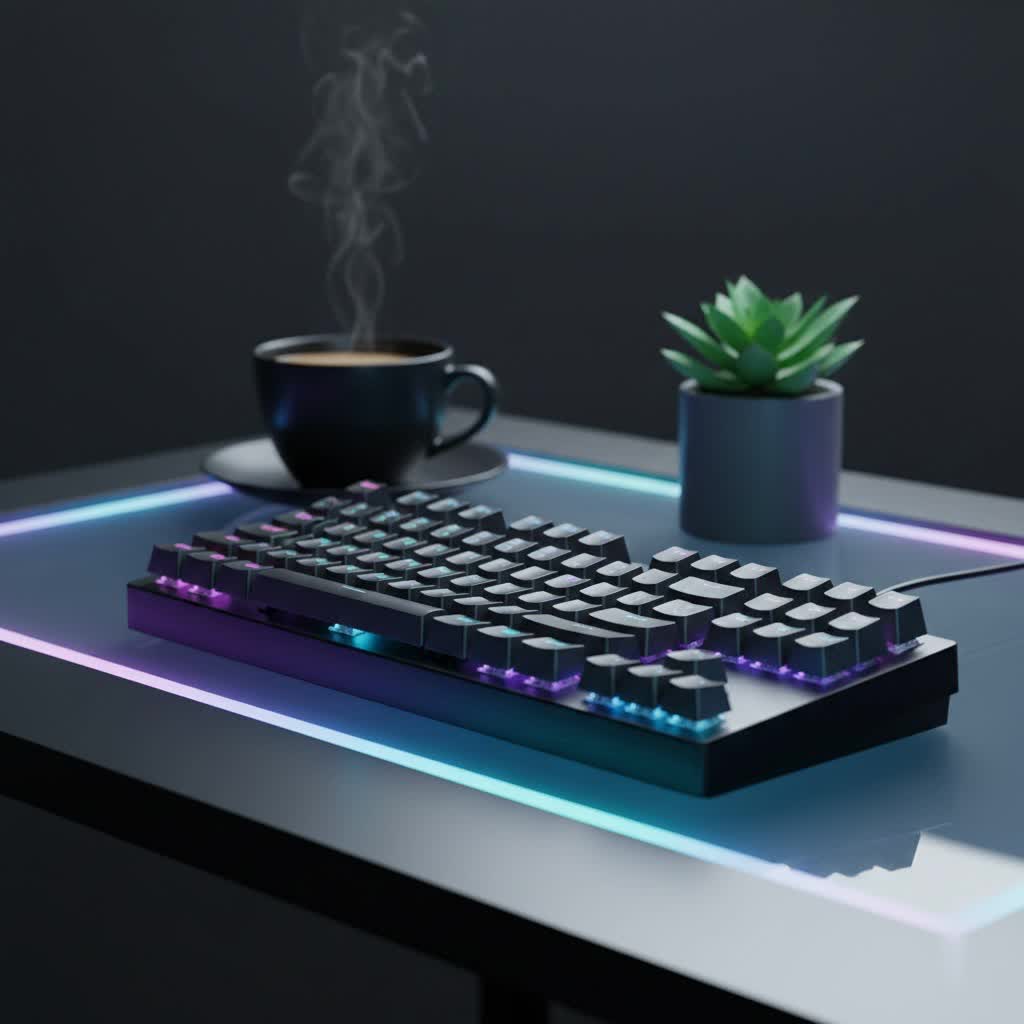
At its core, an RGB mechanical keyboard is an input device featuring individual mechanical switches under each key, paired with advanced Red, Green, and Blue (RGB) LED lighting. Unlike traditional membrane keyboards that use a rubber dome layer to register keypresses, mechanical keyboards employ a dedicated physical switch for every key. This design provides superior durability, consistent tactile or auditory feedback, and a significantly more satisfying typing or gaming experience. The “RGB” component refers to the integrated lighting system, which can combine these three primary colors to produce millions of distinct hues, allowing for highly personalized and dynamic lighting effects across the keyboard.
The evolution of mechanical keyboards dates back decades, prized for their robustness and distinct feel. However, the integration of sophisticated RGB lighting has propelled them into a new era of popularity, particularly among gamers and enthusiasts. Modern RGB mechanical keyboards are typically built with multiple layers, including a sturdy top plate, a PCB (printed circuit board) housing the switches and LEDs, and a protective case, all contributing to their premium feel and enhanced performance.
Exploring the Vibrant World of RGB Lighting
The “RGB” in an RGB mechanical keyboard stands for Red, Green, and Blue, the primary colors of light. By mixing these three colors at varying intensities, an RGB keyboard can generate an impressive spectrum of over 16 million colors. This technological capability moves beyond simple backlighting, offering extensive customization that can dramatically change the aesthetic and even the functionality of your keyboard.
The true power of RGB lighting lies in its customizability. Most RGB mechanical keyboards come with dedicated software from manufacturers like Razer (Synapse), Corsair (iCUE), Logitech (G Hub), or SteelSeries (Engine) that allows users to tailor their lighting experience. Through this software, you can:
- Choose from preset lighting modes: These often include static colors, breathing effects, wave patterns, spectrum cycling, and reactive lighting that responds to your keystrokes.
- Per-key customization: Assign different colors to individual keys or groups of keys, allowing for intricate designs or functional highlights.
- Adjust brightness, speed, and direction: Fine-tune the intensity of the light, the pace of dynamic effects, and the flow direction of patterns to match your mood or activity.
Beyond mere aesthetics, RGB lighting offers practical benefits. It enhances visibility in low-light environments, making typing or gaming easier at night. For gamers, RGB can highlight essential key groupings (like WASD or spell keys) to improve gameplay efficiency. For productivity users, different colors can segment keyboard layouts, quickly identifying shortcuts for specific software. Moreover, many users coordinate their keyboard lighting with other RGB-enabled devices to create a cohesive and immersive desktop ecosystem.
Understanding Mechanical Keyboard Switches
The heart of any mechanical keyboard is its switch. These small, intricate mechanisms beneath each keycap determine the feel, sound, and actuation of every press. Mechanical switches are generally categorized into three main types: linear, tactile, and clicky, each offering a distinct user experience.
Linear Switches
Linear switches are characterized by a smooth, consistent keystroke from top to bottom, without any tactile bump or audible click. They are often preferred for their rapid and effortless actuation.
- Characteristics: Smooth travel, no bump, quiet operation (relative to others).
- Pros: Fast actuation, ideal for rapid keypresses, generally quieter.
- Cons: Lack of tactile feedback can lead to accidental presses for some users, may feel “mushy” to those accustomed to tactile feedback.
- Popular Types:
- Cherry MX Red: A benchmark for linear switches, known for its light actuation force, making it popular for gaming.
- Gateron Red: Similar to Cherry MX Red, often praised for its smoothness.
- Cherry MX Speed Silver: Features a shorter actuation distance for even faster response, favored by competitive gamers.
- Best for: Fast-paced gaming, users who prefer a quiet typing experience.
|
Our Picks for the Best Mechanical Keyboard in 2026
As an Amazon Associate I earn from qualifying purchases.
|
||
| Num | Product | Action |
|---|---|---|
| 1 | SOLAKAKA A99 Pro Mechanical Keyboard with LCD Screen & Metal Knob, Wireless Gaming Keyboard with BT5.0/2.4GHz/USB-C, Hot Swappable Creamy Keyboard, Gasket Structure, RGB Backlit, for Win/Mac |

|
| 2 | Wood Pattern Mechanical Keyboard Wireless & Bluetooth Brown Keyboard – RGB Backlit Hot-Swappable PBT Keycaps Aesthetic Keyboard for Mac, Windows, iOS & Android – Ergonomic Gaming & Office Keyboard |
|
| 3 | MageGee Portable 60% Mechanical Gaming Keyboard, MK-Box LED Backlit Compact 68 Keys Mini Wired Office Keyboard with Red Switch for Windows Laptop PC Mac - Black/Grey |
|
| 4 | Logitech MX Mechanical Wireless Illuminated Performance Keyboard, Tactile Quiet Switches, Backlit Keys, Bluetooth, USB-C, macOS, Windows, Linux, iOS, Android, Metal, Graphite |
|
| 5 | AULA F99 Wireless Mechanical Keyboard,Tri-Mode BT5.0/2.4GHz/USB-C Hot Swappable Custom Keyboard,Pre-lubed Linear Switches,RGB Backlit Computer Gaming Keyboards for PC/Tablet/PS/Xbox |
|
| 6 | AULA F75 Pro Wireless Mechanical Keyboard,75% Hot Swappable Custom Keyboard with Knob,RGB Backlit,Pre-lubed Reaper Switches,Side Printed PBT Keycaps,2.4GHz/USB-C/BT5.0 Mechanical Gaming Keyboards |
|
| 7 | SteelSeries USB Apex 5 Hybrid Mechanical Gaming Keyboard – Per-Key RGB Illumination – Aircraft Grade Aluminum Alloy Frame – OLED Smart Display (Hybrid Blue Switch) |
|
| 8 | GravaStar Mercury V75 HE Keyboard, 75% Hall‑Effect Magnetic Switch Gaming Keyboard, 8000 Hz Polling, 0.005RT, Wired USB-C, RGB Backlit, Adjustable Actuation, Semi‑Aluminum Chassis-Stealth Black |
|
| 9 | AULA F2088 Typewriter Style Mechanical Gaming Keyboard Wired,Blue Switches,Rainbow LED Backlit,Removable Wrist Rest,Media Control Knob,Retro Punk Round Keycaps,USB Wired Computer Keyboard |
|
| 10 | Redragon Mechanical Gaming Keyboard Wired, 11 Programmable Backlit Modes, Hot-Swappable Red Switch, Anti-Ghosting, Double-Shot PBT Keycaps, Light Up Keyboard for PC Mac |
|
Tactile Switches
Tactile switches provide a noticeable “bump” or resistance during the keypress, indicating that the key has registered. This feedback is felt rather than heard, making them a popular choice for typists and those who want confirmation of actuation without excessive noise.
- Characteristics: A distinct bump mid-press, quiet operation (no loud click).
- Pros: Excellent feedback for typing accuracy, good for both gaming and typing, quieter than clicky switches.
- Cons: The bump can feel like resistance to some gamers seeking uninterrupted rapid presses.
- Popular Types:
- Cherry MX Brown: The most common tactile switch, offering a gentle bump. A versatile choice for mixed use.
- Gateron Brown: Offers a smoother tactile bump than Cherry MX Brown and is often more affordable.
- Zealios V2: A premium tactile switch known for a pronounced and satisfying bump.
- Best for: Typists, programmers, and users who desire tactile feedback for accuracy without disturbing others.
Clicky Switches
Clicky switches offer both a tactile bump and a distinct audible “click” sound when actuated. This combination provides the most feedback, often described as a reminiscent experience of vintage typewriters.
- Characteristics: Tactile bump and a clear, audible click sound.
- Pros: Highly satisfying feedback, strong confirmation of keypress, favored by many typists.
- Cons: The loud click can be disruptive in shared environments, not ideal for stealthy gaming.
- Popular Types:
- Cherry MX Blue: The classic clicky switch, known for its crisp sound and feel.
- Gateron Blue: A popular alternative to Cherry MX Blue, often offering a slightly higher-pitched click.
- Kailh Box White: Known for a cleaner click sound and better dust/water resistance due to its “box” stem design.
- Best for: Enthusiastic typists, users who enjoy strong auditory and tactile feedback, and those in private workspaces.
Comparing Mechanical Switches
| Feature | Linear Switches | Tactile Switches | Clicky Switches |
|---|---|---|---|
| Feel | Smooth, no bump | Noticeable bump | Noticeable bump |
| Sound | Quiet | Quiet to moderate | Loud click |
| Feedback | Minimal (bottom-out) | Physical bump | Physical bump and audible click |
| Actuation Speed | Fastest | Moderate | Moderate |
| Ideal For | Gaming, rapid keypresses | Typing, balanced use | Typing, auditory satisfaction |
Decoding Keycaps: Material and Profile
Keycaps are the individual caps that sit atop each mechanical switch. They are not just aesthetic components; their material and profile significantly impact the feel, sound, durability, and how RGB lighting is displayed.
Keycap Materials
The most common keycap materials are ABS and PBT, with some other specialty options.
- ABS (Acrylonitrile Butadiene Styrene):
- Pros: More affordable, smooth texture, excellent for vibrant colors and translucent legends, which are ideal for RGB shine-through.
- Cons: Prone to developing a shiny, “greasy” look over time due to finger oils, less durable than PBT.
- Ideal for RGB: ABS keycaps are often thinner and allow more light to pass through, making RGB effects appear brighter and more vivid.
- PBT (Polybutylene Terephthalate):
- Pros: Highly durable, resistant to shine and wear, textured feel provides better grip, often produces a deeper, “thockier” sound.
- Cons: Generally more expensive, can be harder to achieve vibrant colors or translucent legends (though double-shot PBT addresses this for legends).
- Ideal for RGB: Double-shot PBT keycaps with translucent legends are excellent for RGB, offering durability and clear light transmission through the characters.
- Other Materials (e.g., POM, PC):
- POM (Polyoxymethylene): Offers a smooth, slick feel, very durable, and resistant to shine. Less common for full sets.
- PC (Polycarbonate): Increasingly popular for its crystal-clear nature, making it perfect for showcasing RGB lighting with maximum transparency.
Keycap Profiles
The keycap profile refers to the shape, height, and angle of the keycaps across different rows of the keyboard. This ergonomic design can greatly influence typing comfort and speed.
- OEM Profile:
- Characteristics: Sculpted profile, with different heights and angles for each row. Commonly found on most pre-built mechanical keyboards.
- Feel: Comfortable and familiar for general use.
- Cherry Profile:
- Characteristics: Similar to OEM but slightly lower in height, also sculpted with varying row heights. Often considered ergonomic.
- Feel: Favored by many enthusiasts for its comfortable, low-profile typing experience.
- DSA Profile:
- Characteristics: Uniform profile, meaning all keycaps have the same height and a flat, spherical top surface.
- Feel: Provides a consistent feel across all keys, which some gamers and touch typists prefer.
- SA Profile:
- Characteristics: Tall, spherical, and heavily sculpted profile, reminiscent of vintage typewriters.
- Feel: Unique, often described as producing a “thocky” sound. Can take some getting used to due to its height.
- XDA Profile:
- Characteristics: Another uniform profile, similar to DSA but with a larger, flatter top surface.
- Feel: Offers a modern, minimalistic look and a comfortable, consistent typing experience.
When selecting keycaps for an RGB mechanical keyboard, consider if the legends (the characters on the keys) are shine-through. This allows the RGB backlighting to illuminate the characters, making them visible in the dark.
Top RGB Mechanical Keyboards: A Comparative Overview
Choosing an RGB mechanical keyboard involves balancing features, performance, and budget. While specific models and brands constantly evolve, several key aspects remain important for any comparison. Top brands like Razer, Corsair, SteelSeries, Asus ROG, and Keychron consistently offer high-quality RGB mechanical keyboards designed for various users.
Consider the following criteria when comparing keyboards:
- Price: RGB mechanical keyboards range from budget-friendly options to premium enthusiast models. More expensive keyboards often boast better build quality, advanced switches, superior software, and comprehensive RGB customization.
- Switch Type: As discussed, your preference for linear, tactile, or clicky switches will heavily influence your choice. Many high-end boards offer hot-swappable switches, allowing you to change them without soldering, providing ultimate customization.
- Keycap Material & Layout: Look for durable PBT keycaps, especially double-shot for clear RGB legends. Consider the keyboard layout (full-size, TKL, 60%, 75%) based on your desk space and necessity for a numpad or dedicated function keys.
- Connectivity: Decide between wired (minimal latency), wireless (Bluetooth, 2.4GHz dongle for gaming), or multi-mode options that combine both. Wireless keyboards like the Alienware Pro Wireless Gaming Keyboard offer excellent battery life and accelerated polling rates.
- Software Ecosystem: Robust software like Razer Synapse, Corsair iCUE, or SteelSeries Engine is crucial for unlocking the full potential of RGB customization and macro programming.
- Build Quality & Features: Look for sturdy materials like aircraft-grade aluminum frames (e.g., SteelSeries Apex series), anti-ghosting, N-key rollover, dedicated media controls, and additional features like customizable OLED displays.
For instance, the Alienware Pro Wireless Gaming Keyboard is noted for its best-in-class RGB lighting and hot-swappable switches, making it an excellent choice for serious gamers. Brands like Razer offer a wide array of gaming keyboards with their Chroma RGB backlighting, featuring mechanical, optical, or mecha-membrane key switches. SteelSeries’ Apex series also stands out with per-key RGB backlighting and adjustable mechanical switches, built with durable aircraft-grade aluminum.
How to Choose Your Perfect RGB Mechanical Keyboard
Selecting the right RGB mechanical keyboard involves a personal journey, matching a device to your unique needs and preferences.
- Define Your Primary Use Case:
- Gaming: Prioritize linear switches (e.g., Cherry MX Red, Speed Silver) for rapid actuation. Look for features like high polling rates, anti-ghosting, N-key rollover, and programmable macros. Per-key RGB customization can highlight in-game actions.
- Office/Typing: Tactile (e.g., Cherry MX Brown) or clicky (e.g., Cherry MX Blue) switches are often preferred for their feedback, which aids typing accuracy. Consider quieter options if in a shared workspace. Ergonomic profiles like Cherry or OEM can enhance comfort during long sessions.
- Programming: A balance between typing comfort and functionality. Tactile switches are popular. Full-size or TKL layouts might be preferred for access to all keys.
- Set a Realistic Budget: Prices vary widely. Determine how much you’re willing to invest, knowing that higher budgets often yield better build quality, more features, and premium components.
- Consider Key Factors:
- Layout: Full-size, TKL (Tenkeyless), 75%, 65%, or 60% – choose based on your desk space and need for a numpad or arrow keys.
- Switch Type: Experiment if possible. Many stores have switch testers. If not, consider a hot-swappable board to try different switches later.
- Keycap Material & Profile: PBT for durability, ABS for vibrant RGB, and a profile that feels comfortable to your typing style.
- Build Quality: A solid chassis (aluminum or high-grade plastic) reduces flex and improves durability.
- Software Ecosystem: Ensure the manufacturer’s software offers the RGB customization and macro programming features you desire.
- Connectivity: Wired for reliability, wireless for clutter-free flexibility.
- Where to Buy: Purchase from reputable electronics retailers, online marketplaces, or directly from manufacturers’ websites. Check reviews and warranties before committing.
Maintenance and Care for Your RGB Mechanical Keyboard
To ensure your RGB mechanical keyboard continues to perform optimally and shine brightly for years, regular cleaning and proper maintenance are essential.
- General Cleaning:
- Dust Removal: Use compressed air to blow away dust and debris that accumulates between and under keycaps. Do this regularly.
- Wipe Down: Gently wipe the keycaps and keyboard frame with a microfiber cloth dampened with a mild cleaning solution (e.g., water with a tiny bit of dish soap or isopropyl alcohol). Avoid harsh chemicals.
- Deep Cleaning (Less Frequent):
- Keycap Removal: Carefully remove keycaps using a keycap puller. This allows access to the switches and plate underneath.
- Clean Switches/Plate: Use compressed air or a soft brush to clean around the switches. A cotton swab dampened with isopropyl alcohol can clean stubborn grime.
- Clean Keycaps: For PBT or ABS keycaps, you can place them in a bowl of warm, soapy water for a few minutes, scrub gently, rinse thoroughly, and then let them air dry completely before reattaching.
- LED Care: Avoid exposing the keyboard to extreme temperatures or direct sunlight for prolonged periods, as this can degrade the LEDs over time. If you notice an LED flickering or failing, check the manufacturer’s software for diagnostic tools or contact support.
Proper maintenance not only keeps your keyboard looking new but also prevents dirt and grime from affecting switch performance or RGB illumination.
Conclusion
The RGB mechanical keyboard is a testament to the fusion of form and function in modern computing. It offers an unparalleled typing and gaming experience through its durable mechanical switches, while simultaneously allowing for profound personal expression with its vibrant, customizable RGB lighting. From the swift, silent actuation of linear switches favored by gamers to the satisfying click of tactile and clicky switches enjoyed by typists, there’s a mechanical switch for every preference. Paired with high-quality keycaps and robust software, these keyboards transform a mere peripheral into a centerpiece of your desk setup.
By understanding the nuances of switch types, keycap materials, and lighting customization, you can confidently select an RGB mechanical keyboard that not only meets your functional demands but also truly reflects your individual style. Are you ready to dive into a world where every keystroke is a delight and every color tells a story?
Frequently Asked Questions
How do I customize the RGB lighting on my mechanical keyboard?
Most RGB mechanical keyboards come with dedicated software from the manufacturer (e.g., Razer Synapse, Corsair iCUE). Install this software, plug in your keyboard, and it will typically allow you to choose from various lighting modes, assign custom colors to individual keys, and adjust effects like brightness, speed, and direction. Some keyboards also offer basic on-board controls via Fn key combinations.
Are RGB mechanical keyboards only for gaming?
No, while popular with gamers due to enhanced visibility and key highlighting, RGB mechanical keyboards are also excellent for general typing, programming, and office work. The mechanical switches offer superior tactile feedback and durability for any task, and the customizable RGB lighting can serve aesthetic purposes or even boost productivity by visually segmenting key functions.
What is the difference between ABS and PBT keycaps for RGB keyboards?
ABS keycaps are generally smoother, more affordable, and allow light to shine through brightly, making them good for vivid RGB effects, though they can develop a shine over time. PBT keycaps are more durable, resistant to shine, offer a textured feel, and are preferred for longevity and a deeper sound, especially double-shot PBT for clear RGB legends.
Can I change the switches on my RGB mechanical keyboard?
It depends on the keyboard. Many modern RGB mechanical keyboards feature “hot-swappable” switches, meaning you can easily pull out and replace the switches without soldering. This allows for extensive customization of the typing feel and can extend the life of your keyboard. Keyboards without hot-swappable sockets require soldering to change switches.
Do RGB mechanical keyboards consume a lot of power?
While RGB lighting does consume more power than non-backlit keyboards, the actual power draw is relatively low for most modern designs. For wired keyboards, this isn’t an issue. For wireless RGB mechanical keyboards, extensive RGB use can impact battery life, but many models offer power-saving features or the option to reduce brightness/turn off lighting to conserve energy.
