Entering the world of mechanical keyboards opens up a realm of tactile satisfaction and enhanced typing experiences. But for many, the traditional towering profile of these keyboards can be daunting, leading to wrist strain or simply not fitting a minimalist aesthetic. This is where low profile mechanical keyboards emerge as a game-changer, offering the coveted mechanical feel in a sleek, ergonomic package. This comprehensive guide will explore what makes these keyboards unique, delve into the various switch and keycap options, highlight top models, and provide essential tips for choosing and maintaining your perfect low profile companion.
What is a Low Profile Mechanical Keyboard?
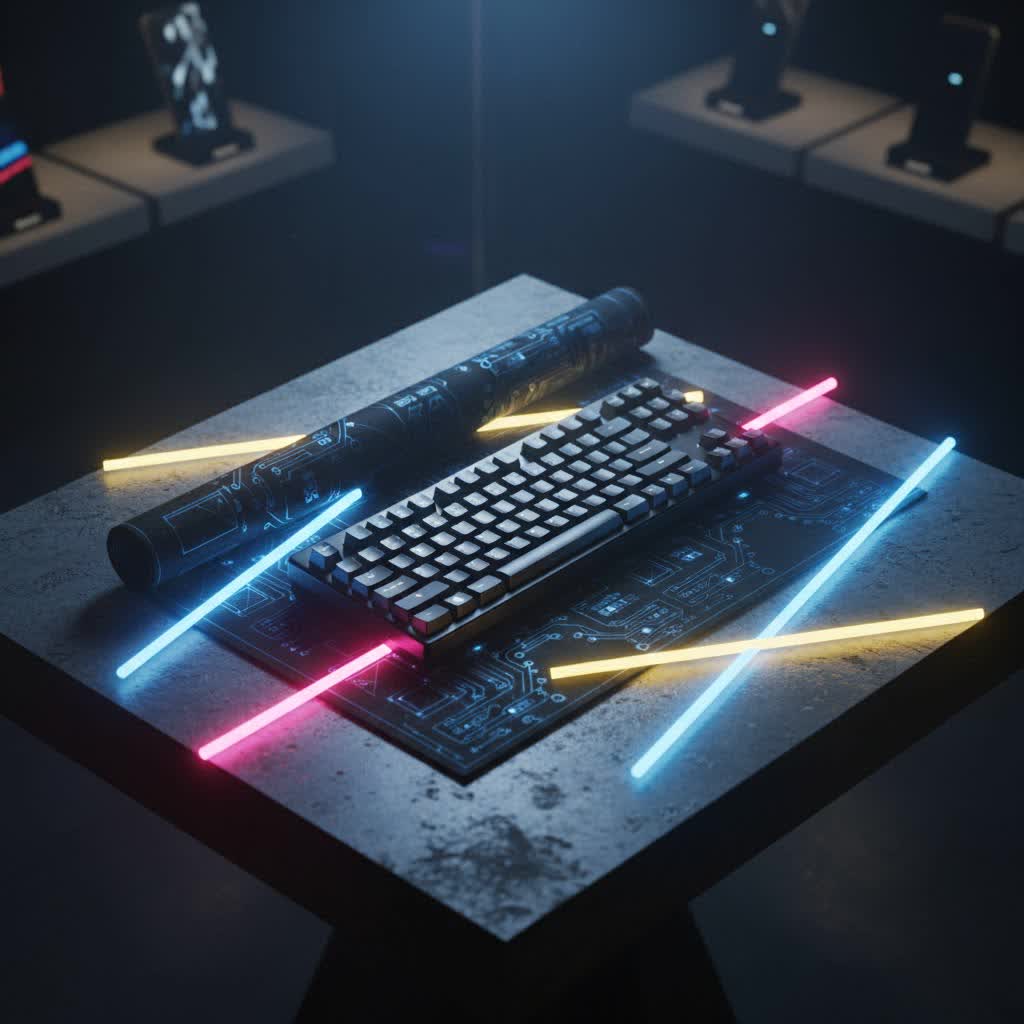
A low profile mechanical keyboard is a specialized type of mechanical keyboard designed with a significantly reduced height compared to its standard counterparts. Typically under 25mm thick, these keyboards aim to blend the performance benefits of mechanical switches with the comfortable, compact feel often associated with laptop keyboards. The primary distinction lies in their shorter keycaps, switches, and overall case design, creating a flatter typing angle that can dramatically improve ergonomics.
The evolution of mechanical keyboards has seen a shift towards addressing user comfort, especially for those who spend extensive hours typing or gaming. Low profile mechanical keyboards represent a significant step in this direction, moving from niche products to mainstream essentials by offering a practical solution to wrist strain and bulkiness.
Choosing a low profile design offers several compelling advantages:
- Enhanced Ergonomics and Comfort: The reduced height minimizes the need to angle your wrists upwards, thereby lessening strain on your wrists and fingers during prolonged use. This flatter profile often negates the need for a wrist rest, promoting a more natural hand position.
- Superior Portability: Their slim and lightweight construction makes low profile keyboards incredibly easy to transport, fitting effortlessly into laptop bags or backpacks. This is ideal for students, professionals on the go, or anyone needing a portable setup.
- Sleek Aesthetics and Space-Saving: For those who appreciate a clean, minimalist desk, low profile keyboards offer a modern and unobtrusive appearance. They occupy less physical space, contributing to a tidier and more efficient workspace.
- Faster Typing and Gaming: With shorter key travel distances (typically 2.5-3.0mm total travel compared to 4mm on standard switches) and quicker actuation points (around 1.5-1.7mm pre-travel), low profile switches can lead to faster input registration. This can translate to increased typing speed for productivity and quicker reaction times for competitive gaming.
Understanding Low Profile Switches
The heart of any mechanical keyboard lies in its switches, and low profile mechanical keyboards feature specially designed switches that retain the tactile or linear feedback of their full-sized relatives but in a more compact form. These switches are typically 30-40% shorter than standard mechanical switches, which accounts for the keyboard’s overall slimness. This reduced height contributes directly to the shorter key travel and faster actuation, delivering a distinct typing experience.
Just like standard switches, low profile switches come in three main categories:
Low Profile Linear Switches
- Characteristics: These switches offer a smooth, consistent keystroke from top to bottom without any tactile bump or audible click.
- Advantages: Their seamless travel makes them excellent for rapid, repetitive key presses.
- Disadvantages: Lack of tactile feedback might be less satisfying for some typists.
- Popular Types: Cherry MX Low Profile Red, Gateron Low Profile Red, and Kailh Choc Red are common examples.
- Best For: Gamers who need quick, unobstructed key presses and smooth actuation, as well as typists who prefer a light and fast feel.
|
Our Picks for the Best Mechanical Keyboard in 2026
As an Amazon Associate I earn from qualifying purchases.
|
||
| Num | Product | Action |
|---|---|---|
| 1 | MageGee Portable 60% Mechanical Gaming Keyboard, MK-Box LED Backlit Compact 68 Keys Mini Wired Office Keyboard with Red Switch for Windows Laptop PC Mac - Black/Grey |

|
| 2 | SOLAKAKA A99 Pro Mechanical Keyboard with LCD Screen & Metal Knob, Wireless Gaming Keyboard with BT5.0/2.4GHz/USB-C, Hot Swappable Creamy Keyboard, Gasket Structure, RGB Backlit, for Win/Mac |
|
| 3 | Logitech MX Mechanical Wireless Illuminated Performance Keyboard, Tactile Quiet Switches, Backlit Keys, Bluetooth, USB-C, macOS, Windows, Linux, iOS, Android, Metal, Graphite |
|
| 4 | Redragon Mechanical Gaming Keyboard Wired, 11 Programmable Backlit Modes, Hot-Swappable Red Switch, Anti-Ghosting, Double-Shot PBT Keycaps, Light Up Keyboard for PC Mac |
|
| 5 | GravaStar Mercury V75 HE Keyboard, 75% Hall‑Effect Magnetic Switch Gaming Keyboard, 8000 Hz Polling, 0.005RT, Wired USB-C, RGB Backlit, Adjustable Actuation, Semi‑Aluminum Chassis-Stealth Black |
|
| 6 | AULA F2088 Typewriter Style Mechanical Gaming Keyboard Wired,Blue Switches,Rainbow LED Backlit,Removable Wrist Rest,Media Control Knob,Retro Punk Round Keycaps,USB Wired Computer Keyboard |
|
| 7 | AULA F99 Wireless Mechanical Keyboard,Tri-Mode BT5.0/2.4GHz/USB-C Hot Swappable Custom Keyboard,Pre-lubed Linear Switches,RGB Backlit Computer Gaming Keyboards for PC/Tablet/PS/Xbox |
|
| 8 | Wood Pattern Mechanical Keyboard Wireless & Bluetooth Brown Keyboard – RGB Backlit Hot-Swappable PBT Keycaps Aesthetic Keyboard for Mac, Windows, iOS & Android – Ergonomic Gaming & Office Keyboard |
|
| 9 | SteelSeries USB Apex 5 Hybrid Mechanical Gaming Keyboard – Per-Key RGB Illumination – Aircraft Grade Aluminum Alloy Frame – OLED Smart Display (Hybrid Blue Switch) |
|
| 10 | AULA F75 Pro Wireless Mechanical Keyboard,75% Hot Swappable Custom Keyboard with Knob,RGB Backlit,Pre-lubed Reaper Switches,Side Printed PBT Keycaps,2.4GHz/USB-C/BT5.0 Mechanical Gaming Keyboards |
|
Low Profile Tactile Switches
- Characteristics: These switches provide a noticeable “bump” in the key travel, indicating that the keystroke has registered, but without an accompanying click sound.
- Advantages: The tactile feedback helps typists confirm actuation, potentially reducing errors and improving typing accuracy.
- Disadvantages: The bump can be felt differently by users, and some might prefer a more pronounced tactile experience.
- Popular Types: Cherry MX Low Profile Brown, Gateron Low Profile Brown, and Zealios V2 low-profile variants are often sought after.
- Best For: Typists who value feedback to ensure accurate keystrokes, and those who appreciate a more deliberate yet still responsive typing feel.
Low Profile Clicky Switches
- Characteristics: Clicky switches combine a tactile bump with an audible “click” sound at the actuation point, offering both auditory and physical feedback.
- Advantages: The satisfying click and tactile bump provide clear confirmation of each keystroke, which can be very enjoyable for some users.
- Disadvantages: The audible click can be disruptive in quiet environments or shared workspaces.
- Popular Types: Kailh Box White (Choc switches) are a prominent example in the low profile clicky category.
- Best For: Enthusiasts who love the classic mechanical keyboard sound and feel, and those who type in private settings where noise is not a concern.
Many modern low profile mechanical keyboards also feature hot-swappable switches, allowing users to easily change out switches without soldering. This offers unparalleled customization, enabling experimentation with different switch types to find the perfect feel without investing in a new keyboard.
Low Profile Keycaps
Low profile keycaps are specifically designed to complement the shorter low profile switches and overall slim build of the keyboard. Unlike the taller, sculptured keycaps found on many standard mechanical keyboards, low profile keycaps are typically flatter and have a reduced height. This design contributes to the ergonomic benefits by further reducing the distance your fingers need to travel.
While they still come in various materials, PBT (polybutylene terephthalate) is a popular choice for low profile keycaps due to its durability and resistance to shine over time. The flatter, often tile-like profile of these keycaps might take some getting used to for individuals accustomed to more sculpted keycap profiles, but many find they enable faster, more accurate typing once adapted.
Top Picks: Best Low Profile Mechanical Keyboards
The market for low profile mechanical keyboards has expanded significantly, offering excellent options for various needs, from intense gaming to demanding professional tasks. Here are some of the standout models and what makes them great:
Best Overall: Lofree Flow
The Lofree Flow often earns high praise for its exceptional build quality, rich feature set, and comfortable typing experience. It typically boasts an all-aluminum base, hot-swappable low-profile switches (like Kailh full POM), and a gasket-mount design for a cushioned typing feel. With beautiful backlighting and RGB sidelights, it’s a stellar choice for both aesthetics and performance.
Best Value & Versatility: Keychron K3 V2 / K5 Max / Air75 V2
Keychron has become a dominant player in the low profile space, offering a range of versatile and affordable options.
- Keychron K3 V2: Often cited as a top wireless option, it features hot-swappable Gateron switches and a compact 84-key layout, balancing features and usability effectively.
- Keychron K5 Max / Air75 V2: These models offer excellent build quality, impressive portability, and flexible connectivity (Bluetooth and 2.4GHz USB), making them strong contenders for a variety of users, including gamers.
Best Premium: Corsair K100 Air Wireless RGB Keyboard
For those seeking a no-compromise, high-end experience, the Corsair K100 Air stands out. It’s an ultra-slim, full-featured wireless RGB mechanical keyboard known for its premium design and blazing-fast performance, particularly appealing to gamers and enthusiasts willing to invest in top-tier quality.
Best Gaming: Logitech G915 TKL / ASUS ROG Falchion RX Low Profile
Gamers benefit immensely from the rapid actuation of low profile switches.
- Logitech G915 TKL: While an older model, it remains a fantastic choice for gaming with its premium design, ultra-low latency wireless connectivity (1ms), and multiple low profile switch options.
- ASUS ROG Falchion RX Low Profile: This compact 65% layout keyboard features ROG RX Red low-profile optical mechanical switches, specifically tuned for gaming performance, providing a space-saving design crucial for mouse movement in intense sessions.
Best Budget: HAVIT HV-KB390L / Keychron B6 Pro
You don’t need to break the bank to enjoy the benefits of a low profile mechanical keyboard.
- HAVIT HV-KB390L: A budget-friendly option, it delivers core ergonomic benefits with Kailh PG1350 switches and a slim profile, often including programmable functionality.
- Keychron B6 Pro: Resembling popular mid-range options, this keyboard offers a comfortable layout and multi-device Bluetooth pairing, making it a solid budget-conscious choice.
How to Choose the Right Low Profile Mechanical Keyboard
Selecting the perfect low profile mechanical keyboard involves considering several factors to match your specific needs and preferences:
-
Identify Your Primary Use:
- Gaming: Look for keyboards with fast linear switches (e.g., low profile Reds), low-latency wireless connectivity (2.4GHz), and potentially compact layouts (TKL, 75%, 65%) for more mouse space.
- Typing/Productivity: Tactile (e.g., low profile Browns) or even clicky switches can enhance typing accuracy and satisfaction. Ergonomic design and comfortable keycaps are key.
- Portability: Prioritize compact layouts (60%, 65%, 75%), lightweight designs, and robust wireless connectivity (Bluetooth).
-
Determine Your Switch Preference:
- Linear: For speed and smooth presses, common in gaming.
- Tactile: For typing feedback and accuracy.
- Clicky: For an audible and tactile experience, often preferred by enthusiasts.
- Consider hot-swappable options if you want the flexibility to try different switches later.
-
Connectivity Options:
- Wired: Offers the most reliable, lag-free connection, often preferred by competitive gamers.
- Bluetooth: Excellent for multi-device pairing and portability, though with slightly higher latency.
- 2.4GHz Wireless (USB dongle): Provides low latency, making it suitable for gaming and general wireless use. Many premium boards offer both Bluetooth and 2.4GHz.
-
Keyboard Layout:
- Full-size (104/108 keys): Includes a numpad, ideal for data entry.
- Tenkeyless (TKL – 87/88 keys): Omits the numpad, saving space while retaining function keys.
- Compact (75%, 65%, 60%): Significantly smaller layouts that require more reliance on function layers for certain keys, maximizing desk space and portability.
-
Backlighting and Features:
- RGB Backlighting: Offers extensive customization and aesthetic appeal.
- White Backlighting: Simpler, often sufficient for low-light conditions.
- Programmable Keys/Macros: Useful for gamers and power users for custom commands.
- Build Quality: Look for durable materials like aluminum for a more premium feel and longevity.
-
Set Your Budget: Low profile mechanical keyboards are available across a wide price spectrum, from budget-friendly options under $100 to premium models exceeding $200. Evaluate what features are most important to you to find the best value within your price range.
Maintaining Your Low Profile Mechanical Keyboard
Proper care and maintenance can significantly extend the lifespan and performance of your low profile mechanical keyboard. Due to their slimmer design, they can sometimes be more susceptible to dust and debris.
- Regular Cleaning: Use compressed air to remove loose dust and crumbs from between the keycaps. For deeper cleaning, gently remove the keycaps (if removable) and clean the switch housings and plate with a soft brush or microfiber cloth.
- Keycap Cleaning: Keycaps can be wiped with a damp cloth or a mild cleaning solution. Ensure they are completely dry before reattaching them.
- Avoid Spills: Keep liquids away from your keyboard to prevent damage to the switches and PCB.
- Safe Transportation: When traveling, use a protective case or sleeve to shield the keyboard from impacts and scratches.
“Low profile mechanical keyboards are a testament to innovation, proving that you don’t have to compromise on the satisfying feel of mechanical switches for the sake of ergonomics and portability. They truly offer the best of both worlds.” – Admin, reviewjaaa.com, Mechanical Keyboard Specialist
Conclusion
Low profile mechanical keyboards represent a pivotal evolution in the keyboard landscape, delivering the beloved tactile feedback and durability of mechanical switches in a streamlined, user-friendly form factor. They address critical needs for ergonomics, portability, and modern aesthetics, making them an excellent choice for a diverse range of users, from competitive gamers seeking faster reaction times to professionals desiring a comfortable, efficient typing experience. By understanding the nuances of low profile switches, keycaps, and the top models available, you are now equipped to make an informed decision. Investing in a low profile mechanical keyboard isn’t just about a new peripheral; it’s about upgrading your interaction with your computer, enhancing comfort, and potentially boosting your productivity and gaming performance.
What new possibilities could a low profile mechanical keyboard unlock for your daily workflow or gaming sessions?
Frequently Asked Questions
Are low profile mechanical keyboards good for gaming?
Yes, absolutely! Low profile mechanical keyboards are excellent for gaming. Their shorter key travel and faster actuation points allow for quicker input registration and reaction times, which can provide a competitive edge in fast-paced games. Many gaming-focused models also offer low-latency wireless connectivity and customizable features.
Do low profile mechanical keyboards feel different from normal mechanical keyboards?
Yes, they do. The primary difference is the shorter key travel distance, which results in a faster, more responsive feel. While they retain the satisfying click or tactile bump of mechanical switches, they may lack the deeper keystroke sensation and bottom-out feel of traditional, taller mechanical keyboards.
Can I replace the keycaps on a low profile mechanical keyboard?
It depends on the specific keyboard and switch type. While some low profile mechanical keyboards feature standard MX-style stems and can accept compatible low profile keycaps, others use proprietary stem designs (like some Kailh Choc switches) that limit keycap compatibility. Always check the product specifications for keycap compatibility.
What are the main advantages of low profile mechanical keyboards?
The main advantages include enhanced ergonomics and reduced wrist strain due to a flatter typing angle, superior portability thanks to their slim and lightweight design, a sleek and space-saving aesthetic, and faster typing/gaming performance due to shorter key travel and quicker actuation.
Are low profile mechanical keyboards quieter than normal mechanical keyboards?
Generally, yes. Low profile mechanical keyboard switches tend to produce quieter typing sounds compared to their normal-profile counterparts. This is primarily due to their shorter key travel distance, which can result in less impact noise. However, the exact sound level will vary depending on the specific switch type (linear, tactile, or clicky) chosen.
