In the vast landscape of computing peripherals, the mechanical keyboard stands as a testament to durability, tactile satisfaction, and unparalleled performance. For those who demand unflinching reliability and lightning-fast response times, the wired mechanical keyboard remains the quintessential choice. With over a decade of hands-on expertise in the realm of mechanical keyboards, I’m here to illuminate the intricate world beneath each key, guiding you toward the perfect typing companion that aligns with your unique needs and preferences. Let’s embark on a journey to uncover the nuances that make these devices an indispensable tool for enthusiasts, gamers, and professionals alike.
What is a Mechanical Keyboard?
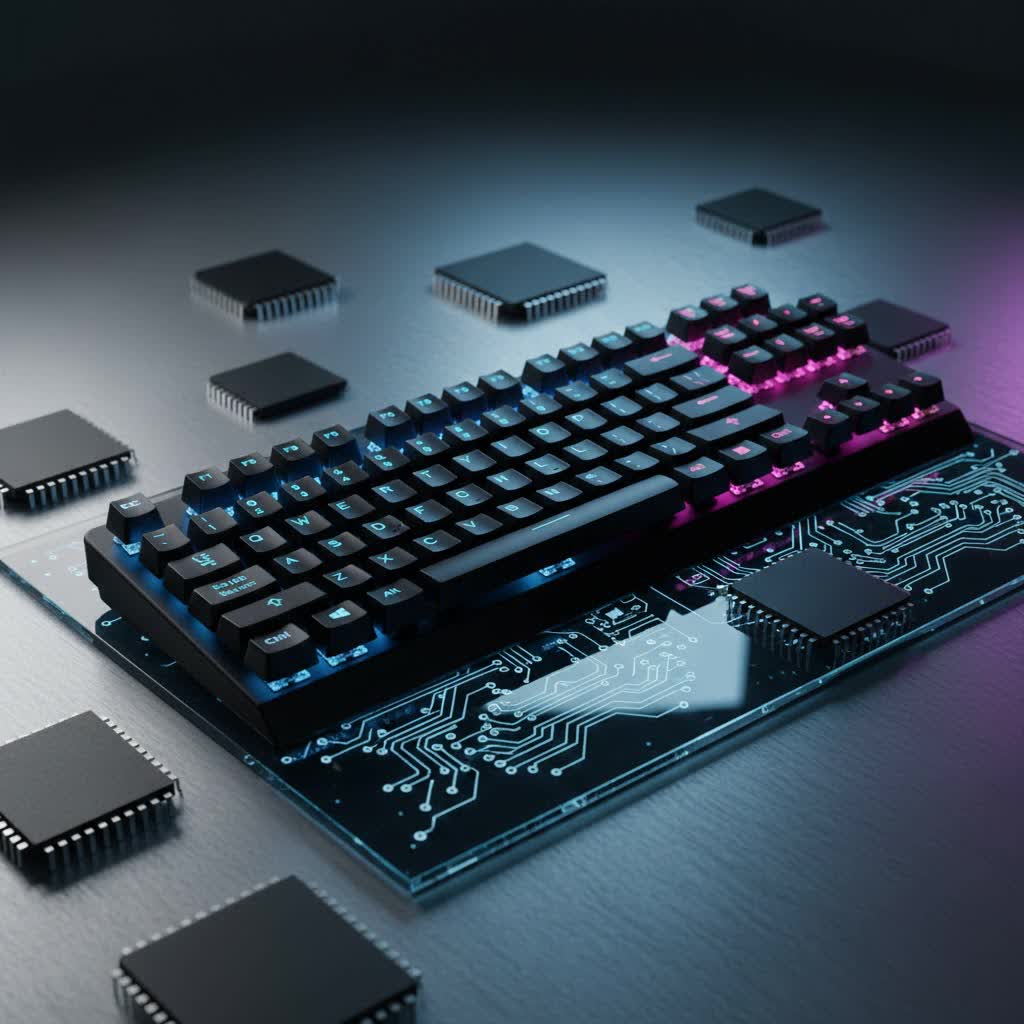
A mechanical keyboard distinguishes itself from its common membrane counterparts by employing individual mechanical switches beneath each keycap. Unlike membrane keyboards, which rely on a rubber dome pressing against a circuit board, each key on a mechanical keyboard has its own dedicated switch with a spring and often a stem, providing distinct tactile and audible feedback upon actuation. This fundamental difference is the bedrock of their superior feel and performance.
The origins of mechanical keyboards can be traced back to the early days of computing, where robust, clicky typewriters inspired designs. Brands like IBM with their buckling spring mechanism paved the way for the modern mechanical switch, which evolved through various iterations to offer a diverse range of typing experiences.
The core components of a mechanical keyboard include:
- Switches: The individual mechanisms under each keycap that register keystrokes, dictating the feel, sound, and actuation force.
- Keycaps: The removable plastic covers that sit atop the switches, often customizable in material, profile, and legends.
- Plate: A metal or plastic layer positioned between the switches and the PCB (Printed Circuit Board) that adds rigidity and affects the sound profile.
- Case: The outer housing of the keyboard, protecting internal components and contributing significantly to the keyboard’s aesthetics and acoustic properties.
The Undeniable Benefits of Wired Mechanical Keyboards
Choosing a wired mechanical keyboard offers a distinct set of advantages, particularly for users who prioritize performance and stability. These benefits cement their status as a preferred choice across various demanding applications.
Zero Latency & Unwavering Reliability
|
Our Picks for the Best Mechanical Keyboard in 2026
As an Amazon Associate I earn from qualifying purchases.
|
||
| Num | Product | Action |
|---|---|---|
| 1 | Logitech MX Mechanical Wireless Illuminated Performance Keyboard, Tactile Quiet Switches, Backlit Keys, Bluetooth, USB-C, macOS, Windows, Linux, iOS, Android, Metal, Graphite |

|
| 2 | AULA F99 Wireless Mechanical Keyboard,Tri-Mode BT5.0/2.4GHz/USB-C Hot Swappable Custom Keyboard,Pre-lubed Linear Switches,RGB Backlit Computer Gaming Keyboards for PC/Tablet/PS/Xbox |
|
| 3 | GravaStar Mercury V75 HE Keyboard, 75% Hall‑Effect Magnetic Switch Gaming Keyboard, 8000 Hz Polling, 0.005RT, Wired USB-C, RGB Backlit, Adjustable Actuation, Semi‑Aluminum Chassis-Stealth Black |
|
| 4 | SOLAKAKA A99 Pro Mechanical Keyboard with LCD Screen & Metal Knob, Wireless Gaming Keyboard with BT5.0/2.4GHz/USB-C, Hot Swappable Creamy Keyboard, Gasket Structure, RGB Backlit, for Win/Mac |
|
| 5 | AULA F75 Pro Wireless Mechanical Keyboard,75% Hot Swappable Custom Keyboard with Knob,RGB Backlit,Pre-lubed Reaper Switches,Side Printed PBT Keycaps,2.4GHz/USB-C/BT5.0 Mechanical Gaming Keyboards |
|
| 6 | Wood Pattern Mechanical Keyboard Wireless & Bluetooth Brown Keyboard – RGB Backlit Hot-Swappable PBT Keycaps Aesthetic Keyboard for Mac, Windows, iOS & Android – Ergonomic Gaming & Office Keyboard |
|
| 7 | AULA F2088 Typewriter Style Mechanical Gaming Keyboard Wired,Blue Switches,Rainbow LED Backlit,Removable Wrist Rest,Media Control Knob,Retro Punk Round Keycaps,USB Wired Computer Keyboard |
|
| 8 | SteelSeries USB Apex 5 Hybrid Mechanical Gaming Keyboard – Per-Key RGB Illumination – Aircraft Grade Aluminum Alloy Frame – OLED Smart Display (Hybrid Blue Switch) |
|
| 9 | Redragon Mechanical Gaming Keyboard Wired, 11 Programmable Backlit Modes, Hot-Swappable Red Switch, Anti-Ghosting, Double-Shot PBT Keycaps, Light Up Keyboard for PC Mac |
|
| 10 | MageGee Portable 60% Mechanical Gaming Keyboard, MK-Box LED Backlit Compact 68 Keys Mini Wired Office Keyboard with Red Switch for Windows Laptop PC Mac - Black/Grey |
|
Wired mechanical keyboards offer virtually zero latency, making them the gold standard for competitive gaming and professional tasks where every millisecond counts. A direct physical connection via a USB cable eliminates the potential for interference, signal drops, or lag often associated with wireless connections, ensuring every keystroke is registered instantly and consistently. This unwavering reliability means you can depend on your keyboard without concern for battery life or connectivity issues, providing a seamless and uninterrupted experience.
Exceptional Durability
Built to last, mechanical keyboards are renowned for their impressive longevity. The individual mechanical switches are typically rated for tens of millions, often up to 100 million, keystrokes, far surpassing the lifespan of traditional membrane keyboards. This robust construction makes them a reliable, long-term investment, reducing the frequency of replacements. Furthermore, many modern wired mechanical keyboards feature hot-swappable switches, allowing users to replace individual failing switches without soldering, extending the keyboard’s life and reducing electronic waste.
Superior Typing Experience
The tactile feedback and precise actuation of mechanical switches significantly enhance the typing experience. Each keypress delivers a distinct feel—whether it’s a smooth linear travel, a noticeable tactile bump, or an audible click—improving typing accuracy and speed. Users often report reduced typos and increased comfort, even during extended typing sessions, thanks to the consistent actuation points and reduced force required compared to membrane keyboards. The ergonomic superiority of many mechanical models, with adjustable angles and consistent key travel, also contributes to minimizing finger fatigue and wrist strain.
Unparalleled Customization
One of the most appealing aspects of mechanical keyboards is their extensive customizability. From swapping out switches to changing keycaps and even modifying case materials, users can tailor their keyboard to their specific aesthetic and functional preferences. This personalization allows for a truly bespoke typing or gaming setup, whether it’s choosing quieter switches for a shared workspace or vibrant RGB lighting for an immersive gaming environment.
Enhanced Gaming Performance
For gamers, wired mechanical keyboards provide a critical edge. Faster response times and precise control are paramount, and features like N-key rollover (NKRO) and anti-ghosting ensure that multiple simultaneous key presses are registered correctly without any missed or phantom inputs. This level of precision is vital for complex in-game commands and high-stakes competitive play, where milliseconds can determine victory or defeat.
“A solid wired mechanical keyboard can seriously take your gaming to the next level.” – John Smith, Industry Expert on Gaming Keyboards
Demystifying Mechanical Keyboard Switches
The heart of any mechanical keyboard lies in its switches, which dictate the fundamental feel, sound, and performance of each keypress. Mechanical switches are broadly categorized into three main types: Linear, Tactile, and Clicky.
Linear Switches
Linear switches are characterized by their smooth, consistent travel from the top to the bottom, without any tactile bump or audible click. The force required to press the key remains uniform throughout the keystroke.
- Characteristics: Smooth, fluid keystroke with no interruption.
- Advantages: Ideal for rapid, repetitive key presses, making them popular among competitive gamers. Their smooth travel allows for quick double-taps and minimal resistance. They are generally the quietest switch type.
- Disadvantages: Lack of tactile feedback means typists might ‘bottom out’ keys, pressing them all the way down, which can sometimes lead to finger fatigue.
- Popular Types:
- Cherry MX Red: A classic linear switch with a light actuation force (around 45g), favored by many gamers.
- Gateron Red/Yellow: Similar to Cherry MX Red but often perceived as smoother; Gateron Yellows have a slightly heavier spring and are very popular in custom builds.
- Cherry MX Speed Silver: Shorter actuation distance than standard Reds, designed for even faster responses.
- Cherry MX Black: A heavier linear switch (around 60g), offering more control and reducing accidental presses.
- Ideal for: Gamers, fast typists who prefer a smooth, uninterrupted press, and those in shared spaces requiring minimal noise.
Tactile Switches
Tactile switches provide a noticeable bump or resistance point during the keystroke, usually around the actuation point, but without an accompanying audible click. This bump confirms that a keypress has been registered.
- Characteristics: A distinct “bump” in the middle of the key travel, providing physical feedback.
- Advantages: Excellent for typing and programming as the tactile bump helps users know when a key has actuated, often allowing them to avoid ‘bottoming out’ the switch. They offer a balanced typing experience that is less noisy than clicky switches, making them suitable for office environments.
- Disadvantages: The tactile bump can be perceived as resistance by some gamers who prefer a completely smooth linear press for rapid inputs.
- Popular Types:
- Cherry MX Brown: The most common tactile switch, known for its subtle bump and moderate actuation force (around 45g).
- Gateron Brown: Similar to Cherry MX Brown but often noted for being slightly smoother.
- Zealios V2: High-end tactile switches with a very pronounced and satisfying bump, popular in custom mechanical keyboards.
- Ideal for: Typists, programmers, office workers, and users who desire tactile feedback without the loud click.
Clicky Switches
Clicky switches offer both a tactile bump and a distinct, audible click sound upon actuation. They are the most audibly satisfying for many but also the loudest.
- Characteristics: A clear tactile bump and a sharp, audible “click” sound.
- Advantages: Highly satisfying and provides definitive feedback for each keypress, which can improve typing speed and accuracy for some users. The auditory cue confirms actuation without needing to look at the screen.
- Disadvantages: The loud click can be disruptive in quiet environments or shared workspaces.
- Popular Types:
- Cherry MX Blue: The quintessential clicky switch, famous for its sharp click and tactile bump.
- Gateron Blue: Offers a similar experience to Cherry MX Blue, often with a slightly lighter feel.
- Kailh Box White: A popular clicky switch known for a crisper, cleaner click sound compared to traditional Cherry-style clickies, due to its “box” stem design which also offers improved dust and water resistance.
- Ideal for: Typists and enthusiasts who enjoy pronounced auditory and tactile feedback, and those who work in private environments where noise is not a concern.
Comparison of Popular Switch Types
| Switch Type | Actuation | Feedback | Sound | Best For |
|---|---|---|---|---|
| Linear | Smooth | None | Quiet | Gaming, Fast Typing |
| Tactile | Bump | Physical | Moderate | Typing, Programming |
| Clicky | Bump | Physical | Loud Click | Typing (satisfaction) |
Understanding Keycaps: Material and Profile
Keycaps are more than just decorative covers; they significantly impact the feel, durability, and aesthetics of your wired mechanical keyboard. They come in various materials and profiles.
Keycap Materials
The most common materials for keycaps are ABS and PBT, with POM also seen in some niche markets.
- ABS (Acrylonitrile Butadiene Styrene):
- Advantages: Often vibrant colors, smooth finish, easier to mold into complex shapes, and generally more affordable.
- Disadvantages: Tends to develop an oily “shine” over time due to finger oils and wear, which can make them feel slippery and look worn. Less durable than PBT.
- PBT (Polybutylene Terephthalate):
- Advantages: Much more durable and resistant to wear and shine, maintaining their textured, matte finish over time. Higher melting point and more rigid, providing a satisfying “thock” sound profile.
- Disadvantages: Can be more expensive, and typically has a more limited range of vibrant color options compared to ABS.
- POM (Polyoxymethylene):
- Advantages: Extremely durable, very smooth texture, and highly resistant to oils and chemicals. Offers a unique feel.
- Disadvantages: Less common and often more expensive than ABS or PBT.
Keycap Profiles
The profile refers to the shape and height of the keycaps across the keyboard. Different profiles offer distinct ergonomic and aesthetic experiences.
- OEM Profile: The most common profile, found on many pre-built mechanical keyboards. It features sculpted rows that angle keys differently from front to back.
- Cherry Profile: Similar to OEM but slightly lower in height and with a subtly different sculpting. Many enthusiasts prefer Cherry profile for its comfortable typing angle and sleek appearance.
- DSA Profile: A uniform, low-profile spherical keycap set where all keys have the same height and angle, allowing for flexible keycap placement.
- SA Profile: A tall, sculpted, spherical keycap profile reminiscent of vintage typewriters. It offers a dramatic aesthetic and a unique, deep sound profile, though it can take time to adjust to for some typists.
How to Choose Keycaps
Choosing the right keycaps is a matter of personal preference. Consider the following:
- Durability: PBT is generally superior for longevity and resistance to shine.
- Feel: PBT often provides a textured, grippy feel, while ABS is smoother. POM offers a very distinct, slick smoothness.
- Aesthetics: Consider color schemes, legends (double-shot, dye-sublimated), and how the profile complements your setup.
- Sound: Keycap material and profile can subtly alter the sound of your switches. Thicker PBT keycaps often produce a deeper sound.
Navigating the Market: Comparison Criteria for Wired Mechanical Keyboards
When exploring the vast array of wired mechanical keyboards, focusing on specific criteria rather than just brand names will help you make an informed decision. The market offers a wide spectrum, each catering to different priorities.
Instead of a fixed table of models, consider comparing keyboards based on these crucial aspects:
- Price: Wired mechanical keyboards generally offer better value compared to their wireless counterparts due to less complex internal components. Entry-level models offer solid performance, while higher-end options provide premium materials, advanced features, and greater customization.
- Switch Type: As discussed, your choice of linear, tactile, or clicky switches will fundamentally define your typing and gaming experience. Research or, if possible, test various switches to find what feels best for you. Many brands offer the same keyboard model with different switch options.
- Keycap Material & Profile: Look for durable PBT keycaps for longevity and a premium feel. The keycap profile should match your ergonomic preferences, with Cherry and OEM being popular for general use, and SA/DSA offering unique aesthetics and typing experiences.
- Build Quality & Materials: High-quality wired keyboards often feature robust aluminum or steel plates and durable ABS or aluminum cases. A heavier keyboard generally indicates better build quality and reduces movement during intense use. Hot-swappable sockets are a significant advantage, allowing you to easily change switches without soldering.
- Features:
- RGB Backlighting: Customizable per-key RGB lighting is a common feature, allowing for aesthetic personalization.
- Programmable Keys & Macros: Software that enables remapping keys or creating complex macros can significantly enhance productivity and gaming efficiency.
- N-Key Rollover (NKRO) & Anti-Ghosting: Essential for fast typists and gamers, ensuring every keypress is registered, even when multiple keys are pressed simultaneously.
- Detachable USB-C Cable: Offers convenience for portability and allows for custom coiled cables to enhance aesthetics.
By systematically evaluating these factors, you can effectively compare different wired mechanical keyboard models and identify one that best suits your needs, whether you prioritize budget, specific switch feel, build quality, or advanced features.
Your Ultimate Buying Guide for a Wired Mechanical Keyboard
Selecting the perfect wired mechanical keyboard involves more than just picking a color. It’s about understanding your personal workflow, preferences, and priorities. This step-by-step guide will help you navigate the choices.
1. Define Your Needs
- Gaming: Prioritize low latency, N-key rollover, anti-ghosting, and potentially linear switches for rapid inputs. Programmable macros can also be beneficial.
- Office/Productivity: Focus on comfort, typing feel, and potentially quieter switches (linear or tactile browns). Ergonomic layouts might be a consideration for long hours.
- Programming/Writing: Tactile switches are often favored for their feedback, which can improve accuracy and prevent bottoming out. A full-size or TKL layout might be preferred for access to a number pad or dedicated function keys.
- General Use: A balanced choice with tactile switches (like Cherry MX Brown) often serves well, offering a good blend of typing feel and moderate noise.
2. Set Your Budget
Wired mechanical keyboards range from budget-friendly options under $50 to high-end custom builds costing hundreds. Generally, higher price points offer better build quality, premium materials (like PBT keycaps or aluminum cases), advanced features, and often hot-swappable switches. Determine how much you’re willing to invest based on your usage frequency and desired features.
3. Key Factors to Consider
Layout/Form Factor
This refers to the size and arrangement of keys.
- Full-size (104/108 keys): Includes a number pad, function row, and navigation cluster. Best for data entry or users who frequently use a numpad.
- Tenkeyless (TKL, ~87 keys): Omits the number pad, saving desk space while retaining the function row and arrow keys. Popular among gamers and those who don’t need a numpad.
- 65% (67-68 keys): Removes the function row and some navigation keys but keeps dedicated arrow keys. Offers a compact footprint.
- 60% (61 keys): The most compact layout, removing the function row, numpad, and arrow keys. Relies heavily on “Fn” layer shortcuts. Ideal for minimalists or those with limited desk space.
Switch Type
Based on the “Demystifying Mechanical Keyboard Switches” section, choose between Linear, Tactile, or Clicky, aligning with your sound preference and application. If possible, try out different switches in person.
Keycap Material
Opt for PBT keycaps for superior durability, resistance to shine, and a textured feel. ABS is a more affordable option but prone to wear.
Build Quality & Hot-swappability
A sturdy chassis (aluminum or thick plastic) will provide a more premium feel and reduce flex. Hot-swappable sockets allow you to easily change switches without soldering, which is excellent for experimentation and future upgrades.
Ergonomics
Consider features like adjustable tilt feet, detachable wrist rests, and ergonomic designs (e.g., split keyboards) if you experience discomfort during long typing sessions.
Extra Features
- RGB Backlighting: For aesthetics and visibility in low light.
- Programmable Software: For custom keybinds, macros, and lighting effects.
- N-Key Rollover (NKRO) & Anti-Ghosting: Critical for performance in gaming and fast typing.
4. Where to Buy
Reputable electronics stores, specialized online mechanical keyboard retailers, and the official websites of major brands are good places to start. Read reviews from trusted sources and community forums to gather insights on specific models.
Keeping Your Wired Mechanical Keyboard in Top Shape: Cleaning and Maintenance
Proper cleaning and maintenance are essential to ensure the longevity and optimal performance of your wired mechanical keyboard.
Hướng dẫn vệ sinh bàn phím cơ đúng cách
- Unplug the Keyboard: Always disconnect your keyboard from the computer before cleaning to prevent accidental inputs or electrical issues.
- Remove Keycaps: Use a keycap puller (often included with mechanical keyboards) to carefully remove all keycaps. This allows access to the switches and plate.
- Dust and Debris Removal: Use a can of compressed air to blow out dust, crumbs, and other debris from between and around the switches. Hold the can upright and use short bursts.
- Brush Away Grime: A small brush (like a soft-bristled paintbrush or a dedicated keyboard brush) can help dislodge stubborn dirt.
- Clean Keycaps:
- For light cleaning: Wipe keycaps with a microfiber cloth dampened with water or a mild cleaning solution.
- For deep cleaning: Place keycaps in a bowl of warm, soapy water. Let them soak for a few minutes, then scrub gently with an old toothbrush. Rinse thoroughly and ensure they are completely dry before reattaching.
- Clean the Plate and Switches: Use cotton swabs lightly dampened with isopropyl alcohol to clean around the switch stems and the keyboard plate. Be careful not to let liquid seep into the switches.
- Reassemble: Once all components are dry, carefully press the keycaps back onto their respective switches.
Các lưu ý khi bảo dưỡng bàn phím cơ để tăng tuổi thọ
- Regular Cleaning: Perform a light cleaning (dusting, wiping keycaps) weekly and a deep clean (keycap removal) every 1-3 months, depending on usage and environment.
- Avoid Spills: Keep liquids away from your keyboard. If a spill occurs, immediately unplug, flip the keyboard upside down to drain, and allow it to dry completely. For significant spills, consider disassembling and cleaning thoroughly.
- Proper Storage: If not in use, store your keyboard in a dust-free environment or use a dust cover.
- Handle with Care: Avoid dropping or applying excessive force to the keyboard.
- Consider Lubrication: For advanced users, lubricating switches can improve smoothness and sound. However, this is an intricate process and should only be attempted with proper research and tools.
- Hot-swappable Advantage: If your keyboard is hot-swappable, you can easily replace individual faulty switches, extending the lifespan of your entire keyboard without needing to replace the whole unit.
Conclusion
The wired mechanical keyboard stands as a superior choice for anyone seeking a premium, reliable, and highly customizable typing or gaming experience. From its robust durability and zero-latency performance to its satisfying tactile feedback and endless personalization options, it offers tangible benefits that elevate daily interactions with your computer. Understanding the nuances of switch types, keycap materials, and essential features empowers you to make an informed decision, ensuring your investment truly enhances your productivity and enjoyment. By following simple maintenance practices, your wired mechanical keyboard will serve as a steadfast companion for years to come. Are you ready to upgrade your setup and rediscover the joy of typing with a wired mechanical keyboard?
Frequently Asked Questions
Is a wired mechanical keyboard better for gaming?
Yes, for competitive gaming, wired mechanical keyboards are generally preferred due to their virtually zero latency, ensuring instant input registration without any signal interference or lag, which can be critical in fast-paced scenarios.
Do wired mechanical keyboards last longer?
Mechanical keyboards, especially wired ones, are built with highly durable switches rated for tens of millions of keystrokes. Their modular design often allows for individual component replacement, contributing to a significantly longer lifespan compared to membrane keyboards.
Can I customize my wired mechanical keyboard?
Absolutely. Wired mechanical keyboards offer extensive customization options, including swapping out switches (especially if hot-swappable), changing keycap sets for different aesthetics and feel, and programming custom keybinds or macros via software.
What’s the best switch type for typing?
For typing, tactile switches (like Cherry MX Brown or Gateron Brown) are often considered the best. Their distinct tactile bump provides feedback, letting you know when a key has actuated without needing to ‘bottom out,’ which can improve accuracy and reduce fatigue. Clicky switches also offer excellent typing feedback if noise isn’t an issue.
Are wired mechanical keyboards compatible with all computers?
Most modern wired mechanical keyboards connect via a standard USB-A to USB-C cable and are universally compatible with Windows, macOS, and Linux systems. Some may require specific drivers or software for advanced features, but basic functionality is generally plug-and-play.
