Are you tired of the mundane, mushy feel of standard keyboards that make long typing sessions a chore rather than a pleasure? If you spend hours at your desk, whether you’re a writer, programmer, student, or data entry professional, upgrading to a mechanical keyboard can revolutionize your typing experience. These sophisticated devices offer unparalleled comfort, precision, and durability, transforming every keystroke into a satisfying engagement. This comprehensive guide will delve deep into the world of mechanical keyboards, helping you discover the perfect companion to boost your productivity and make typing truly enjoyable.
What is a Mechanical Keyboard?
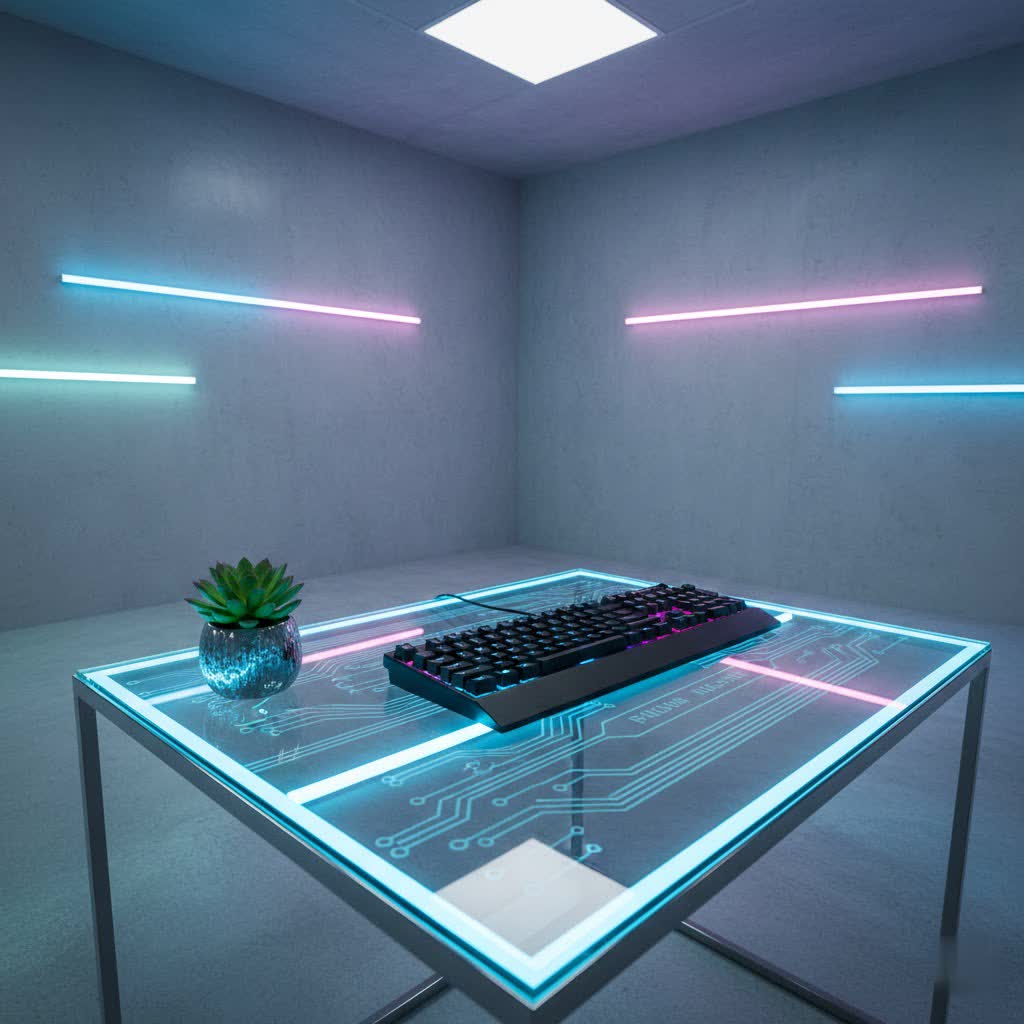
A mechanical keyboard is a premium input device distinguished by its individual mechanical switches located under each keycap, rather than the single rubber membrane found in traditional keyboards. This fundamental difference allows mechanical keyboards to offer distinct tactile, auditory, or linear feedback with every press, leading to a more responsive and precise typing experience. Beyond just feel, mechanical keyboards are known for superior performance, extensive customizability, and significantly longer lifespans compared to their membrane counterparts.
The journey of mechanical keyboards began decades ago, but they saw a significant resurgence in popularity around the mid-2000s as enthusiasts rediscovered their unique benefits. Today, they are mainstays in various communities, from gaming to professional writing and coding, valued for their robust construction and user-centric design. Key components include the switch (the mechanism under each key), the keycap (the cap your finger touches), the plate (which holds the switches), and the case (the keyboard’s outer shell).
The Heart of the Experience: Exploring Popular Switch Types
The mechanical switch is arguably the most critical component of any mechanical keyboard, dictating the feel, sound, and overall typing experience. There are three primary categories of switches: linear, tactile, and clicky, each offering unique characteristics tailored to different preferences.
Linear Switches
Linear switches are characterized by their smooth, consistent keystroke from the top of the press to the bottom. They lack any tactile bump or audible click, providing a uniform resistance throughout the key’s travel. This uninterrupted motion makes them incredibly fast and fluid for rapid key presses. Often favored by gamers for their quick response times, linear switches are also an excellent choice for typists who prefer a quieter environment and a seamless, unimpeded keystroke. However, some typists might find the absence of feedback less satisfying, as there’s no distinct point to confirm actuation before the key bottoms out.
- Characteristics: Smooth, consistent travel; no tactile bump; no audible click.
- Pros: Fast, fluid, quiet operation.
- Cons: Lack of physical feedback can feel “boring” to some typists; can lead to accidental presses if not accustomed.
- Popular Types: Cherry MX Red, Gateron Red, Kailh Speed Silver.
- Best for: Fast typists, gamers, quiet office environments, users who prefer minimal resistance.
|
Our Picks for the Best Mechanical Keyboard in 2026
As an Amazon Associate I earn from qualifying purchases.
|
||
| Num | Product | Action |
|---|---|---|
| 1 | Wood Pattern Mechanical Keyboard Wireless & Bluetooth Brown Keyboard – RGB Backlit Hot-Swappable PBT Keycaps Aesthetic Keyboard for Mac, Windows, iOS & Android – Ergonomic Gaming & Office Keyboard |

|
| 2 | Redragon Mechanical Gaming Keyboard Wired, 11 Programmable Backlit Modes, Hot-Swappable Red Switch, Anti-Ghosting, Double-Shot PBT Keycaps, Light Up Keyboard for PC Mac |
|
| 3 | AULA F2088 Typewriter Style Mechanical Gaming Keyboard Wired,Blue Switches,Rainbow LED Backlit,Removable Wrist Rest,Media Control Knob,Retro Punk Round Keycaps,USB Wired Computer Keyboard |
|
| 4 | AULA F99 Wireless Mechanical Keyboard,Tri-Mode BT5.0/2.4GHz/USB-C Hot Swappable Custom Keyboard,Pre-lubed Linear Switches,RGB Backlit Computer Gaming Keyboards for PC/Tablet/PS/Xbox |
|
| 5 | MageGee Portable 60% Mechanical Gaming Keyboard, MK-Box LED Backlit Compact 68 Keys Mini Wired Office Keyboard with Red Switch for Windows Laptop PC Mac - Black/Grey |
|
| 6 | AULA F75 Pro Wireless Mechanical Keyboard,75% Hot Swappable Custom Keyboard with Knob,RGB Backlit,Pre-lubed Reaper Switches,Side Printed PBT Keycaps,2.4GHz/USB-C/BT5.0 Mechanical Gaming Keyboards |
|
| 7 | GravaStar Mercury V75 HE Keyboard, 75% Hall‑Effect Magnetic Switch Gaming Keyboard, 8000 Hz Polling, 0.005RT, Wired USB-C, RGB Backlit, Adjustable Actuation, Semi‑Aluminum Chassis-Stealth Black |
|
| 8 | SOLAKAKA A99 Pro Mechanical Keyboard with LCD Screen & Metal Knob, Wireless Gaming Keyboard with BT5.0/2.4GHz/USB-C, Hot Swappable Creamy Keyboard, Gasket Structure, RGB Backlit, for Win/Mac |
|
| 9 | Logitech MX Mechanical Wireless Illuminated Performance Keyboard, Tactile Quiet Switches, Backlit Keys, Bluetooth, USB-C, macOS, Windows, Linux, iOS, Android, Metal, Graphite |
|
| 10 | SteelSeries USB Apex 5 Hybrid Mechanical Gaming Keyboard – Per-Key RGB Illumination – Aircraft Grade Aluminum Alloy Frame – OLED Smart Display (Hybrid Blue Switch) |
|
Tactile Switches
Tactile switches strike a balance between the responsiveness of linear switches and the feedback of clicky switches. They feature a subtle but noticeable “bump” in the key travel, typically occurring at the actuation point (where the keypress registers). This bump provides a physical confirmation that a key has been pressed, without the loud audible click. Many typists find this feedback invaluable for improving accuracy and typing speed, as it allows them to register keypresses without necessarily “bottoming out” the key. This makes them a highly popular choice for those seeking a balance of comfort, feedback, and a relatively quiet operation.
- Characteristics: Non-audible tactile bump at the actuation point.
- Pros: Excellent physical feedback for typing accuracy; balance of comfort and noise; less fatiguing for long typing sessions than linear switches for some.
- Cons: The bump requires slightly more force to overcome, which some users might find inconsistent in travel.
- Popular Types: Cherry MX Brown, Gateron Brown, Glorious Panda, Kailh Box Burnt Orange, ZealPC Zilent.
- Best for: Typists who desire clear feedback without excessive noise, all-around use, office environments.
Clicky Switches
Clicky switches offer the most pronounced feedback of the three types, featuring both a distinct tactile bump and an audible “click” sound with each keypress. This satisfying auditory and tactile confirmation makes them a favorite among many typists who appreciate the vintage typewriter-like experience. The clear feedback can enhance typing accuracy and provide a highly engaging feel. However, the prominent “click” sound means they are significantly louder than linear or tactile switches, which might be disruptive in shared or quiet environments.
- Characteristics: Distinct tactile bump and an audible “click” sound.
- Pros: Highly satisfying feedback; often improves typing accuracy and speed for users who enjoy the sound and feel.
- Cons: Noticeably louder than other switch types, potentially disruptive in quiet settings.
- Popular Types: Cherry MX Blue, Gateron Blue, Kailh Box White, Ajazz Clicky Blue, Razer Green.
- Best for: Typists who love strong auditory and tactile feedback, those who type alone, or in environments where noise is not a concern.
Ultimately, the best switch type for typing is a matter of personal preference. It’s often recommended to try a switch tester or experience different keyboards to find what feels most comfortable and satisfying for your unique typing style.
Beyond the Switch: Understanding Keycap Types
While switches define the keystroke feel, keycaps are what your fingers interact with directly, significantly influencing comfort, aesthetics, and durability. Keycaps vary by material and profile.
Keycap Materials
The material of your keycaps impacts their texture, durability, and how they age.
- ABS (Acrylonitrile Butadiene Styrene): A common plastic material, ABS keycaps are generally more affordable. They can offer vibrant colors but tend to develop a “shine” or greasy look over time with heavy use.
- PBT (Polybutylene Terephthalate): Considered a superior material, PBT keycaps are more durable, resistant to shine, and often have a textured, matte finish that many typists prefer. They feel robust and can contribute to a more satisfying sound profile. Many premium typing keyboards, like the Keychron Q5 Max and Epomaker TH80 Pro, feature high-quality PBT keycaps.
- Ceramic: A less common but emerging material, ceramic keycaps offer a unique “cold-to-the-touch” feel and deep acoustics. Brands like Cerakey specialize in crafting these distinctive, heirloom-quality keycaps.
Keycap Profiles
A keycap’s profile refers to its shape and height, and how it’s sculpted across the keyboard rows. Different profiles can significantly alter typing comfort and ergonomics.
- OEM Profile: This is the most common profile found on many off-the-shelf mechanical keyboards. Keycaps are sculpted, meaning their height and angle vary by row.
- Cherry Profile: Similar to OEM but slightly lower and often considered more ergonomic by enthusiasts due to its reduced height and comfortable sculpting.
- DSA Profile: A uniform, low-profile spherical keycap across all rows. This means every keycap is the same shape, offering a consistent feel but potentially less natural contouring for some typists.
- SA Profile: A tall, spherical, and highly sculpted profile that offers a distinct vintage look and feel. While some typists enjoy the pronounced sculpt for long sessions, others might find it too tall for rapid movements.
- KSA Profile: Found on keyboards like the Keychron Q1 Pro, KSA profile keycaps are steeply raked to reduce finger fatigue, contributing to a very comfortable typing experience.
Choosing the right keycap material and profile comes down to personal preference for aesthetics, feel, and ergonomic comfort. Higher-quality PBT keycaps with a sculpted profile like Cherry or KSA are often recommended for dedicated typists.
Elevating Your Typing: A Comparison of Top Mechanical Keyboards
Selecting the perfect mechanical keyboard for typing involves considering various factors such as switch type, build quality, keycap material, and features. Here’s a comparison of some highly-rated keyboards known for their excellent typing experience.
| Model / Brand | Price Range (Approx.) | Switch Type (Common) | Keycap Material | Key Features for Typing | User Reviews (Typing Focus) |
|---|---|---|---|---|---|
| Keychron Q5 Max / V5 Max | Mid-High | Gateron G Pro (various) | PBT | Gasket-mounted design, premium aluminum/sturdy plastic case, wireless, excellent sound dampening, customizable. | “Top-of-the-line typing quality right out of the box; softer typing experience.” |
| Razer Pro Type Ultra | Mid-High | Razer Yellow (linear), Orange (tactile) | ABS | Max-speed switches, long wireless battery life, ergonomic design, good for productivity. | “Among the best non-ergonomic keyboards available… sublime typing feel.” |
| Corsair K70 Max | High | Hall Effect MGX | PBT | Hall Effect switches, sound-dampening foam, 8000Hz polling, comfortable typing. | “Produces a very comfortable typing experience… reliable choice.” |
| Keychron Q1 Pro | Mid-High | Gateron G Pro (various) | KSA PBT | Soft gasket mount, flexible polycarbonate plate, KSA profile keycaps for reduced fatigue, wireless. | “Bounciest, most comfortable and easy-typing deck… I always crack out the Q1 Pro for long articles.” |
| Epomaker TH80 Pro | Mid | Epomaker/Gateron (various) | PBT | Gasket-mounted, good build quality, dedicated arrow keys and function row. | “Higher-quality PBT keycaps… better typing experience.” |
| AULA F75/F99 | Budget-Mid | Linear (e.g., AULA Red) | PBT | “Thocky” sound profile, smooth linear switches, springier gasket mount. | “Gives you a thocky satisfying sound… linear switches are smooth as butter… excellent typing experience.” |
| Logitech MX Mechanical Mini | Mid | Tactile Quiet (low-profile) | ABS | Low-profile keys, quiet switches, compact design, good for office. | “Typing is a delight… perfect middle ground for office work… feels great to type on.” |
Your Perfect Match: A Guide to Buying a Mechanical Keyboard
Choosing the right mechanical keyboard for typing is a personal journey, but by considering a few key factors, you can narrow down the vast options available.
- Define Your Usage Needs: Are you primarily typing for long hours, coding, writing essays, or a mix of office work? For pure typing, focus on comfort, switch feedback, and ergonomics over gaming-centric features like rapid-trigger switches or extreme polling rates.
- Set Your Budget: Mechanical keyboards range from budget-friendly options starting around $50-$70 to premium enthusiast models costing several hundred dollars. Determine how much you’re willing to invest, knowing that higher price often correlates with better build quality, materials, and customization options.
- Key Factors to Consider:
- Layout: Full-size (104/108 keys) offers a complete numpad, ideal for data entry. Tenkeyless (TKL – no numpad) provides more desk space and better ergonomics for some. Smaller layouts like 75% or 60% are compact but require adapting to shared function keys.
- Switch Type: As discussed, linear, tactile, and clicky each offer a unique feel. Tactile and clicky switches are generally favored by typists for their feedback, but quiet linear switches can also be excellent for smooth, uninterrupted flow.
- Keycap Material & Profile: PBT keycaps offer superior durability and feel compared to ABS. Sculpted profiles like Cherry or KSA can enhance comfort over long periods.
- Build Quality: Look for features like gasket-mounted designs, which provide a softer, more cushioned typing experience by allowing the PCB to “float.” Materials like aluminum (e.g., Keychron Q-series) offer robust, premium feel, while high-quality plastic can still be very sturdy.
- Connectivity: Decide between wired for reliability and zero latency, or wireless (Bluetooth and/or 2.4GHz) for desk tidiness and multi-device convenience.
- Where to Buy: Reputable online retailers like Amazon, Best Buy, and specialized mechanical keyboard stores (e.g., Keychron’s official site, Epomaker) offer a wide selection. Visiting a local electronics store might also allow you to test different switch types in person.
Preserve Your Investment: Cleaning and Maintenance
To ensure your mechanical keyboard remains a reliable and enjoyable typing companion for years, regular cleaning and maintenance are essential. Dust, crumbs, and skin oils can accumulate, affecting performance and aesthetics.
- Unplug Your Keyboard: Always disconnect the keyboard before cleaning to prevent accidental inputs or electrical issues.
- Remove Keycaps: Use a keycap puller (often included with mechanical keyboards) to carefully remove the keycaps. This allows access to the switches and plate.
- Clean the Plate and Switches: Use compressed air to blow away loose debris. A soft brush or a cotton swab dipped in isopropyl alcohol can clean around the switches and the plate area. For deeper cleaning of switches, specialized switch cleaners are available, but often only necessary for enthusiast-level maintenance.
- Clean Keycaps: Keycaps can be washed in warm, soapy water. For PBT keycaps, a gentle scrub with a soft brush can help remove oils and grime. Ensure keycaps are completely dry before reattaching.
- Reassemble: Carefully reattach the keycaps, ensuring they are placed on the correct switches.
Regular cleaning, ideally every few months, will keep your mechanical keyboard functioning optimally, looking pristine, and delivering that satisfying typing experience you invested in.
Conclusion
Choosing the right mechanical keyboard for typing is an investment in your comfort, productivity, and overall enjoyment at your desk. By understanding the nuances of switch types, keycap materials, and keyboard features, you can make an informed decision that aligns perfectly with your individual needs and preferences. Whether you opt for the crisp feedback of a tactile switch or the satisfying click of a clicky one, a well-chosen mechanical keyboard promises to elevate your daily typing tasks from mundane to truly delightful. Dive into the world of mechanical keyboards and discover how a superior typing experience can transform your workflow.
What improvements in your typing experience are you hoping to achieve with a mechanical keyboard?
Frequently Asked Questions
Which mechanical switch is best for quiet typing?
For quiet typing, linear switches like Cherry MX Red or Gateron Red are excellent choices as they produce no tactile bump or audible click. Silent tactile switches, such as ZealPC Zilents or Logitech’s Tactile Quiet, also provide feedback without the loud noise, making them ideal for shared office spaces or late-night typing.
Are mechanical keyboards better for ergonomics?
Mechanical keyboards can significantly improve ergonomics due to their varied keycap profiles and adjustable typing angles. Features like sculpted keycaps (e.g., KSA profile) and customizable layouts help reduce finger fatigue and promote a more natural hand position during extended typing sessions, contributing to long-term comfort.
How do I know if a mechanical keyboard is good for programming or writing?
Keyboards good for programming or writing typically feature tactile or clicky switches for precise feedback, which helps reduce errors and improve typing speed. Look for robust build quality, comfortable keycap profiles (PBT is preferred), and a layout that suits your workflow, such as TKL or full-size with easy access to function keys.
What is “gasket mount” and why is it important for typing?
A gasket mount is a keyboard mounting style where the PCB and plate assembly are suspended between layers of soft material, such as foam or silicone, rather than screwed directly to the case. This design creates a softer, more flexible typing feel and improved acoustics, often resulting in a more pleasant and less fatiguing typing experience.
Can mechanical keyboards improve typing speed and accuracy?
Many typists report improvements in both speed and accuracy after switching to a mechanical keyboard. The distinct feedback from mechanical switches allows for more consistent key presses and helps avoid bottoming out, leading to fewer errors and a more efficient typing rhythm. The improved tactile feel can also make typing feel more intuitive and responsive.
