Stepping into the world of mechanical keyboards opens up a realm of tactile satisfaction and typing efficiency. But for the modern professional, student, or gamer on the move, the idea of lugging around a bulky full-sized keyboard just isn’t practical. This is where the portable mechanical keyboard shines, offering the superior typing experience you crave in a compact, travel-friendly design. If you’ve ever felt limited by a laptop’s shallow keys or wished for more desk space, this guide is for you. We’ll delve deep into everything you need to know, from understanding the core components to choosing the perfect portable companion for your needs.
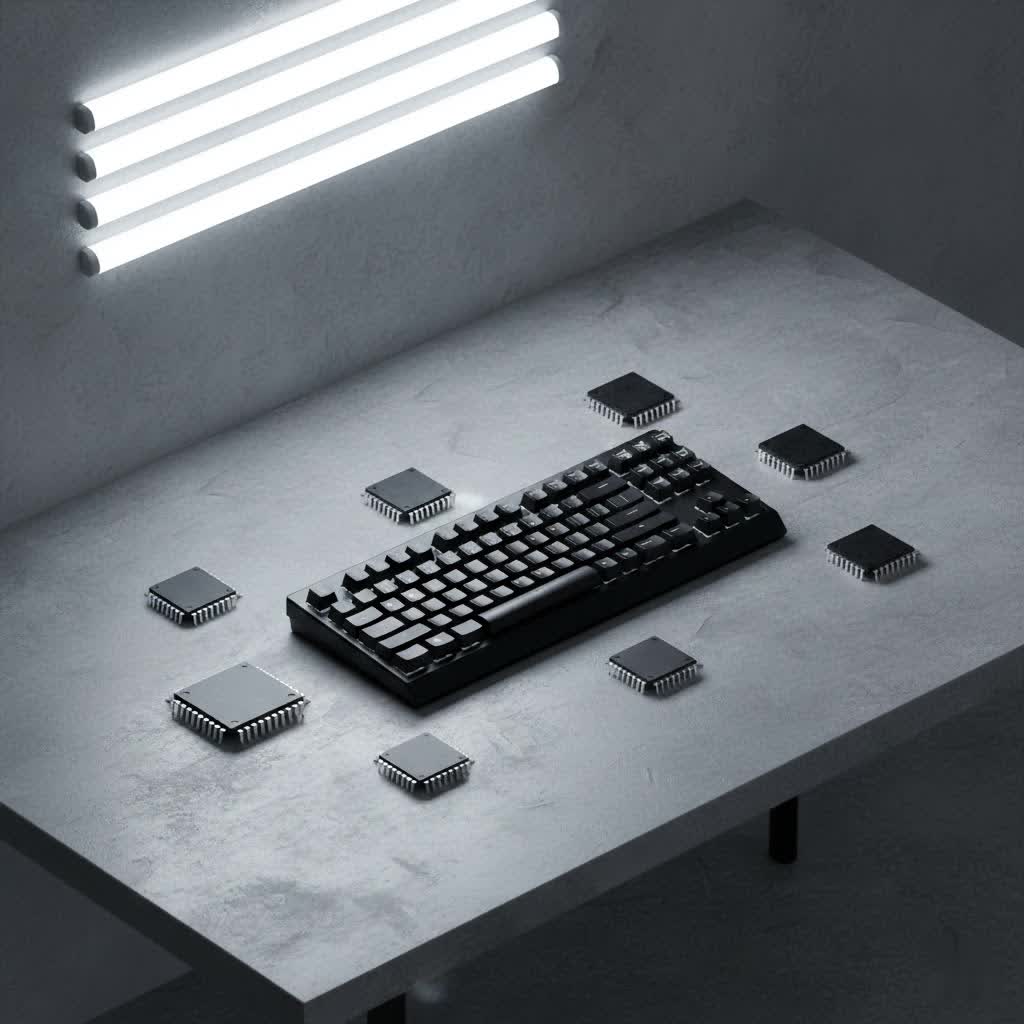
What is a Mechanical Keyboard?
At its core, a mechanical keyboard differentiates itself from standard membrane keyboards by employing individual mechanical switches under each key. Instead of a rubber dome collapsing to register a keystroke, each key press activates a physical switch mechanism. This fundamental difference provides superior tactile feedback, faster response times, and a significantly longer lifespan, often rated for millions of keystrokes. While membrane keyboards feel mushy and require bottoming out to register, mechanical switches offer a distinct feel and sound, making typing a more engaging and less fatiguing experience.
The concept of mechanical keyboards dates back decades, with early models like the IBM Model M establishing their reputation for durability and satisfying feedback. Over the years, advancements in switch design and manufacturing have led to a diverse market catering to every preference. A mechanical keyboard is typically composed of several main parts: the switches (the heart of the mechanical action), the keycaps (the covers you type on), the plate (which holds the switches), and the case (the outer housing). Each component plays a crucial role in the keyboard’s overall feel, sound, and durability.
Popular Switch Types
The type of switch is arguably the most critical decision when choosing a mechanical keyboard, as it dictates the feel and sound of every keystroke. For portable use, quieter options or those with less “travel” might be preferred, but personal preference always takes precedence.
Linear Switches
Linear switches are known for their smooth, consistent keystroke from top to bottom, without any tactile bump or audible click. This makes them fast and fluid, often favored by gamers who require rapid, uninterrupted key presses. Their quiet operation is also a significant advantage for shared workspaces or late-night typing sessions, making them a popular choice for portable setups.
- Characteristics: Smooth travel, no bump, no click.
- Pros: Fast actuation, quiet operation, ideal for rapid key presses.
- Cons: Lack of tactile feedback can lead to accidental presses for some users.
- Popular types: Cherry MX Red, Gateron Red, Kailh Speed Silver.
- Ideal for: Gamers, fast typists, office environments, and users who prefer a quiet typing experience.
|
Our Picks for the Best Mechanical Keyboard in 2026
As an Amazon Associate I earn from qualifying purchases.
|
||
| Num | Product | Action |
|---|---|---|
| 1 | AULA F2088 Typewriter Style Mechanical Gaming Keyboard Wired,Blue Switches,Rainbow LED Backlit,Removable Wrist Rest,Media Control Knob,Retro Punk Round Keycaps,USB Wired Computer Keyboard |

|
| 2 | MageGee Portable 60% Mechanical Gaming Keyboard, MK-Box LED Backlit Compact 68 Keys Mini Wired Office Keyboard with Red Switch for Windows Laptop PC Mac - Black/Grey |
|
| 3 | Redragon Mechanical Gaming Keyboard Wired, 11 Programmable Backlit Modes, Hot-Swappable Red Switch, Anti-Ghosting, Double-Shot PBT Keycaps, Light Up Keyboard for PC Mac |
|
| 4 | Wood Pattern Mechanical Keyboard Wireless & Bluetooth Brown Keyboard – RGB Backlit Hot-Swappable PBT Keycaps Aesthetic Keyboard for Mac, Windows, iOS & Android – Ergonomic Gaming & Office Keyboard |
|
| 5 | SteelSeries USB Apex 5 Hybrid Mechanical Gaming Keyboard – Per-Key RGB Illumination – Aircraft Grade Aluminum Alloy Frame – OLED Smart Display (Hybrid Blue Switch) |
|
| 6 | AULA F75 Pro Wireless Mechanical Keyboard,75% Hot Swappable Custom Keyboard with Knob,RGB Backlit,Pre-lubed Reaper Switches,Side Printed PBT Keycaps,2.4GHz/USB-C/BT5.0 Mechanical Gaming Keyboards |
|
| 7 | AULA F99 Wireless Mechanical Keyboard,Tri-Mode BT5.0/2.4GHz/USB-C Hot Swappable Custom Keyboard,Pre-lubed Linear Switches,RGB Backlit Computer Gaming Keyboards for PC/Tablet/PS/Xbox |
|
| 8 | GravaStar Mercury V75 HE Keyboard, 75% Hall‑Effect Magnetic Switch Gaming Keyboard, 8000 Hz Polling, 0.005RT, Wired USB-C, RGB Backlit, Adjustable Actuation, Semi‑Aluminum Chassis-Stealth Black |
|
| 9 | Logitech MX Mechanical Wireless Illuminated Performance Keyboard, Tactile Quiet Switches, Backlit Keys, Bluetooth, USB-C, macOS, Windows, Linux, iOS, Android, Metal, Graphite |
|
| 10 | SOLAKAKA A99 Pro Mechanical Keyboard with LCD Screen & Metal Knob, Wireless Gaming Keyboard with BT5.0/2.4GHz/USB-C, Hot Swappable Creamy Keyboard, Gasket Structure, RGB Backlit, for Win/Mac |
|
Tactile Switches
Tactile switches provide a noticeable “bump” or resistance point during the key press, signaling that the key has registered without needing to bottom out. This feedback can significantly improve typing accuracy and speed, as users can feel when an input has occurred. They produce a moderate sound, typically quieter than clicky switches but more audible than linear ones.
- Characteristics: Distinct tactile bump, no audible click.
- Pros: Excellent typing feedback, good balance between gaming and typing, improved accuracy.
- Cons: Slightly slower actuation than linear, more audible than linear.
- Popular types: Cherry MX Brown, Gateron Brown, Zealios V2.
- Ideal for: Typists, programmers, and users who want reassuring feedback without excessive noise, making them versatile for portable use.
Clicky Switches
Clicky switches offer both a tactile bump and a distinct audible “click” sound when the actuation point is reached. This provides a very satisfying and clear indication of a keystroke, which many typists find highly enjoyable. However, their noise level can be a drawback in quiet environments.
- Characteristics: Tactile bump and audible click.
- Pros: Very satisfying feedback, clear keystroke confirmation, distinctive sound.
- Cons: Loud, potentially disruptive in shared or quiet spaces.
- Popular types: Cherry MX Blue, Gateron Blue, Kailh Box White.
- Ideal for: Typists who love the classic mechanical keyboard sound and feel, and those who work in private environments where noise is not a concern.
When comparing these types, consider your primary use case and the environments where you’ll be using your portable mechanical keyboard. Linear switches offer speed and silence, tactiles provide a balanced feedback, and clicky switches deliver that unmistakable auditory satisfaction.
Keycap Varieties
Keycaps are the physical caps that sit atop the switches and are the primary point of contact for your fingers. They significantly influence the typing feel, durability, and aesthetic of your portable mechanical keyboard.
Popular Keycap Materials
- ABS (Acrylonitrile Butadiene Styrene): This is a common and affordable plastic used for keycaps.
- Pros: Generally smooth feel, vibrant colors, widely available.
- Cons: Can develop a shiny, greasy look over time (known as “ABS shine”) due to finger oils, less durable than PBT.
- PBT (Polybutylene Terephthalate): A more premium plastic often preferred by enthusiasts.
- Pros: Highly durable, resistant to shine and wear, typically has a textured or matte finish, pleasant feel, better sound profile.
- Cons: Can be more expensive, less common in custom colors or designs.
- POM (Polyoxymethylene): Less common than ABS or PBT, offering a distinct smooth, almost waxy feel.
- Pros: Very smooth, durable, resistant to oils.
- Cons: Limited availability, can sometimes feel too slippery for some users.
Keycap Profiles
The “profile” refers to the shape and height of the keycaps across the keyboard. Different profiles can significantly impact comfort and typing speed.
- OEM Profile: The most common profile, often found on pre-built keyboards. Keycaps have varying heights and angles across rows, creating a sculpted feel.
- Cherry Profile: Similar to OEM but typically slightly lower in height and with a more subtle sculpting. Many enthusiasts prefer Cherry profile for its comfort and aesthetics.
- DSA Profile: A uniform, spherical profile where all keycaps have the same height and shape. This allows for flexible keycap placement but can feel unusual to typists accustomed to sculpted profiles.
- SA Profile: A tall, spherical profile with a distinct vintage look and feel. It offers a sculpted design but with significantly higher keycaps, resulting in a unique thocky sound and typing experience.
Choosing the right keycaps involves balancing aesthetics with tactile preference. PBT keycaps are often recommended for portable keyboards due to their durability and resistance to wear, ensuring your keyboard looks good even after extensive travel.
Comparison Table of Portable Mechanical Keyboards
When evaluating portable mechanical keyboards, comparing them across key criteria will help you find the perfect match. Instead of specific models, let’s focus on the essential aspects you should assess.
| Feature / Criteria | Description | Ideal for |
|---|---|---|
| Price Range | Entry-level to high-end options, varying significantly with build quality, features, and brand. | Budget-conscious users (entry-level), enthusiasts and professionals seeking premium features (high-end). |
| Layout/Size | 60%, 65%, 75%, Tenkeyless (TKL) – determines footprint and available keys. | Extreme portability (60%, 65%), balanced functionality (75%, TKL). |
| Switch Type | Linear, Tactile, Clicky, or Low-Profile – dictates typing feel and sound. | Gaming/quiet typing (Linear), general typing/feedback (Tactile), distinctive sound (Clicky), slim design (Low-Profile). |
| Keycap Material | ABS or PBT – impacts durability, texture, and resistance to shine. | Casual use (ABS), heavy use/longevity (PBT). |
| Connectivity | Wireless (Bluetooth, 2.4GHz), Wired (USB-C) – crucial for portability and versatility. | On-the-go users (Wireless), competitive gaming/reliable connection (Wired). |
| Battery Life | For wireless models, measured in hours or days – important for extended use without charging. | Digital nomads, frequent travelers, users needing long sessions away from power. |
| Build Quality | Case material (plastic, aluminum), overall construction solidity, hot-swappability. | Users prioritizing durability and premium feel (aluminum), those wanting switch customization (hot-swappable). |
| Special Features | RGB backlighting, programmable macros, dedicated media keys, multi-device pairing. | Gamers, users needing aesthetic customization, productivity power users. |
| User Reviews | Feedback from other users on typing experience, reliability, and customer service. | Provides real-world insights beyond specifications, helps identify common pros/cons. |
Buying Guide for Portable Mechanical Keyboards
Choosing the “perfect” portable mechanical keyboard is a personal journey, as it depends heavily on your individual needs and preferences. Here’s a step-by-step guide to help you navigate the options.
1. Determine Your Usage Needs
Your primary use case will heavily influence your choice.
- Gaming: Look for linear switches for fast actuation, low latency (2.4GHz wireless or wired), and potentially RGB lighting for aesthetics. Compact sizes like 60% or TKL save desk space for mouse movement.
- Office/Productivity: Tactile or low-profile switches often offer a good balance of feedback and reasonable noise levels. Consider layouts with arrow keys (65%, 75%, TKL) for easier navigation and programming. Good battery life for wireless models is essential.
- Programming: Tactile switches are generally favored for accuracy. Programmable layers (via QMK/VIA software) are highly beneficial for custom keybindings. A 75% or TKL layout might be preferred for access to function rows.
- General Travel/Casual Use: Prioritize compact size (60%, 65%), robust build quality for durability, reliable wireless connectivity, and excellent battery life. Switch type can be purely based on personal preference.
2. Set Your Budget
Portable mechanical keyboards range from under $50 to several hundred dollars.
- Entry-Level (<$70): Often plastic cases, basic switches, and limited features. Good for trying out mechanical keyboards without a big investment.
- Mid-Range ($70-$150): Offers better build quality, hot-swappable switches, better keycaps (often PBT), and more advanced wireless options. Keychron, Royal Kludge, and some Epomaker models often fall here.
- High-End (>$150): Premium materials (aluminum case), advanced features, superior acoustics, extensive customization, and low-profile options. Brands like NuPhy, some Razer, and Logitech models are found in this tier.
3. Key Factors to Consider
- Layout and Size:
- 60%: Ultra-compact, sacrifices dedicated arrow keys and function row (accessed via Fn layer). Maximizes desk space and portability.
- 65%: Adds dedicated arrow keys to a 60% layout, a sweet spot for many who need arrows but want high portability.
- 75%: A compact TKL, retaining the function row and often some navigation keys in a condensed layout. Excellent balance of size and functionality.
- Tenkeyless (TKL): Removes the numpad but keeps the full function row and navigation cluster. A very popular compact size that doesn’t feel overly restrictive.
- Low-Profile: Keyboards with shorter switches and keycaps, resulting in a thinner overall design. Ideal for portability and ergonomics, providing a laptop-like feel with mechanical advantages.
- Switch Type: Refer to the “Popular Switch Types” section to align your preference with linear, tactile, or clicky. For portable use, consider the noise level, especially if you’ll be in public spaces. Low-profile switches offer a unique feel suited for slim designs.
- Keycap Material: PBT is generally recommended for durability and resistance to shine, which is great for a keyboard that sees frequent handling.
- Build Quality: Look for sturdy construction. Aluminum cases offer premium feel and durability, while high-quality plastic can still be very robust and lighter for travel. Hot-swappable switches allow you to easily change switches without soldering, extending the keyboard’s lifespan and customization potential.
- Connectivity: Wireless options like Bluetooth (for multi-device pairing) and 2.4GHz (for lower latency, especially in gaming) are paramount for portability. USB-C wired connection is standard for charging and a reliable fallback.
- Battery Life: For wireless keyboards, check the advertised battery life. Longer battery life means fewer interruptions and less worry when traveling.
- Software and Customization: QMK/VIA compatibility allows for deep key remapping and macro creation. RGB lighting can add flair, but also consumes battery.
4. Where to Buy
Reputable online retailers like Amazon, Best Buy, and Newegg often carry a wide selection. For enthusiast-grade and customizable options, specialized keyboard stores such as Keychron’s official site, NuPhy, Epomaker, and others are excellent sources. Always check reviews and product specifications carefully before making a purchase.
Cleaning and Maintaining Your Portable Mechanical Keyboard
To ensure your portable mechanical keyboard lasts for years and continues to perform optimally, regular cleaning and maintenance are crucial.
Proper Cleaning Techniques
- Dust Removal: Use compressed air to blow away dust and debris from between the keycaps. Do this regularly, especially after traveling.
- Keycap Cleaning: Carefully remove keycaps using a keycap puller. You can wash ABS or PBT keycaps in warm, soapy water. For deeper cleaning, some users use denture cleaning tablets. Ensure they are thoroughly dry before reattaching.
- Case Cleaning: Wipe the keyboard case with a microfiber cloth dampened with a gentle cleaning solution (like diluted isopropyl alcohol or keyboard cleaning spray). Avoid getting liquid into the switches or electronics.
- Switch Cleaning (Advanced): If you have a hot-swappable keyboard, you can remove individual switches and clean them, or even lubricate them to improve smoothness and sound. This is an advanced technique that requires specific tools and care.
Tips for Extending Lifespan
- Travel Case: Always use a protective carrying case or sleeve when transporting your portable mechanical keyboard. This prevents keys from popping off, switches from being damaged, and protects against spills or impacts.
- Avoid Liquids: Keep drinks away from your keyboard. Even small spills can cause significant damage. If a spill occurs, immediately unplug the keyboard, remove keycaps, and dry it thoroughly.
- Handle with Care: Mechanical keyboards are durable, but they are not indestructible. Avoid dropping them or putting heavy objects on them.
- Battery Care (for Wireless): If your keyboard has a rechargeable battery, try not to let it completely drain often. Follow the manufacturer’s recommendations for charging cycles to prolong battery health.
- Firmware Updates: Regularly check for and install firmware updates from the manufacturer. These can improve performance, add features, and fix bugs.
“A portable mechanical keyboard is more than just a tool; it’s an investment in your productivity and comfort, wherever you are. Treat it well, and it will serve you faithfully.”
Conclusion
The portable mechanical keyboard has revolutionized how we approach typing on the go, offering the superior feel and performance of a full-sized mechanical board in a compact, travel-friendly package. From the satisfying thock of a tactile switch to the rapid response of a linear one, the ability to choose a keyboard that truly matches your preferences and lifestyle is invaluable. Whether you’re a digital nomad, a passionate gamer, or simply someone who appreciates a premium typing experience away from your main desk, there’s a portable mechanical keyboard designed to elevate your daily interactions. By understanding the different switch types, keycap materials, layouts, and connectivity options, you’re now equipped to make an informed decision and find your perfect portable typing companion. What will your next portable mechanical keyboard empower you to do?
Frequently Asked Questions
What makes a mechanical keyboard “portable” compared to a standard one?
A mechanical keyboard is considered “portable” primarily due to its compact size and layout (such as 60%, 65%, or TKL), often paired with wireless connectivity options like Bluetooth or 2.4GHz. These features drastically reduce its footprint and eliminate cable clutter, making it easy to slip into a backpack and use anywhere.
Are low-profile mechanical keyboards better for portability?
Yes, low-profile mechanical keyboards are excellent for portability. Their slimmer design, thanks to shorter switches and keycaps, makes them lighter and easier to carry. They offer a mechanical feel with faster actuation, which can be advantageous for both typing and gaming on the go, while maintaining a sleek aesthetic.
Can I customize the switches on a portable mechanical keyboard?
Many portable mechanical keyboards, especially in the mid-to-high price range, feature hot-swappable switches. This means you can easily pull out the existing switches and insert new ones without any soldering. This feature is fantastic for customization, allowing you to experiment with different switch types or replace faulty ones to tailor your typing experience.
How important is battery life for a wireless portable mechanical keyboard?
Battery life is crucial for a wireless portable mechanical keyboard, particularly if you plan on using it frequently away from a power source. Good battery life, often ranging from several days to weeks on a single charge, ensures uninterrupted productivity or gaming sessions without the constant worry of needing to find an outlet or carry a charging cable.
