For decades, the mechanical keyboard has been a beloved tool for typists, gamers, and programmers alike, celebrated for its tactile feedback and satisfying sounds. But among the myriad of materials, a distinct category has emerged, captivating enthusiasts with its unique blend of natural elegance and robust performance: the wooden mechanical keyboard. This guide delves into everything you need to know about these exceptional devices, helping you understand their appeal and choose the perfect one to elevate your desk setup.
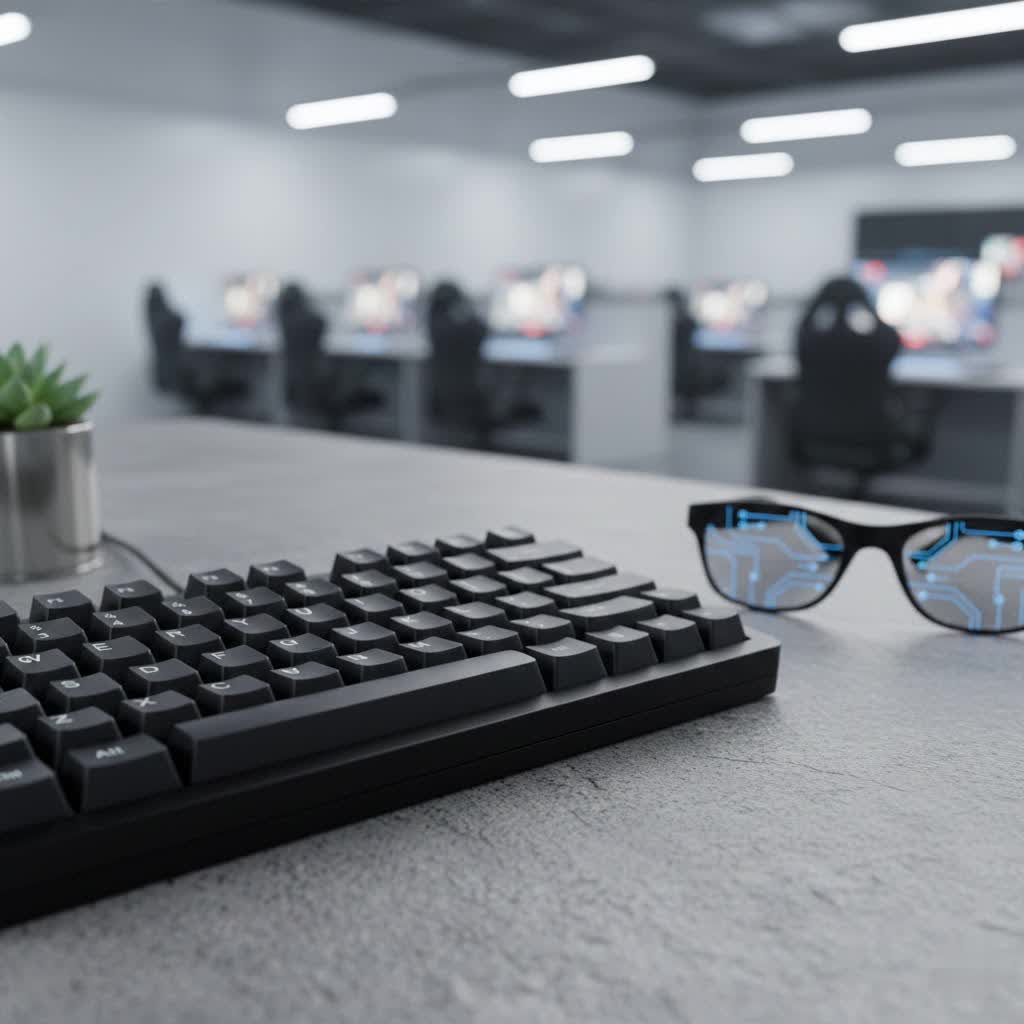
What Defines a Wooden Mechanical Keyboard?
At its core, a mechanical keyboard with a wooden case is an input device that marries the precision of mechanical switches with the organic beauty and acoustic properties of natural wood. Unlike keyboards encased in plastic or metal, these models feature housings crafted from sustainably sourced hardwoods such as walnut, cherry, bamboo, or maple. While the internal mechanics remain true to traditional mechanical keyboard design—utilizing switches like Cherry MX, Gateron, or Kailh—the integration of real wood profoundly influences the keyboard’s aesthetics, sound profile, and overall typing feel.
The history of mechanical keyboards dates back to the early days of computing, favored for their durability and consistent input. As the market evolved, a desire for enhanced customization and premium materials led to experimentation beyond standard plastic. Wooden cases, initially a niche for DIY enthusiasts, gained traction for their ability to offer a warmer, more bespoke alternative to the cold, industrial feel of metal or the commonplace nature of plastic.
Key components remain consistent: the switch registers keystrokes, keycaps provide the tactile surface, a plate holds the switches, and the PCB (Printed Circuit Board) acts as the keyboard’s brain. In a wooden mechanical keyboard, the case itself becomes a pivotal component, acting as a resonant chamber that shapes the acoustic output and provides a distinct visual and tactile foundation.
Popular wood choices are not merely aesthetic; they offer different characteristics. Walnut, for instance, is prized for its dark, rich grain and excellent acoustic dampening. Cherry provides a lighter tone and fine texture, while bamboo is known for its sustainability and unique striped appearance. Each wood type offers a unique personality, ensuring no two wooden keyboards are exactly alike.
Why Choose a Wooden Mechanical Keyboard?
The appeal of wooden mechanical keyboards extends far beyond mere functionality. They offer a host of advantages that cater to both aesthetic preferences and the nuanced demands of serious typists.
First and foremost are the premium aesthetics. Natural wood grain ensures that each keyboard possesses a one-of-a-kind character, adding warmth and sophistication to any workspace. This organic texture can transform a sterile desk into a more inviting and personalized environment, harmonizing beautifully with other natural elements or minimalist designs.
Beyond visual appeal, wooden cases offer improved acoustics. The dense structure of wood effectively dampens high-frequency noise typically associated with keystrokes, while simultaneously enhancing lower-frequency “thock” tones. This results in a deeper, more satisfying sound profile that many enthusiasts find superior to the sharper, often hollow sounds of plastic or the metallic pings of aluminum cases. The wood absorbs vibrations, creating a richer, more grounded auditory experience with every press.
The typing feel is also distinctly enhanced. Wood’s thermal properties mean it doesn’t conduct heat as aggressively as aluminum, keeping your hands comfortable during long typing sessions. The inherent weight and solid construction of a wooden case contribute to a stable and firm typing platform, reducing flex and providing a more “planted” feel that solidifies each keystroke. This tactile satisfaction is a significant draw for those who spend hours at their keyboard.
Moreover, wooden keyboards often represent an eco-friendlier option. Many manufacturers utilize sustainably sourced, FSC-certified wood, minimizing reliance on plastics and other synthetic materials. This aligns with a growing consumer demand for sustainable, handcrafted tech accessories that blend form and function.
However, it’s essential to acknowledge potential considerations. Wooden keyboards tend to be heavier and less portable, making them ideal for stationary desk setups rather than travel. They can also be sensitive to environmental changes, with extreme humidity or dryness potentially causing warping or cracking if the wood is not properly treated or maintained. Finally, the craftsmanship involved often translates to a higher price point compared to their plastic counterparts.
Understanding Mechanical Keyboard Switches
While the wooden case defines much of a keyboard’s aesthetic and acoustic character, the switches underneath the keycaps are the heart of its typing experience. Understanding the three primary types of mechanical switches is crucial, as their characteristics interact uniquely with a wooden housing to shape the overall sound and feel.
Switch Linear
- Characteristics: Linear switches offer a smooth, consistent keystroke from top to bottom, with no tactile bump or audible click. They require a steady force throughout their travel.
- Pros: Fast actuation, quiet operation (especially with a well-dampened wooden case), often preferred by gamers for rapid, uninterrupted key presses.
- Cons: Can be prone to accidental key presses due to lack of feedback, may not be as satisfying for typists who prefer haptic feedback.
- Popular Types: Cherry MX Red, Gateron Red, Cherry MX Speed Silver.
- Best For: Gamers, office environments where silence is valued, and those who appreciate a fluid, unhindered typing motion. With a wooden case, linear switches can achieve a wonderfully deep, muted “thock” sound.
|
Our Picks for the Best Mechanical Keyboard in 2026
As an Amazon Associate I earn from qualifying purchases.
|
||
| Num | Product | Action |
|---|---|---|
| 1 | AULA F75 Pro Wireless Mechanical Keyboard,75% Hot Swappable Custom Keyboard with Knob,RGB Backlit,Pre-lubed Reaper Switches,Side Printed PBT Keycaps,2.4GHz/USB-C/BT5.0 Mechanical Gaming Keyboards |

|
| 2 | MageGee Portable 60% Mechanical Gaming Keyboard, MK-Box LED Backlit Compact 68 Keys Mini Wired Office Keyboard with Red Switch for Windows Laptop PC Mac - Black/Grey |
|
| 3 | SteelSeries USB Apex 5 Hybrid Mechanical Gaming Keyboard – Per-Key RGB Illumination – Aircraft Grade Aluminum Alloy Frame – OLED Smart Display (Hybrid Blue Switch) |
|
| 4 | Wood Pattern Mechanical Keyboard Wireless & Bluetooth Brown Keyboard – RGB Backlit Hot-Swappable PBT Keycaps Aesthetic Keyboard for Mac, Windows, iOS & Android – Ergonomic Gaming & Office Keyboard |
|
| 5 | Redragon Mechanical Gaming Keyboard Wired, 11 Programmable Backlit Modes, Hot-Swappable Red Switch, Anti-Ghosting, Double-Shot PBT Keycaps, Light Up Keyboard for PC Mac |
|
| 6 | GravaStar Mercury V75 HE Keyboard, 75% Hall‑Effect Magnetic Switch Gaming Keyboard, 8000 Hz Polling, 0.005RT, Wired USB-C, RGB Backlit, Adjustable Actuation, Semi‑Aluminum Chassis-Stealth Black |
|
| 7 | AULA F2088 Typewriter Style Mechanical Gaming Keyboard Wired,Blue Switches,Rainbow LED Backlit,Removable Wrist Rest,Media Control Knob,Retro Punk Round Keycaps,USB Wired Computer Keyboard |
|
| 8 | SOLAKAKA A99 Pro Mechanical Keyboard with LCD Screen & Metal Knob, Wireless Gaming Keyboard with BT5.0/2.4GHz/USB-C, Hot Swappable Creamy Keyboard, Gasket Structure, RGB Backlit, for Win/Mac |
|
| 9 | Logitech MX Mechanical Wireless Illuminated Performance Keyboard, Tactile Quiet Switches, Backlit Keys, Bluetooth, USB-C, macOS, Windows, Linux, iOS, Android, Metal, Graphite |
|
| 10 | AULA F99 Wireless Mechanical Keyboard,Tri-Mode BT5.0/2.4GHz/USB-C Hot Swappable Custom Keyboard,Pre-lubed Linear Switches,RGB Backlit Computer Gaming Keyboards for PC/Tablet/PS/Xbox |
|
Switch Tactile
- Characteristics: Tactile switches feature a noticeable “bump” in the middle of the keystroke, providing physical feedback that a key press has been registered without an audible click.
- Pros: Excellent for typists as the bump helps prevent bottoming out and confirms actuation, reducing errors. Offers a satisfying, responsive feel.
- Cons: The bump can feel jarring to some, and the sound can be louder than linear switches, though still quieter than clicky ones.
- Popular Types: Cherry MX Brown, Gateron Brown, Zealios V2.
- Best For: Typists, programmers, and general users who prioritize accuracy and a clear point of actuation. In a wooden case, tactile switches can produce a pleasant, mellow sound, with the tactile bump amplified by the case’s solid nature.
Switch Clicky
- Characteristics: Clicky switches provide both a tactile bump and a distinct audible “click” sound, typically at the point of actuation.
- Pros: Highly satisfying auditory and tactile feedback, making it very clear when a key press has registered. Often preferred by those who enjoy the classic typewriter feel.
- Cons: The loud click can be disruptive in shared environments and may not be suitable for late-night use.
- Popular Types: Cherry MX Blue, Gateron Blue, Kailh Box White.
- Best For: Enthusiasts who love the definitive click, those who type in private settings, and anyone seeking maximum feedback. When paired with a wooden case, clicky switches can sometimes have their sharp click slightly mellowed, but the inherent sound remains prominent. Some even find the wood can accentuate the higher frequencies if not properly dampened internally.
Choosing the right switch type is a personal journey, often requiring experimentation. The interaction between the switch and a wooden case can elevate the typing experience, turning each keystroke into a rich symphony of sound and feel.
Keycap Materials and Profiles
Keycaps are the interface between your fingers and the switches, and their material, manufacturing process, and profile significantly impact the feel, acoustics, and aesthetics of your wooden mechanical keyboard.
Popular Keycap Materials
- ABS (Acrylonitrile Butadiene Styrene):
- Pros: Generally more affordable, smooth surface, wide variety of colors and designs.
- Cons: Prone to developing a shiny “grease” over time, can yellow, less durable than PBT. The thinness can lead to a higher-pitched sound.
- Pairing with Wood: Can be a good budget option, but the sound may not fully complement the deep tones of a wooden case.
- PBT (Polybutylene Terephthalate):
- Pros: Highly durable, resistant to shine and yellowing, often has a pleasant textured feel, produces a deeper and more satisfying sound due to its density.
- Cons: Generally more expensive, fewer color options initially, can be slightly harder to find unique designs.
- Pairing with Wood: An excellent choice for wooden keyboards. The denser material contributes to the desirable “thock” sound, enhancing the acoustic properties of the wooden case. The matte texture also complements the natural feel of wood.
- POM (Polyoxymethylene):
- Pros: Very smooth, low friction, excellent durability, often a softer feel.
- Cons: Less common, limited color options.
- Pairing with Wood: Can offer a unique, smooth typing experience that pairs well with the tactile warmth of a wooden case, producing a softer sound profile.
Keycap Profiles
The “profile” refers to the shape and height of the keycaps. Different profiles offer varying ergonomic experiences and aesthetic appeals.
- OEM Profile:
- Characteristics: The most common profile, often found on mainstream keyboards. Keycaps are sculpted, with varying heights and angles across rows.
- Pros: Familiarity, generally comfortable for most users, easy to find replacements.
- Cons: Can feel somewhat generic to enthusiasts.
- Cherry Profile:
- Characteristics: Similar to OEM but slightly lower in height and more aggressively sculpted.
- Pros: Highly ergonomic, preferred by many touch typists for its comfort and ease of reaching keys, excellent acoustics due to lower profile.
- Cons: Can be less common on pre-built boards.
- DSA Profile:
- Characteristics: Uniform height and shape across all keycaps, with a spherical top.
- Pros: Visually striking, allows for flexible keycap placement (no need to worry about row compatibility).
- Cons: Can take time to adjust to for typists used to sculpted profiles, may not feel as ergonomic for some.
- SA Profile:
- Characteristics: Tall, spherical keycaps, reminiscent of vintage typewriters.
- Pros: Distinctive retro aesthetic, unique typing feel with deep, satisfying sounds.
- Cons: Very tall, which can affect ergonomics for some users and requires a longer key travel, often more expensive.
Choosing Keycaps for a Wooden Keyboard
When selecting keycaps for your wooden mechanical keyboard, consider the following:
- Aesthetics: Darker wood cases like walnut pair beautifully with contrasting lighter keycaps (e.g., beige, off-white, light gray) or complementary darker tones. Lighter woods like maple or bamboo offer more versatility.
- Sound: PBT keycaps are generally recommended for their ability to enhance the “thocky” sound profile often desired with wooden cases.
- Ergonomics: Cherry or OEM profiles are often chosen for daily typing comfort, while SA offers a distinct visual and tactile experience, though it might require a wrist rest due to its height.
Wooden Mechanical Keyboards vs. Other Materials
The choice of keyboard case material significantly impacts the typing experience, from sound and feel to durability and aesthetics. Here’s a comparison of wooden cases against their common counterparts: plastic and aluminum.
| Feature | Wooden Cases | Aluminum Cases | Plastic Cases |
|---|---|---|---|
| Aesthetics | Unique, natural grain, warm, artisanal look. | Modern, sleek, industrial, often metallic sheen. | Mass-produced, versatile colors/finishes, can look generic. |
| Sound Profile | Deep, “thocky,” dampens high frequencies, absorbs vibrations. | Sharper, “pingy,” metallic resonance, often brighter. | Hollow or clacky, can sound cheap depending on plastic quality. |
| Typing Feel | Solid, stable, warm to touch, excellent vibration absorption. | Sturdy, rigid, cool to touch, less flex. | Lighter, more flex, can feel less premium. |
| Durability | Durable if well-treated, ages beautifully, but susceptible to humidity changes (warping, cracking). | Highly durable, resistant to dents and scratches. | Varies by plastic type (ABS prone to wear, PBT more durable). |
| Weight | Heavy, contributes to stability. | Heavy, provides a premium feel. | Lightweight, good for portability. |
| Maintenance | Requires regular care (oiling, humidity control), can discolor from sweat. | Low maintenance, easy to wipe clean. | Low maintenance, but ABS can yellow. |
| Cost | Often premium, higher cost due to craftsmanship and material. | Premium, higher cost for machining and material. | Most affordable, wide range of price points. |
| Customization | Excellent for DIY kits, unique handcrafted options. | Many custom and DIY options available. | Widely available in kits and pre-builts, but fewer unique materials. |
While plastic offers affordability and aluminum provides robust durability and a crisp sound, wooden mechanical keyboards stand out for their unparalleled aesthetic warmth and unique acoustic characteristics. They are a statement piece for those who value craftsmanship, natural materials, and a distinctive typing experience.
Guide to Buying Your Perfect Wooden Mechanical Keyboard
Choosing the right wooden mechanical keyboard is an investment in both your typing experience and your desk’s aesthetic. With myriad options available, a structured approach can help you find your ideal match.
1. Define Your Needs
- Usage: Are you primarily a gamer, a professional typist, a programmer, or a general user? Gamers might prioritize low latency and specific switch types, while typists might focus on ergonomics and sound profile.
- Aesthetics: Is your goal to complement a natural, minimalist, or vintage desk setup? Consider the existing colors and materials in your environment.
- Portability: Wooden keyboards are generally heavier, making them less ideal for frequent travel. If you need a board for a stationary setup, wood is excellent.
2. Determine Your Budget
Wooden mechanical keyboards often command a higher price due to the material cost and craftsmanship.
- Entry-level (cases only or basic kits): Expect to spend $50-$150 for a good quality wooden case that you can populate with your own components.
- Mid-range (pre-built or advanced kits): $150-$400 will get you a quality pre-built wooden keyboard or a more comprehensive kit with better wood types and features.
- High-end (custom builds, exotic woods): Over $400 for bespoke designs, rare woods, and advanced features.
3. Key Factors to Consider
- Wood Type:
- Walnut: Dark, rich grain, excellent dampening, common and popular.
- Cherry: Lighter, fine grain, ages beautifully, good acoustics.
- Bamboo: Sustainable, unique striped pattern, lighter weight, slightly different sound profile.
- Maple/Beech: Lighter woods, often used for a clean, modern look.
- Finish: Look for well-finished wood (oiled, varnished) to prevent warping and protect against wear.
- Layout:
- 60%/65%: Compact, minimalist, space-saving (common for wooden keyboards).
- TKL (Tenkeyless): No numpad, retains function row and arrow keys.
- 75%: A slightly more compact TKL with function row and condensed navigation cluster.
- Full-size/96-key: Includes a numpad, less common for all-wood cases but available.
- Switch Type: As discussed, choose between linear, tactile, or clicky based on your preference for sound and feel.
- Keycap Compatibility: Ensure the keyboard supports standard MX-style keycaps if you plan to customize. PBT is often recommended for sound.
- Build Quality: Look for solid hardwood construction rather than glued laminates, which may warp. Check for precise CNC machining, hidden fasteners, and good internal dampening (foam, gasket mount).
- Features:
- Hot-swappable switches: Allows you to change switches without soldering, great for experimentation.
- Programmability (QMK/VIA): Offers extensive customization of key mappings and layers.
- Connectivity: Wired (USB-C), Bluetooth, 2.4GHz wireless.
- RGB Lighting: Some wooden cases can incorporate RGB, though it’s often more subtle due to the opaque nature of wood.
4. Where to Buy
- Specialty Keyboard Stores: Websites like KBDfans, Drop, and Akko Gear often carry wooden cases or full wooden keyboards.
- Handmade Marketplaces: Etsy is a great source for custom-made or artisan wooden cases and keyboards.
- Community Forums (Reddit r/MechanicalKeyboards): Often feature group buys or sellers of unique wooden kits and components.
- Direct from Artisans: Some individual craftsmen offer bespoke wooden keyboards.
Always read reviews and, if possible, listen to sound tests to get a sense of the typing experience. “The choice of a wooden mechanical keyboard is deeply personal, reflecting not just a tool but an extension of your individual style and preference for a truly unique typing experience,” says the Admin of reviewjaaa.com.
Cleaning and Maintaining Your Wooden Mechanical Keyboard
A wooden mechanical keyboard, like any fine wooden article, requires thoughtful care to preserve its beauty and extend its lifespan. Proper cleaning and maintenance will protect the wood from damage, discoloration, and environmental wear.
1. Daily Care and Dust Removal
- Dusting: Regularly use a dry microfiber cloth or a soft brush to gently wipe away dust and debris from the keycaps and the wooden case. Dust can accumulate in crevices and scratch the wood over time.
- Compressed Air: For harder-to-reach areas, especially around switches and beneath keycaps, use compressed air to blow out dust and crumbs. Hold the can upright and spray in short bursts.
- Avoid Harsh Wipes: Do not use alcohol-based wipes or harsh chemical cleaners directly on the wood, as these can strip the finish, dry out the wood, and cause discoloration.
2. Deep Cleaning for the Case
If your wooden case develops grime or minor stains:
- Damp Cloth Method: Slightly dampen a clean microfiber cloth with distilled water (or a very mild solution of distilled water and a tiny drop of dish soap). Wring the cloth thoroughly so it’s barely damp. Gently wipe the wooden case, always following the grain of the wood.
- Immediate Drying: Crucially, immediately follow with a dry microfiber cloth to absorb any moisture. Do not saturate the wood, as prolonged exposure to water can cause swelling, warping, or damage to the finish.
- Air Dry: Allow the keyboard to air dry completely in a well-ventilated area, away from direct sunlight or heat sources.
3. Restoring Luster and Protecting the Wood
Over time, wood can lose its natural sheen, especially in areas of frequent contact like the wrist rest.
- Wood Oil/Wax: Use a small amount of wood-specific oil (e.g., mineral oil, tung oil, or a specialized wood polish/wax designed for furniture) on a clean, dry microfiber cloth. Apply it gently, working it into the wood in circular motions.
- Buffing: After application, use a clean, dry part of the cloth to buff the wood to a natural shine, removing any excess oil or residue. This process not only restores luster but also helps to nourish and protect the wood.
- Frequency: Depending on usage and environmental conditions, this can be done every few months or when the wood starts to look dry or dull.
4. Humidity Management
Wood is a natural material that reacts to humidity.
- Stable Environment: Keep your wooden keyboard in a room with stable temperature and humidity levels. Avoid placing it near windows where it’s exposed to direct sunlight, or near heating/cooling vents.
- Humidifier/Dehumidifier: In extremely dry or humid climates, consider using a room humidifier or dehumidifier to maintain a balanced environment, which can prevent the wood from shrinking, expanding, or cracking.
5. Cleaning Keycaps (Separately)
- Removal: Carefully remove keycaps using a keycap puller.
- Washing: For most keycaps (especially PBT), a gentle bath in warm, soapy water (mild dish soap) works well. Agitate them, then rinse thoroughly and air dry completely before reattaching. For ABS, be gentler to avoid damage.
By following these maintenance practices, your wooden mechanical keyboard will remain a beautiful and functional centerpiece of your workspace for years to come.
Conclusion
The wooden mechanical keyboard offers a truly distinctive experience in the vast world of peripherals. It’s more than just a tool; it’s a tactile and auditory delight, a statement of personal style, and a nod to craftsmanship. From the unique, organic aesthetics of walnut and cherry to the satisfyingly deep “thock” sound profile they produce, these keyboards elevate the mundane act of typing into an engaging sensory journey.
While they demand a bit more care and attention to maintain their natural beauty and integrity, the rewards—a solid, comfortable, and acoustically pleasing typing experience—are well worth it. Choosing a wooden mechanical keyboard means embracing a blend of nature, technology, and art that few other peripherals can offer. Whether you’re a dedicated enthusiast building your dream setup or simply seeking to infuse warmth and character into your digital workspace, a wooden mechanical keyboard stands ready to transform your daily interactions.
Are you ready to experience the unparalleled charm and performance of a keyboard crafted from nature’s own canvas?
Frequently Asked Questions
What makes a wooden mechanical keyboard sound different?
Wooden mechanical keyboards often produce a deeper, more “thocky” sound compared to plastic or aluminum cases. This is because the dense, natural fibers of wood absorb high-frequency vibrations and dampen noise, while enhancing lower-frequency tones, resulting in a richer and more satisfying acoustic profile.
Are wooden mechanical keyboards durable?
Yes, well-crafted wooden mechanical keyboards made from solid hardwoods like walnut or cherry are durable. However, wood is a natural material and can be susceptible to environmental changes. Proper finishing and consistent humidity levels are crucial to prevent warping, shrinking, or cracking over time, ensuring longevity.
Can I customize a wooden mechanical keyboard?
Absolutely! Many wooden mechanical keyboards are available as kits, allowing for extensive customization. You can choose your preferred switch type, keycaps, and even hot-swappable PCBs. This modularity makes them a favorite among enthusiasts who enjoy tailoring their typing experience and aesthetics.
How do I clean and maintain a wooden keyboard case?
To clean, gently wipe the wooden case with a dry microfiber cloth or a slightly damp (not wet) cloth with distilled water, always following the wood grain. Avoid harsh chemicals. To maintain its luster and protect the wood, periodically apply a small amount of wood-specific oil or wax, then buff it dry.
Are wooden mechanical keyboards expensive?
Wooden mechanical keyboards generally fall into the premium price range. The cost reflects the quality of the wood, the precision of the craftsmanship (often CNC milled), and the specialized nature of these products. While cases alone can be affordable, fully built, high-quality wooden keyboards tend to be a significant investment.
What types of wood are commonly used for mechanical keyboard cases?
Popular wood types include walnut, cherry, bamboo, and maple. Each offers distinct aesthetic qualities, from the dark, rich grains of walnut to the lighter, fine textures of cherry and maple. The choice of wood also subtly influences the acoustic properties and overall weight of the keyboard.
Do wooden keyboards get hot or cold?
No, wooden keyboards maintain a more neutral temperature than metal cases. Unlike aluminum, which can feel cold in winter or warm in summer, wood has natural thermal stability. This means your hands stay more comfortable during extended typing sessions, contributing to a more pleasant user experience.
