In a world increasingly dominated by generic technology, the desire for personalization has never been stronger. For enthusiasts and professionals alike, the journey into custom mechanical keyboards offers an unparalleled opportunity to craft a truly unique and tailored typing experience. Forget mass-produced peripherals; a custom mechanical keyboard allows you to handpick every component, from the satisfying click of a switch to the texture of a keycap, resulting in a device that perfectly aligns with your aesthetic and functional desires. This comprehensive guide will walk you through everything you need to know, empowering you to build a keyboard that is not just a tool, but an extension of yourself.
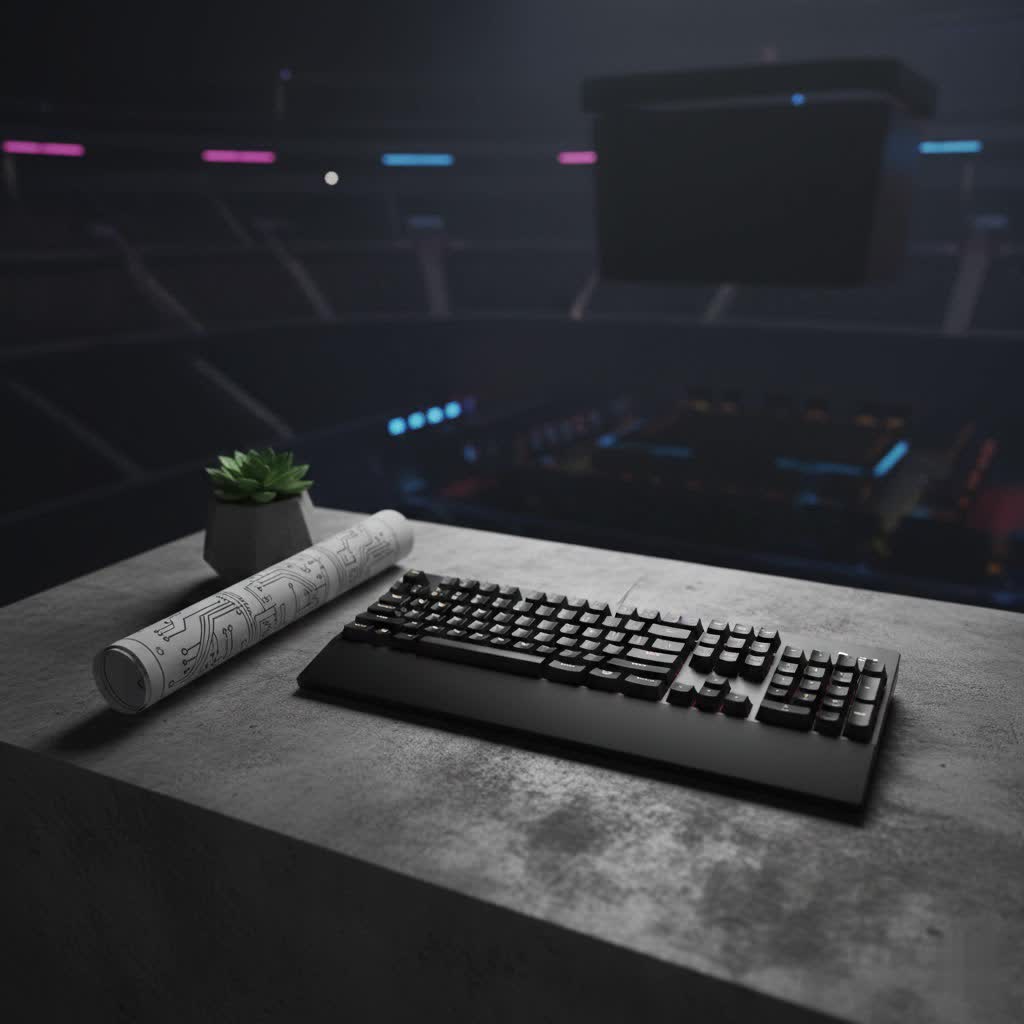
What is a Custom Mechanical Keyboard?
At its core, a custom mechanical keyboard is a keyboard meticulously assembled from individual components chosen by the user, rather than purchased as a pre-built, off-the-shelf unit. This contrasts sharply with standard keyboards, which come with fixed switches, keycaps, and internal configurations. The history of mechanical keyboards dates back to the early days of computing, favored for their durability and tactile feedback. Over time, the rise of membrane and rubber dome keyboards pushed mechanical options to the niche, until a resurgence in the 21st century rekindled interest in their superior typing feel and longevity. Today, the “custom” aspect amplifies this, offering an unprecedented level of control over every detail.
The main components that differentiate a mechanical keyboard, and especially a custom one, include:
- Switches: The individual mechanisms beneath each keycap that register keystrokes.
- Keycaps: The covers you press, determining aesthetics and feel.
- Plate: A component that holds the switches in place, influencing typing feel.
- Case: The outer shell that houses all internal components, affecting acoustics and aesthetics.
- Printed Circuit Board (PCB): The “brain” of the keyboard, where switches are mounted and signals are processed.
- Stabilizers: Essential for larger keys like Spacebar, Shift, and Enter, ensuring even key presses and preventing wobble.
Each of these elements offers a vast array of choices, allowing for millions of combinations to achieve your ideal typing experience.
Unveiling the World of Switches
The heart of any custom mechanical keyboard lies in its switches. These small, intricate mechanisms dictate the entire typing feel and sound, making their selection a critical step in your build. Understanding actuation force (the pressure needed to register a keypress), travel distance (how far the key travels), and the type of feedback they provide is key to finding your perfect match.
Linear Switches
Linear switches offer a smooth, consistent keystroke from top to bottom, without any tactile bump or audible click. This seamless travel makes them highly favored for certain applications.
- Characteristics: Smooth, consistent, often quiet.
- Pros: Fast actuation, excellent for rapid key presses, minimal distraction.
- Cons: Lack of tactile feedback can lead to accidental keypresses, less satisfying for some typists.
- Popular Types:
- Cherry MX Red: A classic, light, and smooth linear switch, widely adopted for gaming.
- Gateron Red: Similar to Cherry MX Red but often perceived as smoother with a slightly lighter actuation.
- Kailh Speed Silver: Designed for ultra-fast response times with a very low actuation force, ideal for competitive gaming.
- Best For: Gamers who need quick, unhindered key presses and those who prefer a quiet typing environment for office or shared spaces.
|
Our Picks for the Best Mechanical Keyboard in 2026
As an Amazon Associate I earn from qualifying purchases.
|
||
| Num | Product | Action |
|---|---|---|
| 1 | AULA F2088 Typewriter Style Mechanical Gaming Keyboard Wired,Blue Switches,Rainbow LED Backlit,Removable Wrist Rest,Media Control Knob,Retro Punk Round Keycaps,USB Wired Computer Keyboard |

|
| 2 | MageGee Portable 60% Mechanical Gaming Keyboard, MK-Box LED Backlit Compact 68 Keys Mini Wired Office Keyboard with Red Switch for Windows Laptop PC Mac - Black/Grey |
|
| 3 | GravaStar Mercury V75 HE Keyboard, 75% Hall‑Effect Magnetic Switch Gaming Keyboard, 8000 Hz Polling, 0.005RT, Wired USB-C, RGB Backlit, Adjustable Actuation, Semi‑Aluminum Chassis-Stealth Black |
|
| 4 | AULA F75 Pro Wireless Mechanical Keyboard,75% Hot Swappable Custom Keyboard with Knob,RGB Backlit,Pre-lubed Reaper Switches,Side Printed PBT Keycaps,2.4GHz/USB-C/BT5.0 Mechanical Gaming Keyboards |
|
| 5 | Redragon Mechanical Gaming Keyboard Wired, 11 Programmable Backlit Modes, Hot-Swappable Red Switch, Anti-Ghosting, Double-Shot PBT Keycaps, Light Up Keyboard for PC Mac |
|
| 6 | Logitech MX Mechanical Wireless Illuminated Performance Keyboard, Tactile Quiet Switches, Backlit Keys, Bluetooth, USB-C, macOS, Windows, Linux, iOS, Android, Metal, Graphite |
|
| 7 | Wood Pattern Mechanical Keyboard Wireless & Bluetooth Brown Keyboard – RGB Backlit Hot-Swappable PBT Keycaps Aesthetic Keyboard for Mac, Windows, iOS & Android – Ergonomic Gaming & Office Keyboard |
|
| 8 | AULA F99 Wireless Mechanical Keyboard,Tri-Mode BT5.0/2.4GHz/USB-C Hot Swappable Custom Keyboard,Pre-lubed Linear Switches,RGB Backlit Computer Gaming Keyboards for PC/Tablet/PS/Xbox |
|
| 9 | SOLAKAKA A99 Pro Mechanical Keyboard with LCD Screen & Metal Knob, Wireless Gaming Keyboard with BT5.0/2.4GHz/USB-C, Hot Swappable Creamy Keyboard, Gasket Structure, RGB Backlit, for Win/Mac |
|
| 10 | SteelSeries USB Apex 5 Hybrid Mechanical Gaming Keyboard – Per-Key RGB Illumination – Aircraft Grade Aluminum Alloy Frame – OLED Smart Display (Hybrid Blue Switch) |
|
Tactile Switches
Tactile switches provide a noticeable “bump” or resistance partway through the keystroke, confirming that a keypress has been registered without an audible click.
- Characteristics: Distinct tactile feedback, often quiet to moderately audible.
- Pros: Improved typing accuracy, satisfying feedback for touch typists, good for both gaming and typing.
- Cons: The bump might not be preferred by all gamers who seek a completely unobstructed key travel.
- Popular Types:
- Cherry MX Brown: The most common tactile switch, offering a subtle bump, suitable for a balanced typing and gaming experience.
- Gateron Brown: A smoother version of Cherry MX Brown, with a similar tactile feel.
- Zealios V2: A premium tactile switch known for its pronounced, crisp bump and smooth travel.
- Best For: Typists who value feedback for accuracy and users seeking a versatile switch for both work and play.
Clicky Switches
Clicky switches deliver both a tactile bump and a distinctive audible “click” sound with each actuation, providing clear confirmation of a keypress.
- Characteristics: Tactile bump and an audible click.
- Pros: Highly satisfying auditory and tactile feedback, excellent for typists who enjoy the sound and feel of their input.
- Cons: The audible click can be disruptive in quiet environments or shared workspaces.
- Popular Types:
- Cherry MX Blue: The quintessential clicky switch, famous for its sharp click and tactile bump.
- Gateron Blue: Offers a slightly smoother feel and a similarly distinct click to Cherry MX Blue.
- Kailh Box White: Known for a clean, crisp click and enhanced dust and water resistance.
- Best For: Typists who appreciate strong auditory and tactile feedback, and those who type in a private setting where noise is not a concern.
| Switch Type | Key Characteristics | Best For | Noise Level |
|---|---|---|---|
| Linear | Smooth, consistent travel | Gaming, quiet environments | Low |
| Tactile | Noticeable bump, no click | Typing accuracy, balanced use | Low to Medium |
| Clicky | Tactile bump, audible click | Typists who enjoy feedback, private settings | High |
Crafting Your Aesthetic: A Deep Dive into Keycaps
While switches determine the feel, keycaps define the keyboard’s visual identity and the immediate sensation under your fingertips. The choice of material and profile significantly impacts both durability and ergonomics.
Keycap Materials
The material of your keycaps plays a crucial role in their feel, sound, and how they age.
- ABS (Acrylonitrile Butadiene Styrene):
- Pros: Often more vibrant colors, easier to mold (allowing for crisper legends), generally more affordable.
- Cons: Tends to develop a “shine” over time from finger oils, which can make them feel slippery and look worn. Produces a higher-pitched sound.
- PBT (Polybutylene Terephthalate):
- Pros: Highly durable, resistant to shine and wear, often has a textured, slightly gritty feel that many prefer, and produces a deeper, thockier sound.
- Cons: Can be more expensive, sometimes challenging to manufacture perfectly flat (leading to potential warping on longer keys), colors can be less vibrant.
- POM (Polyoxymethylene):
- A less common but growing option, POM keycaps are known for their incredibly smooth, almost “jelly-like” feel. They offer excellent durability and a unique typing experience.
Keycap Profiles
The keycap profile refers to the shape and height of the keycaps, as well as their sculpted angle across the rows. This ergonomic design can greatly influence typing comfort and speed.
- Uniform Profiles: All keycaps have the same height and shape, making them interchangeable across rows.
- DSA: A low-profile, uniform spherical top that offers a consistent feel across the board.
- XDA: Similar to DSA but with a slightly larger, flatter top surface.
- KAM: Another uniform profile, often with a slightly scooped top.
- Sculpted Profiles: Keycaps vary in height and angle across different rows to conform to the natural curve of your fingers and hand movement.
- OEM: The most common profile found on many pre-built mechanical keyboards. It’s a medium height and has a sculpted design.
- Cherry: A slightly shorter and more subtly sculpted profile than OEM, widely regarded as highly ergonomic and comfortable for typing.
- SA: A tall, spherical profile with a distinct retro aesthetic. It has a deeply sculpted design that cups the fingertips.
- MT3: A high-profile, deeply sculpted spherical keycap designed to hug your fingertips, offering a unique and often praised typing experience.
Choosing the right keycap profile is a personal journey. Many typists find sculpted profiles more comfortable for extended use, while uniform profiles offer a distinct aesthetic and flexibility in key placement.
Beyond the Basics: Essential Customization Elements
A custom mechanical keyboard isn’t just about switches and keycaps; a host of other components contribute to the overall feel, sound, and functionality.
- Keyboard Layouts/Sizes: Keyboards come in various sizes, each catering to different needs.
- Full-size (100%): Includes all keys, including a numpad and function row.
- Tenkeyless (TKL / 80%): Omits the numpad, offering a more compact form factor.
- 75%: Even more compact than TKL, often condensing the navigation cluster and F-row.
- 65% / 60%: Highly compact layouts that remove the F-row, navigation cluster, and sometimes arrow keys, relying heavily on function layers.
- Mounting Styles: How the plate is secured to the case significantly affects typing feel and acoustics.
- Tray Mount: The most basic, where the PCB/plate assembly screws directly to the bottom case. Can result in a stiffer, less forgiving typing experience.
- Top Mount: The plate is screwed into the top half of the case, offering a firmer, more consistent feel.
- Gasket Mount: A premium design where the plate is isolated from the case using gaskets (foam or rubber). This creates a flexible, softer, and often “thockier” typing experience by absorbing vibrations.
- Plates: The material of the plate (e.g., aluminum, brass, polycarbonate, FR4) influences the sound and feel of your switches. A metal plate provides a stiffer, brighter sound, while plastic or composite plates offer more flex and a softer acoustic profile.
- Stabilizers: These are crucial for larger keys, preventing wobble and ensuring a smooth, consistent press. High-quality, properly lubed stabilizers are key to a premium typing experience and can significantly improve the sound profile of keys like the spacebar.
- Hot-Swappability: A game-changer for custom keyboards, hot-swappable PCBs allow you to install and remove switches without soldering. This is invaluable for beginners and enthusiasts alike, enabling experimentation with different switch types without committing to a permanent choice.
- Case Materials: The material of your keyboard case (e.g., aluminum, plastic, wood) impacts the overall weight, durability, and acoustic properties. Aluminum cases offer a premium, heavy feel and often a deeper sound, while plastic cases are lighter and more budget-friendly.
Your Journey to the Perfect Custom Keyboard: A Buying Guide
Embarking on the custom mechanical keyboard journey is exciting, but a strategic approach ensures you build a board that truly meets your needs.
Defining Your Needs
Before diving into components, consider your primary use case:
- Gaming: Look for fast linear switches, compact layouts (60-75%) for more desk space, and responsive performance.
- Office/Productivity: Tactile switches for typing accuracy, quieter options, and potentially a TKL or 75% layout for a balance of features and space.
- Programming: A comfortable layout with easy access to modifier and navigation keys, often favoring tactile or linear switches.
- Aesthetics/Sound: Focus on case materials, keycap sets, and mounting styles like gasket mount for a desired acoustic profile.
Setting a Budget
Custom keyboards can range from surprisingly affordable to luxury items. A typical budget would need to account for:
- Barebones Kit: (Case, PCB, Plate, Stabilizers) – often $50-$300+
- Switches: (Per key, e.g., $0.30 – $1.00+ per switch) – for a 60% board (60-70 switches), this adds $18-$70+.
- Keycaps: ($30 – $150+ for a full set)
- Lubrication and Modding Tools: ($20 – $50 for lube, brushes, switch pullers)
Factoring these in helps set realistic expectations for your investment.
Where to Buy
Specialized online retailers are your best bet for custom keyboard components. Websites like Keychron, Divinikey, MelGeek, and various community-run group buy sites offer a wide selection of kits, switches, and keycaps. Reddit communities like r/MechanicalKeyboards and r/CustomKeyboards are excellent resources for finding trusted vendors and community insights.
Assembling Your Keyboard
For beginners, starting with a “barebones kit” is highly recommended. These kits come with the case, PCB, plate, and stabilizers pre-assembled, requiring you only to pop in your chosen switches and keycaps. Some kits might even include factory-lubed stabilizers, further simplifying the process. If you’re an experienced hobbyist, a fully deconstructed kit offers maximum control. Many modern barebones kits are hot-swappable, eliminating the need for complex soldering and making customization incredibly accessible.
Keeping Your Masterpiece Pristine: Cleaning and Maintenance
To ensure your custom mechanical keyboard lasts for years and performs at its best, regular cleaning and maintenance are essential.
- Routine Cleaning:
- Use a brush or compressed air to remove dust, crumbs, and debris from between and under the keycaps.
- A keycap puller (often included with kits or keycap sets) allows for easy removal of keycaps for deeper cleaning.
- Wipe keycaps and the case with a microfiber cloth and a gentle cleaner.
- Deep Cleaning:
- Periodically remove all keycaps and switches (if hot-swappable) to thoroughly clean the plate and PCB.
- Use isopropyl alcohol on cotton swabs to clean around switch housings.
- Wash keycaps in warm, soapy water, ensuring they are completely dry before reinstallation.
- Lubrication:
- Switches: Applying a thin layer of specialized lubricant to the switch stems, housings, and springs can dramatically improve smoothness and sound, eliminating spring ping and scratchiness. This is often done manually, switch by switch.
- Stabilizers: Lubing stabilizers is crucial for eliminating rattle and ensuring a smooth, consistent feel on large keys. This involves applying lubricant to the wire and housing components.
Proper care not only extends the lifespan of your keyboard but also maintains its premium feel and sound, preserving the investment you made in your custom mechanical keyboard.
Conclusion
The world of custom mechanical keyboards is a journey of discovery and personal expression. From the satisfying thock of a perfectly tuned switch to the visual harmony of a bespoke keycap set, every choice you make contributes to a unique typing instrument. You have the power to create a tool that not only enhances your productivity or gaming prowess but also brings joy and satisfaction with every keystroke. Embrace the process, experiment with different components, and don’t be afraid to make it truly yours. What kind of typing experience will you unlock with your next custom mechanical keyboard?
Frequently Asked Questions
How much does a custom mechanical keyboard cost?
The cost of a custom mechanical keyboard can vary significantly, typically ranging from $150 for an entry-level build to over $500 for high-end, enthusiast-grade setups. This includes the barebones kit, switches, and keycaps.
Is it hard to build a custom mechanical keyboard?
For beginners, building a custom mechanical keyboard can be surprisingly straightforward, especially with hot-swappable barebones kits. These kits minimize complexity by eliminating soldering, making the assembly process as simple as snapping in switches and keycaps.
What’s the difference between a pre-built and a custom mechanical keyboard?
A pre-built mechanical keyboard comes as a complete unit with fixed components, offering limited customization. A custom mechanical keyboard, however, involves selecting and assembling individual components like the case, PCB, plate, switches, and keycaps, allowing for extensive personalization in feel, sound, and aesthetics.
What are hot-swappable switches?
Hot-swappable switches are mechanical keyboard switches that can be easily installed and removed from a PCB without any soldering. This feature is highly valued in custom keyboards as it allows users to experiment with various switch types and modify their typing experience on the fly.
How often should I clean my custom keyboard?
It’s generally recommended to perform light cleaning, such as dusting and wiping keycaps, weekly or bi-weekly. A deeper cleaning, involving removing keycaps and possibly switches, should be done every 1-3 months, depending on usage and environment, to maintain optimal performance and hygiene.
