In the vast and evolving landscape of mechanical keyboards, the quest for the perfect balance between compactness and functionality often leads enthusiasts to a specific layout: the 75% mechanical keyboard. Gone are the days when a full-sized board was your only option. Today, a 75% layout offers a compelling solution for gamers, typists, and programmers alike, providing all essential keys without consuming excessive desk space. If you’re seeking a streamlined yet powerful input device, understanding this increasingly popular form factor is your first step towards an elevated typing experience.
Understanding the 75% Mechanical Keyboard Layout
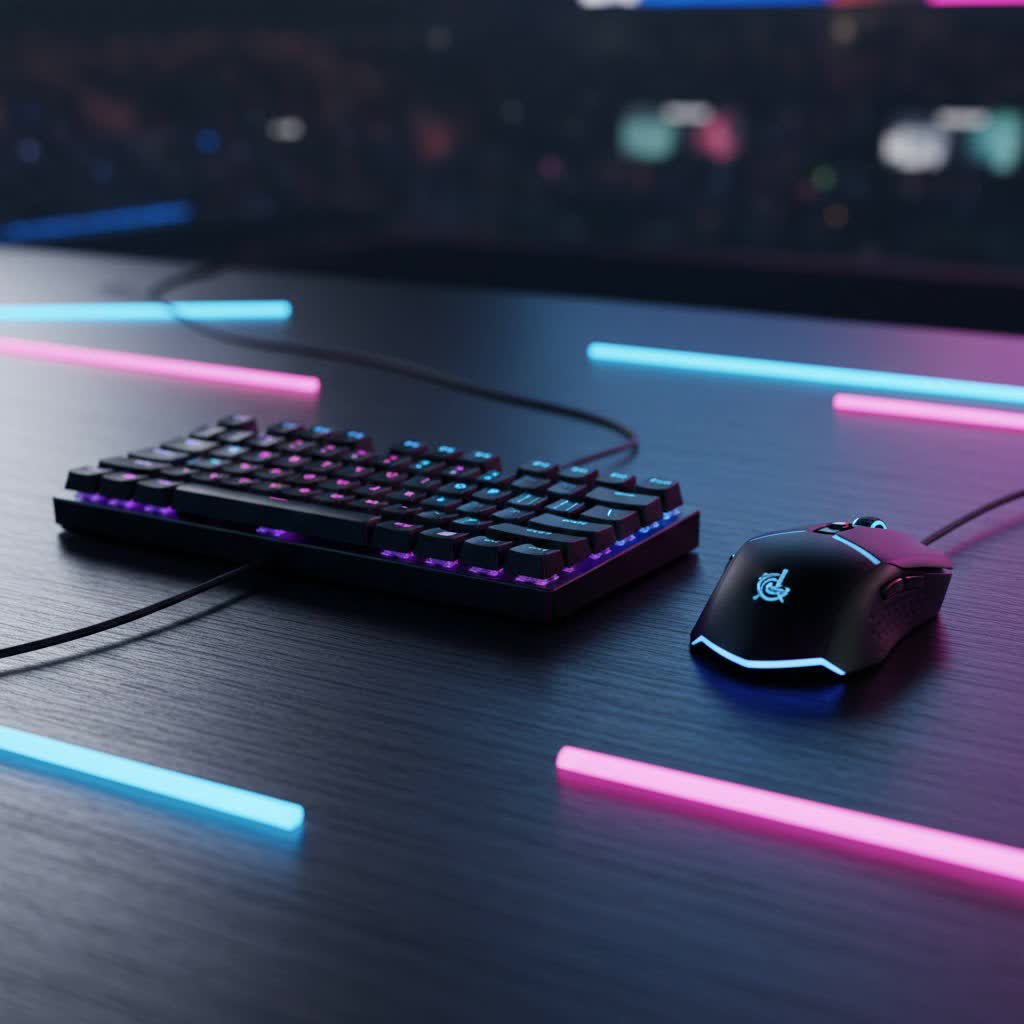
A 75% mechanical keyboard is a compact input device that skillfully consolidates around 84 keys, typically retaining about 75% of a full-sized keyboard’s keys. Its defining characteristic is the inclusion of the dedicated function row (F1-F12) and a separate cluster of arrow keys, often alongside a selection of navigation keys like Home, End, Page Up, and Page Down. Unlike Tenkeyless (TKL) keyboards, which separate these clusters, a 75% layout typically packs these keys closer together, minimizing the overall footprint without sacrificing critical functionality. This clever arrangement frees up valuable desk real estate and positions your mouse closer to your hands, improving ergonomics.
The evolution of mechanical keyboards has seen a shift towards smaller form factors. While full-sized keyboards offer a complete set including a numpad, and TKLs remove only the numpad, smaller layouts like 60% and 65% keyboards sacrifice the function row and often dedicated arrow keys, relying on layers and key combinations. The 75% layout emerged as a sweet spot, providing the core functionality many users need while embracing a more minimalist aesthetic.
At its core, every mechanical keyboard, including the 75%, comprises several main components:
- Switches: The individual mechanisms beneath each keycap that register keystrokes.
- Keycaps: The plastic covers that sit atop the switches, providing the legends you see and touch.
- Plate: A rigid component often sitting between the PCB and switches, affecting typing feel and sound.
- PCB (Printed Circuit Board): The brain of the keyboard, connecting switches and controlling functions.
- Case: The outer shell that houses all internal components.
Popular Switch Types for 75% Keyboards
The “feel” of a mechanical keyboard largely comes down to its switches. Choosing the right switch is a deeply personal decision, influencing typing comfort, speed, and even the noise level. For 75% mechanical keyboards, like all mechanical boards, switches generally fall into three primary categories: Linear, Tactile, and Clicky.
Linear Switches
Linear switches are characterized by a smooth, consistent keystroke from top to bottom, without any tactile bump or audible click.
- Characteristics: These switches offer a fluid and unimpeded travel, making them feel fast and effortless. They typically have a lower actuation force, meaning they require less pressure to register a keypress.
- Pros and Cons: Their smooth travel is excellent for rapid, repetitive keypresses, making them a favorite among gamers where speed is paramount. They are also generally quieter than other switch types, which is beneficial in shared environments. However, the lack of a tactile bump means less feedback, which some typists might find leads to more accidental keypresses.
- Examples: Cherry MX Red, Gateron Red, and Cherry MX Speed Silver are classic examples.
- Who they’re for: Ideal for competitive gamers, office workers who prefer a quieter keyboard, and users who prioritize smooth, quick keystrokes.
|
Our Picks for the Best Mechanical Keyboard in 2026
As an Amazon Associate I earn from qualifying purchases.
|
||
| Num | Product | Action |
|---|---|---|
| 1 | Logitech MX Mechanical Wireless Illuminated Performance Keyboard, Tactile Quiet Switches, Backlit Keys, Bluetooth, USB-C, macOS, Windows, Linux, iOS, Android, Metal, Graphite |

|
| 2 | AULA F99 Wireless Mechanical Keyboard,Tri-Mode BT5.0/2.4GHz/USB-C Hot Swappable Custom Keyboard,Pre-lubed Linear Switches,RGB Backlit Computer Gaming Keyboards for PC/Tablet/PS/Xbox |
|
| 3 | SOLAKAKA A99 Pro Mechanical Keyboard with LCD Screen & Metal Knob, Wireless Gaming Keyboard with BT5.0/2.4GHz/USB-C, Hot Swappable Creamy Keyboard, Gasket Structure, RGB Backlit, for Win/Mac |
|
| 4 | GravaStar Mercury V75 HE Keyboard, 75% Hall‑Effect Magnetic Switch Gaming Keyboard, 8000 Hz Polling, 0.005RT, Wired USB-C, RGB Backlit, Adjustable Actuation, Semi‑Aluminum Chassis-Stealth Black |
|
| 5 | SteelSeries USB Apex 5 Hybrid Mechanical Gaming Keyboard – Per-Key RGB Illumination – Aircraft Grade Aluminum Alloy Frame – OLED Smart Display (Hybrid Blue Switch) |
|
| 6 | Wood Pattern Mechanical Keyboard Wireless & Bluetooth Brown Keyboard – RGB Backlit Hot-Swappable PBT Keycaps Aesthetic Keyboard for Mac, Windows, iOS & Android – Ergonomic Gaming & Office Keyboard |
|
| 7 | MageGee Portable 60% Mechanical Gaming Keyboard, MK-Box LED Backlit Compact 68 Keys Mini Wired Office Keyboard with Red Switch for Windows Laptop PC Mac - Black/Grey |
|
| 8 | AULA F2088 Typewriter Style Mechanical Gaming Keyboard Wired,Blue Switches,Rainbow LED Backlit,Removable Wrist Rest,Media Control Knob,Retro Punk Round Keycaps,USB Wired Computer Keyboard |
|
| 9 | Redragon Mechanical Gaming Keyboard Wired, 11 Programmable Backlit Modes, Hot-Swappable Red Switch, Anti-Ghosting, Double-Shot PBT Keycaps, Light Up Keyboard for PC Mac |
|
| 10 | AULA F75 Pro Wireless Mechanical Keyboard,75% Hot Swappable Custom Keyboard with Knob,RGB Backlit,Pre-lubed Reaper Switches,Side Printed PBT Keycaps,2.4GHz/USB-C/BT5.0 Mechanical Gaming Keyboards |
|
Tactile Switches
Tactile switches provide a noticeable “bump” or resistance during the keystroke, indicating that the keypress has registered, but without an accompanying loud click.
- Characteristics: This tactile feedback is located mid-way through the key travel, giving a clear indication of actuation. They are designed to enhance typing accuracy by confirming each press.
- Pros and Cons: The tactile bump offers satisfying feedback for typists, helping to prevent bottoming out keys unnecessarily and potentially reducing typing fatigue. They strike a balance between feedback and noise, being generally quieter than clicky switches but louder than most linears. Some users might find the bump slightly slows down very rapid keypresses compared to linear switches.
- Examples: Cherry MX Brown, Gateron Brown, and Zealios V2 are highly regarded tactile switches.
- Who they’re for: Perfect for typists, programmers, and general users who value clear feedback and accuracy without the loud noise of clicky switches.
Clicky Switches
Clicky switches combine the tactile bump with a distinct, audible “click” sound at the actuation point.
- Characteristics: These switches provide both tactile and auditory feedback, making each keypress highly satisfying and unmistakable. The click sound is produced by a separate mechanism within the switch.
- Pros and Cons: The satisfying click and bump make typing feel incredibly responsive and enjoyable for many. This combination of feedback can greatly enhance typing speed and accuracy for those who appreciate it. However, the prominent click sound can be very loud, making them unsuitable for open-plan offices, public spaces, or late-night gaming sessions near sleeping family members.
- Examples: Cherry MX Blue, Gateron Blue, and Kailh Box White are popular clicky switch options.
- Who they’re for: Enthusiastic typists, writers, and anyone in a private workspace who loves the nostalgic sound and definitive feedback of a clicky keyboard.
Ultimately, trying out different switch types is the best way to determine your preference. Many 75% keyboards offer hot-swappable sockets, allowing you to easily experiment with various switches without soldering.
Understanding Keycap Types
Keycaps are more than just decorative covers for your switches; they significantly impact the feel, durability, and aesthetics of your 75% mechanical keyboard. Understanding the common materials and profiles can help you make an informed choice.
Keycap Materials
The material of your keycaps determines their texture, sound, and resistance to wear.
- ABS (Acrylonitrile Butadiene Styrene):
- Pros: Widely available, often more affordable, can produce a slightly brighter sound. Easily molded into various shapes and colors.
- Cons: Tends to develop a glossy “shine” or “greasing” over time with prolonged use, especially on frequently touched keys like the spacebar and home row. Can feel smoother and less substantial.
- PBT (Polybutylene Terephthalate):
- Pros: More durable and resistant to shine compared to ABS. Offers a textured, matte finish that feels premium. Can produce a deeper, more satisfying “thock” sound profile.
- Cons: Generally more expensive and less common for intricately molded designs. Can be more rigid and slightly harder to work with for manufacturers. Many users prefer PBT for its longevity and pleasant feel.
- POM (Polyoxymethylene):
- Pros: Known for a unique, smooth, almost waxy feel. Highly durable and resistant to wear and shine.
- Cons: Less common than ABS or PBT, offering fewer options for custom sets. Can have a slightly different sound profile that isn’t for everyone.
Keycap Profiles
The “profile” refers to the shape and height of the keycaps across the keyboard. Different profiles offer varying ergonomic experiences and aesthetics.
- OEM Profile: The most common profile found on many pre-built keyboards. Keycaps are sculpted, meaning each row has a slightly different height and angle to conform to the natural curve of your fingers.
- Cherry Profile: Similar to OEM but generally slightly lower in height. Often preferred by enthusiasts for its comfortable feel and slightly flatter top surface, which many find conducive to fast typing.
- DSA Profile: A uniform, low-profile, spherical (dished) profile. All keycaps have the same height and shape across every row, making them easy to move around and customize. This uniformity can take some getting used to for typists accustomed to sculpted profiles.
- SA Profile: A tall, sculpted, spherical profile inspired by vintage terminals. Known for its distinct retro look and deep, resonant sound. The height can be a significant adjustment for some, but many appreciate the unique aesthetic and feel.
Choosing the Right Keycaps
When selecting keycaps for your 75% mechanical keyboard, consider the following:
- Aesthetics: Do you prefer a sleek, minimalist look or something more vibrant and expressive?
- Feel: Do you like a smooth, textured, or waxy surface? How important is resistance to shine?
- Ergonomics: Are you comfortable with sculpted profiles, or do you prefer the uniformity of a flat profile?
- Sound: Keycap material and profile can subtly alter the acoustic properties of your keyboard.
- Compatibility: Some 75% layouts, particularly those with a non-standard right-shift key or bottom row, might require specialized keycap sets. Always check compatibility when buying custom keycaps.
Top 75% Mechanical Keyboards Compared
The 75% mechanical keyboard market is vibrant, offering a wide array of options for every budget and preference. From budget-friendly workhorses to premium, highly customizable enthusiast boards, there’s a 75% keyboard out there for you. Here’s a look at some popular models and what sets them apart:
- Keychron Q1 / V1 Max: Often cited as excellent entry points into the custom keyboard world, these Keychron models typically feature aluminum cases, gasket-mounted designs for a softer typing feel, and hot-swappable switches. The Q1 is renowned for its solid build, while the V1 Max often adds wireless connectivity. They are highly customizable via QMK/VIA software.
- Epomaker Luma84 / TH80 Pro: Epomaker offers compelling value, with boards like the Luma84 known for its low-profile design and excellent RGB, and the TH80 Pro for its robust build quality and often a rotary knob. These boards usually come with hot-swappable switches and versatile connectivity options (wired, Bluetooth, 2.4GHz).
- Nuphy Halo75 / Node75: Nuphy boards are celebrated for their stylish aesthetics, low-profile designs, and exceptional typing experience. They often feature proprietary switches, gasket mount designs, and comprehensive wireless capabilities, making them highly portable and visually appealing.
- Glorious GMMK Pro: A very popular barebones kit, the GMMK Pro is a favorite for those wanting to build their own custom 75% keyboard. It features a sturdy aluminum case, gasket mount, hot-swappable sockets, and a rotary knob, offering a solid foundation for personalization.
- Razer BlackWidow V4 Pro 75% / Corsair K65 PLUS Wireless 75% RGB: For gamers, brands like Razer and Corsair offer high-performance 75% keyboards. These often come with advanced features like high polling rates, rapid trigger switches (especially Hall Effect), customizable RGB lighting, and robust software suites for macros and key remapping. They combine compact design with competitive gaming features.
- Gamakay TK75 HE: This board is notable for its Hall Effect switches, which allow for rapid trigger functionality, a significant advantage for fast-paced competitive gaming. It often comes at a very competitive price point, making high-performance features more accessible.
When comparing models, consider not just the brand name but also specific features like the case material (plastic, aluminum, steel), mounting style (gasket, tray, top mount), inclusion of a rotary knob or extra macro keys, wireless capabilities, and of course, whether the switches are pre-installed or if it’s a barebones kit for full customization.
Your Ultimate 75% Mechanical Keyboard Buying Guide
Choosing the right 75% mechanical keyboard can be a rewarding experience, leading to improved productivity, gaming performance, and overall enjoyment. To ensure you pick the perfect fit, consider these key factors:
1. Identify Your Usage Needs
- Gaming: Look for features like low latency, high polling rates, hot-swappable switches for quick response (e.g., linear switches), and robust software for macros and key remapping. Dedicated media controls or a volume knob can also be beneficial.
- Office/Productivity: Prioritize typing comfort and sound. Tactile switches are often preferred for their feedback, while quieter linear switches are ideal for shared workspaces. Consider ergonomic features like adjustable feet or a wrist rest.
- Programming: A layout that retains the F-row and arrow keys is crucial. Programmability via QMK/VIA for custom layers and macros can significantly boost efficiency. Tactile switches are popular for coding due to their feedback.
- Portability: If you plan to travel with your keyboard, consider lighter models, durable cases, and reliable wireless connectivity (Bluetooth, 2.4GHz).
2. Set Your Budget
75% mechanical keyboards range from budget-friendly options under $100 to premium enthusiast boards costing several hundred dollars. Determine how much you’re willing to invest, keeping in mind that higher price points often correlate with premium materials (aluminum cases), advanced features (gasket mount, OLED screens), and greater customization potential.
3. Key Factors to Consider
- Switch Type: Revisit the linear, tactile, and clicky switch descriptions. If possible, try out different switch types in person or purchase a switch tester to find what feels best to you. Many 75% keyboards are hot-swappable, allowing you to easily change switches later.
- Keycap Material and Profile: PBT keycaps offer superior durability and feel compared to ABS. Consider the keycap profile (OEM, Cherry, DSA, SA) for ergonomic comfort and aesthetic preference.
- Build Quality and Materials: An aluminum or steel case will offer greater durability and a more premium, weighty feel than a plastic case. Mounting styles like gasket mount can provide a softer, more “bouncy” typing experience.
- Connectivity:
- Wired: Offers the most reliable, lowest-latency connection, ideal for competitive gaming. No battery concerns.
- Wireless (Bluetooth/2.4GHz): Provides flexibility and a clutter-free desk. Bluetooth is great for multi-device pairing, while 2.4GHz often offers lower latency via a USB dongle, making it suitable for wireless gaming. Consider battery life.
- Hot-swappability: This feature allows you to change switches without soldering, making customization and maintenance much easier.
- RGB Backlighting: Many keyboards offer customizable RGB lighting, which can be purely aesthetic or functional (e.g., highlighting gaming keys).
- Software and Programmability: Look for keyboards compatible with QMK/VIA or proprietary software that allows you to remap keys, create macros, and customize lighting effects.
- Additional Features: A rotary knob for volume control, dedicated media keys, or a USB passthrough port can enhance convenience.
4. Where to Buy
While specific retailers vary by region, reputable online stores specializing in mechanical keyboards, the official websites of major brands, and established electronics retailers are good starting points. Always check reviews and product specifications before making a purchase.
Maintaining Your 75% Mechanical Keyboard
Proper cleaning and maintenance are essential to ensure the longevity and optimal performance of your 75% mechanical keyboard. A well-cared-for keyboard will not only look better but will also provide a more consistent and enjoyable typing experience for years to come.
How to Clean Your 75% Mechanical Keyboard
Regular cleaning is straightforward and can prevent dust, crumbs, and grime from affecting switch performance.
- Unplug Your Keyboard: Always disconnect your keyboard from your computer before cleaning to avoid accidental inputs or electrical issues.
- Remove Keycaps: Use a keycap puller (often included with mechanical keyboards) to carefully remove all keycaps. Store them in a container to prevent loss.
- Dust and Debris Removal:
- Turn the keyboard upside down and gently shake out any loose debris.
- Use a can of compressed air to blow out dust and crumbs trapped between the switches and on the PCB. Pay attention to the edges and corners.
- For stubborn dust, a soft brush or a small vacuum cleaner with a brush attachment can be effective.
- Clean Keycaps:
- For a quick clean, wipe each keycap with a damp, lint-free cloth or a cotton swab dipped in rubbing alcohol.
- For a deeper clean, soak the keycaps in a bowl of warm, soapy water for about 30 minutes. Gently scrub them with a soft brush, rinse thoroughly, and then let them air dry completely on a towel before reattaching them. Ensure they are bone dry to prevent moisture damage.
- Clean the Case: Wipe down the keyboard case with a damp cloth. For plastic cases, a mild all-purpose cleaner can be used. For aluminum cases, stick to a microfiber cloth and water or a specialized metal cleaner.
- Reassemble: Once all components are dry, carefully reattach the keycaps to their respective switches.
Tips for Longevity
- Regular Cleaning: Make keyboard cleaning a routine, ideally once a month, with a deeper clean every few months.
- Avoid Spills: Keep beverages and food away from your keyboard to prevent sticky keys or internal damage. In case of a spill, unplug immediately, remove keycaps, and dry thoroughly.
- Use a Dust Cover: When not in use, cover your keyboard with a dust cover to prevent accumulation.
- Switch Lubing (Optional): For enthusiasts, lubricating switches can significantly improve smoothness and sound. This is an advanced maintenance step that requires specific tools and lubricants.
- Cable Management: If using a wired keyboard, ensure the cable is not under stress or prone to snagging to prevent internal wire damage.
- Careful Keycap Removal: Always use a proper keycap puller and pull straight up to avoid damaging the switch stem.
By following these simple steps, your 75% mechanical keyboard will remain a reliable and enjoyable tool for years to come.
Conclusion
The 75% mechanical keyboard stands out as a top contender for anyone seeking a blend of compact efficiency and full-fledged functionality. Its intelligent design provides the essential keys for both work and play, all while reclaiming valuable desk space and enhancing ergonomics. From the satisfying click of a tactile switch to the smooth glide of a linear, and the premium feel of PBT keycaps, the level of customization available ensures a truly personal typing experience. With a wide variety of models offering diverse features like hot-swappability, wireless connectivity, and customizable RGB, there’s a perfect 75% layout waiting to transform your interaction with your computer. Embrace the compact revolution and discover the ideal mechanical keyboard that truly resonates with your unique needs and preferences. What aspect of the 75% mechanical keyboard are you most excited to explore first?
Frequently Asked Questions
What is the difference between a 75% and a TKL keyboard?
A 75% keyboard is more compact than a Tenkeyless (TKL) keyboard. While both lack a numpad and retain the function row and arrow keys, the 75% layout achieves its smaller size by tightly packing the keys, often with no gaps between key clusters. A TKL, in contrast, maintains standard spacing between the F-row, navigation cluster, and arrow keys.
Are 75% mechanical keyboards good for gaming?
Yes, 75% mechanical keyboards are excellent for gaming. They provide a compact footprint, freeing up space for wider mouse movements, while retaining critical keys like the function row and dedicated arrow keys that many games utilize. Features like hot-swappable switches, low latency, and customizable software further enhance the gaming experience.
Can I customize the keycaps on a 75% keyboard?
Absolutely. Most 75% mechanical keyboards use standard MX-style switches, allowing for a wide range of aftermarket keycap sets. However, some specific 75% layouts may have non-standard key sizes for certain keys (like the right Shift or bottom row modifiers), so it’s always wise to check a keycap set’s compatibility before purchasing.
Do 75% keyboards have an F-row?
Yes, a key distinguishing feature of a 75% mechanical keyboard is the inclusion of the full function row (F1-F12). This makes them a popular choice for users who require frequent access to these keys for shortcuts, macros, or specific software functions, which are often absent on smaller 60% or 65% layouts.
How many keys does a 75% mechanical keyboard usually have?
A typical 75% mechanical keyboard usually features around 82 to 84 keys. This includes all alphanumeric keys, a full function row, dedicated arrow keys, and a selection of navigation keys, all condensed into a highly efficient layout.
What are the benefits of a gasket mount on a 75% keyboard?
Gasket mount is a popular mounting style where the keyboard plate is sandwiched between soft gaskets, isolating it from the case. This design offers a softer, more flexible typing feel, often described as “bouncy,” and can significantly improve the acoustic properties of the keyboard, resulting in a deeper, more pleasing sound profile.
