In an era where personal expression extends to every corner of our digital lives, the humble mechanical keyboard has transcended its utilitarian roots. Once solely defined by performance, these sophisticated input devices have evolved into stunning aesthetic statements, with “Cute Mechanical Keyboards” emerging as a vibrant trend. Gone are the days of monochrome workstations; today’s users demand peripherals that reflect their unique style, blending superior functionality with irresistible charm. This comprehensive guide will take you through everything you need to know, from understanding the core components to discovering the endless possibilities of customization, helping you find or create the perfect cute mechanical keyboard that speaks to your soul.
What is a Mechanical Keyboard?
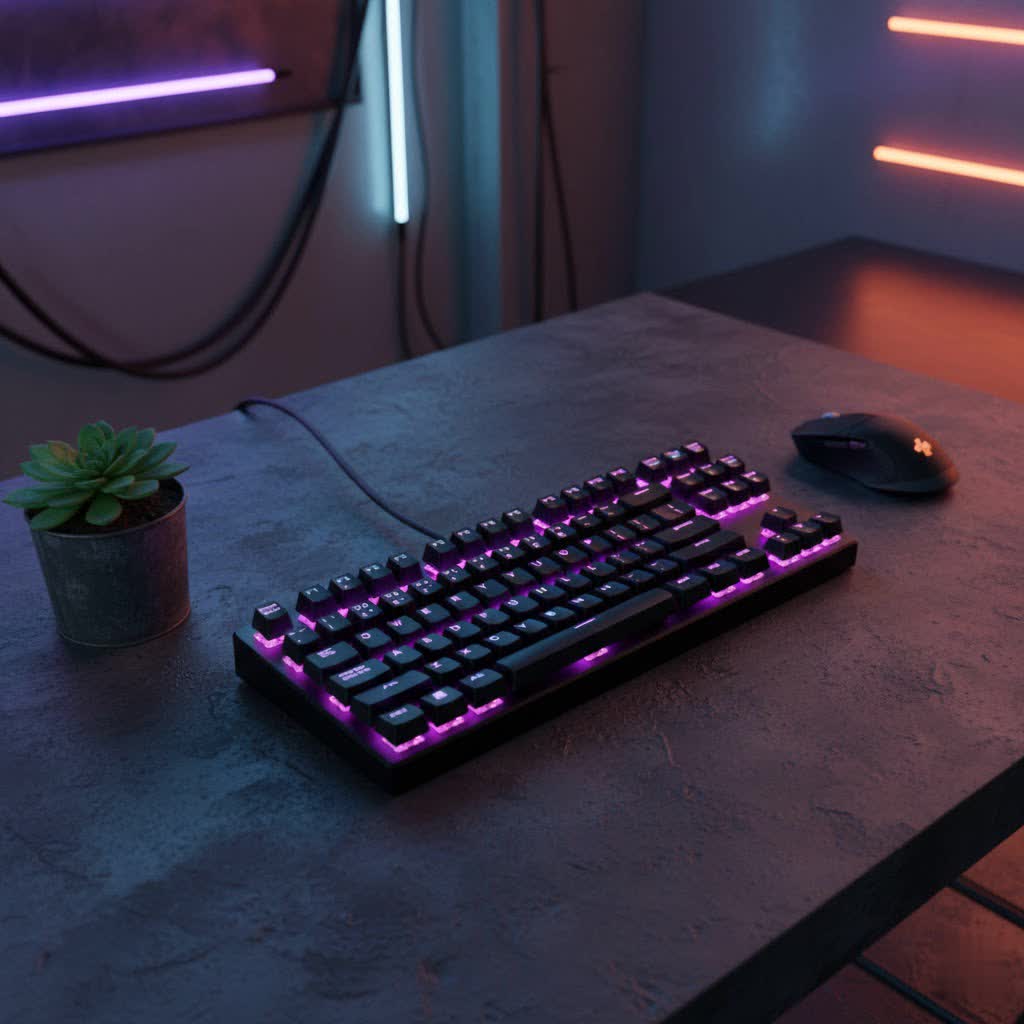
A mechanical keyboard is a high-performance input device where each key is equipped with its own individual mechanical switch beneath the keycap, unlike traditional membrane keyboards that use a single rubber sheet. This design offers a distinct tactile feedback, improved durability, and a more satisfying typing experience.
The history of mechanical keyboards dates back decades, initially popular for their robust build and reliable performance in professional settings. However, recent years have seen a massive resurgence, fueled by a growing community of enthusiasts who appreciate not only their functionality but also their potential for deep personalization. The primary components of a mechanical keyboard include: the switch (the mechanism under each key), the keycap (the cap you press), the plate (a board that holds the switches), and the case (the outer housing).
The Allure of Cute Mechanical Keyboards
What exactly makes a mechanical keyboard “cute”? It’s a delightful blend of design elements that transform a functional tool into a charming desk companion. This often involves vibrant or pastel color palettes, often featuring soft pinks, blues, greens, or multi-color gradients that evoke a sense of playfulness. Beyond color, popular “cute” aesthetics embrace themes like “kawaii” (Japanese for cute), incorporating adorable animal motifs, anime characters, or whimsical patterns on keycaps and cases.
The appeal extends to the form factor as well; smaller layouts like 60%, 75%, or Tenkeyless (TKL) often lend themselves better to a cute, compact look that saves desk space. Ultimately, a cute mechanical keyboard is a statement of self-expression, allowing users to infuse their workspace with personality and joy. It proves that high-performance peripherals don’t have to be bland, offering both top-tier functionality and an undeniable visual charm.
Decoding Mechanical Keyboard Switches for a Cute Experience
The “feel” and “sound” of your mechanical keyboard are largely determined by its switches. While aesthetics define a cute keyboard’s look, the right switch ensures it feels as good as it looks. There are three main types, each offering a distinct experience:
Switch Linear
Linear switches are characterized by a smooth, consistent keystroke from top to bottom, with no tactile bump or audible click. They offer the fastest and most fluid actuation, making them popular among gamers who need rapid, unhindered presses.
- Characteristics: Smooth and consistent key travel, minimal resistance.
- Pros and Cons: Generally quiet, ideal for shared spaces or late-night use; can lead to accidental presses if not accustomed to the light touch.
- Popular Types: Cherry MX Red, Gateron Red, Kailh Speed Silver.
- Best For: Fast-paced gaming, office environments, or anyone preferring a seamless typing feel without a “bump.”
|
Our Picks for the Best Mechanical Keyboard in 2026
As an Amazon Associate I earn from qualifying purchases.
|
||
| Num | Product | Action |
|---|---|---|
| 1 | SteelSeries USB Apex 5 Hybrid Mechanical Gaming Keyboard – Per-Key RGB Illumination – Aircraft Grade Aluminum Alloy Frame – OLED Smart Display (Hybrid Blue Switch) |

|
| 2 | Redragon Mechanical Gaming Keyboard Wired, 11 Programmable Backlit Modes, Hot-Swappable Red Switch, Anti-Ghosting, Double-Shot PBT Keycaps, Light Up Keyboard for PC Mac |
|
| 3 | Wood Pattern Mechanical Keyboard Wireless & Bluetooth Brown Keyboard – RGB Backlit Hot-Swappable PBT Keycaps Aesthetic Keyboard for Mac, Windows, iOS & Android – Ergonomic Gaming & Office Keyboard |
|
| 4 | Logitech MX Mechanical Wireless Illuminated Performance Keyboard, Tactile Quiet Switches, Backlit Keys, Bluetooth, USB-C, macOS, Windows, Linux, iOS, Android, Metal, Graphite |
|
| 5 | AULA F75 Pro Wireless Mechanical Keyboard,75% Hot Swappable Custom Keyboard with Knob,RGB Backlit,Pre-lubed Reaper Switches,Side Printed PBT Keycaps,2.4GHz/USB-C/BT5.0 Mechanical Gaming Keyboards |
|
| 6 | AULA F2088 Typewriter Style Mechanical Gaming Keyboard Wired,Blue Switches,Rainbow LED Backlit,Removable Wrist Rest,Media Control Knob,Retro Punk Round Keycaps,USB Wired Computer Keyboard |
|
| 7 | SOLAKAKA A99 Pro Mechanical Keyboard with LCD Screen & Metal Knob, Wireless Gaming Keyboard with BT5.0/2.4GHz/USB-C, Hot Swappable Creamy Keyboard, Gasket Structure, RGB Backlit, for Win/Mac |
|
| 8 | MageGee Portable 60% Mechanical Gaming Keyboard, MK-Box LED Backlit Compact 68 Keys Mini Wired Office Keyboard with Red Switch for Windows Laptop PC Mac - Black/Grey |
|
| 9 | AULA F99 Wireless Mechanical Keyboard,Tri-Mode BT5.0/2.4GHz/USB-C Hot Swappable Custom Keyboard,Pre-lubed Linear Switches,RGB Backlit Computer Gaming Keyboards for PC/Tablet/PS/Xbox |
|
| 10 | GravaStar Mercury V75 HE Keyboard, 75% Hall‑Effect Magnetic Switch Gaming Keyboard, 8000 Hz Polling, 0.005RT, Wired USB-C, RGB Backlit, Adjustable Actuation, Semi‑Aluminum Chassis-Stealth Black |
|
Switch Tactile
Tactile switches provide a noticeable “bump” in the middle of the keystroke, giving physical feedback that a keypress has been registered without the loud click. This feedback helps typists confirm actuation, often leading to greater accuracy.
- Characteristics: A distinct, non-audible bump sensation during actuation.
- Pros and Cons: Excellent for typing accuracy, less fatiguing than clicky switches; offers a good balance of feel and moderate noise.
- Popular Types: Cherry MX Brown, Gateron Brown, Zealios V2.
- Best For: Typists, programmers, and general users who appreciate feedback without significant noise.
Switch Clicky
Clicky switches are known for their distinct tactile bump and an accompanying audible “click” sound when the key actuates. They provide both physical and auditory feedback, making typing a highly engaging experience for some.
- Characteristics: A sharp tactile bump combined with a satisfying, audible click sound.
- Pros and Cons: Very satisfying for those who enjoy the sound and feel; can be disruptive in quiet environments due to the noise level.
- Popular Types: Cherry MX Blue, Gateron Blue, Kailh Box White.
- Best For: Users who love pronounced auditory feedback and a classic typewriter-like feel, often popular for casual typing or those with private workspaces.
Switch Comparison Summary
| Switch Type | Feel | Sound | Primary Use Cases |
|---|---|---|---|
| Linear | Smooth | Quiet | Gaming, Office, Fast Typing |
| Tactile | Bumpy | Moderate | Typing, Programming, Balanced Use |
| Clicky | Bumpy + Click | Loud | Enthusiasts, Auditory Feedback |
Elevating Style with Cute Keycaps
Keycaps are arguably the most impactful component when transforming a mechanical keyboard into a cute masterpiece. They are the immediate visual interface and the primary canvas for aesthetic customization. From pastel hues to intricate designs, keycaps define the keyboard’s character.
Keycap Materials
The material of your keycaps influences both their look and feel, as well as their durability over time.
- ABS (Acrylonitrile Butadiene Styrene): Known for vibrant color reproduction and a smooth, slightly glossy finish. ABS keycaps can be prone to developing a “shine” over time with heavy use, but they offer excellent clarity for RGB lighting.
- PBT (Polybutylene Terephthalate): Highly durable and resistant to shine, PBT keycaps offer a more textured, matte finish. They are excellent for retaining their original look and feel, especially for pastel or soft-colored designs where shine is undesirable.
- POM (Polyoxymethylene): Less common, POM keycaps have a unique, slicker feel. They are very durable but typically come in limited colors.
Keycap Profiles
The profile of a keycap refers to its shape, height, and the angle of its top surface. Different profiles drastically alter the typing experience and the overall aesthetic.
- OEM Profile: This is the most common profile found on pre-built keyboards. It’s sculpted, meaning each row has a different height and angle for ergonomic typing.
- Cherry Profile: Similar to OEM but slightly lower in height, offering a more streamlined look and often preferred by enthusiasts for its comfortable feel.
- DSA Profile: A uniform, low-profile spherical keycap profile where all keys have the same height and shape, allowing for flexible keycap placement.
- SA Profile: A tall, spherical profile with a distinctly retro or vintage aesthetic. It creates a dramatically sculpted look and a unique typing feel.
- XDA/MOA Profile: These are uniform, flat profiles, often slightly larger than DSA. Their consistent, broad surface area and gentle curvature make them popular for aesthetic builds, providing a clean, cohesive look.
Choosing Keycaps for a Cute Aesthetic
To achieve a cute aesthetic, consider keycap sets featuring pastel colorways, gradient blends, or specific themes like “kawaii” animals (cats, bunnies), food (strawberry, cream cake), or anime characters (Cinnamoroll, Kirby). Artisan keycaps—handcrafted, often elaborate single keycaps—can serve as charming focal points, turning your “Esc” key or a modifier into a miniature work of art. PBT is often favored for cute designs due to its matte finish and resistance to shine, which helps preserve the soft hues.
Top Picks: Cute Mechanical Keyboards & Brands
The market for cute mechanical keyboards has exploded, offering both pre-built options and components for custom creations. Here are some popular choices and brands known for their aesthetic appeal:
- Logitech POP Keys: This series is a standout for its vibrant, playful color schemes like “Daydream Mint” and “Blast Yellow.” It offers a satisfying typing experience with a retro, round keycap design.
- Yunzii AL71: Often praised for its compact 68% layout, robust build, and attractive color options, including pastel pink and purple. It often features hot-swappable switches, allowing for easy customization of the typing feel.
- Akko 5075B Plus: A 75% layout keyboard known for its diverse and appealing colorways, bright RGB lighting, and good out-of-the-box sound profile, making it a popular choice for those seeking both aesthetics and performance.
- Keychron & Varmilo: These brands offer a wide range of layouts and color combinations, from minimalist pastels to themed designs, often with good build quality and hot-swappable options.
- Custom Builds (e.g., Monsgeek M1): For the ultimate personalized cute keyboard, building your own allows for complete control over every component. Platforms like Monsgeek provide barebones kits that can be paired with your choice of switches and keycaps to create a truly unique aesthetic.
Many of these models feature wireless connectivity (Bluetooth or 2.4 GHz), offering a clutter-free desk setup that enhances the overall aesthetic. Look for hot-swappable switches as a key feature, as this allows you to easily experiment with different switch types without soldering, perfect for fine-tuning your cute keyboard’s feel.
Your Guide to Buying a Cute Mechanical Keyboard
Choosing the perfect cute mechanical keyboard involves balancing your aesthetic desires with practical needs. Here’s a step-by-step guide to help you make an informed decision:
-
Determine Your Needs:
- Gaming: Look for responsive linear switches, anti-ghosting, and potentially macro-programmable keys. Compact layouts (60%, 75%) are often favored.
- Office/Typing: Tactile switches are generally preferred for accuracy. Consider ergonomic design and quieter switch options if in a shared space.
- Programming: Similar to typing, tactile switches are beneficial. A numpad might be crucial, guiding you towards TKL or full-size options.
-
Set Your Budget:
- Cute mechanical keyboards can range from under $100 for pre-built entry-level models to several hundred dollars for high-end custom builds. Remember that artisan keycaps or custom cables can add significantly to the total cost.
-
Key Factors to Consider for a Cute Aesthetic:
- Layout: Compact layouts (60%, 65%, 75%, TKL) often look “cuter” and save desk space. Full-size options are available but less common in overtly cute designs.
- Color Scheme: Decide on your preferred color palette – pastels, bright and vibrant hues, or specific themed colors (e.g., pink, mint, lavender).
- Switch Type: While primarily functional, the sound profile can contribute to the overall vibe. Linear switches are typically quieter, which might align with a serene aesthetic, while clicky switches provide a playful, old-school feel.
- Keycap Material & Profile: PBT keycaps are excellent for maintaining matte pastel finishes and durability. Experiment with profiles like XDA or MOA for a unique visual.
- Connectivity: Wireless (Bluetooth, 2.4GHz) keyboards offer a clean, cable-free look, enhancing the aesthetic of your cute setup.
- Hot-swappability: This feature allows you to change switches easily without soldering, giving you flexibility to customize the feel and sound without committing to a single switch type.
- RGB Lighting: Customizable backlighting can add another layer of visual appeal, allowing you to match your keyboard’s glow to your chosen color scheme.
-
Where to Buy:
- Online Retailers: Large platforms like Amazon, Best Buy, and specialty stores such as mechanicalkeyboards.com or Epomaker.com offer a wide selection of pre-built cute keyboards and accessories.
- Custom Keycap Stores: Websites like Etsy, Kore Kawaii, or specific keycap vendors are excellent for finding unique, themed, or artisan keycaps to personalize your board.
- Community Marketplaces: Subreddits like r/MechanicalKeyboards or r/keebgirlies can offer recommendations and direct you to niche vendors.
Maintaining the Charm: Cleaning and Care
Keeping your cute mechanical keyboard looking its best requires regular cleaning and proper maintenance. This ensures its aesthetic appeal and extends its lifespan.
- Regular Cleaning: Use a soft brush or compressed air to remove dust and crumbs from between the keycaps. A microfiber cloth can be used to wipe down the keycaps and case surface.
- Deep Cleaning: Periodically, you may want to remove all keycaps using a keycap puller. This allows you to thoroughly clean the plate and switches with a brush or damp cloth (ensure the cloth is not dripping wet). You can also clean the individual keycaps with mild soap and water, allowing them to fully air dry before reattaching.
- Switch Care: For hot-swappable keyboards, you can remove switches for deeper cleaning or lubrication, which can improve their feel and sound.
- General Tips: Avoid eating directly over your keyboard. If you’re using a light-colored or pastel keyboard, be mindful of potential staining from liquids or food. Store your keyboard in a dust-free environment when not in use, or cover it with a dust cover to maintain its pristine condition.
Conclusion
The journey into the world of cute mechanical keyboards is one where functionality meets dazzling aesthetics, allowing you to craft a workspace that truly reflects your personality. From choosing the perfect pastel keycaps to selecting a switch that delights your fingertips, every decision contributes to a unique and enjoyable experience. Whether you opt for a popular pre-built model or embark on a custom build, the power of personalization ensures your keyboard will be a cherished centerpiece of your desk setup.
So, are you ready to infuse your daily typing and gaming with a touch of adorable individuality? Explore the vibrant options, mix and match components, and let your creativity shine. What charming aesthetic will you create next?
Frequently Asked Questions
What makes a mechanical keyboard “cute”?
A mechanical keyboard is considered “cute” based on its aesthetic elements, such as pastel or vibrant color schemes, “kawaii” (adorable) themes, unique keycap designs (e.g., animal motifs, cartoon characters), and often compact form factors like 60% or 75% layouts. It’s about personal expression through visual appeal.
Are cute mechanical keyboards good for gaming?
Yes, many cute mechanical keyboards are excellent for gaming. Brands like Yunzii and Akko offer models with responsive switches, anti-ghosting features, and durable builds, often including hot-swappable switches and customizable RGB lighting that enhance both aesthetics and gaming performance.
Can I change the keycaps on any mechanical keyboard to make it cute?
Most mechanical keyboards are compatible with aftermarket keycaps, allowing you to personalize their look. However, ensure the keycap set you choose matches your keyboard’s switch type (e.g., Cherry MX compatible) and layout (e.g., specific sizes for modifier keys). Hot-swappable keyboards offer the easiest customization.
What are some popular colors or themes for cute mechanical keyboards?
Popular colors include various shades of pink, mint green, lavender, baby blue, and gradient color combinations. Common themes often revolve around “kawaii” culture, featuring animals like cats and bunnies, anime characters, food items, or subtle nature-inspired designs.
Are cute mechanical keyboards more expensive?
The price of cute mechanical keyboards varies widely. While some pre-built aesthetic keyboards may have a slight premium, many affordable options exist. Customizing with unique keycaps or artisan keycaps can increase the cost, but there are also budget-friendly keycap sets available to achieve a cute look without breaking the bank.
