A mechanical keyboard is more than just a peripheral; it’s an essential tool that can significantly enhance your typing experience, whether for work, gaming, or creative endeavors. Logitech, a renowned name in computer accessories, has carved out a strong niche in the mechanical keyboard market, offering a diverse range of models tailored for various needs. This comprehensive guide will explore the world of Logitech Mechanical Keyboards, from their foundational technologies to specific models, helping you find the perfect match for your personal preferences and professional demands.
What is a Mechanical Keyboard?
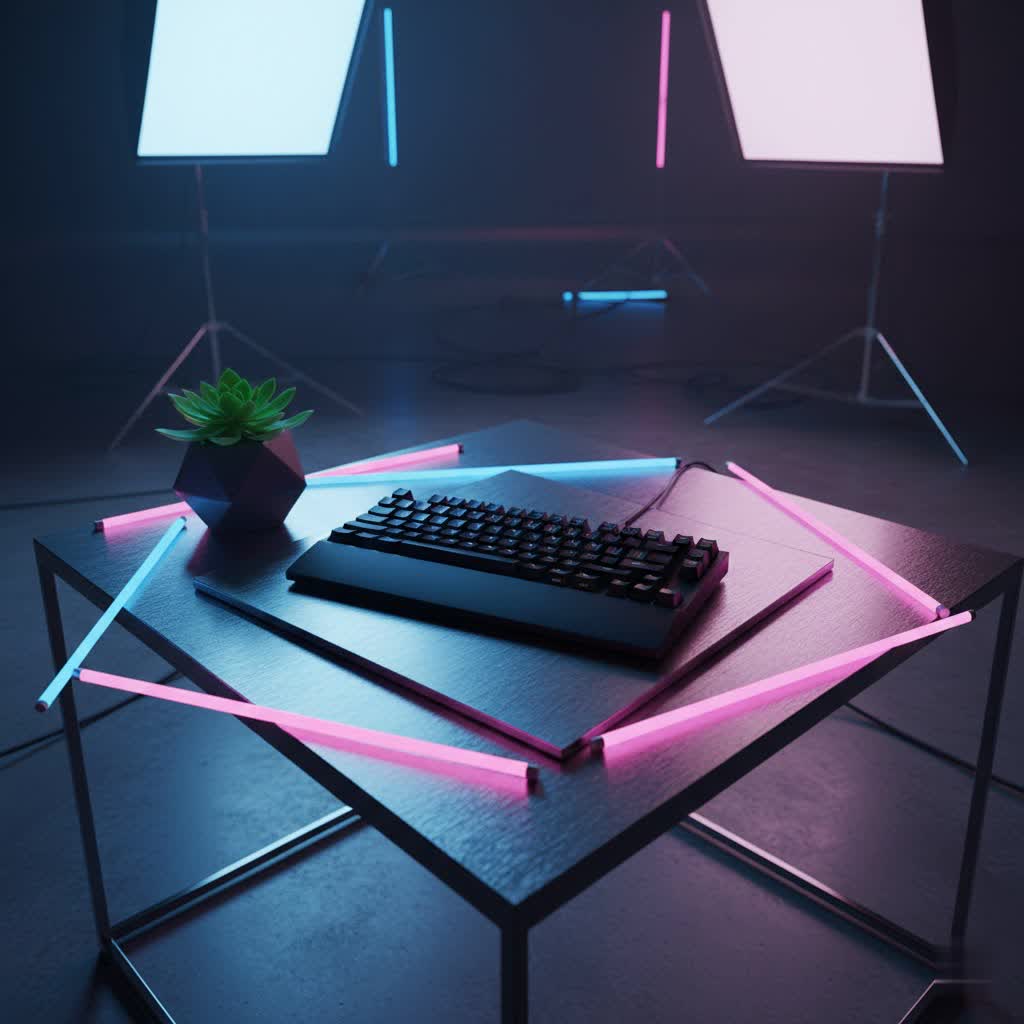
At its core, a mechanical keyboard distinguishes itself from its membrane counterparts by employing individual switches under each keycap. Unlike membrane keyboards that use a rubber dome to register a keystroke, mechanical keyboards offer distinct tactile, linear, or clicky feedback, providing a more precise and satisfying typing experience. This design contributes to enhanced durability, faster actuation, and greater customization options.
The history of mechanical keyboards traces back to the 1970s, with early models utilizing robust switch designs. While membrane keyboards gained popularity for their lower production costs, mechanical keyboards have seen a resurgence due to their superior performance and longevity. Modern mechanical keyboards, including those from Logitech, feature advanced engineering with components like the switch, keycap, metal plate, and sturdy case, all contributing to their premium feel and functionality.
Popular Logitech Switch Types
Logitech employs various proprietary mechanical switches, primarily GL (low-profile) and GX (standard height), often developed in collaboration with switch manufacturers like Kailh. These switches are designed to offer distinct typing experiences to suit different users.
GL Switches (Low-Profile)
Logitech’s GL switches are characterized by their low-profile design, making keyboards incredibly thin and comfortable for extended use. These switches aim to provide the speed, accuracy, and performance of traditional mechanical switches at half the height. They are notably found in Logitech’s G915 and MX Mechanical series, ideal for users seeking a sleek aesthetic and a more ergonomic typing posture.
- GL Linear: These switches offer a smooth, uninterrupted keystroke without any tactile bump or audible click. They are preferred by gamers who require rapid successive key presses, such as in MMOs and action games, and by typists who appreciate a fluid, effortless feel.
- GL Tactile: Providing a subtle bump at the actuation point, GL Tactile switches give users tactile feedback without a loud click. They are excellent for competitive and FPS gaming, offering precise feedback, and are also suitable for productivity users who value assurance with each key press.
- GL Clicky: For those who love the classic “clicky” sound and pronounced tactile feedback, GL Clicky switches deliver an audible click and a noticeable bump. This makes them satisfying for typing and can be preferred by users who enjoy auditory confirmation of their keystrokes.
|
Our Picks for the Best Mechanical Keyboard in 2026
As an Amazon Associate I earn from qualifying purchases.
|
||
| Num | Product | Action |
|---|---|---|
| 1 | SOLAKAKA A99 Pro Mechanical Keyboard with LCD Screen & Metal Knob, Wireless Gaming Keyboard with BT5.0/2.4GHz/USB-C, Hot Swappable Creamy Keyboard, Gasket Structure, RGB Backlit, for Win/Mac |

|
| 2 | AULA F75 Pro Wireless Mechanical Keyboard,75% Hot Swappable Custom Keyboard with Knob,RGB Backlit,Pre-lubed Reaper Switches,Side Printed PBT Keycaps,2.4GHz/USB-C/BT5.0 Mechanical Gaming Keyboards |
|
| 3 | AULA F2088 Typewriter Style Mechanical Gaming Keyboard Wired,Blue Switches,Rainbow LED Backlit,Removable Wrist Rest,Media Control Knob,Retro Punk Round Keycaps,USB Wired Computer Keyboard |
|
| 4 | GravaStar Mercury V75 HE Keyboard, 75% Hall‑Effect Magnetic Switch Gaming Keyboard, 8000 Hz Polling, 0.005RT, Wired USB-C, RGB Backlit, Adjustable Actuation, Semi‑Aluminum Chassis-Stealth Black |
|
| 5 | Logitech MX Mechanical Wireless Illuminated Performance Keyboard, Tactile Quiet Switches, Backlit Keys, Bluetooth, USB-C, macOS, Windows, Linux, iOS, Android, Metal, Graphite |
|
| 6 | SteelSeries USB Apex 5 Hybrid Mechanical Gaming Keyboard – Per-Key RGB Illumination – Aircraft Grade Aluminum Alloy Frame – OLED Smart Display (Hybrid Blue Switch) |
|
| 7 | AULA F99 Wireless Mechanical Keyboard,Tri-Mode BT5.0/2.4GHz/USB-C Hot Swappable Custom Keyboard,Pre-lubed Linear Switches,RGB Backlit Computer Gaming Keyboards for PC/Tablet/PS/Xbox |
|
| 8 | MageGee Portable 60% Mechanical Gaming Keyboard, MK-Box LED Backlit Compact 68 Keys Mini Wired Office Keyboard with Red Switch for Windows Laptop PC Mac - Black/Grey |
|
| 9 | Wood Pattern Mechanical Keyboard Wireless & Bluetooth Brown Keyboard – RGB Backlit Hot-Swappable PBT Keycaps Aesthetic Keyboard for Mac, Windows, iOS & Android – Ergonomic Gaming & Office Keyboard |
|
| 10 | Redragon Mechanical Gaming Keyboard Wired, 11 Programmable Backlit Modes, Hot-Swappable Red Switch, Anti-Ghosting, Double-Shot PBT Keycaps, Light Up Keyboard for PC Mac |
|
GX Switches (Standard Height)
Logitech’s GX switches provide a more traditional mechanical keyboard feel, akin to popular Cherry MX switches. These are full-height switches offering robust performance and durability, often found in gaming-focused models like the G715 and G513. GX switches are a testament to Logitech’s commitment to offering high-performance mechanical options across various form factors.
- GX Linear: Similar to GL Linear, these switches offer a smooth and consistent keystroke from top to bottom, without any tactile bump or audible click. Their fluid motion makes them ideal for fast-paced gaming where quick, unimpeded key presses are crucial.
- GX Tactile: With a quiet, yet discernible tactile bump at the actuation point, GX Tactile switches provide feedback to confirm a key press without the accompanying click. They are excellent for those who need precision and confidence in their keystrokes for both gaming and typing.
- GX Clicky: These switches provide the iconic, satisfying “click” sound and a strong tactile bump. They are often favored by typists and some gamers who enjoy the auditory and physical feedback that accompanies each actuation, ensuring every key press is registered with conviction.
Romer-G Switches (Legacy)
Once a hallmark of Logitech’s mechanical gaming keyboards, Romer-G switches offered a unique feel with a central lighting element that provided excellent keycap illumination. While praised for their speed and durability, they featured proprietary keycap stems, limiting customization options. Logitech has largely phased out Romer-G in favor of the more conventional GX and GL switches, which offer broader keycap compatibility and a wider appeal to enthusiasts.
Logitech Keycap Types and Materials
The keycaps on your mechanical keyboard play a significant role in both the aesthetics and typing feel. Logitech utilizes various materials and profiles for its keycaps, each with distinct characteristics.
Keycap Materials
- ABS (Acrylonitrile Butadiene Styrene): Many Logitech keyboards, particularly their low-profile MX Mechanical series, feature ABS keycaps. ABS is a common plastic known for its smooth texture. While vibrant in color, ABS keycaps can develop a shine over time and show finger oils, which might lead to a greasy appearance after prolonged use. They are generally thinner than PBT keycaps.
- PBT (Polybutylene Terephthalate): Some higher-end Logitech gaming keyboards, like the G715, come with double-shot PBT keycaps. PBT is a more durable and textured plastic that resists shine and oil buildup better than ABS. PBT keycaps offer a more premium feel and increased longevity, making them a popular choice among enthusiasts.
Keycap Profiles
Logitech primarily uses standard OEM or low-profile keycap profiles on its keyboards. While the low-profile MX Mechanical features flatter keycaps designed for its slim switches, most GX switch-based keyboards adopt a more traditional Cherry-style stem, allowing for greater aftermarket keycap compatibility. The choice of keycap profile affects typing comfort and ergonomics, with different profiles offering varied keycap heights and contours.
Choosing Suitable Keycaps
When selecting a Logitech mechanical keyboard, consider the keycap material and compatibility. If customization is a priority, models with GX switches and standard Cherry-style stems will offer the widest range of aftermarket keycap sets. For those who prefer a sleek, modern look and excellent lighting, Logitech’s integrated keycap designs, especially with GL switches, are often optimized for uniform backlighting.
Comparing Top Logitech Mechanical Keyboards
Logitech offers a compelling lineup of mechanical keyboards, each designed with specific users in mind. Here’s a comparison of some popular models:
| Feature | Logitech MX Mechanical | Logitech G915 / G915 TKL | Logitech G715 Wireless | Logitech K845 Mechanical |
|---|---|---|---|---|
| Target User | Productivity, Office | High-end Gaming | Gaming, Style-conscious | Budget, General Use |
| Price Range | Mid-High | High | Mid-High | Low-Mid |
| Switch Type | Low-profile GL (Linear, Tactile, Clicky) | Low-profile GL (Linear, Tactile, Clicky) | GX (Linear, Tactile, Clicky) | Cherry MX / Kailh (various) |
| Keycap Material | ABS | ABS (low-profile) | Double-shot PBT | ABS |
| Connectivity | Lightspeed, Bluetooth, USB-C | Lightspeed, Bluetooth, micro-USB | Lightspeed, Bluetooth, USB-C | Wired (USB-A) |
| Layouts | Full-size, Mini (Tenkeyless) | Full-size, TKL | TKL (with wrist rest) | Full-size |
| Special Features | Multi-device switching (3 devices), Smart Backlighting, G Hub | Lightspeed 1ms wireless, LIGHTSYNC RGB, Dedicated Media Controls, G-keys, Volume Roller, G Hub | LIGHTSYNC RGB, Cloud-shaped wrist rest, Media controls, G Hub | Solid aluminum build, Standard layout, Affordable |
| Pros | Excellent typing for productivity, multi-device support, sleek design, long battery | Ultra-thin, lag-free wireless, premium build, extensive customization, dedicated media | Aesthetic design, comfortable wrist rest, durable PBT keycaps, good wireless performance | Durable, affordable entry into mechanical keyboards, standard keycap compatibility |
| Cons | Keycaps show oil, no RGB (white backlight), no wrist rest | High price, micro-USB charging, some buttons not as premium | TKL only (no numpad option for some), premium price | Wired only, less advanced features, basic design |
> “Logitech has successfully bridged the gap between gaming and productivity with their mechanical keyboard lineup, offering tailored experiences for every user. The MX Mechanical excels in quiet office environments, while the G915 delivers uncompromising performance for competitive gamers.” – Alex Chen, Lead Mechanical Keyboard Engineer
How to Choose Your Perfect Logitech Mechanical Keyboard
Selecting the ideal Logitech mechanical keyboard involves considering several factors to ensure it aligns with your specific needs and preferences.
1. Identify Your Usage Needs
- Gaming: If you’re a gamer, look for keyboards in the Logitech G series, such as the G915 or G715. Prioritize features like Lightspeed wireless technology for minimal latency, customizable RGB lighting (LIGHTSYNC), dedicated macro keys, and responsive GL or GX switches (Linear for speed, Tactile for precision).
- Office/Productivity: For office work or general productivity, the MX Mechanical series is an excellent choice. Its low-profile design, comfortable switches (often Tactile Quiet), multi-device connectivity, and smart backlighting are optimized for long typing sessions and a professional environment.
- Programming/Everyday Use: The K845 offers a robust and straightforward mechanical experience at a more accessible price point. Its standard layout and durable build make it a reliable option for daily typing tasks without advanced gaming features.
2. Set Your Budget
Logitech mechanical keyboards span a range of price points. Entry-level models like the K845 provide a solid mechanical experience without breaking the bank. Mid-range options like the MX Mechanical balance premium features with a reasonable cost for productivity users. High-end gaming keyboards, such as the G915, represent a significant investment but offer top-tier performance and features.
3. Key Factors to Consider
- Layout: Decide between a full-size keyboard (with numpad), tenkeyless (TKL) for a compact footprint, or even smaller layouts for portability.
- Switch Type: This is perhaps the most crucial choice. Try different switch types (Linear, Tactile, Clicky) if possible to determine which feel and sound you prefer. Logitech’s GL switches offer a low-profile experience, while GX switches provide a more traditional feel.
- Keycap Material: PBT keycaps offer superior durability and texture compared to ABS, which can become shiny over time. If customization is important, ensure the keycaps have standard Cherry-style stems.
- Build Quality: Logitech keyboards typically feature robust construction, often incorporating aluminum top plates for durability and a premium feel.
- Connectivity: Lightspeed wireless offers gaming-grade performance, while Bluetooth is convenient for multi-device pairing. Wired connections provide reliable, lag-free performance and charging.
- Software Features: Logitech’s G Hub software allows extensive customization of lighting, macros, and key assignments, enhancing the user experience.
4. Where to Buy
Logitech mechanical keyboards are available from major electronics retailers, online marketplaces, and Logitech’s official website. Checking reviews and product comparisons from reputable sources can also aid in making an informed decision.
Cleaning and Maintaining Your Logitech Mechanical Keyboard
Proper cleaning and maintenance are essential to extend the lifespan and preserve the performance of your Logitech mechanical keyboard.
Hướng Dẫn Vệ Sinh Bàn Phím Cơ Đúng Cách
- Unplug the Keyboard: Always disconnect your keyboard from your computer before cleaning to prevent accidental inputs or electrical issues.
- Remove Keycaps (Optional but Recommended): Gently pull off the keycaps using a keycap puller. This allows for thorough cleaning beneath them.
- Remove Loose Debris: Turn the keyboard upside down and gently shake it to dislodge crumbs and other debris. Use compressed air to blow out dust from between the switches.
- Clean Keycaps: For ABS keycaps, wipe them with a damp microfiber cloth. For PBT keycaps, you can wash them in warm, soapy water, rinse thoroughly, and ensure they are completely dry before reattaching.
- Clean the Case: Wipe the keyboard’s case with a slightly damp, lint-free cloth. Avoid harsh chemicals that could damage the finish.
- Clean Switches: Use a small brush or cotton swab lightly dampened with isopropyl alcohol to clean around the switch stems. Be careful not to let liquid seep into the switches.
Các Lưu Ý Khi Bảo Dưỡng Bàn Phím Cơ
- Avoid Liquids: Keep drinks and food away from your keyboard to prevent spills, which can cause severe damage.
- Regular Cleaning: Perform light cleaning regularly (weekly or bi-weekly) to prevent dust and debris buildup.
- Handle Keycaps Gently: When removing or reattaching keycaps, apply gentle, even pressure to avoid damaging the switch stems, especially for Romer-G or non-standard stems.
- Software Updates: Keep your Logitech G Hub software updated to ensure optimal performance and access to the latest features.
- Battery Care: For wireless keyboards, follow battery charging guidelines to maximize battery life and prevent degradation over time.
Conclusion
Logitech mechanical keyboards offer a compelling blend of innovation, performance, and durability, catering to a wide spectrum of users from professional typists to competitive gamers. By understanding the different switch types, keycap materials, and unique features across models like the MX Mechanical and G915, you can make an informed decision that aligns with your specific needs and budget. Investing in a Logitech mechanical keyboard is an investment in a superior typing experience, ensuring every keystroke is met with precision and satisfaction. Which Logitech mechanical keyboard will elevate your daily interactions with technology?
Frequently Asked Questions
Are Logitech mechanical keyboards good for programming?
Yes, Logitech mechanical keyboards are generally excellent for programming. Models like the MX Mechanical offer a comfortable typing experience with tactile or linear switches that provide clear feedback, crucial for long coding sessions. Their robust build quality ensures durability, and customizable keys through G Hub can enhance workflow efficiency.
What is the difference between Logitech GL and GX switches?
Logitech GL switches are low-profile mechanical switches, offering a shorter travel distance and actuation point for a thinner keyboard design, ideal for ergonomic setups. GX switches are standard-height mechanical switches, providing a more traditional mechanical feel similar to Cherry MX, often preferred for gaming and offering broader keycap compatibility.
Can I customize the keycaps on my Logitech mechanical keyboard?
Customization depends on the switch type. Keyboards with Logitech’s GX switches typically feature Cherry-style stems, allowing for a wide range of aftermarket keycaps. However, keyboards with GL (low-profile) or older Romer-G switches have proprietary stem designs, which significantly limit keycap replacement options.
Do Logitech mechanical keyboards have RGB lighting?
Many Logitech mechanical keyboards, particularly those in the G series like the G915 and G715, feature LIGHTSYNC RGB lighting, allowing for extensive customization of per-key illumination through the G Hub software. Productivity-focused models like the MX Mechanical usually feature smart white backlighting instead of full RGB.
How long does the battery last on a wireless Logitech mechanical keyboard?
Battery life varies significantly depending on the model and usage, especially with backlighting enabled. For instance, the Logitech G915 can offer up to 30 hours of continuous use with RGB lighting at maximum brightness, while the MX Mechanical boasts several months of battery life with smart backlighting. Turning off backlighting extends battery life considerably.
Is Logitech Lightspeed wireless technology truly lag-free for gaming?
Logitech’s Lightspeed wireless technology is renowned for its ultra-fast 1ms report rate, making it virtually indistinguishable from a wired connection in terms of input lag. This makes Lightspeed-enabled mechanical keyboards, such as the G915, a reliable choice for competitive gaming where responsiveness is critical.
Are Logitech mechanical keyboards compatible with Mac and Windows?
Most modern Logitech mechanical keyboards are designed for broad compatibility, supporting both Windows and macOS operating systems. Many models, especially the MX Mechanical series, feature easy switching between multiple connected devices and operating systems, often with dual-labeled keycaps for Windows and Mac functions.
