The world of computing has seen countless innovations, but few have captivated enthusiasts quite like the Mechanical Keyboard. More than just a tool for input, it’s an experience—a symphony of precise feedback, satisfying acoustics, and unparalleled durability. If you’ve ever felt the mushy resistance of a standard membrane keyboard and longed for something more responsive, more robust, and deeply personal, then you’re ready to explore the exciting realm of mechanical keyboards. This comprehensive guide will navigate through the intricate components, diverse switch types, and customizable aesthetics, helping you discover the perfect mechanical companion tailored to your unique needs and preferences.
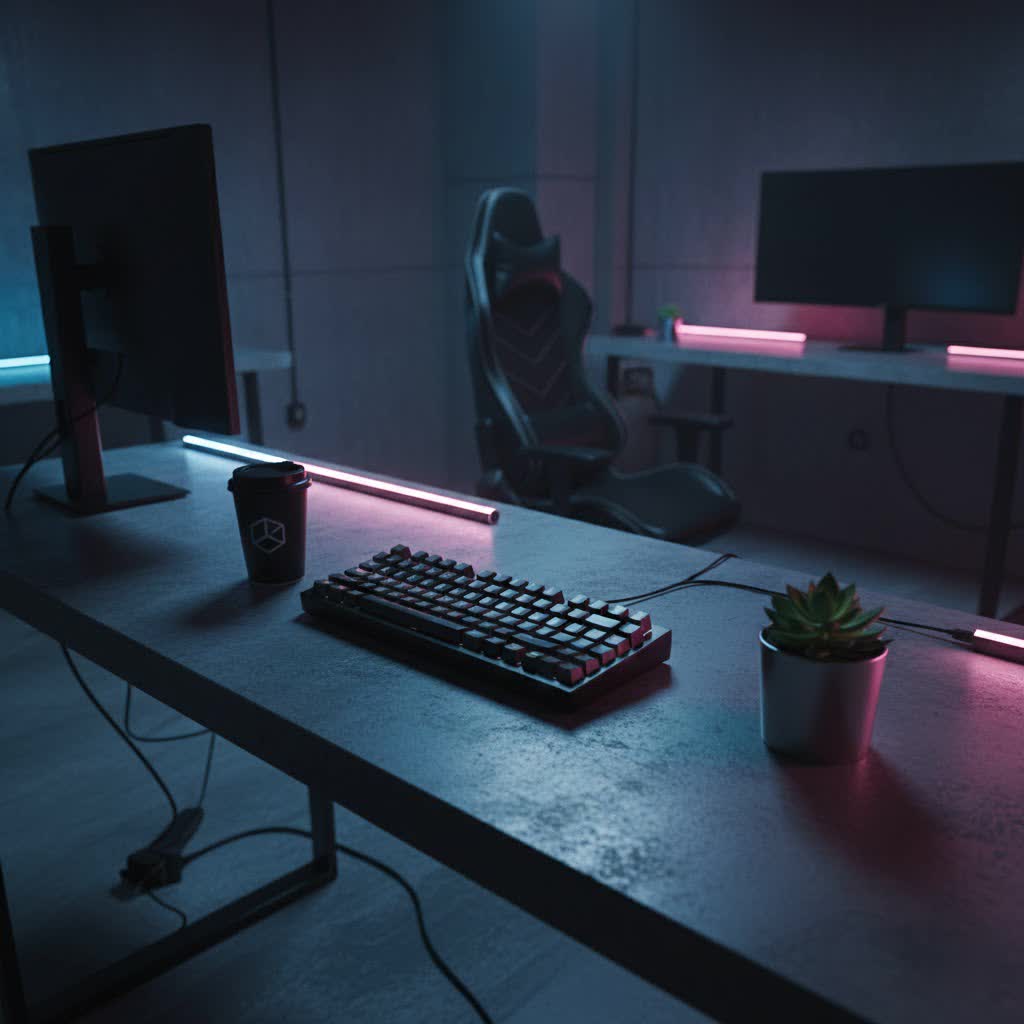
What is a Mechanical Keyboard?
At its core, a mechanical keyboard is a keyboard that uses individual mechanical switches underneath each keycap, distinguishing it significantly from the common rubber dome or membrane keyboards. Instead of relying on a rubber sheet to register keystrokes, each key on a mechanical keyboard possesses its own spring-loaded switch. This design translates into superior tactile feedback, faster response times, and a significantly longer lifespan, often rated for millions of keystrokes per switch.
The rich history of mechanical keyboards dates back decades, with the iconic Cherry MX switch, developed in the 1980s, setting a gold standard. While the original patents have expired, paving the way for numerous innovative manufacturers, the foundational principles remain: precision engineering for a superior typing and gaming experience.
Understanding the main components is key to appreciating these devices:
- Switches: The heart of the mechanical keyboard, responsible for keypress actuation.
- Keycaps: The covers you press, determining the feel, look, and sound.
- Plate: A rigid component (often metal) that holds the switches in place, contributing to the board’s stiffness and sound.
- Printed Circuit Board (PCB): The electronic board that registers keypresses and sends signals to your computer.
- Case: The outer housing that protects the internal components and defines the keyboard’s overall aesthetic.
- Stabilizers: Special mechanisms used for larger keys like the spacebar, enter, and shift, ensuring smooth and even presses.
Decoding Mechanical Keyboard Switches
The switch is perhaps the most critical component influencing your typing and gaming experience. Mechanical switches are broadly categorized into three main types, each offering a distinct feel and sound profile.
Linear Switches
Linear switches are characterized by a smooth, consistent keystroke from top to bottom, without any tactile bump or audible click. This uninterrupted travel makes them exceptionally fast and fluid.
- Characteristics: No tactile feedback, no audible click. Smooth, uniform resistance.
- Pros: Very fast actuation, quiet operation (compared to clicky switches), ideal for rapid presses.
- Cons: Can lead to accidental keypresses if you rest your fingers heavily, minimal feedback can result in “bottoming out” (pressing the key all the way down).
- Popular Types: Cherry MX Red, Gateron Red, Kailh Red. Speed variants like Cherry MX Speed Silver offer an even shorter actuation distance. Cherry MX Black provides a heavier linear feel.
- Ideal for: Gamers who require quick, repetitive keystrokes, and users who prefer a silent typing experience in shared environments.
|
Our Picks for the Best Mechanical Keyboard in 2026
As an Amazon Associate I earn from qualifying purchases.
|
||
| Num | Product | Action |
|---|---|---|
| 1 | GravaStar Mercury V75 HE Keyboard, 75% Hall‑Effect Magnetic Switch Gaming Keyboard, 8000 Hz Polling, 0.005RT, Wired USB-C, RGB Backlit, Adjustable Actuation, Semi‑Aluminum Chassis-Stealth Black |

|
| 2 | MageGee Portable 60% Mechanical Gaming Keyboard, MK-Box LED Backlit Compact 68 Keys Mini Wired Office Keyboard with Red Switch for Windows Laptop PC Mac - Black/Grey |
|
| 3 | AULA F2088 Typewriter Style Mechanical Gaming Keyboard Wired,Blue Switches,Rainbow LED Backlit,Removable Wrist Rest,Media Control Knob,Retro Punk Round Keycaps,USB Wired Computer Keyboard |
|
| 4 | AULA F75 Pro Wireless Mechanical Keyboard,75% Hot Swappable Custom Keyboard with Knob,RGB Backlit,Pre-lubed Reaper Switches,Side Printed PBT Keycaps,2.4GHz/USB-C/BT5.0 Mechanical Gaming Keyboards |
|
| 5 | Wood Pattern Mechanical Keyboard Wireless & Bluetooth Brown Keyboard – RGB Backlit Hot-Swappable PBT Keycaps Aesthetic Keyboard for Mac, Windows, iOS & Android – Ergonomic Gaming & Office Keyboard |
|
| 6 | Redragon Mechanical Gaming Keyboard Wired, 11 Programmable Backlit Modes, Hot-Swappable Red Switch, Anti-Ghosting, Double-Shot PBT Keycaps, Light Up Keyboard for PC Mac |
|
| 7 | SteelSeries USB Apex 5 Hybrid Mechanical Gaming Keyboard – Per-Key RGB Illumination – Aircraft Grade Aluminum Alloy Frame – OLED Smart Display (Hybrid Blue Switch) |
|
| 8 | SOLAKAKA A99 Pro Mechanical Keyboard with LCD Screen & Metal Knob, Wireless Gaming Keyboard with BT5.0/2.4GHz/USB-C, Hot Swappable Creamy Keyboard, Gasket Structure, RGB Backlit, for Win/Mac |
|
| 9 | Logitech MX Mechanical Wireless Illuminated Performance Keyboard, Tactile Quiet Switches, Backlit Keys, Bluetooth, USB-C, macOS, Windows, Linux, iOS, Android, Metal, Graphite |
|
| 10 | AULA F99 Wireless Mechanical Keyboard,Tri-Mode BT5.0/2.4GHz/USB-C Hot Swappable Custom Keyboard,Pre-lubed Linear Switches,RGB Backlit Computer Gaming Keyboards for PC/Tablet/PS/Xbox |
|
Tactile Switches
Tactile switches provide a distinct “bump” or resistance midway through the keystroke, indicating that the keypress has been registered. This feedback is felt but not typically heard as a loud click.
- Characteristics: Noticeable tactile bump at the actuation point, no loud click.
- Pros: Excellent for typing accuracy, as the bump confirms actuation without needing to bottom out. Reduces typing fatigue.
- Cons: Slightly slower than linear switches due to the bump, though often negligible for most users.
- Popular Types: Cherry MX Brown, Gateron Brown, Zealios V2. Cherry MX Clear offers a heavier tactile bump for those who prefer more resistance.
- Ideal for: Typists, programmers, and general users who appreciate clear feedback without the noise of clicky switches. Many find them a good balance for both gaming and productivity.
Clicky Switches
Clicky switches combine the tactile bump of tactile switches with an additional, satisfying audible “click” sound at the actuation point. They are the loudest of the three main types, offering undeniable feedback.
- Characteristics: Tactile bump AND a distinct, audible click sound.
- Pros: Extremely satisfying feedback for many typists, clear indication of keypress, can improve typing speed for those who love the sound.
- Cons: Loud, which can be disruptive in office or shared living spaces.
- Popular Types: Cherry MX Blue, Gateron Blue, Kailh Box White. Cherry MX Green is a heavier variant known for its pronounced click.
- Ideal for: Typists who enjoy strong sensory feedback and work in environments where noise is not a concern.
> “The choice of switch fundamentally shapes your mechanical keyboard journey. Whether you prefer the silent fluidity of a linear, the affirming bump of a tactile, or the audible declaration of a clicky, each type offers a unique interaction that transforms typing from a chore into a pleasure.”
Exploring Keycap Materials and Profiles
While switches handle the mechanics, keycaps are your direct interface with the keyboard. They not only influence the board’s aesthetic but also significantly impact the feel and sound of each keystroke.
Keycap Materials
The material of your keycaps plays a crucial role in their durability, texture, and how they age.
- ABS (Acrylonitrile Butadiene Styrene):
- Pros: Smoother texture, generally more affordable, and widely available. Often used for backlit keycaps due to its light-transmitting properties.
- Cons: Prone to developing a shiny, “greasy” look over time due to finger oils and wear, can feel less premium.
- PBT (Polybutylene Terephthalate):
- Pros: Denser and significantly more durable, resistant to shine and oils, offering a pleasant matte or slightly textured finish that lasts. Often produces a deeper “thock” sound.
- Cons: More expensive than ABS, and can be more challenging to produce complex shapes, limiting certain profile options.
While ABS and PBT are the most common, other materials like POM, metal, ceramic, or even wood are available for specialized or artisan keycaps, offering unique aesthetics and feels.
Keycap Profiles
The “profile” refers to the shape, height, and curvature of the keycaps across the keyboard. This ergonomic design can dramatically alter typing comfort and speed. Keycap profiles are typically categorized as sculpted or uniform.
- Sculpted Profiles: These sets feature varying heights and angles for different rows, designed to match the natural curve of your fingers and hands.
- OEM Profile: A very common profile found on many pre-built mechanical keyboards. It’s a comfortable, mid-height profile with a gentle sculpt.
- Cherry Profile: Often considered the gold standard for ergonomics by many typists and gamers. It’s slightly shorter than OEM with a similar sculpted design, offering a comfortable typing angle.
- SA Profile: A tall, spherical profile reminiscent of vintage typewriters. It offers a dramatic sculpted look and often produces a deep, resonant “thocky” sound.
- Uniform Profiles: All keycaps in these sets have the same height and shape across every row, resulting in a flat, consistent typing surface.
- DSA Profile: A popular low-profile, uniform spherical keycap. Its consistent feel across all keys makes it adaptable for various typing styles and layouts, including non-standard ones.
Choosing the right keycap material and profile depends entirely on your personal preference for feel, sound, durability, and aesthetics. Experimentation is key to finding your perfect match.
Choosing Your Perfect Mechanical Keyboard
Navigating the vast landscape of mechanical keyboards can be daunting, but by focusing on your specific needs, you can narrow down the options to find your ideal board.
Identify Your Needs
- Gaming: Prioritize fast linear switches, robust build quality, low latency, and potentially programmable keys or rapid trigger features.
- Office/Productivity: Focus on tactile switches for typing accuracy, comfortable keycap profiles, and quieter operation if in a shared space. Ergonomic layouts might also be a consideration.
- Programming: Similar to office use, with an emphasis on comfortable switches and layouts that support efficient coding (e.g., specific function row access).
- Mixed Use: Look for versatile options like tactile switches (Browns) and balanced keycap profiles (Cherry, OEM).
Set a Budget
Mechanical keyboards range widely in price, from entry-level options under $100 to high-end custom builds exceeding $500. Establish what you’re willing to spend, keeping in mind that higher price points often correlate with premium materials, advanced features, and greater customization.
Key Factors to Consider
- Layout:
- Full-size (104/108 keys): Includes a number pad, function row, and navigation cluster. Ideal for data entry.
- Tenkeyless (TKL – ~87 keys): Omits the number pad, saving desk space. Popular for gaming and general use.
- 75% Layout (~84 keys): A compact version of TKL, consolidating the navigation cluster.
- 60% Layout (~61 keys): Highly compact, removing the function row, navigation cluster, and arrow keys, relying on Fn key layers. Favored by minimalists and some gamers.
- Switch Type: Revisit the linear, tactile, and clicky descriptions above and match them to your use case and preference.
- Keycap Material & Profile: ABS for budget, PBT for durability. Cherry or OEM for comfort, SA for vintage feel.
- Build Quality: Look for sturdy cases (aluminum is premium) and plates. A gasket-mounted design often provides a softer, more desirable typing feel.
- Connectivity:
- Wired: Most reliable, no battery concerns, lowest latency.
- Bluetooth: Convenient for multi-device pairing, but introduces minor latency and requires charging.
- 2.4GHz Wireless (Dongle): Offers near-wired performance with wireless convenience, often preferred for wireless gaming.
- Hot-swappable PCB: This feature allows you to change switches without soldering, making customization and experimentation much easier. It’s highly recommended for enthusiasts.
- Extra Features: RGB lighting for aesthetics, dedicated media keys for convenience, included wrist rests for ergonomics, and software for key remapping and macro creation.
Where to Buy
Reputable online retailers, specialty keyboard stores, and direct from manufacturers like Keychron, Ducky, Leopold, Razer, Corsair, and Logitech are all excellent places to purchase. For custom parts, online communities and dedicated vendors are invaluable resources.
Maintaining Your Mechanical Keyboard
Proper care and maintenance can significantly extend the life and preserve the performance of your mechanical keyboard.
- Regular Cleaning:
- Dusting: Use compressed air to blow away dust, crumbs, and debris from between keycaps and switches.
- Keycap Removal: For a deeper clean, carefully remove keycaps using a keycap puller. This allows access to the plate and switches.
- Wiping: Use a microfiber cloth and a mild cleaner (or just water) to wipe down keycaps and the keyboard case.
- Switch Cleaning (Advanced): If you have hot-swappable switches, you can remove them and gently clean around the stem with a small brush or alcohol wipe. For custom builders, lubing switches can drastically improve smoothness and sound.
- Longevity Tips:
- Avoid eating or drinking directly over your keyboard to prevent spills.
- Use a dust cover when the keyboard is not in use, especially if it sits for extended periods.
- Transport your keyboard in a protective case if you travel with it.
Conclusion
The journey into mechanical keyboards is one of discovery and personalization. From the fundamental click of a switch to the nuanced aesthetics of a custom keycap set, every choice contributes to an experience uniquely tailored to you. We’ve explored the core components, demystified the various switch types—linear, tactile, and clicky—and delved into the world of keycap materials and profiles that shape your interaction. We’ve also guided you through the critical considerations for purchasing and maintaining your perfect keyboard.
Ultimately, the “best” mechanical keyboard isn’t a universally defined model; it’s the one that harmonizes perfectly with your hands, your ears, and your workflow. Whether you’re a competitive gamer seeking lightning-fast actuation, a writer craving satisfying tactile feedback, or a programmer demanding robust durability, there’s a mechanical keyboard waiting to elevate your digital experience. So, what specific features are you most excited to customize in your next mechanical keyboard?
Frequently Asked Questions
Are mechanical keyboards worth the investment?
Absolutely. While often pricier than membrane keyboards, mechanical keyboards offer superior durability, a more satisfying and personalized typing experience, faster response times, and extensive customization options. Their longer lifespan often makes them a cost-effective choice in the long run.
Which switch is best for gaming?
For gaming, linear switches like Cherry MX Red or Speed Silver are generally preferred due to their smooth, consistent travel and rapid actuation. They allow for quick, repetitive presses without a tactile bump, which can be crucial in fast-paced games.
What’s the main difference between ABS and PBT keycaps?
The primary difference lies in durability and feel. ABS keycaps are smoother and more prone to developing a shine over time, while PBT keycaps are denser, more durable, resistant to shine, and often have a textured feel. PBT is generally considered the premium option.
Can I change my mechanical keyboard switches?
Yes, if your mechanical keyboard has a hot-swappable PCB, you can easily change switches without any soldering. This allows for great customization and experimentation with different switch types to find your preferred feel.
How often should I clean my mechanical keyboard?
It’s recommended to do a light cleaning (dusting with compressed air) weekly or bi-weekly. A deeper clean involving keycap removal should be done every few months, or more frequently if you notice significant buildup or spills.
