Are you tired of mediocre keyboards that offer a lackluster typing experience? Perhaps you’ve heard the buzz about mechanical keyboards and are eager to dive into a world of satisfying clicks, tactile bumps, and unparalleled customization. This comprehensive guide is designed to empower you with all the knowledge needed to select, maintain, and truly appreciate the ideal mechanical keyboard for your needs, from understanding the core components to discovering the best places to find your next typing masterpiece.
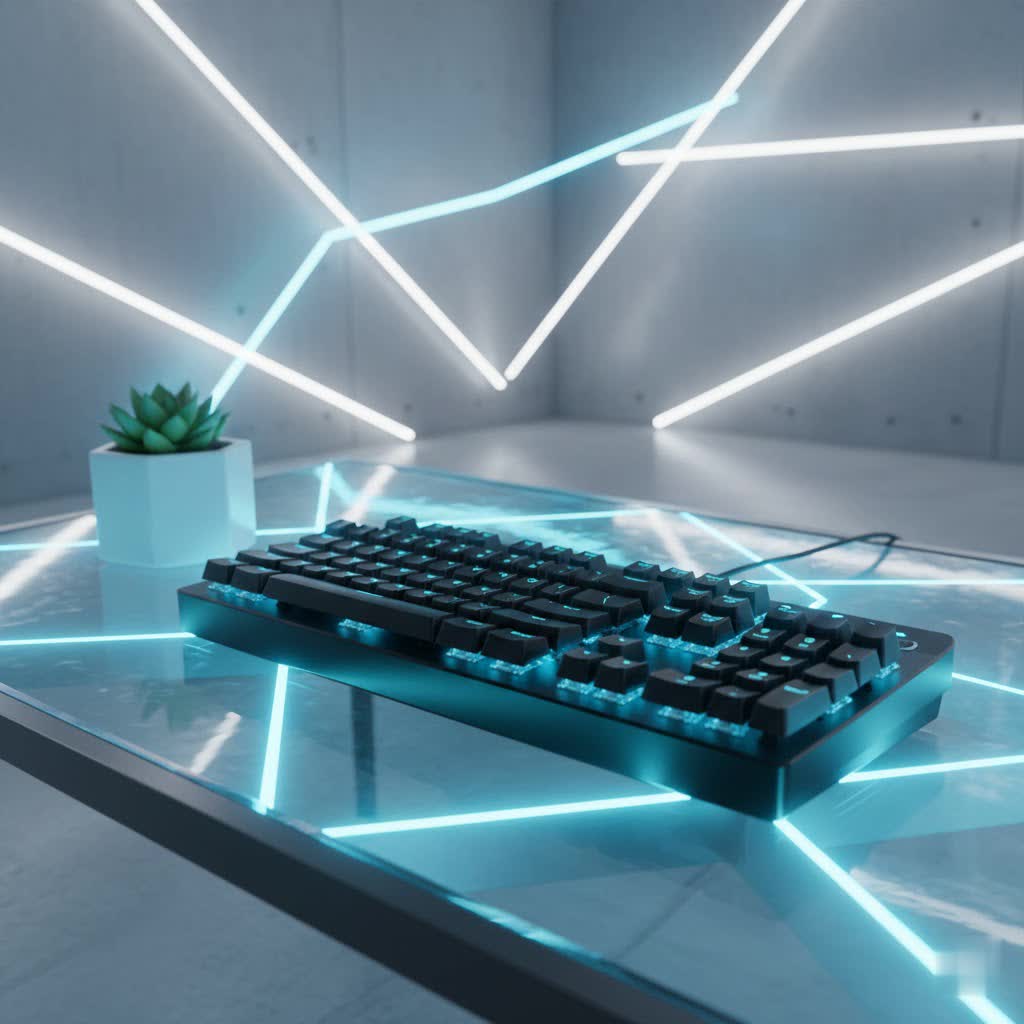
What is a Mechanical Keyboard?
A mechanical keyboard is a sophisticated input device where each key has its own dedicated switch, providing a distinct and consistent tactile or audible response. This differs significantly from common membrane keyboards, which use a single rubber sheet or dome beneath the keys, often resulting in a mushier, less precise typing feel. The individual switch mechanism ensures greater durability, faster actuation, and a more satisfying typing experience overall.
The lineage of mechanical keyboards traces back to the 1980s, gaining prominence with the advent of robust, high-quality switches like the Cherry MX series. While membrane keyboards dominated the market for a period due to lower manufacturing costs, mechanical keyboards have seen a resurgence among enthusiasts, gamers, and professionals who prioritize performance, comfort, and longevity. The core components include the switch (the mechanism beneath each key), the keycap (the cap you press), the plate (a layer providing rigidity), and the case (the outer housing).
Popular Switch Types
The type of switch is arguably the most crucial factor defining a mechanical keyboard’s feel and sound. Each category offers a unique experience tailored to different preferences and uses.
Linear Switches
Linear switches provide a smooth, consistent keystroke from top to bottom without any tactile bump or audible click. They are known for their fast actuation and quiet operation, making them a popular choice for gaming where rapid, repeatable keypresses are essential.
- Characteristics: No bump, no click, smooth travel.
- Advantages: Fast actuation, ideal for rapid keypresses, quieter operation compared to clicky switches.
- Disadvantages: Lack of tactile feedback might lead to accidental presses for some typists, can still produce noise if bottomed out.
- Popular Types: Cherry MX Red, Cherry MX Speed Silver, Gateron Red, Cherry MX Black, Corsair OPX, Corsair MGX.
- Best For: Fast-paced gaming and users who prefer a fluid, uninterrupted keystroke.
|
Our Picks for the Best Mechanical Keyboard in 2026
As an Amazon Associate I earn from qualifying purchases.
|
||
| Num | Product | Action |
|---|---|---|
| 1 | Wood Pattern Mechanical Keyboard Wireless & Bluetooth Brown Keyboard – RGB Backlit Hot-Swappable PBT Keycaps Aesthetic Keyboard for Mac, Windows, iOS & Android – Ergonomic Gaming & Office Keyboard |

|
| 2 | AULA F75 Pro Wireless Mechanical Keyboard,75% Hot Swappable Custom Keyboard with Knob,RGB Backlit,Pre-lubed Reaper Switches,Side Printed PBT Keycaps,2.4GHz/USB-C/BT5.0 Mechanical Gaming Keyboards |
|
| 3 | Logitech MX Mechanical Wireless Illuminated Performance Keyboard, Tactile Quiet Switches, Backlit Keys, Bluetooth, USB-C, macOS, Windows, Linux, iOS, Android, Metal, Graphite |
|
| 4 | AULA F99 Wireless Mechanical Keyboard,Tri-Mode BT5.0/2.4GHz/USB-C Hot Swappable Custom Keyboard,Pre-lubed Linear Switches,RGB Backlit Computer Gaming Keyboards for PC/Tablet/PS/Xbox |
|
| 5 | SOLAKAKA A99 Pro Mechanical Keyboard with LCD Screen & Metal Knob, Wireless Gaming Keyboard with BT5.0/2.4GHz/USB-C, Hot Swappable Creamy Keyboard, Gasket Structure, RGB Backlit, for Win/Mac |
|
| 6 | Redragon Mechanical Gaming Keyboard Wired, 11 Programmable Backlit Modes, Hot-Swappable Red Switch, Anti-Ghosting, Double-Shot PBT Keycaps, Light Up Keyboard for PC Mac |
|
| 7 | AULA F2088 Typewriter Style Mechanical Gaming Keyboard Wired,Blue Switches,Rainbow LED Backlit,Removable Wrist Rest,Media Control Knob,Retro Punk Round Keycaps,USB Wired Computer Keyboard |
|
| 8 | SteelSeries USB Apex 5 Hybrid Mechanical Gaming Keyboard – Per-Key RGB Illumination – Aircraft Grade Aluminum Alloy Frame – OLED Smart Display (Hybrid Blue Switch) |
|
| 9 | GravaStar Mercury V75 HE Keyboard, 75% Hall‑Effect Magnetic Switch Gaming Keyboard, 8000 Hz Polling, 0.005RT, Wired USB-C, RGB Backlit, Adjustable Actuation, Semi‑Aluminum Chassis-Stealth Black |
|
| 10 | MageGee Portable 60% Mechanical Gaming Keyboard, MK-Box LED Backlit Compact 68 Keys Mini Wired Office Keyboard with Red Switch for Windows Laptop PC Mac - Black/Grey |
|
Tactile Switches
Tactile switches feature a noticeable “bump” partway through the keystroke, providing feedback that the key has actuated without a loud click. This bump helps typists know when a keypress has registered, potentially reducing bottom-out force and improving typing accuracy.
- Characteristics: A distinct tactile bump around the actuation point, moderate noise.
- Advantages: Excellent feedback for typing, satisfying feel, helps prevent bottoming out.
- Disadvantages: Can be less ideal for rapid-fire gaming compared to linear switches due to the bump.
- Popular Types: Cherry MX Brown, Gateron Brown, Zealios V2, Razer Orange, Cherry MX Clear.
- Best For: Typists, programmers, and users seeking a balanced experience for both typing and casual gaming in shared environments.
Clicky Switches
Clicky switches offer both a tactile bump and an audible “click” sound at the actuation point, mimicking the sound of a traditional typewriter. This distinct feedback makes them highly satisfying for many typists, though their loudness might be a consideration in quiet environments.
- Characteristics: Tactile bump and a loud, audible click.
- Advantages: Clear and immediate feedback for each keypress, highly satisfying sound for many users.
- Disadvantages: Can be very loud, potentially disruptive in office or shared spaces.
- Popular Types: Cherry MX Blue, Gateron Blue, Kailh Box White, Razer Green.
- Best For: Enthusiastic typists who enjoy pronounced auditory and tactile feedback, and those in private workspaces.
| Switch Type | Characteristics | Ideal Use Cases | Noise Level |
|---|---|---|---|
| Linear | Smooth, no bump, no click | Gaming, rapid input | Quiet |
| Tactile | Noticeable bump, no click | Typing, balanced use | Moderate |
| Clicky | Tactile bump, audible click | Typists, feedback enthusiasts | Loud |
Types of Keycaps
Keycaps are the interface between your fingers and the switches, significantly impacting the keyboard’s feel, sound, and aesthetic. Their material and profile are key considerations.
Common Keycap Materials
The two most prevalent materials for keycaps are ABS and PBT, each with distinct properties.
- ABS (Acrylonitrile Butadiene Styrene): A common, easily moldable thermoplastic.
- Advantages: Generally cheaper to produce, allows for vibrant colors and transparent (shine-through) legends for backlighting, easier to manufacture in large quantities.
- Disadvantages: Tends to develop a greasy, shiny look over time due to finger oils and wear, less resistant to UV degradation.
- Feel: Often smoother and silkier initially.
- Sound: Can produce a brighter, higher-pitched “click” sound, especially with thinner keycaps.
- PBT (Polybutylene Terephthalate): A more robust and dense thermoplastic.
- Advantages: Highly durable and wear-resistant, maintains its textured, matte finish longer without developing shine, more resistant to UV degradation, often thicker.
- Disadvantages: Generally more expensive and challenging to mold, which can limit complex designs and vibrant color options, typically not shine-through with dye-sublimation.
- Feel: Often described as having a slightly grainy or textured surface, providing better grip.
- Sound: Tends to produce a deeper, more satisfying “thock” sound due to its density and thickness.
- POM (Polyoxymethylene): Less common but known for its smooth, slippery feel and excellent durability. It’s often used for specific keycap sets due to its unique characteristics.
Keycap Profiles
The profile refers to the shape and height of the keycaps, influencing ergonomics and typing feel.
- OEM Profile: The most common profile, typically found on mass-produced keyboards. Keys have varying heights and angles across rows for ergonomic typing.
- Cherry Profile: Similar to OEM but slightly lower in height and often with a more sculpted, angular design, favored by many enthusiasts for its comfortable feel.
- DSA Profile: A uniform, low-profile spherical keycap across all rows, offering a flat and consistent typing surface.
- SA Profile: A high-profile, sculpted spherical keycap that gives a retro aesthetic and a deep, resonant sound.
When choosing keycaps, consider your personal preference for texture, the aesthetic you desire, compatibility with your keyboard’s backlighting, and your budget. High-quality PBT keycaps are generally considered superior for longevity and feel, though well-made double-shot ABS keycaps can also offer excellent durability and a vibrant look.
Comparing Mechanical Keyboards
Evaluating mechanical keyboards involves looking beyond just the switches and keycaps. A thorough comparison considers the entire package, impacting both performance and value. When shopping for your perfect keyboard, these criteria will help you weigh your options effectively.
Firstly, build quality and materials play a significant role. High-end keyboards often feature aluminum or other robust metal cases, providing weight and stability, while more budget-friendly options might use plastic. The internal mounting style—such as gasket mount, tray mount, or top mount—also affects the typing feel and sound profile, with gasket mounts often providing a softer, more flexible typing experience.
Next, consider layout and size. From full-size (104/108 keys) to tenkeyless (TKL, 87 keys), 75%, 65%, and compact 60% layouts, each offers a different balance of functionality and desk space. Your workflow dictates the ideal size; for instance, a full-size is crucial for those who frequently use a number pad, while smaller layouts are preferred for portability or minimalist setups. Many smaller layouts may require using an ‘Fn’ key for certain functions, which might take some getting used to.
Connectivity options are also important. Keyboards can be wired (USB), wireless (2.4 GHz dongle), or Bluetooth. Wired connections offer the lowest latency and no battery concerns, making them ideal for competitive gaming. Wireless options provide a clutter-free desk but require charging and can introduce minor latency. Some premium keyboards offer tri-mode connectivity, combining all three options for maximum versatility.
“The right mechanical keyboard isn’t just a tool; it’s an extension of your craft. Every detail, from the switch under your finger to the material of the keycap, contributes to an experience that can genuinely elevate your productivity and enjoyment.”
Finally, special features such as hot-swappable sockets, RGB backlighting, programmable keys, and dedicated media controls can enhance your experience. Hot-swappable keyboards allow you to change switches without soldering, offering unparalleled customization and easy experimentation. RGB lighting provides aesthetic customization, while programmable keys and software can streamline complex tasks.
Mechanical Keyboard Buying Guide
Navigating the vast world of mechanical keyboards can be exciting, especially when you know what to look for and where to find it. Here’s how to approach your purchase, focusing on reputable shops and essential considerations.
Determine Your Usage Needs
Before anything else, pinpoint your primary use case.
- Gaming: Prioritize linear switches for speed and responsiveness. Look for features like low latency, full N-key rollover, and possibly hot-swappability to fine-tune your switches.
- Office/Productivity: Tactile or clicky switches can enhance typing accuracy and satisfaction. Consider layouts that include a number pad if you work with data. Quiet switches are important in shared office spaces.
- Programming: Many programmers favor tactile switches for reliable feedback or even linear switches for swift code input. Ergonomic layouts and programmable macros can be beneficial.
- General Use: A versatile tactile switch or a quiet linear switch might be best. Consider a comfortable layout and features that balance your needs.
Budget Considerations
Mechanical keyboards span a wide price range, from entry-level options to high-end custom builds.
- Entry-Level ($50-$100): Good starter keyboards, often with generic switches (Gateron, Outemu) and ABS keycaps. Brands like Epomaker and some Keychron models offer great value here.
- Mid-Range ($100-$200): Offers more premium switches (Cherry MX, Kailh), better build quality, PBT keycaps, and more features like hot-swappability and improved software. Keychron, Ducky, and some Glorious models fit this category.
- High-End ($200+): Custom kits, premium materials (aluminum cases), specialized switches, artisan keycaps, and advanced features. Brands like Mekibo, NovelKeys, and KBDFans cater to this segment.
Key Factors When Choosing a Shop
The shop you choose is almost as important as the keyboard itself. Look for retailers with a wide selection, transparent pricing, good customer service, and robust return policies.
- Product Variety: A good shop should offer a range of keyboard sizes, switch types, keycap options, and accessories.
- Customer Support: Responsive customer service is crucial for pre-purchase questions and post-purchase issues.
- Warranty & Returns: Understand the shop’s policies on defects, returns, and exchanges.
- Community Reputation: Check reviews and community forums (like Reddit’s r/MechanicalKeyboards) for feedback on reliability and service.
Reputable Mechanical Keyboard Shops
Several online retailers stand out in the mechanical keyboard community for their extensive offerings and reliable service.
- Epomaker: Known for customizable mechanical keyboards, hot-swappable switches, and a balance of quality and value, often featuring unique designs and a strong presence in the budget-friendly and mid-range markets.
- KEYGEM: A European-based store offering a wide array of mechanical keyboard products including switches, springs, keycaps, lubricants, and tools, catering to custom keyboard builders and enthusiasts.
- MechanicalKeyboards.com: A long-standing retailer for pre-built mechanical keyboards from various brands, ideal for those seeking ready-to-use options.
- NovelKeys.xyz: Popular for switches, desk mats, and often for hosting exclusive group buys for custom keyboards and parts.
- KBDFans.com: A go-to source for custom keyboard kits, PCBs, cases, and a vast selection of switches and keycaps, though shipping times can vary.
- Keychron: Specializes in high-quality, pre-built and customizable mechanical keyboards, particularly popular for Mac and multi-device compatibility, offering a range of layouts and features.
- Mekibo: A US-based store focusing on high-quality custom mechanical keyboards and parts, dedicated to delivering an excellent typing experience.
Consider exploring these shops, comparing their selections, and reading customer reviews to find the one that best suits your purchasing needs.
Cleaning and Maintenance of Mechanical Keyboards
Regular cleaning and proper maintenance are essential to preserve the functionality, aesthetics, and longevity of your mechanical keyboard. Dust, debris, skin oils, and food particles can accumulate, affecting switch performance and overall feel.
Essential Cleaning Supplies
Before you begin, gather these tools:
- Keycap puller: Essential for safely removing keycaps without damage. A wire keycap puller is often preferred over plastic ones.
- Small brush/toothbrush: For dislodging debris between switches.
- Compressed air or air blower: To remove loose dust and crumbs from the keyboard plate. Avoid canned air that may cause condensation.
- Microfiber cloths: For wiping surfaces and keycaps.
- Isopropyl alcohol (70-99%): For cleaning stubborn stains and oils (use sparingly and apply to a cloth, not directly to components).
- Small bowl: For soaking keycaps during a deep clean.
Routine Cleaning (Daily/Weekly)
For quick maintenance, follow these steps:
- Disconnect: Always unplug your keyboard from your computer to prevent accidental inputs or electrical issues.
- Flip and Tap: Turn the keyboard upside down and gently tap the back to dislodge loose debris and crumbs.
- Blow Air: Use compressed air or an air blower to clear dust and particles from between and under the keys.
- Wipe Down: Lightly dampen a microfiber cloth with water or a small amount of isopropyl alcohol and wipe the surface of the keycaps and case to remove oils and fingerprints. Allow to air dry completely.
Deep Cleaning (Monthly/Quarterly)
For a more thorough clean, especially if your keyboard feels sluggish or looks dirty:
- Disconnect and Photograph: Unplug the keyboard and take a photo of your layout for easy reassembly.
- Remove Keycaps: Carefully use a keycap puller to remove all keycaps. Place them in a small bowl.
- Clean Keycaps:
- Soaking Method: Soak keycaps in warm, soapy water (dish soap or denture tablets work well) for several hours or overnight.
- Scrubbing Method: Gently scrub each keycap with a soft brush or toothbrush, especially if very soiled.
- Rinse and Dry: Rinse thoroughly with clean water and allow them to air dry completely, ideally overnight, to ensure no moisture remains in the stems.
- Clean the Plate and Switches: With keycaps removed, use compressed air or a brush to clear any debris from the exposed switches and the keyboard plate. For sticky residue, use a cotton swab lightly dampened with isopropyl alcohol, being careful not to get liquid into the switches.
- Clean the Case: Wipe down the keyboard’s case with a damp microfiber cloth. For plastic cases, avoid harsh chemicals. For wooden or metal cases, use appropriate cleaners.
- Reassemble: Once all components are thoroughly dry, carefully reattach the keycaps according to your layout photo.
By adhering to these cleaning and maintenance routines, your mechanical keyboard will continue to offer that premium typing experience you love for years to come.
Conclusion
Choosing the right mechanical keyboard is a personal journey, transforming your daily interactions with technology into a more engaging and satisfying experience. From understanding the nuances of linear, tactile, and clicky switches to selecting the perfect keycap material and finding a reputable shop, every decision contributes to building your ideal setup. By taking the time to research, assess your needs, and care for your investment, you unlock a world of enhanced productivity, gaming performance, and sheer typing enjoyment.
Whether you’re a gamer seeking lightning-fast actuation, a typist desiring crisp feedback, or a professional aiming for peak efficiency, a mechanical keyboard offers unparalleled customization and durability. So, what features are most important to you in your next mechanical keyboard, and which reputable shop will you explore first?
Frequently Asked Questions
What makes mechanical keyboards better than membrane keyboards?
Mechanical keyboards generally offer superior durability, more precise and consistent key presses due to individual switches, and a more satisfying tactile or auditory feedback. This leads to a more comfortable and efficient typing experience, particularly for extended use.
Are mechanical keyboards good for gaming?
Yes, many mechanical keyboards are excellent for gaming. Linear switches are often preferred for their speed and smooth actuation, allowing for rapid keypresses. Features like N-key rollover and anti-ghosting are also common, ensuring every command registers accurately during intense gaming sessions.
How much should I expect to pay for a quality mechanical keyboard?
The price range for quality mechanical keyboards is broad, typically starting from around $70 for entry-level models to over $200 for high-end or custom builds. Mid-range options between $100 and $200 often provide an excellent balance of features, build quality, and switch options.
Can I customize the switches on my mechanical keyboard?
Many modern mechanical keyboards feature hot-swappable sockets, allowing users to easily change switches without soldering. This is a great feature for experimenting with different switch types or replacing faulty switches, offering a high degree of customization for your typing feel.
How often should I clean my mechanical keyboard?
For routine maintenance, a quick clean (flipping, blowing air, wiping) is recommended weekly. A deeper clean involving keycap removal and thorough cleaning of the plate and switches should be done monthly or quarterly, depending on usage and environment, to prevent buildup.
