Have you ever found yourself caught between the satisfying precision of a mechanical keyboard and the desire for a peaceful environment? Many mechanical keyboard enthusiasts cherish the tactile feedback and audible clicks, but in shared offices, late-night gaming sessions, or quiet homes, that distinctive sound can quickly become a distraction. The good news is, you don’t have to sacrifice performance for peace. The world of Quiet Mechanical Keyboards has evolved, offering a harmonious blend of the cherished mechanical typing experience with significantly reduced noise levels.
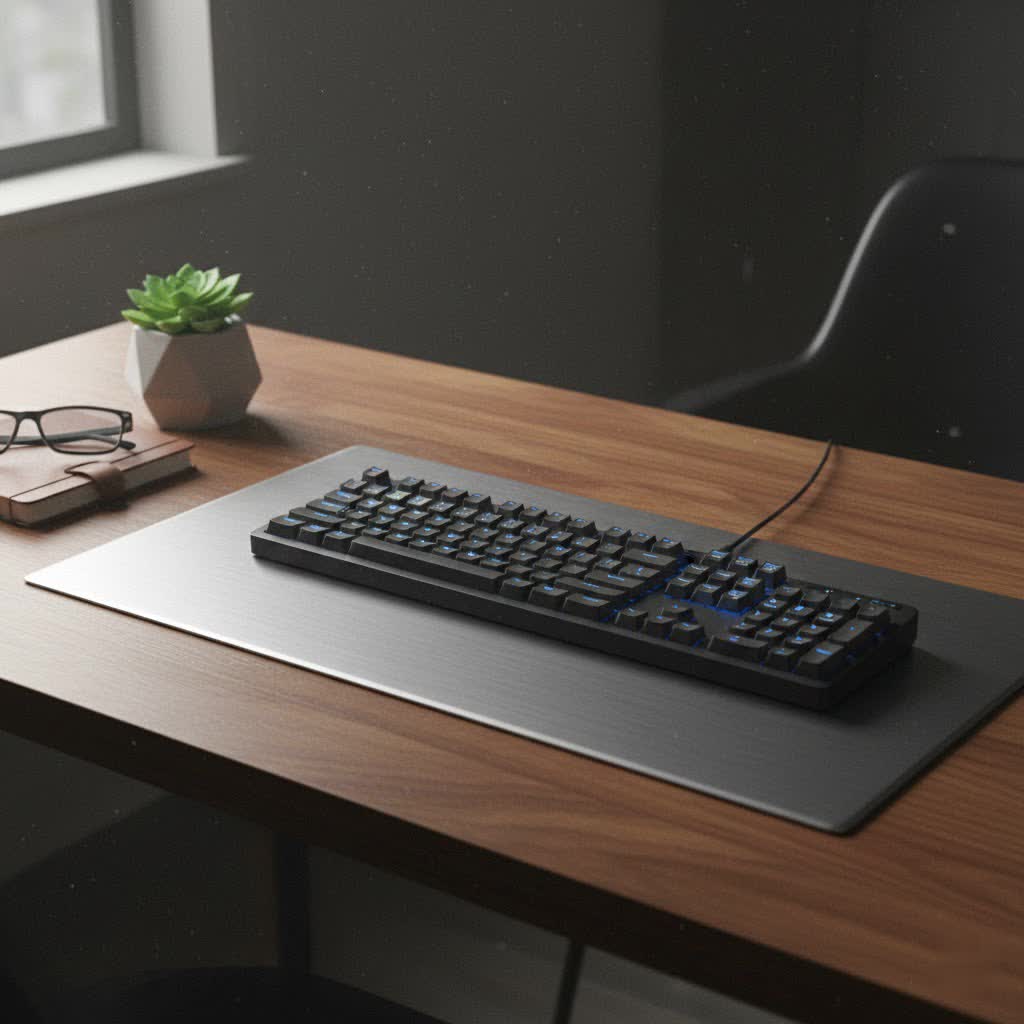
This comprehensive guide will demystify quiet mechanical keyboards, exploring what makes them silent, the different types of switches and components that contribute to their hushed operation, effective modification techniques, and a curated selection of top models to help you find your perfect match for silent yet satisfying typing.
Understanding the Quiet Mechanical Keyboard
A quiet mechanical keyboard is engineered to minimize the sound produced during typing, offering the tactile or linear feedback mechanical keyboard users love, but without the loud “clack” or “click” typically associated with them. The primary goal is to provide a discrete typing experience suitable for environments where noise could be disruptive, such as open-plan offices, shared living spaces, or during late-night work or gaming.
Unlike traditional mechanical keyboards that prioritize audible feedback, quiet versions incorporate various dampening mechanisms within the switches and the keyboard’s overall construction. This focus on sound reduction is what sets them apart, making them a preferred choice for professionals, content creators, and anyone seeking a more serene typing experience.
The Heart of Silence: Quiet Mechanical Switches
The switch is arguably the most critical component influencing a mechanical keyboard’s sound profile. For quiet operation, specialized silent switches are paramount, diverging significantly from their louder counterparts.
Silent Linear Switches
Silent linear switches offer a smooth, consistent keystroke from top to bottom, with no tactile bump and, crucially, no audible click. They are engineered with internal dampeners, often made of rubber or silicone, at both the top and bottom of the switch stem. These dampeners absorb the impact when a key is pressed down and when it returns to its original position, effectively quieting both the bottom-out and upstroke sounds.
- Characteristics: Smooth, consistent travel; no tactile bump; extremely quiet operation due to internal dampeners.
- Popular Examples: Cherry MX Silent Red, Gateron Silent Red, Silent Alpacas.
- Ideal for: Gamers who need rapid, unobstructed keystrokes, fast typists who prefer a light touch, and anyone who desires the quietest possible mechanical experience without tactile feedback.
|
Our Picks for the Best Mechanical Keyboard in 2026
As an Amazon Associate I earn from qualifying purchases.
|
||
| Num | Product | Action |
|---|---|---|
| 1 | MageGee Portable 60% Mechanical Gaming Keyboard, MK-Box LED Backlit Compact 68 Keys Mini Wired Office Keyboard with Red Switch for Windows Laptop PC Mac - Black/Grey |

|
| 2 | AULA F75 Pro Wireless Mechanical Keyboard,75% Hot Swappable Custom Keyboard with Knob,RGB Backlit,Pre-lubed Reaper Switches,Side Printed PBT Keycaps,2.4GHz/USB-C/BT5.0 Mechanical Gaming Keyboards |
|
| 3 | Wood Pattern Mechanical Keyboard Wireless & Bluetooth Brown Keyboard – RGB Backlit Hot-Swappable PBT Keycaps Aesthetic Keyboard for Mac, Windows, iOS & Android – Ergonomic Gaming & Office Keyboard |
|
| 4 | Redragon Mechanical Gaming Keyboard Wired, 11 Programmable Backlit Modes, Hot-Swappable Red Switch, Anti-Ghosting, Double-Shot PBT Keycaps, Light Up Keyboard for PC Mac |
|
| 5 | GravaStar Mercury V75 HE Keyboard, 75% Hall‑Effect Magnetic Switch Gaming Keyboard, 8000 Hz Polling, 0.005RT, Wired USB-C, RGB Backlit, Adjustable Actuation, Semi‑Aluminum Chassis-Stealth Black |
|
| 6 | Logitech MX Mechanical Wireless Illuminated Performance Keyboard, Tactile Quiet Switches, Backlit Keys, Bluetooth, USB-C, macOS, Windows, Linux, iOS, Android, Metal, Graphite |
|
| 7 | SteelSeries USB Apex 5 Hybrid Mechanical Gaming Keyboard – Per-Key RGB Illumination – Aircraft Grade Aluminum Alloy Frame – OLED Smart Display (Hybrid Blue Switch) |
|
| 8 | SOLAKAKA A99 Pro Mechanical Keyboard with LCD Screen & Metal Knob, Wireless Gaming Keyboard with BT5.0/2.4GHz/USB-C, Hot Swappable Creamy Keyboard, Gasket Structure, RGB Backlit, for Win/Mac |
|
| 9 | AULA F99 Wireless Mechanical Keyboard,Tri-Mode BT5.0/2.4GHz/USB-C Hot Swappable Custom Keyboard,Pre-lubed Linear Switches,RGB Backlit Computer Gaming Keyboards for PC/Tablet/PS/Xbox |
|
| 10 | AULA F2088 Typewriter Style Mechanical Gaming Keyboard Wired,Blue Switches,Rainbow LED Backlit,Removable Wrist Rest,Media Control Knob,Retro Punk Round Keycaps,USB Wired Computer Keyboard |
|
Silent Tactile Switches
Silent tactile switches provide the satisfying “bump” that indicates actuation, but they eliminate the audible click. Like their linear counterparts, they utilize internal dampeners to soften the sound of both the downstroke and upstroke. This allows typists to feel the actuation point without the accompanying noise, offering a balance between feedback and quietness.
- Characteristics: Distinct tactile bump for feedback; no audible click; quiet operation due to internal dampeners.
- Popular Examples: Cherry MX Silent Brown, Gateron Silent Brown, Zealios V2 Silent, Boba U4 Silent Tactiles.
- Ideal for: Typists, programmers, and writers who appreciate the confirmation of a keystroke but need to maintain a low-noise environment. They offer a more “responsive” feel than linear switches without the racket.
Switches to Avoid for Silence
- Clicky Switches: Switches like Cherry MX Blue or Kailh Box White are specifically designed to produce a distinct, loud “click” sound, which is the antithesis of a quiet typing experience. While some users love this auditory feedback, they are entirely unsuitable for noise-sensitive environments.
Electrostatic Capacitive (EC) Switches
While not strictly mechanical in the traditional sense, Electrostatic Capacitive (EC) switches, such as those found in Topre keyboards, are renowned for their exceptionally quiet operation and unique “thocky” sound profile. They combine a rubber dome with a spring and a capacitive sensor, offering a smooth, cushioned feel that is often described as typing on clouds. They are a premium, quiet alternative for those seeking a distinct typing sensation.
Beyond Switches: Keycaps and Construction for Silence
Achieving true keyboard silence goes beyond just the switches; the entire construction plays a vital role.
Keycap Material & Profile
The material and thickness of your keycaps can significantly impact the sound profile of your keyboard.
- PBT (Polybutylene Terephthalate): Generally preferred for quiet mechanical keyboards. PBT keycaps are often thicker and denser than ABS, producing a deeper, more subdued “thock” sound upon bottom-out, rather than a higher-pitched “clack.” They also resist shine and wear over time, maintaining their texture.
- ABS (Acrylonitrile Butadiene Styrene): Thinner ABS keycaps tend to produce a higher-pitched, “clackier” sound. While durable, they can develop a shiny, smooth surface with prolonged use. Using thick, high-quality ABS keycaps can mitigate some noise.
Keycap profile (e.g., OEM, Cherry, DSA, SA) has a less direct impact on overall noise than material and thickness, though some profiles might alter the perceived bottom-out feel and sound slightly.
Keyboard Construction & Dampening
The internal design and materials of the keyboard case itself are crucial for mitigating resonance and reverberation.
- Case Material:
- Aluminum: Often found in premium keyboards, aluminum cases can absorb vibrations more effectively than plastic, leading to a quieter, more solid sound profile.
- Plastic: While more affordable, the quality and thickness of the plastic can vary. Thicker, well-designed plastic cases can still offer decent sound dampening, especially when combined with internal foams.
- Gasket Mount Structure: This mounting style uses gaskets or soft materials between the plate (where switches are mounted) and the keyboard case. This isolates the plate from direct contact with the case, creating a softer, more flexible typing feel and significantly reducing vibrations and harsh sounds. It’s a highly effective method for achieving a quieter, more premium sound.
- Internal Foams: Strategic placement of sound-absorbing foam layers within the keyboard is a powerful dampening technique.
- Case Foam: Placed at the bottom of the keyboard case, beneath the PCB, to fill the empty space and absorb sound reflections. Materials like Poron, EVA, or sorbothane are commonly used.
- Plate Foam: Inserted between the switch plate and the PCB (printed circuit board) to further dampen sounds, particularly those originating from the switches themselves.
- Stabilizers: These components are found under larger keys like the spacebar, shift, and enter keys, preventing wobble. Poorly manufactured or unlubricated stabilizers can cause significant rattling or “clacking” noises. Properly lubing and clipping stabilizers are essential steps for a quiet build.
Making Your Existing Mechanical Keyboard Quieter (DIY Mods)
If you already own a mechanical keyboard and aren’t ready to buy a new one, several effective DIY modifications can significantly reduce its noise output.
- O-Rings: Small rubber or silicone rings that are placed on the stem of each keycap. They act as cushions, reducing the key travel distance and softening the sound when the key bottoms out. While simple and affordable, they can sometimes give a slightly “mushy” feel.
- Switch Lubrication: Applying a thin layer of specialized lubricant (e.g., Krytox 205g0 for linear/tactile) to the moving parts of your switches can dramatically reduce friction, eliminate scratchiness, and minimize spring “ping” (a metallic sound from the spring). This results in a smoother, quieter, and more pleasant keystroke.
- Case Foam/Plate Foam: Adding foam layers inside your keyboard case or between the plate and PCB, as discussed earlier, can absorb internal resonance and dampen sounds. Kits are available, or you can cut your own from materials like Poron or EVA foam.
- Stabilizer Mods:
- Lubing Stabilizers: Applying lubricant to the housing and wire of the stabilizers eliminates rattle and makes large keys sound much more uniform and subdued.
- Clipping Stabilizers: Trimming small feet off the stabilizer stems prevents them from bottoming out, further reducing noise.
- Desk Mat: A thick, soft desk mat placed under your keyboard can absorb vibrations transmitted to your desk surface, making the overall typing experience quieter. This is a simple yet surprisingly effective solution.
- Typing Technique: A lighter touch can make a noticeable difference. Avoiding “bottoming out” (pressing the key all the way down until it hits the switch housing) can reduce noise, particularly with non-silent switches.
Top Picks: Recommended Quiet Mechanical Keyboards
Finding the perfect quiet mechanical keyboard involves considering various factors like switch type, build quality, and your specific use case. Here’s a comparison of some highly regarded options known for their silent operation and quality.
| Model Name | Switch Type | Notable Quiet Features | Use Case |
|---|---|---|---|
| Corsair Strafe RGB MK.2 | Cherry MX Silent | Integrated switch dampeners, robust chassis | Gaming, Office |
| Logitech G915 TKL | GL Linear Low-Profile | Proprietary silent switches, ultra-thin design, wireless | Gaming, Productivity |
| Keychron K8 Pro | Hot-swappable (Gateron Phantom Brown stock) | Gasket mount, sound-dampening foam, PBT keycaps, customizable | Customization, Office |
| Razer Pro Type Ultra | Silent Razer Yellow | Internal switch dampeners, cushioned wrist rest, professional design | Professional, Office |
| Durgod Taurus K320 | Cherry MX Silent Red | High-quality PBT keycaps, solid construction, no-nonsense design | Typists, Office |
| NuPhy Gem80 | Barebones (acoustic treatments) | Layers of dampening material, gasket mount (enthusiast kit) | Enthusiast, Custom |
“The quest for a truly silent mechanical keyboard isn’t about compromise; it’s about intelligent design and thoughtful customization that respects both the user’s need for performance and the peace of their environment.”
Your Buying Guide for a Quiet Mechanical Keyboard
Choosing the right quiet mechanical keyboard requires thoughtful consideration. Here’s a step-by-step guide to help you make an informed decision:
-
Identify Your Needs:
- Gaming: Look for low-latency, responsive silent linear switches (e.g., Cherry MX Silent Red) and features like N-key rollover.
- Office/Productivity: Silent tactile switches (e.g., Gateron Silent Brown) often provide helpful feedback. Consider ergonomics and multi-device connectivity.
- Programming/Writing: Tactile feedback can enhance typing accuracy. Build quality and a comfortable layout are key.
- Shared Spaces: Prioritize the quietest options with significant dampening features.
-
Set Your Budget: Quiet mechanical keyboards range widely in price. Pre-built options are generally more affordable, while custom-built keyboards with premium components and extensive modifications can be a significant investment.
-
Choose Your Switch Preference: Decide between silent linear (smoother, quieter) or silent tactile (with a bump, still quiet) based on your typing style and preference for feedback. Avoid clicky switches entirely for quietness.
-
Consider Layout and Form Factor:
- Full-size: Includes a numpad, ideal for data entry.
- Tenkeyless (TKL): Omits the numpad, saving desk space.
- 60% or 75%: Compact layouts that require heavy reliance on function layers, great for portability and minimalist setups.
-
Evaluate Build Quality & Features:
- Hot-swappable PCB: Allows you to change switches without soldering, making future sound tuning or switch replacement easy.
- Case Material: Aluminum cases often offer superior sound dampening and durability.
- Internal Dampening: Look for keyboards with pre-installed case foam, plate foam, or gasket mount structures.
- Connectivity: Wired USB-C, Bluetooth, or 2.4GHz wireless for versatility.
- Backlighting: RGB or white backlighting for aesthetics and visibility.
-
Where to Buy: Purchase from reputable retailers specializing in mechanical keyboards, both online and in physical stores. Reading reviews and watching sound tests can also be invaluable.
Caring for Your Quiet Mechanical Keyboard
Proper care ensures your quiet mechanical keyboard maintains its performance and low noise levels for years to come.
- Regular Cleaning: Dust and debris can accumulate under keycaps and around switches, potentially introducing unwanted sounds.
- Dusting: Use compressed air regularly to clear loose particles.
- Keycap Removal: Periodically remove keycaps (with a keycap puller) to clean the switch housings and plate with a brush or cotton swab.
- Wipe Down: Clean keycaps with a mild cleaner or damp cloth.
- Maintenance:
- Re-lubrication: Over time, switch and stabilizer lubricant can wear off. If you notice increased scratchiness or rattle, consider re-lubricating these components. This is especially true for silent switches where the dampening elements rely on proper lubrication.
- Check O-Rings: If you use O-rings, ensure they are still properly seated and haven’t degraded, as this can impact their dampening effect.
Conclusion
The pursuit of a quiet mechanical keyboard doesn’t mean sacrificing the satisfying feel and precision that defines the mechanical typing experience. Thanks to innovations in switch design, internal dampening solutions, and premium construction, it’s now entirely possible to enjoy the best of both worlds: a highly responsive and durable keyboard that operates with a whisper, not a shout. Whether you opt for a pre-built model with dedicated silent switches, or embark on a DIY modification journey, a tranquil typing environment is within reach. Embrace the silence, and let your fingers do the talking without disturbing a soul.
What features do you prioritize most in your ideal quiet mechanical keyboard?
Frequently Asked Questions
Are silent mechanical keyboards truly silent?
While no mechanical keyboard can achieve absolute silence (due to the physical nature of key presses), silent mechanical keyboards come remarkably close. They significantly reduce noise by incorporating internal dampeners in the switches, along with various sound-absorbing materials and construction techniques, making them ideal for noise-sensitive environments without sacrificing the mechanical feel.
Can I make any mechanical keyboard quiet?
You can significantly reduce the noise of almost any mechanical keyboard through various modifications, such as adding O-rings, lubricating switches and stabilizers, and installing foam dampening. However, achieving the quietest possible experience is easiest by starting with a keyboard designed with silent switches and sound-dampening features from the outset.
Which switches are the quietest?
The quietest switches are typically “silent” variants of linear and tactile switches, such as Cherry MX Silent Red (linear), Gateron Silent Red (linear), Gateron Silent Brown (tactile), and Boba U4 Silent Tactiles (tactile). Electrostatic Capacitive switches like Topre are also exceptionally quiet and offer a unique typing feel.
Do PBT keycaps make a keyboard quieter?
Yes, PBT keycaps generally contribute to a quieter keyboard. They are often thicker and denser than ABS keycaps, which helps absorb sound and produce a deeper, more subdued “thock” sound upon bottom-out, reducing the higher-pitched “clack” often associated with thinner keycaps.
What is a gasket mount keyboard?
A gasket mount keyboard uses soft, flexible material (gaskets) between the plate and the keyboard case. This design isolates the plate from direct contact with the case, reducing vibrations and harsh sounds. The result is a softer, more flexible typing feel and a much quieter, more premium acoustic profile compared to other mounting styles.
