The world of mechanical keyboards offers an unparalleled typing and gaming experience, but navigating its diverse landscape can be daunting. Among the many layouts available, the tenkeyless (TKL) mechanical keyboard has emerged as a favorite for its perfect blend of compactness and functionality. If you’re seeking to optimize your desk space, improve ergonomics, or simply enjoy a more focused setup, a TKL keyboard might be your ultimate upgrade. This guide will delve into everything you need to know about these versatile devices, helping you choose the ideal one to match your unique needs and preferences.
What is a Tenkeyless Mechanical Keyboard?
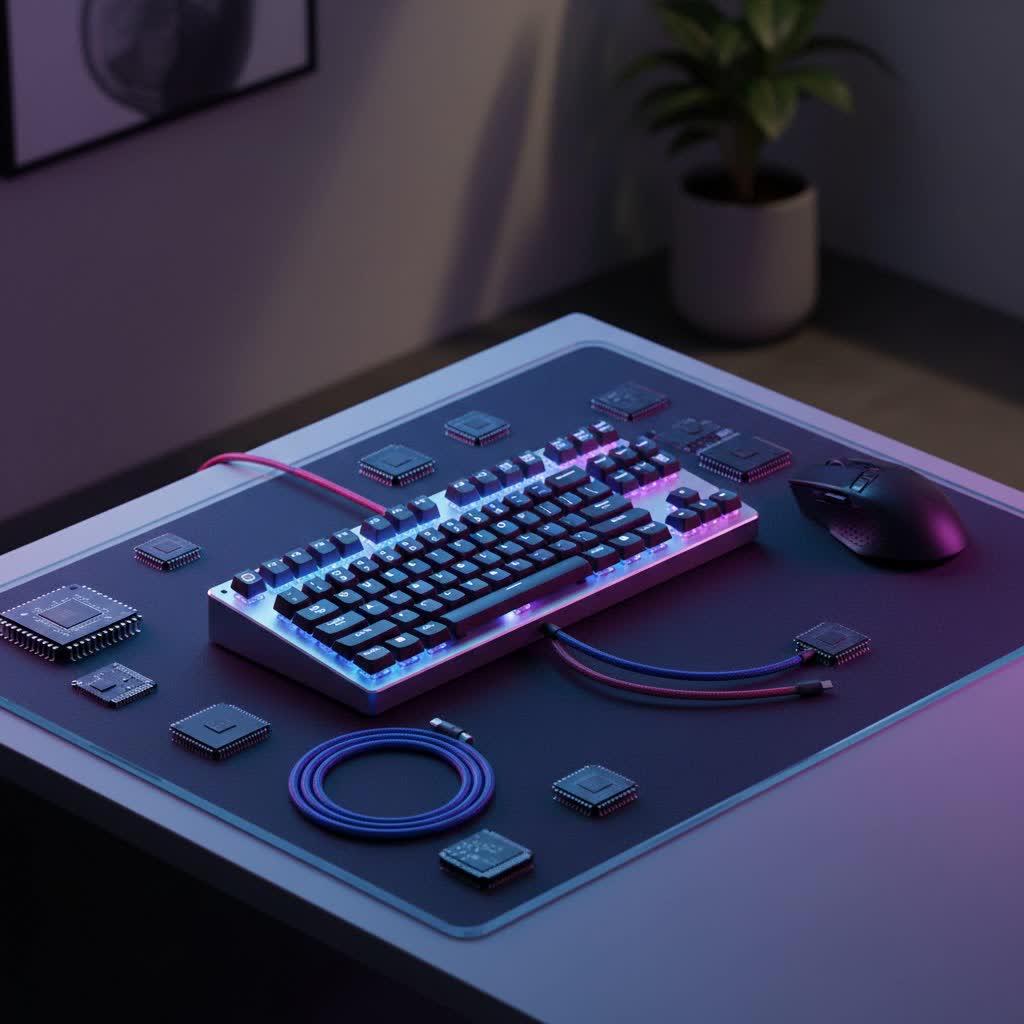
A tenkeyless (TKL) mechanical keyboard, often referred to as an 80% keyboard, is a compact version of a standard full-size keyboard that strategically removes the numeric keypad. While a full-size keyboard typically boasts 104 or 105 keys, a TKL design typically features 87 or 88 keys, depending on ANSI or ISO standards. This layout retains the essential alphanumeric keys, function row (F1-F12), arrow keys, and the navigation cluster (Insert, Delete, Home, End, Page Up/Down).
The history of mechanical keyboards dates back decades, with their robust construction and distinct tactile feedback making them a staple long before modern membrane keyboards became prevalent. The TKL layout gained popularity as users realized that the numeric keypad was often underutilized, particularly by gamers and many office workers. By shedding this less-frequently-used section, TKL keyboards offer a significant reduction in physical footprint without sacrificing core functionality. This design philosophy focuses on efficiency and a streamlined user experience, making it a compelling choice for a wide array of users.
Why Choose a Tenkeyless Mechanical Keyboard?
The advantages of opting for a tenkeyless mechanical keyboard extend beyond mere size reduction, offering tangible benefits that enhance both productivity and comfort.
- Space-Saving Design: One of the most immediate benefits is the reclaimed desk space. Without the numeric keypad, a TKL keyboard occupies significantly less area, allowing for a cleaner, more minimalist setup. This extra room is particularly valuable for users with smaller desks or those who prefer ample space for other peripherals.
- Enhanced Ergonomics: By removing the numpad, a TKL keyboard allows your mouse to be positioned closer to your dominant hand, aligning your shoulders and wrists more naturally. This improved ergonomic posture reduces strain on your arms and shoulders, especially during extended gaming sessions or long hours of typing, minimizing the risk of repetitive strain injuries.
- Superior Portability: Being smaller and lighter than their full-size counterparts, TKL keyboards are inherently more portable. They easily fit into most backpacks or carry bags, making them a convenient option for students, remote workers, or competitive gamers who frequently travel to events.
- Aesthetic Appeal: The compact, symmetrical design of a tenkeyless keyboard often contributes to a more appealing and balanced desk aesthetic. For many enthusiasts, the TKL layout strikes the perfect visual balance between minimalism and comprehensive functionality.
- Retained Core Functionality: Unlike even smaller form factors like 60% or 65% keyboards, TKL keyboards keep the dedicated arrow keys and the navigation cluster. This ensures that users don’t have to rely on cumbersome key combinations to access essential functions, maintaining a high level of usability for most computing tasks.
> “The tenkeyless form factor is often the sweet spot for many users, offering the essential keys without the bulk. It’s a game-changer for desk ergonomics and mouse movement.” – Keyboard Architect, Lead Designer at CustomKeys Innovations
Key Features to Consider in a TKL Keyboard
Choosing the right tenkeyless mechanical keyboard involves understanding its core components and features. Each element plays a crucial role in shaping the overall typing and gaming experience.
Mechanical Switches
The “mechanical” in mechanical keyboard refers to the individual switches beneath each keycap. These are the heart of your keyboard and largely dictate its feel, sound, and responsiveness.
- Linear Switches: These switches offer a smooth, consistent keystroke from top to bottom, with no tactile bump or audible click. Popular examples include Cherry MX Red and Gateron Red. They are often favored by gamers for their rapid actuation and smooth feel, allowing for quick, repeated presses without resistance.
- Tactile Switches: Tactile switches provide a noticeable “bump” in the middle of the keystroke, indicating that the key has registered. They offer clear feedback without an audible click. Cherry MX Brown and Gateron Brown are common choices. These are popular for typists and programmers who appreciate the confirmation of a key press without the loud noise associated with clicky switches.
- Clicky Switches: As the name suggests, clicky switches produce both a tactile bump and a distinct audible “click” sound upon actuation. Cherry MX Blue and Gateron Blue are classic examples. They are beloved by many typists who enjoy the satisfying auditory and tactile feedback, though they might be less suitable for shared office environments due to their noise.
|
Our Picks for the Best Mechanical Keyboard in 2026
As an Amazon Associate I earn from qualifying purchases.
|
||
| Num | Product | Action |
|---|---|---|
| 1 | SteelSeries USB Apex 5 Hybrid Mechanical Gaming Keyboard – Per-Key RGB Illumination – Aircraft Grade Aluminum Alloy Frame – OLED Smart Display (Hybrid Blue Switch) |

|
| 2 | AULA F2088 Typewriter Style Mechanical Gaming Keyboard Wired,Blue Switches,Rainbow LED Backlit,Removable Wrist Rest,Media Control Knob,Retro Punk Round Keycaps,USB Wired Computer Keyboard |
|
| 3 | Redragon Mechanical Gaming Keyboard Wired, 11 Programmable Backlit Modes, Hot-Swappable Red Switch, Anti-Ghosting, Double-Shot PBT Keycaps, Light Up Keyboard for PC Mac |
|
| 4 | SOLAKAKA A99 Pro Mechanical Keyboard with LCD Screen & Metal Knob, Wireless Gaming Keyboard with BT5.0/2.4GHz/USB-C, Hot Swappable Creamy Keyboard, Gasket Structure, RGB Backlit, for Win/Mac |
|
| 5 | AULA F99 Wireless Mechanical Keyboard,Tri-Mode BT5.0/2.4GHz/USB-C Hot Swappable Custom Keyboard,Pre-lubed Linear Switches,RGB Backlit Computer Gaming Keyboards for PC/Tablet/PS/Xbox |
|
| 6 | AULA F75 Pro Wireless Mechanical Keyboard,75% Hot Swappable Custom Keyboard with Knob,RGB Backlit,Pre-lubed Reaper Switches,Side Printed PBT Keycaps,2.4GHz/USB-C/BT5.0 Mechanical Gaming Keyboards |
|
| 7 | Logitech MX Mechanical Wireless Illuminated Performance Keyboard, Tactile Quiet Switches, Backlit Keys, Bluetooth, USB-C, macOS, Windows, Linux, iOS, Android, Metal, Graphite |
|
| 8 | Wood Pattern Mechanical Keyboard Wireless & Bluetooth Brown Keyboard – RGB Backlit Hot-Swappable PBT Keycaps Aesthetic Keyboard for Mac, Windows, iOS & Android – Ergonomic Gaming & Office Keyboard |
|
| 9 | MageGee Portable 60% Mechanical Gaming Keyboard, MK-Box LED Backlit Compact 68 Keys Mini Wired Office Keyboard with Red Switch for Windows Laptop PC Mac - Black/Grey |
|
| 10 | GravaStar Mercury V75 HE Keyboard, 75% Hall‑Effect Magnetic Switch Gaming Keyboard, 8000 Hz Polling, 0.005RT, Wired USB-C, RGB Backlit, Adjustable Actuation, Semi‑Aluminum Chassis-Stealth Black |
|
Many modern TKL keyboards feature hot-swappable switches, allowing users to easily change out switches without soldering. This provides immense flexibility for customization, letting you experiment with different switch types to find your perfect feel.
Keycaps
Keycaps are the individual caps you press on a keyboard. Their material and profile significantly impact the feel, sound, and durability.
- Material:
- ABS (Acrylonitrile Butadiene Styrene): Common and affordable, ABS keycaps tend to develop a shine over time due to finger oils.
- PBT (Polybutylene Terephthalate): More durable and resistant to shine, PBT keycaps have a textured, matte finish. They are generally considered higher quality and more resistant to wear.
- POM (Polyoxymethylene): Less common, POM keycaps offer a smooth, almost waxy feel and good durability.
- Profile: Keycap profile refers to the shape and height of the keycaps. Common profiles include OEM (standard, ergonomic contour), Cherry (similar to OEM but slightly lower), DSA (uniform, flat profile), and SA (tall, spherical, retro-inspired). The choice of keycap profile is largely personal, affecting typing comfort and aesthetics.
Build Quality and Materials
The overall construction of a TKL keyboard plays a vital role in its longevity and typing feel. High-quality materials like durable plastic or aluminum frames provide stability and a premium feel. Features like a gasket mount design can further enhance the typing experience by providing a softer, more flexible keypress with improved acoustics. Stabilizers for larger keys (Shift, Spacebar, Enter) are also critical; well-lubricated and stable stabilizers prevent rattling and ensure consistent keypresses.
Connectivity
TKL mechanical keyboards come with various connectivity options:
- Wired (USB-C): Offers the most reliable and lag-free connection, often preferred by competitive gamers. USB-C is the modern standard for its reversible design and fast data transfer.
- Wireless (Bluetooth & 2.4 GHz): Bluetooth provides convenience for connecting to multiple devices, while 2.4 GHz wireless (via a USB dongle) typically offers lower latency, making it a better choice for wireless gaming. Many high-end TKL keyboards offer multi-mode connectivity.
Customization and Additional Features
Modern TKL keyboards often include a suite of features for personalization and enhanced usability:
- RGB Lighting: Per-key or zone-based RGB backlighting allows for extensive visual customization, often programmable through software.
- Programmable Keys & Macros: Many TKL keyboards support software (like QMK/VIA) that enables users to remap keys, create macros, and customize layers, greatly enhancing efficiency for specific tasks.
- Media Keys & Control Knobs: While dedicated media keys are less common on compact layouts, many TKLs offer secondary functions for media control or integrate a multi-function knob for volume and playback.
Popular Tenkeyless Mechanical Keyboard Models
The market offers a wide array of TKL mechanical keyboards, catering to different needs and budgets. Here are a few examples that stand out:
- Keychron V3 Max QMK: Known for its value, hot-swappable switches, gasket mount design, and wireless capabilities (2.4 GHz and Bluetooth 5.1). It’s a great option for those looking for customization and versatile connectivity.
- Corsair K70 RGB TKL Champion Series: A popular choice for competitive gamers, featuring ultra-responsive Cherry MX Speed switches, robust build quality, and tournament mode for disabling accidental key presses. Its compact design maximizes mouse movement space.
- HyperX Alloy Origins Core: This keyboard is lauded for its durable aircraft-grade aluminum body, custom HyperX mechanical switches, and vibrant RGB lighting. It strikes a good balance between gaming performance and typing comfort.
- SteelSeries Apex Pro TKL: A premium option featuring OmniPoint adjustable mechanical switches, allowing users to customize the actuation point for each key. This unique feature caters to gamers who demand ultimate control and speed.
- Logitech G PRO X TKL: Designed with esports professionals in mind, this keyboard offers LIGHTSPEED wireless technology for lag-free gaming, tournament-tested reliability, and programmable keys, all within a compact and sturdy build.
Each of these models offers a unique set of features, switches, and build materials, making it important to consider what matters most to you.
How to Choose Your Perfect Tenkeyless Mechanical Keyboard
Selecting the ideal TKL mechanical keyboard is a personal journey. By systematically evaluating your needs and preferences, you can make an informed decision.
- Define Your Primary Use:
- Gaming: Prioritize fast, linear switches (like Reds or Silvers), low latency (wired or 2.4 GHz wireless), and features like N-key rollover. A compact TKL layout is excellent for maximizing mouse movement.
- Typing/Productivity: Consider tactile or clicky switches for satisfying feedback. PBT keycaps offer durability and a pleasant texture. Ergonomics and a comfortable typing angle become paramount.
- Programming: Customizable key mapping and macro capabilities can be highly beneficial. Tactile switches are often preferred for their precise feedback.
- Determine Your Budget: TKL keyboards range widely in price, from budget-friendly options under $100 to enthusiast-grade models costing several hundred dollars. Establish a realistic budget and look for the best features within that range.
- Evaluate Key Factors:
- Switch Type: Test different switch types if possible. Many stores have switch testers, or you can try friends’ keyboards.
- Keycap Material & Profile: Decide between durable PBT and classic ABS, and choose a profile that feels most comfortable for your typing style.
- Build Quality: Look for robust construction, whether it’s high-quality plastic or an aluminum frame. A heavier keyboard generally feels more stable on the desk.
- Connectivity: Do you need wireless freedom, or is a reliable wired connection sufficient?
- Customization: Are hot-swappable switches, RGB lighting, and programmable software important to you?
- Read Reviews and Watch Demos: Leverage expert reviews and user testimonials to get real-world insights into the performance, durability, and user experience of specific models.
Cleaning and Maintaining Your Tenkeyless Mechanical Keyboard
Proper care and maintenance can significantly extend the lifespan and performance of your TKL mechanical keyboard.
- Regular Dusting: Use compressed air to blow out dust, crumbs, and debris from between and under the keycaps. Do this weekly or bi-weekly.
- Keycap Removal and Cleaning: Periodically, remove all keycaps using a keycap puller. Clean the keycaps with a mild soap solution and a soft cloth, then dry them thoroughly before reattaching.
- Switch Cleaning: With keycaps removed, you can gently clean around the switches with a small brush or cotton swab dipped in isopropyl alcohol. Be careful not to get liquid into the switch mechanism.
- Case Cleaning: Wipe down the keyboard case with a microfiber cloth, slightly dampened if necessary.
- Avoid Spills: Keep liquids away from your keyboard. If a spill occurs, unplug the keyboard immediately, dry it as much as possible, and allow it to thoroughly air dry before plugging it back in.
- Lubricate Stabilizers (Optional): For enthusiasts, lubricating stabilizers can further reduce rattle and improve the feel of larger keys. This is an advanced maintenance step.
Conclusion
The tenkeyless mechanical keyboard stands out as a compelling choice for anyone seeking a high-performance input device that balances functionality with a compact form factor. Its space-saving design, ergonomic benefits, and retained essential keys make it ideal for gamers, typists, and professionals alike. By understanding the nuances of switches, keycaps, build quality, and features, you can confidently navigate the market and select a tenkeyless mechanical keyboard that not only meets but exceeds your expectations. Embrace the blend of efficiency and excellence that a TKL layout offers, and transform your daily computing experience.
Are you ready to experience the perfect blend of performance and portability with a tenkeyless mechanical keyboard?
Frequently Asked Questions
What is the main advantage of a tenkeyless mechanical keyboard over a full-size one?
The primary advantage of a tenkeyless (TKL) mechanical keyboard is its compact size, achieved by removing the numeric keypad. This frees up significant desk space, allowing for more comfortable mouse movement and improved ergonomics by enabling a more natural hand and shoulder posture. It provides all essential keys without the bulk.
Are TKL keyboards good for gaming?
Yes, TKL keyboards are excellent for gaming, especially for fast-paced genres like FPS (First-Person Shooters). The reduced width provides more room for broad mouse movements, which is crucial for precise aiming. Additionally, they retain all the necessary function and arrow keys that gamers typically use, without the unused numeric keypad taking up valuable space.
Can I still perform data entry without a numeric keypad on a TKL keyboard?
While TKL keyboards lack a dedicated numeric keypad, you can still perform data entry using the number row above the alphanumeric keys. For intensive numeric tasks, many users opt to purchase a separate USB numeric keypad, which can be plugged in only when needed, maintaining the TKL’s compact benefits for most of the time.
What are hot-swappable switches on a TKL keyboard?
Hot-swappable switches mean you can easily remove and replace the mechanical switches on your TKL keyboard without needing to solder. This feature is highly valued by enthusiasts and allows for effortless customization of the typing feel and sound. You can experiment with different switch types to perfectly tailor your keyboard.
Do TKL mechanical keyboards typically cost less than full-size ones?
While the removal of the numeric keypad might suggest a lower price due to fewer components, the cost difference isn’t always significant. High-quality TKL mechanical keyboards often use premium materials and advanced features, bringing their price comparable to, or even higher than, some full-size models.
