Welcome to the vibrant world of mechanical keyboards, where every keystroke is a deliberate, satisfying action. If you’re considering making the leap or upgrading your setup, Keychron mechanical keyboards have undoubtedly caught your eye. Known for their exceptional blend of quality, versatility, and customizability, Keychron has emerged as a leading brand, appealing to everyone from professional typists and coders to avid gamers and Mac users. This comprehensive guide will delve deep into what makes Keychron stand out, helping you navigate their diverse offerings to find the mechanical keyboard that perfectly matches your needs and preferences.
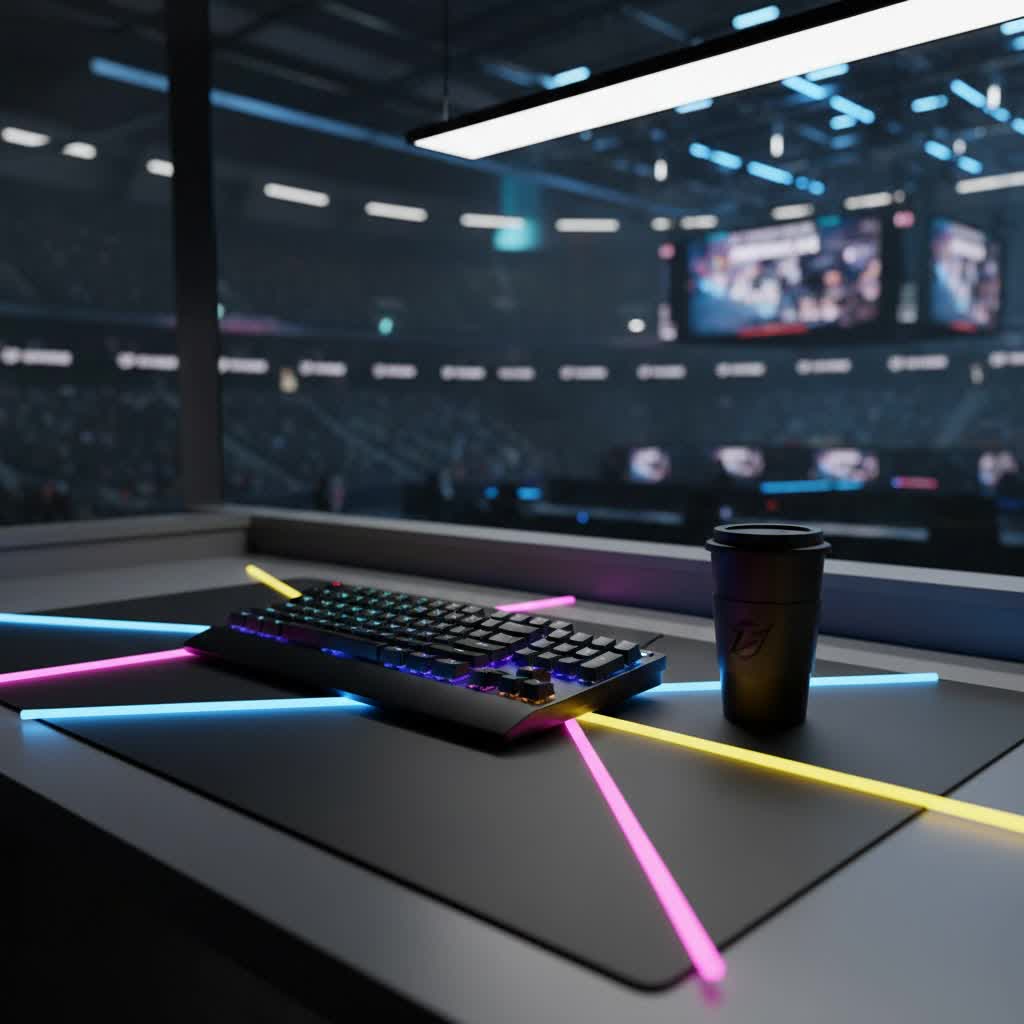
What is a Mechanical Keyboard? The Keychron Difference
At its core, a mechanical keyboard uses individual mechanical switches under each keycap, unlike the rubber domes found in traditional membrane keyboards. These switches provide distinct tactile feedback, audible clicks, or smooth linear travel, offering a superior typing experience and increased durability. Keychron has played a pivotal role in democratizing this experience, making high-quality mechanical keyboards accessible and enjoyable for a broad audience. They specifically design keyboards with cross-platform compatibility, catering seamlessly to both macOS and Windows users, often providing dedicated keycaps for each operating system.
A mechanical keyboard’s primary components include:
- Switches: The mechanism beneath each key responsible for its feel and sound.
- Keycaps: The plastic caps you press, which can vary in material, profile, and aesthetic.
- Plate: A component within the keyboard that holds the switches in place.
- Case: The outer shell that houses all internal components. Keychron’s cases range from robust CNC-machined aluminum in their premium lines to sturdy plastic in their more budget-friendly options, each contributing to the keyboard’s overall feel and acoustics.
Keychron’s Diverse Switch Ecosystem
Choosing the right switch is arguably the most critical decision when selecting a mechanical keyboard, as it dictates the typing feel and sound. Keychron offers a wide array of switches, primarily from Gateron and their own Keychron-branded switches, categorized into three main types: Linear, Tactile, and Clicky. Many Keychron models also feature hot-swappable PCBs, allowing you to easily change switches without soldering, making them perfect for experimentation and customization.
Linear Switches
- Characteristics: Linear switches provide a smooth, consistent keystroke from top to bottom without any tactile bump or audible click. They are generally quieter than other switch types.
- Popular Keychron Options: Keychron often features Gateron Red, Gateron Yellow, and their own Keychron Red switches. Gateron Reds are a popular choice for their light actuation force and smooth travel, making them excellent for fast-paced gaming and rapid typing. Gateron Yellows offer a similar linear experience with a slightly heavier feel, preferred by some for more controlled presses.
- Best For: Gamers who require quick, uninterrupted keystrokes and individuals who prefer a quiet typing environment.
|
Our Picks for the Best Mechanical Keyboard in 2026
As an Amazon Associate I earn from qualifying purchases.
|
||
| Num | Product | Action |
|---|---|---|
| 1 | AULA F75 Pro Wireless Mechanical Keyboard,75% Hot Swappable Custom Keyboard with Knob,RGB Backlit,Pre-lubed Reaper Switches,Side Printed PBT Keycaps,2.4GHz/USB-C/BT5.0 Mechanical Gaming Keyboards |

|
| 2 | Redragon Mechanical Gaming Keyboard Wired, 11 Programmable Backlit Modes, Hot-Swappable Red Switch, Anti-Ghosting, Double-Shot PBT Keycaps, Light Up Keyboard for PC Mac |
|
| 3 | AULA F99 Wireless Mechanical Keyboard,Tri-Mode BT5.0/2.4GHz/USB-C Hot Swappable Custom Keyboard,Pre-lubed Linear Switches,RGB Backlit Computer Gaming Keyboards for PC/Tablet/PS/Xbox |
|
| 4 | SteelSeries USB Apex 5 Hybrid Mechanical Gaming Keyboard – Per-Key RGB Illumination – Aircraft Grade Aluminum Alloy Frame – OLED Smart Display (Hybrid Blue Switch) |
|
| 5 | SOLAKAKA A99 Pro Mechanical Keyboard with LCD Screen & Metal Knob, Wireless Gaming Keyboard with BT5.0/2.4GHz/USB-C, Hot Swappable Creamy Keyboard, Gasket Structure, RGB Backlit, for Win/Mac |
|
| 6 | Wood Pattern Mechanical Keyboard Wireless & Bluetooth Brown Keyboard – RGB Backlit Hot-Swappable PBT Keycaps Aesthetic Keyboard for Mac, Windows, iOS & Android – Ergonomic Gaming & Office Keyboard |
|
| 7 | AULA F2088 Typewriter Style Mechanical Gaming Keyboard Wired,Blue Switches,Rainbow LED Backlit,Removable Wrist Rest,Media Control Knob,Retro Punk Round Keycaps,USB Wired Computer Keyboard |
|
| 8 | MageGee Portable 60% Mechanical Gaming Keyboard, MK-Box LED Backlit Compact 68 Keys Mini Wired Office Keyboard with Red Switch for Windows Laptop PC Mac - Black/Grey |
|
| 9 | GravaStar Mercury V75 HE Keyboard, 75% Hall‑Effect Magnetic Switch Gaming Keyboard, 8000 Hz Polling, 0.005RT, Wired USB-C, RGB Backlit, Adjustable Actuation, Semi‑Aluminum Chassis-Stealth Black |
|
| 10 | Logitech MX Mechanical Wireless Illuminated Performance Keyboard, Tactile Quiet Switches, Backlit Keys, Bluetooth, USB-C, macOS, Windows, Linux, iOS, Android, Metal, Graphite |
|
Tactile Switches
- Characteristics: Tactile switches feature a noticeable “bump” in the key travel that indicates when a keypress has registered, but without the loud click of clicky switches. This feedback enhances typing accuracy and confidence.
- Popular Keychron Options: Gateron Brown and Keychron Brown switches are common, providing a balanced tactile experience. Keychron also offers unique tactile options like their Banana and Mint switches in some models, which provide a more pronounced tactile bump.
- Best For: Typists who appreciate feedback without the noise, and users who split their time between gaming and productivity. Brown switches are widely considered a versatile “middle ground” option.
Clicky Switches
- Characteristics: Clicky switches deliver both a tactile bump and a distinct, audible “click” sound with each actuation. This auditory feedback is highly satisfying for many typists.
- Popular Keychron Options: Gateron Blue and Keychron Blue switches are the primary clicky options. They offer a definitive typing experience, making each keypress felt and heard.
- Best For: Typists who enjoy strong auditory and tactile feedback, especially those in environments where noise is not a concern.
Switch Comparison Summary:
The choice between linear, tactile, and clicky switches is highly personal. Keychron’s commitment to offering hot-swappable boards means you’re not locked into one choice, providing a fantastic avenue for exploration.
Exploring Keychron Keycaps
Keycaps are not just about aesthetics; they significantly impact the feel, sound, and durability of your keyboard. Keychron pays close attention to keycap quality, offering various materials and profiles.
Keycap Materials
- PBT (Polybutylene Terephthalate): Keychron widely uses double-shot PBT keycaps, especially on their Pro and Max series keyboards. PBT is known for its durability, resistance to shine over time, and a slightly textured feel. Double-shot PBT means the legends (letters/symbols) are molded from a separate piece of plastic and fused with the keycap, ensuring they never fade or wear off.
- ABS (Acrylonitrile Butadiene Styrene): Found on some entry-level or older Keychron models. ABS can develop shine over extended use and may feel smoother, but Keychron often uses double-shot ABS for improved legend durability.
Keycap Profiles
Keycap profile refers to the shape and height of the keycaps, influencing typing ergonomics and feel.
- OEM Profile: A common, sculpted profile with varying heights across rows.
- Cherry Profile: Similar to OEM but slightly lower in height, often preferred by enthusiasts for its comfortable typing angle. Keychron offers Cherry profile double-shot PBT keycaps.
- OSA Profile: A spherical, sculpted profile that is taller than OEM, providing a unique, retro feel. Keychron’s OSA profile double-shot PBT keycaps offer a distinctive tactile experience.
- KSA Profile: Another tall, sculpted, spherical profile, often compared to SA profile, giving a classic typewriter feel. Keychron also offers KSA double-shot PBT keycaps.
While some users have historically had mixed opinions on Keychron’s stock keycap quality, the brand has continually improved, with double-shot PBT options now being standard on many of their popular models, offering excellent durability and crisp legends.
Keychron Mechanical Keyboard Series: A Detailed Comparison
Keychron offers several distinct series, each designed to cater to different user needs, budgets, and preferences. Understanding these series is key to making an informed decision.
- Q Series (Premium & Enthusiast-Grade): The pinnacle of Keychron’s offerings, featuring CNC-machined aluminum cases, double-gasket designs for a softer typing experience, and full QMK/VIA support for extensive customization. These boards are hot-swappable and deliver a premium build quality and sound profile. Examples include the Q1 Max (75%), Q3 Max (TKL), and Q5 Max (96%). The “Max” designation indicates wireless capabilities (2.4GHz and Bluetooth).
- V Series (Value & Highly Customizable): Often considered the “budget Q series,” the V series offers many enthusiast features at a more accessible price point. They typically feature sturdy plastic cases, gasket-mounted designs, hot-swappable switches, and QMK/VIA compatibility. Models like the V1 Max and V5 Max provide excellent value for those seeking customization without the premium aluminum build.
- K Series (Wireless & Versatile): This series is known for its strong focus on wireless connectivity (Bluetooth and often 2.4GHz), multi-device pairing, and a wide range of layouts, including low-profile options (e.g., K3 Max, K5 Max). The K Series balances features with affordability and portability, making them ideal for users who need a reliable wireless mechanical keyboard for both work and travel.
- C Series (Wired & Entry-Level): The most basic entry point into Keychron’s mechanical keyboard lineup. These are wired-only models, often with plastic cases, offering a straightforward and affordable mechanical keyboard experience. Some C series boards offer hot-swappability and even QMK/VIA support, providing a solid foundation for those new to the hobby.
- HE Series (Magnetic Switches & Gaming-Focused): Newer to the lineup, the HE series features magnetic switches (e.g., Lemokey P3 HE, K10 HE). These switches allow for advanced features like rapid trigger and adjustable actuation points, making them particularly appealing to competitive gamers seeking an edge.
Your Ultimate Keychron Buying Guide
Choosing the right Keychron keyboard involves considering several factors to ensure it aligns perfectly with your lifestyle and typing habits.
-
Identify Your Primary Use Case:
- Gaming: Look for models with low latency (2.4GHz wireless or wired), magnetic switches (HE series) for rapid trigger, or linear switches for speed.
- Office/Productivity: Consider tactile switches for typing accuracy. Layouts like 75%, TKL, or full-size (with a numpad) are popular. Wireless connectivity (K Series, Max versions of Q/V Series) can declutter your desk.
- Programming: QMK/VIA compatibility (Q and V Series) is highly beneficial for remapping keys and creating macros. A compact layout might be preferred for desk space.
- Portability/Travel: The K Series, especially low-profile models, is designed for slimness and multi-device wireless connectivity.
-
Set Your Budget:
- Entry-Level (Under $100-120): C Series, some K Series, and V Series models offer excellent mechanical keyboard experiences without breaking the bank.
- Mid-Range ($120-180): Pro versions of K and V Series, offering enhanced features like better keycaps, more sound dampening, and often 2.4GHz wireless.
- Premium (Over $180): Q Series and HE Series provide top-tier build quality (aluminum cases), advanced customization, and enthusiast-grade features.
-
Choose Your Preferred Layout:
- Full-Size (100%): Includes a numpad, ideal for data entry (e.g., Q6 Max, K10 Pro).
- Tenkeyless (TKL / 80%): Omits the numpad but retains function keys and arrow cluster, balancing compactness with functionality (e.g., Q3 Max, K8 Pro).
- 75%: A more compact TKL, usually by compressing the navigation cluster, popular for saving desk space (e.g., Q1 Max, K2 Pro).
- 60%/65%: Very compact, sacrificing some function or navigation keys, appealing to minimalists or those with limited desk space (e.g., K12, K6).
- Low-Profile: Slimmer design for a laptop-like typing experience (e.g., K3 Max, K5 Max).
-
Consider Connectivity:
- Wired: Most reliable for gaming, zero latency (C Series, wired Q/V Series).
- Bluetooth: Convenient for multi-device pairing (K Series, Pro/Max versions).
- 2.4GHz Wireless: Offers lower latency than Bluetooth, often with a USB dongle, making it suitable for wireless gaming (Max versions of Q/V/K Series).
-
Customization Potential:
- Hot-Swappable Switches: Allows you to change switches easily without soldering. Most Keychron mechanical keyboards offer this.
- QMK/VIA Support: Provides advanced software-level customization for key remapping, macros, and lighting effects (Q and V Series, Pro/Max versions).
Caring for Your Keychron Mechanical Keyboard
Proper maintenance extends the lifespan and maintains the performance of your Keychron keyboard.
- Regular Cleaning: Use compressed air to remove dust and debris from between keycaps. A soft brush or microfiber cloth can clean the surface.
- Keycap Cleaning: Periodically remove keycaps (using a keycap puller) and wash them in lukewarm soapy water. Ensure they are completely dry before reattaching.
- Switch Care: If you have hot-swappable switches, you can remove them (using a switch puller) for deeper cleaning or to lubricate them, which can improve smoothness and acoustics.
- Case Maintenance: For aluminum cases, wipe with a damp cloth. For plastic cases, a mild cleaning solution can be used.
Conclusion
Keychron has undeniably carved out a significant niche in the mechanical keyboard market, offering an impressive range of products that cater to diverse needs and budgets. From the premium, fully customizable Q Series to the portable and versatile K Series, there’s a Keychron keyboard designed to enhance your typing and computing experience. Their commitment to multi-OS compatibility, hot-swappable switches, and quality build materials ensures that whether you’re a seasoned enthusiast or new to mechanical keyboards, you’ll find a Keychron that feels just right. By considering your primary use, budget, preferred layout, and desired level of customization, you can confidently choose a Keychron mechanical keyboard that will bring unparalleled joy and efficiency to your daily tasks.
Ready to find your perfect match and elevate your typing game?
Frequently Asked Questions
What makes Keychron mechanical keyboards good for Mac users?
Keychron keyboards are specifically designed with macOS compatibility in mind, often featuring dedicated Mac layout keycaps and function keys, as well as easy toggling between Mac and Windows modes. This ensures a seamless experience for Apple users, which is a significant advantage over many other mechanical keyboard brands.
Are Keychron keyboards good for gaming?
Yes, many Keychron keyboards are excellent for gaming. Models with 2.4GHz wireless connectivity offer low latency comparable to wired connections, while the newer HE series with magnetic switches provides advanced gaming features like rapid trigger and adjustable actuation points. Linear switches (like Gateron Reds) are also popular among gamers for their smooth, fast keystrokes.
Can I customize the switches on my Keychron keyboard?
Most Keychron mechanical keyboards, especially the Q, V, and Pro/Max versions of the K Series, feature hot-swappable PCBs. This means you can easily swap out the stock switches with almost any 3-pin or 5-pin MX-style switch without needing to solder, allowing for extensive customization of your typing feel and sound.
What’s the difference between Keychron’s Q Series and V Series?
The primary difference lies in the case material and premium features. The Q Series boasts a high-end CNC-machined aluminum case, offering superior weight and acoustics, along with a more refined double-gasket mounting system. The V Series, while still offering hot-swappability, QMK/VIA support, and a gasket mount design, uses a plastic case, making it a more budget-friendly option while still providing an excellent enthusiast-grade experience.
Do Keychron keyboards work wirelessly?
Many Keychron models support wireless connectivity. The K Series is particularly known for its strong wireless features, offering Bluetooth for multi-device pairing. Newer “Max” versions across the Q, V, and K Series often include both Bluetooth and 2.4GHz wireless (via a USB dongle), providing flexible and low-latency wireless options.
How do I clean my Keychron keyboard’s keycaps?
To clean your Keychron keycaps, carefully remove them using a keycap puller (often included with Keychron keyboards). You can then soak them in lukewarm water with a mild soap for a few minutes, gently scrub them with a soft brush, rinse thoroughly, and let them air dry completely before reattaching them to your keyboard.
