The satisfying “click-clack” of a mechanical keyboard combined with the freedom of a wireless connection is a dream for many, from avid gamers to dedicated typists. But with countless options flooding the market, choosing the right wireless mechanical keyboard can feel overwhelming. This comprehensive guide will demystify the world of mechanical keyboards, exploring everything from their fundamental components to the nuances of wireless technology, helping you select the perfect board for your needs and preferences.
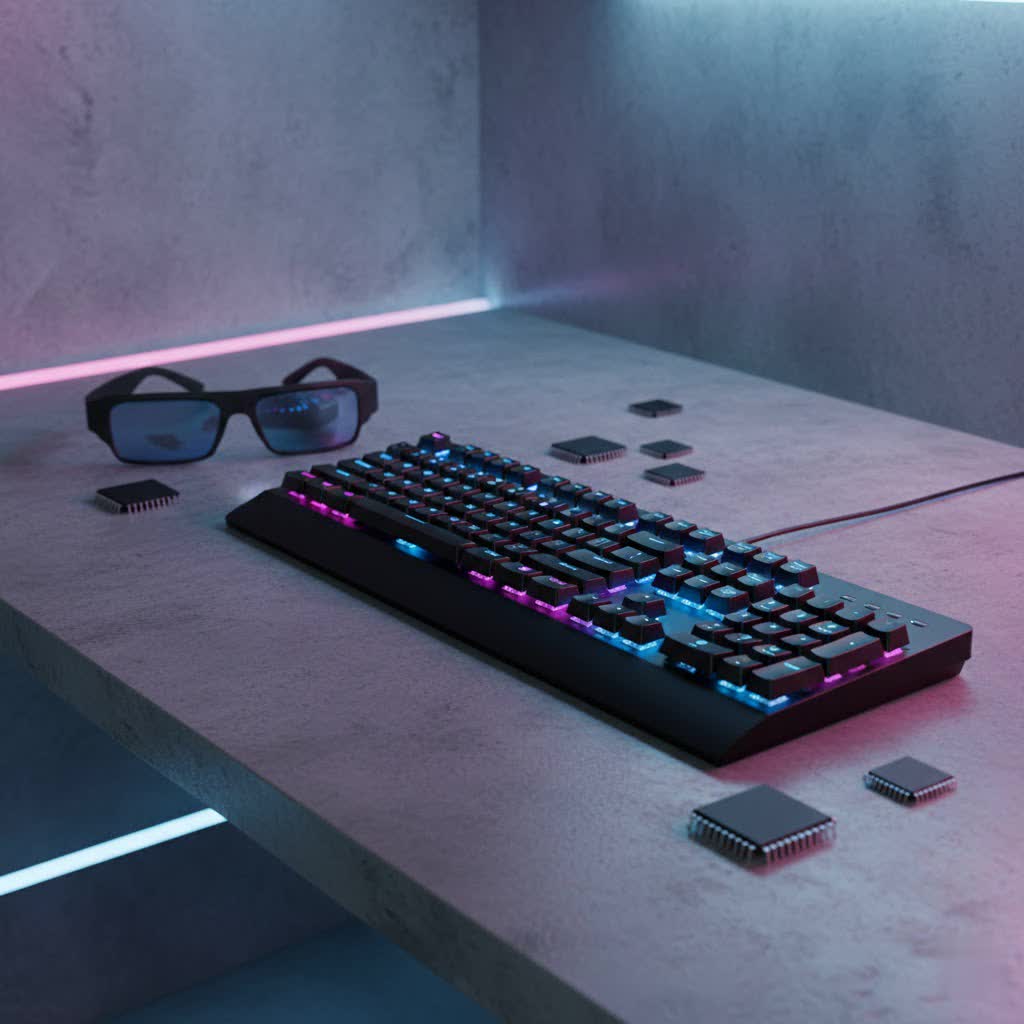
What is a Mechanical Keyboard?
A mechanical keyboard is a sophisticated input device characterized by individual spring-activated switches beneath each keycap, offering a distinct and often superior typing experience compared to traditional membrane or dome-switch keyboards. Unlike membrane keyboards, where a rubber dome presses against a circuit, mechanical switches provide consistent tactile or audible feedback and typically boast greater durability and responsiveness.
The concept of mechanical keyboards dates back decades, with iconic models like the IBM Model M from the 1980s setting the standard for robust, tactile typing. While early mechanical keyboards were primarily used in professional settings, their superior feel and customization potential have led to a resurgence in popularity across gaming, programming, and everyday productivity.
Key components that make up a mechanical keyboard include:
- Switches: The core mechanism under each key, determining its feel (linear, tactile, clicky) and sound.
- Keycaps: The plastic covers you press, often dictating aesthetics, feel, and durability.
- Plate: A metal or plastic layer beneath the switches, providing structural rigidity and influencing typing feel.
- Case: The outer housing of the keyboard, protecting components and contributing to the overall build quality and acoustics.
Understanding Wireless Connectivity in Mechanical Keyboards
Wireless technology has revolutionized the mechanical keyboard landscape, offering a clutter-free desk and enhanced portability. However, not all wireless connections are created equal, and understanding the differences is key to choosing the right board.
Bluetooth Connectivity
Bluetooth is a widely adopted wireless standard ideal for connecting to multiple devices like laptops, tablets, and smartphones without needing a dedicated dongle.
- Pros: Multi-device pairing, broad compatibility, excellent for portable setups, and generally lower power consumption for extended battery life.
- Cons: Can experience higher latency (delay) compared to 2.4 GHz connections, which might be noticeable in fast-paced gaming. It can also be susceptible to interference in crowded wireless environments.
2.4 GHz Wireless (USB Dongle)
This connection type uses a small USB receiver (dongle) that plugs into your computer, establishing a direct, low-latency link.
- Pros: Offers near-wired performance with minimal latency, making it the preferred choice for competitive gaming. Highly reliable and less prone to interference than Bluetooth for consistent performance.
- Cons: Requires a dedicated USB port for the dongle, which can be less convenient for some portable setups. The dongle itself can be small and easily misplaced.
Wired (USB-C)
Most high-quality wireless mechanical keyboards also offer a wired USB-C connection.
- Pros: Provides the absolute lowest latency and ensures power delivery, eliminating battery concerns during critical tasks or gaming sessions. It’s also used for charging the keyboard.
- Cons: Reintroduces cable clutter and reduces portability.
Many premium wireless mechanical keyboards offer “tri-mode” connectivity, combining 2.4 GHz, Bluetooth, and wired USB-C options, giving users maximum flexibility.
Key Features to Consider for Wireless Mechanical Keyboards
When evaluating wireless mechanical keyboards, several features can significantly impact your experience.
- Battery Life: For a wireless device, battery endurance is paramount. Look for specifications measured in hours or days, often with separate figures for RGB lighting on and off. Keyboards like the Razer Pro Type Ultra can offer hundreds of hours with backlighting off.
- Latency: Especially critical for gamers, low latency ensures your inputs register instantly. 2.4 GHz connections are generally superior to Bluetooth for this, with some gaming keyboards achieving polling rates up to 8,000Hz.
- Layouts: Mechanical keyboards come in various sizes, impacting desk space and functionality.
- Full-size (104/108 keys): Includes a numpad, ideal for data entry.
- Tenkeyless (TKL – 87/88 keys): Omits the numpad, saving space while retaining function keys.
- 75% (81-84 keys): Compact, retaining function row and arrow keys but condensing navigational keys.
- 65% (68 keys): Very compact, removes function row and most navigational keys, often relying on layers.
- 60% (61 keys): Ultra-compact, function keys and navigation keys are accessed via a function layer.
- Hot-Swappability: This feature allows you to change key switches without soldering, enabling easy customization of typing feel and sound. It’s excellent for enthusiasts and those who want to experiment.
- RGB Lighting: Per-key or zonal RGB backlighting can dramatically enhance aesthetics, but it’s a significant drain on battery life. Many productivity keyboards offer simpler white backlighting for energy efficiency.
- Software Customization: Companion software enables remapping keys, creating macros, adjusting lighting effects, and setting profiles. VIA compatibility is often sought after for advanced customization.
- Build Quality & Materials: Premium keyboards often feature aluminum cases for durability and a solid feel, while budget options might use plastic. Gasket-mount designs are popular for providing a softer, more cushioned typing experience.
Popular Wireless Mechanical Keyboard Switch Types
The type of switch under each key is arguably the most defining characteristic of a mechanical keyboard, directly influencing typing feel, sound, and actuation.
Linear Switches
Linear switches offer a smooth, consistent keystroke from top to bottom with no tactile bump or audible click.
- Characteristics: Light, quiet, and swift actuation.
- Popular Types: Cherry MX Red, Razer Yellow, Gateron Red, Speed Silver.
- Pros: Excellent for fast-paced gaming where rapid, repeated key presses are common. They are also favored by some for smooth, uninterrupted typing. Razer Yellow switches are noted for being among the fastest and quietest linear options.
- Cons: Lack of tactile feedback means you might “bottom out” the keys more often, potentially leading to finger fatigue for some users.
- Best For: Gamers, particularly those playing FPS titles, and individuals who prefer a fluid, quiet typing experience.
|
Our Picks for the Best Mechanical Keyboard in 2026
As an Amazon Associate I earn from qualifying purchases.
|
||
| Num | Product | Action |
|---|---|---|
| 1 | GravaStar Mercury V75 HE Keyboard, 75% Hall‑Effect Magnetic Switch Gaming Keyboard, 8000 Hz Polling, 0.005RT, Wired USB-C, RGB Backlit, Adjustable Actuation, Semi‑Aluminum Chassis-Stealth Black |

|
| 2 | Wood Pattern Mechanical Keyboard Wireless & Bluetooth Brown Keyboard – RGB Backlit Hot-Swappable PBT Keycaps Aesthetic Keyboard for Mac, Windows, iOS & Android – Ergonomic Gaming & Office Keyboard |
|
| 3 | AULA F75 Pro Wireless Mechanical Keyboard,75% Hot Swappable Custom Keyboard with Knob,RGB Backlit,Pre-lubed Reaper Switches,Side Printed PBT Keycaps,2.4GHz/USB-C/BT5.0 Mechanical Gaming Keyboards |
|
| 4 | MageGee Portable 60% Mechanical Gaming Keyboard, MK-Box LED Backlit Compact 68 Keys Mini Wired Office Keyboard with Red Switch for Windows Laptop PC Mac - Black/Grey |
|
| 5 | SteelSeries USB Apex 5 Hybrid Mechanical Gaming Keyboard – Per-Key RGB Illumination – Aircraft Grade Aluminum Alloy Frame – OLED Smart Display (Hybrid Blue Switch) |
|
| 6 | Logitech MX Mechanical Wireless Illuminated Performance Keyboard, Tactile Quiet Switches, Backlit Keys, Bluetooth, USB-C, macOS, Windows, Linux, iOS, Android, Metal, Graphite |
|
| 7 | AULA F2088 Typewriter Style Mechanical Gaming Keyboard Wired,Blue Switches,Rainbow LED Backlit,Removable Wrist Rest,Media Control Knob,Retro Punk Round Keycaps,USB Wired Computer Keyboard |
|
| 8 | Redragon Mechanical Gaming Keyboard Wired, 11 Programmable Backlit Modes, Hot-Swappable Red Switch, Anti-Ghosting, Double-Shot PBT Keycaps, Light Up Keyboard for PC Mac |
|
| 9 | AULA F99 Wireless Mechanical Keyboard,Tri-Mode BT5.0/2.4GHz/USB-C Hot Swappable Custom Keyboard,Pre-lubed Linear Switches,RGB Backlit Computer Gaming Keyboards for PC/Tablet/PS/Xbox |
|
| 10 | SOLAKAKA A99 Pro Mechanical Keyboard with LCD Screen & Metal Knob, Wireless Gaming Keyboard with BT5.0/2.4GHz/USB-C, Hot Swappable Creamy Keyboard, Gasket Structure, RGB Backlit, for Win/Mac |
|
Tactile Switches
Tactile switches provide a noticeable bump partway through the keystroke, indicating that the key has registered, but without an audible click.
- Characteristics: A subtle “bump” that provides feedback, making it easier to know when a key press has actuated without needing to bottom out.
- Popular Types: Cherry MX Brown, Gateron Brown, Razer Orange Tactile, Zealios V2.
- Pros: A popular middle-ground, offering a good balance for both typing and gaming. The tactile bump helps improve typing accuracy and speed for many users.
- Cons: The bump can feel less pronounced than a clicky switch, and some users might find it too subtle.
- Best For: General use, office environments, programming, and typists who appreciate feedback without the noise of clicky switches.
Clicky Switches
Clicky switches provide both a tactile bump and a distinct, audible “click” sound upon actuation.
- Characteristics: A pronounced tactile bump coupled with a sharp, satisfying click.
- Popular Types: Cherry MX Blue, Gateron Blue, Kailh Box White.
- Pros: The audible click provides clear feedback, which can be very satisfying for typists who enjoy the sound and feel of each keystroke.
- Cons: They are the loudest switch type, which can be disruptive in shared or open-plan environments. Not ideal for gaming where quiet, rapid presses are needed.
- Best For: Typists who prioritize strong audio feedback and enjoy the classic mechanical keyboard “click.”
“The right switch isn’t about universal ‘best,’ but rather personal preference. Linear for speed, tactile for feedback without the fuss, and clicky for that undeniable auditory satisfaction.” – Keyboard Enthusiast, Mechanical Keyboard Reviewer
Keycap Materials and Profiles
Keycaps are the interface between your fingers and the switches, and their material and profile significantly impact typing comfort, durability, and aesthetics.
Keycap Materials
- ABS (Acrylonitrile Butadiene Styrene):
- Pros: Common, affordable, smooth texture, allows for vibrant colors and transparent legends for backlighting.
- Cons: Prone to developing an oily shine over time, especially with heavy use.
- PBT (Polybutylene Terephthalate):
- Pros: More durable and resistant to shine compared to ABS. Has a slightly textured, matte finish that many users prefer. Excellent for preserving legends.
- Cons: Can be more expensive and sometimes limited in color options.
- POM (Polyoxymethylene):
- Pros: A less common but highly durable material, often described as having a silky, almost waxy feel. Excellent resistance to wear.
- Cons: Niche material, fewer options available.
Keycap Profiles
The profile refers to the shape and height of the keycaps.
- OEM Profile: The most common profile, typically found on stock keyboards. Features sculpted rows, meaning each row has a different angle and height.
- Cherry Profile: Similar to OEM but slightly lower in height and with a subtly different sculpting angle, often preferred by enthusiasts for its comfortable feel.
- DSA Profile: Uniform profile, meaning all keycaps have the same height and shape. This allows for easy keycap rearrangement.
- SA Profile: A high-profile, sculpted, spherical profile reminiscent of vintage terminals. Offers a distinct, retro look and feel.
Choosing the Right Keycap: Consider your preferred typing feel (smooth vs. textured), durability expectations, and aesthetic desires. PBT is often recommended for longevity and a premium feel.
Top Picks: Best Wireless Mechanical Keyboards for 2026
The market for wireless mechanical keyboards is rich with innovation, offering choices for every user profile. Here are some standout models that consistently receive high marks:
- Razer Pro Type Ultra: Often hailed as an excellent overall choice for productivity, this keyboard offers a quiet linear typing experience with comfortable sculpted keys, a wrist rest, and impressive wireless battery life (up to 214 hours without backlighting). It supports both Bluetooth and 2.4GHz wireless.
- NuPhy Air75 V2: A popular low-profile option known for its sleek design, solid build quality, and impressive connectivity. Its slim, tile-like keycaps provide a comfortable typing experience, making it highly portable.
- Keychron Q Max / V5 Max Series: Keychron is renowned for its customizable and feature-rich mechanical keyboards. The Q Max series offers high-end performance with 2.4GHz wireless in various layouts, while the V5 Max provides an excellent feature set, typing feel, and an attractive price.
- Alienware Pro Wireless Gaming Keyboard: A top choice for serious gamers, featuring sublime typing feel, hot-swappable switches, best-in-class RGB lighting, and excellent battery life. Its 2.4GHz connection supports accelerated polling rates for a competitive edge.
- Satechi SM1 Slim / SM3 Slim: Ideal for office use and Mac users, these keyboards boast stylish designs, excellent typing feel, and multi-device Bluetooth and 2.4GHz connectivity options. They offer long battery life and are often seen as premium alternatives to Apple’s Magic Keyboard.
- Royal Kludge RK61: A fantastic entry-level, budget-friendly 60% mechanical keyboard, especially for gamers. It offers good features, Bluetooth connectivity, and decent build quality at an accessible price point.
Comparison Table: Popular Wireless Mechanical Keyboards
| Model | Connectivity | Switch Type (Default) | Layout | Battery Life (Approx.) | Best For |
|---|---|---|---|---|---|
| Razer Pro Type Ultra | 2.4GHz, Bluetooth | Razer Yellow (Linear) | Full-size | 214 hours (no backlight) | Productivity, General Use |
| Alienware Pro Wireless | 2.4GHz, Bluetooth | Alienware Linear | 75% | Excellent | Gaming, Customizable |
| NuPhy Air75 V2 | 2.4GHz, Bluetooth | Low-profile | 75% | Impressive | Portability, Office, Aesthetics |
| Keychron V5 Max | 2.4GHz, Bluetooth | Gateron G Pro | 96% | 225 hours (no backlight) | Value, Customization |
| Satechi SM3 Slim | 2.4GHz, Bluetooth | Low Profile Brown | Full-size | Long | Office, Mac Users |
| Royal Kludge RK61 | Bluetooth | RK Branded (various) | 60% | 8 weeks | Budget, Compact Gaming |
How to Choose the Perfect Wireless Mechanical Keyboard
Navigating the multitude of options can be daunting, but by focusing on a few key factors, you can narrow down your choice.
-
Identify Your Usage Needs:
- Gaming: Prioritize low latency (2.4 GHz wireless), responsive linear switches, and a durable build. Features like macro keys and RGB lighting can also be beneficial.
- Office/Productivity: Focus on comfort for long typing sessions. Tactile switches are often preferred. Good battery life, multi-device connectivity (Bluetooth), and a comfortable layout (TKL or full-size) are important.
- Programming: Similar to productivity, tactile switches are often favored for their feedback. A comfortable layout and robust build quality are key.
- Portability: Look for compact layouts (60%, 65%, 75%), lightweight designs, and reliable Bluetooth connectivity.
-
Set a Budget: Wireless mechanical keyboards range widely in price. Entry-level options like the Royal Kludge RK61 offer great value, while premium models such as the Alienware Pro or high-end Keychron Q Max series demand a higher investment. Determine how much you’re willing to spend to balance features with cost.
-
Consider Layout Preference: Do you need a numpad for work? Is desk space a premium? Full-size offers maximum functionality, TKL balances size and features, while 60-75% layouts prioritize compactness.
-
Choose Your Switch Type: This is a personal preference. If you’re new, tactile (like Browns) are a safe starting point. Gamers often lean towards linear (Reds, Yellows), and those who love feedback might opt for clicky (Blues).
-
Prioritize Battery Life and Latency: For wireless use, a long battery life is crucial to avoid constant recharging. If gaming is a primary concern, ensure the keyboard offers a stable, low-latency 2.4 GHz connection.
-
Look for Desired Features: Do you want hot-swappable switches for future customization? Is vibrant RGB lighting a must-have, or do you prefer a minimalist aesthetic? Do you need a dedicated wrist rest for ergonomics?
“When investing in a wireless mechanical keyboard, think of it as an extension of your workflow. The right choice enhances comfort, efficiency, and enjoyment, making it a truly valuable tool.” – Admin, reviewjaaa.com
Cleaning and Maintenance for Your Wireless Mechanical Keyboard
Proper care ensures your investment lasts for years and performs optimally.
- Basic Cleaning (Weekly):
- Turn off the keyboard and disconnect it.
- Use compressed air to dislodge dust, crumbs, and debris from between the keycaps.
- Wipe down keycaps with a microfiber cloth lightly dampened with water or a mild cleaning solution (avoid harsh chemicals).
- Use a small brush or cotton swab for intricate areas.
- Deep Cleaning (Monthly/Quarterly):
- Carefully remove all keycaps using a keycap puller. Take a photo beforehand to remember their placement.
- Clean the keycaps thoroughly with warm, soapy water. Rinse them well and allow them to air dry completely before reattaching.
- With keycaps removed, use compressed air and a brush to clean the exposed switches and plate.
- If your keyboard is hot-swappable, you can carefully remove switches for individual cleaning or lubrication, but this is for advanced users.
- Battery Care:
- Avoid completely draining the battery frequently.
- Do not overcharge; unplug once fully charged.
- Store in a cool, dry place when not in use for extended periods.
- General Tips:
- Keep food and drinks away from your keyboard to prevent spills and crumbs.
- Consider a dust cover if you’re not using it for a while.
- Transport it in a protective sleeve or case if you travel with it.
Conclusion
Choosing the best wireless mechanical keyboard involves a balance of personal preference, functional needs, and budget. By understanding the core components, the nuances of wireless connectivity, and the array of features available, you’re now equipped to make an informed decision. Whether you prioritize the lightning-fast response for gaming, the comfortable ergonomics for long workdays, or the aesthetic appeal of a custom build, a perfect wireless mechanical keyboard awaits. The blend of satisfying tactile feedback and untethered freedom truly elevates the computing experience.
What features do you value most in your ideal wireless mechanical keyboard, and how do they shape your daily use?
Frequently Asked Questions
Are wireless mechanical keyboards good for gaming?
Yes, many wireless mechanical keyboards are excellent for gaming, particularly those utilizing a 2.4 GHz wireless connection via a USB dongle. This technology provides extremely low latency, often comparable to wired connections, ensuring that your commands register almost instantaneously. Keyboards like the Alienware Pro Wireless Gaming Keyboard are specifically designed for competitive gaming, offering high polling rates and responsive switches.
How long do wireless mechanical keyboard batteries last?
Battery life varies significantly depending on the model, usage patterns, and whether RGB backlighting is active. Many high-quality wireless mechanical keyboards can last for weeks or even months on a single charge with backlighting off, such as the Razer Pro Type Ultra (up to 214 hours) or the NuPhy Air75 V2 (impressive battery life). With full RGB lighting, battery life typically shortens to days or even hours.
Can I use a wireless mechanical keyboard with multiple devices?
Absolutely. Most wireless mechanical keyboards, especially those with Bluetooth connectivity, support multi-device pairing. This allows you to seamlessly switch between your desktop, laptop, tablet, or smartphone with the flick of a switch or a key combination. Keyboards like the Razer Pro Type Ultra can control up to four devices.
What’s the difference between Bluetooth and 2.4 GHz wireless?
The primary difference lies in their application and performance. Bluetooth is designed for broad compatibility and multi-device connections, often found in productivity keyboards, but can have slightly higher latency and be prone to interference. 2.4 GHz wireless, using a dedicated USB dongle, offers significantly lower latency and a more stable connection, making it the preferred choice for gaming where responsiveness is critical. Many premium keyboards offer both for maximum versatility.
