Stepping into the world of mechanical keyboards can feel like navigating a complex maze of switches, layouts, and features. But what if there was a brand that consistently offered robust, feature-rich mechanical keyboards without breaking the bank? Enter Redragon. This guide is your comprehensive walkthrough, designed to unveil the ins and outs of Redragon mechanical keyboards, helping you find the perfect match for your gaming or typing needs.
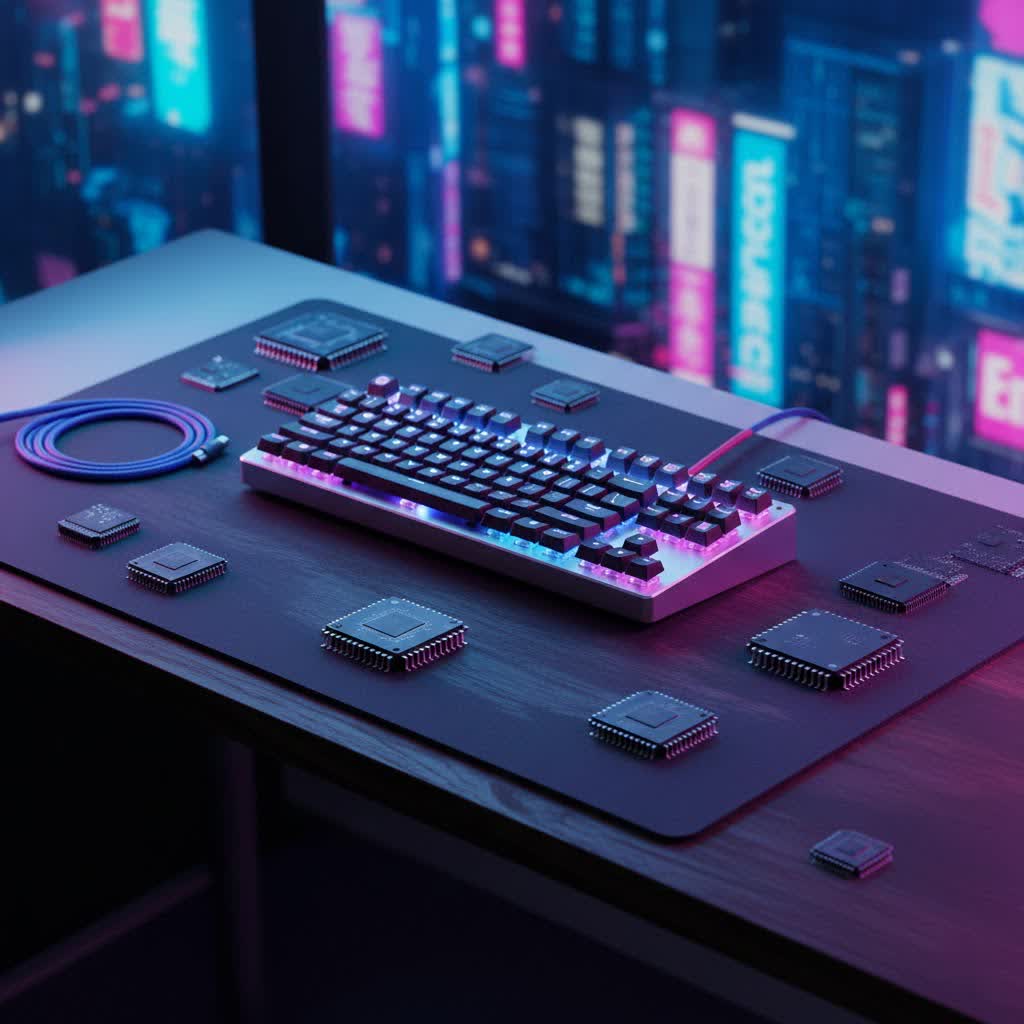
What is a Mechanical Keyboard?
At its core, a mechanical keyboard is defined by its individual mechanical switches located beneath each keycap, a stark contrast to the membrane or dome switches found in traditional keyboards. This design provides distinct tactile feedback, audible clicks, or smooth linear travel, depending on the switch type, leading to a more satisfying and often more precise typing or gaming experience. The history of mechanical keyboards dates back decades, with early models prized for their durability and consistent performance. Over time, as membrane keyboards became cheaper to produce, mechanical variants saw a decline, only to experience a resurgence as users rediscovered their superior feel and longevity.
Key components of a mechanical keyboard include:
- Switches: The heart of the keyboard, determining its feel and sound.
- Keycaps: The covers you press, influencing aesthetics and ergonomics.
- Plate: A metal or plastic layer that holds the switches in place, affecting typing feel and sound.
- Case: The outer shell that houses all components, impacting durability and acoustics.
Redragon and Mechanical Keyboards: Value Meets Performance
Redragon has carved out a significant niche in the mechanical keyboard market by consistently delivering performance-oriented features at remarkably accessible price points. The brand is celebrated for making mechanical keyboards available to a wider audience, including students, casual gamers, and first-time mechanical keyboard buyers, without compromising on essential functionalities. Their keyboards often feature durable builds, including sturdy metal frames on many models, and come packed with customization options like vibrant RGB lighting and programmable macros. This focus on value, coupled with a wide global availability through major retailers, makes Redragon a go-to choice for many.
Common Switch Types in Redragon Mechanical Keyboards
The type of switch is arguably the most critical factor in a mechanical keyboard, defining its tactile response, sound profile, and overall feel. Redragon primarily utilizes Outemu switches, and sometimes Gateron, offering a range that caters to different preferences.
Linear Switches (Red, Black)
Linear switches are characterized by a smooth, consistent keystroke from top to bottom, with no tactile bump or audible click. This makes them ideal for rapid, repetitive key presses.
- Outemu Red: Known for their light actuation force (around 45gf) and smooth travel, making them excellent for fast-paced gaming where quick reflexes are paramount. They are relatively quiet compared to clicky switches.
- Outemu Black: Similar to Reds but with a heavier actuation force (around 60gf). This added resistance can help prevent accidental key presses and offers a more controlled feel, often favored by competitive gamers for precision.
- Ideal for: Fast-paced gaming (FPS, action games) and users who prefer a quiet, fluid typing experience.
|
Our Picks for the Best Mechanical Keyboard in 2026
As an Amazon Associate I earn from qualifying purchases.
|
||
| Num | Product | Action |
|---|---|---|
| 1 | Redragon Mechanical Gaming Keyboard Wired, 11 Programmable Backlit Modes, Hot-Swappable Red Switch, Anti-Ghosting, Double-Shot PBT Keycaps, Light Up Keyboard for PC Mac |

|
| 2 | AULA F2088 Typewriter Style Mechanical Gaming Keyboard Wired,Blue Switches,Rainbow LED Backlit,Removable Wrist Rest,Media Control Knob,Retro Punk Round Keycaps,USB Wired Computer Keyboard |
|
| 3 | AULA F99 Wireless Mechanical Keyboard,Tri-Mode BT5.0/2.4GHz/USB-C Hot Swappable Custom Keyboard,Pre-lubed Linear Switches,RGB Backlit Computer Gaming Keyboards for PC/Tablet/PS/Xbox |
|
| 4 | MageGee Portable 60% Mechanical Gaming Keyboard, MK-Box LED Backlit Compact 68 Keys Mini Wired Office Keyboard with Red Switch for Windows Laptop PC Mac - Black/Grey |
|
| 5 | AULA F75 Pro Wireless Mechanical Keyboard,75% Hot Swappable Custom Keyboard with Knob,RGB Backlit,Pre-lubed Reaper Switches,Side Printed PBT Keycaps,2.4GHz/USB-C/BT5.0 Mechanical Gaming Keyboards |
|
| 6 | SteelSeries USB Apex 5 Hybrid Mechanical Gaming Keyboard – Per-Key RGB Illumination – Aircraft Grade Aluminum Alloy Frame – OLED Smart Display (Hybrid Blue Switch) |
|
| 7 | GravaStar Mercury V75 HE Keyboard, 75% Hall‑Effect Magnetic Switch Gaming Keyboard, 8000 Hz Polling, 0.005RT, Wired USB-C, RGB Backlit, Adjustable Actuation, Semi‑Aluminum Chassis-Stealth Black |
|
| 8 | Logitech MX Mechanical Wireless Illuminated Performance Keyboard, Tactile Quiet Switches, Backlit Keys, Bluetooth, USB-C, macOS, Windows, Linux, iOS, Android, Metal, Graphite |
|
| 9 | SOLAKAKA A99 Pro Mechanical Keyboard with LCD Screen & Metal Knob, Wireless Gaming Keyboard with BT5.0/2.4GHz/USB-C, Hot Swappable Creamy Keyboard, Gasket Structure, RGB Backlit, for Win/Mac |
|
| 10 | Wood Pattern Mechanical Keyboard Wireless & Bluetooth Brown Keyboard – RGB Backlit Hot-Swappable PBT Keycaps Aesthetic Keyboard for Mac, Windows, iOS & Android – Ergonomic Gaming & Office Keyboard |
|
Tactile Switches (Brown, Purple)
Tactile switches provide a noticeable “bump” in the middle of the keystroke, signaling that the key has registered without an accompanying click. This feedback is highly valued by typists and programmers.
- Outemu Brown: Often considered the “middle ground” switch, Browns offer a gentle tactile bump (around 50gf actuation) without the loud click of blue switches. They provide good feedback for typing while still being suitable for gaming. They are office-friendly due to their relatively quiet nature.
- Outemu Purple (Enhanced Tactile): A variation offering a more refined tactile feel and faster rebound than standard Browns. They provide gentle feedback with enhanced responsiveness.
- Ideal for: Touch typists, programmers, and gamers who appreciate tactile feedback for accuracy without excessive noise.
Clicky Switches (Blue, Green)
Clicky switches are the most distinct, providing both a tactile bump and a sharp, audible “click” sound when actuated. This provides clear, satisfying feedback with every press.
- Outemu Blue: These are the quintessential clicky switches, offering a tactile bump and a crisp, loud click (around 60gf actuation). They are highly favored by typists and coders who enjoy the auditory confirmation of each keystroke.
- Outemu Green: Heavier than blue switches, Greens offer a more substantial tactile bump and a louder click, requiring more force to actuate. They are for those who truly love a heavy, pronounced clicky experience.
- Ideal for: Typing enthusiasts, programmers, and anyone who enjoys strong auditory and tactile feedback. Not recommended for shared office spaces due to their noise level.
Here’s a quick comparison of the most common switch types:
| Switch Type | Feel | Sound | Actuation Force (approx.) | Best For |
|---|---|---|---|---|
| Linear | Smooth, no bump | Quiet | Light to Medium | Fast gaming, smooth typing |
| Tactile | Noticeable bump | Moderate | Medium | Balanced typing & gaming, office-friendly |
| Clicky | Tactile bump | Loud, distinct | Medium to Heavy | Typing, programming, audible feedback lovers |
Understanding Redragon Keycaps
While Redragon keyboards are primarily known for their value and switches, the keycaps also play a role in the overall user experience. Most Redragon mechanical keyboards come with ABS (Acrylonitrile Butadiene Styrene) keycaps. ABS keycaps are widely used due to their vibrant color reproduction and smooth texture. Some higher-end Redragon models may feature double-shot injected ABS keycaps, which means the legends are molded into the plastic rather than printed, preventing them from fading over time.
When considering keycap profiles, Redragon keyboards generally stick to common profiles like OEM (Original Equipment Manufacturer) or Cherry profile, which are ergonomically sculpted to facilitate comfortable typing.
- OEM Profile: Slightly taller and more angled than Cherry, offering a comfortable feel for most users.
- Cherry Profile: Shorter and often preferred by enthusiasts for a slightly more ergonomic and less abrupt feel.
Choosing the right keycap material and profile often comes down to personal preference for aesthetics, feel, and durability. PBT (Polybutylene Terephthalate) keycaps, while less common on entry-level Redragon models, offer superior durability and a textured, shine-resistant finish.
Popular Redragon Mechanical Keyboard Models: A Comparison
Redragon offers a diverse lineup of mechanical keyboards, each catering to different preferences in size, features, and budget. Here’s a look at some of their most popular models:
- Redragon K552 Kumara (Tenkeyless – TKL): A compact 87-key layout, ideal for gamers who need more desk space and quick access to essential keys without the numerical keypad. It’s often praised for its durable metal-ABS construction, vibrant RGB backlighting, and reliable anti-ghosting. Often comes with Outemu Blue or Red switches and is a solid starting point for those new to mechanical keyboards.
- Redragon K582 Surara (Full-size): Offers a full 104-key layout, making it suitable for users who require a dedicated number pad for productivity or specific gaming titles. The K582 is frequently cited as providing excellent value, often featuring Outemu Silent Red switches and comprehensive RGB lighting options. It generally offers a more stable build quality with a metal base plate.
- Redragon K617 Fizz (60%): An ultra-compact 60% layout with 61 keys, designed for maximum portability and minimalist setups, omitting the function row and numpad. It typically features smooth and quiet Red linear switches, hot-swappable sockets for easy switch customization, and a detachable USB-C cable. An excellent choice for FPS gamers and users seeking a sleek, space-saving design.
- Redragon K556 Devarajas (Full-size): A full-size mechanical keyboard known for its robust build quality, often featuring a heavy aluminum base and durable double-shot ABS keycaps. It offers extensive RGB lighting customization and often comes with Outemu Brown or Red switches, making it versatile for both typing and gaming.
Many Redragon models also offer features like:
- Hot-swappable switches: Allowing users to change switches without soldering, offering greater flexibility for customization and repair.
- Customizable RGB lighting: With multiple modes and color options that can often be controlled directly from the keyboard or via software.
- Macro programming: Enabling users to assign complex command sequences to single keys.
- N-key rollover and anti-ghosting: Ensuring every keypress is registered accurately, even during rapid, simultaneous inputs.
Here’s a comparison table for some popular Redragon models:
| Model | Layout | Key Switches (Common) | Key Features | Ideal User |
|---|---|---|---|---|
| K552 Kumara | TKL (87-key) | Outemu Blue/Red | Durable build, RGB, Anti-ghosting | Budget-conscious gamers, TKL fans |
| K582 Surara | Full-size | Outemu Silent Red | Full RGB, metal base, good value | Gamers/typists needing a numpad |
| K617 Fizz | 60% (61-key) | Outemu Red | Ultra-compact, hot-swappable, detachable USB-C | FPS gamers, minimalists, portable use |
| K556 Devarajas | Full-size | Outemu Brown/Red | Heavy aluminum build, extensive RGB, durable keycaps | Users seeking premium feel, versatile use |
How to Choose Your Perfect Redragon Mechanical Keyboard
Selecting the right Redragon mechanical keyboard involves balancing your personal needs with the available features and your budget. Consider these factors:
-
Identify Your Primary Usage:
- Gaming: For fast-paced games like FPS, linear (Red, Black) switches are often preferred for their speed. For strategy games or those requiring precise feedback, tactile (Brown) switches can be beneficial.
- Office/Typing: Tactile (Brown, Purple) switches offer excellent feedback without being overly loud. Clicky (Blue) switches are fantastic for typing feel but can be disruptive in quiet environments.
- Programming: Similar to typing, tactile or clicky switches provide satisfying feedback for long coding sessions.
-
Determine Your Budget: Redragon excels in the budget-friendly segment, offering excellent features for under $100. Decide how much you’re willing to spend to narrow down your options.
-
Consider Key Factors:
- Layout: Do you need a full-size keyboard with a number pad (K582, K556), a compact tenkeyless (K552), or an ultra-portable 60% (K617)?
- Switch Type: Based on your usage, choose between linear, tactile, or clicky switches.
- Keycap Material: While most Redragon keyboards come with ABS, check if any models offer double-shot injection for enhanced durability.
- Build Quality: Look for models with metal top plates or full aluminum frames for increased durability and a more premium feel.
- Connectivity: Do you prefer wired reliability, or do you need the flexibility of wireless (2.4G or Bluetooth) connectivity?
- Software Support: Some Redragon keyboards come with software for advanced customization of RGB and macros, though user feedback suggests the software can sometimes be basic.
-
Where to Buy: Purchase from authorized dealers such as Amazon, Best Buy, or the official Redragon store to ensure genuine products and benefit from return policies.
Maintaining Your Redragon Mechanical Keyboard
To ensure your Redragon mechanical keyboard lasts for years, regular cleaning and proper maintenance are key:
- Regular Dusting: Use compressed air to blow out dust and debris from between and under the keycaps. A soft brush can help dislodge stubborn particles.
- Keycap Cleaning: Carefully remove keycaps using a keycap puller (if provided) and clean them with a mild soap solution. Allow them to dry completely before reattaching.
- Surface Wipe: Wipe down the keyboard’s frame with a slightly damp cloth. Avoid liquid cleaners directly on the switches or PCB.
- Avoid Liquids: Never submerge your keyboard or spill liquids on it. If a spill occurs, disconnect it immediately and allow it to dry thoroughly.
- Handle with Care: While Redragon keyboards are built to be durable, avoid excessive force or dropping them.
Conclusion
Redragon mechanical keyboards stand out in a crowded market by offering an exceptional balance of performance, features, and affordability. Whether you’re a hardcore gamer seeking lightning-fast linear switches, a dedicated typist craving satisfying tactile feedback, or simply someone looking for a durable and customizable keyboard without the premium price tag, Redragon has a model to fit your needs. By understanding the different switch types, layouts, and features, you can confidently navigate their extensive lineup and choose a keyboard that enhances your daily computing experience.
Which Redragon mechanical keyboard will you choose to elevate your setup?
Frequently Asked Questions
Are Redragon mechanical keyboards hot-swappable?
Many newer Redragon mechanical keyboard models, such as the K617 Fizz and K582 Surara, feature hot-swappable switches, allowing you to easily replace switches without soldering. Always check the specific model’s specifications as this feature can vary.
What kind of switches does Redragon use?
Redragon primarily uses Outemu mechanical switches, which are available in various types including linear (Red, Black), tactile (Brown, Purple), and clicky (Blue, Green). Some models might also feature Gateron switches.
Are Redragon keyboards good for gaming?
Yes, Redragon keyboards are generally considered very good for gaming, especially for budget-conscious gamers. They offer responsive mechanical switches, anti-ghosting, N-key rollover, and customizable RGB lighting, all of which are crucial for an enhanced gaming experience.
Do Redragon mechanical keyboards work with Mac?
Most Redragon mechanical keyboards are designed primarily for Windows PCs, but many can function with macOS with basic plug-and-play functionality. However, dedicated software for macros and RGB customization might not be available or fully compatible on Mac.
What is the difference between Redragon K552 and K582?
The Redragon K552 Kumara is a TKL (Tenkeyless) keyboard with 87 keys, making it more compact and lacking a number pad. The Redragon K582 Surara is a full-size keyboard with 104 keys, including a dedicated number pad. Both are popular models, but the K582 often offers more switch options and better software support.
How durable are Redragon mechanical keyboards?
Redragon keyboards are known for their impressive durability for their price point. Many models feature robust construction, often incorporating metal top plates or full aluminum frames, which contribute to a solid build and long lifespan.
Can I customize the RGB lighting on Redragon keyboards?
Yes, most Redragon mechanical keyboards come with customizable RGB backlighting. They often offer multiple lighting modes, brightness levels, and color options that can be adjusted directly on the keyboard or through dedicated software for more advanced personalization.
