Are you ready to transform your gaming experience? A mechanical gaming keyboard is more than just a peripheral; it’s a precision instrument designed to give you a competitive edge. From lightning-fast response times to satisfying tactile feedback, these keyboards offer a level of performance and durability that standard membrane keyboards simply can’t match. If you’ve ever felt a slight delay in your actions or wished for a more robust and responsive keypress, diving into the world of mechanical gaming keyboards is your next crucial step. This comprehensive guide will arm you with all the knowledge you need to select the perfect weapon for your virtual battles, enhancing your speed, accuracy, and overall enjoyment.
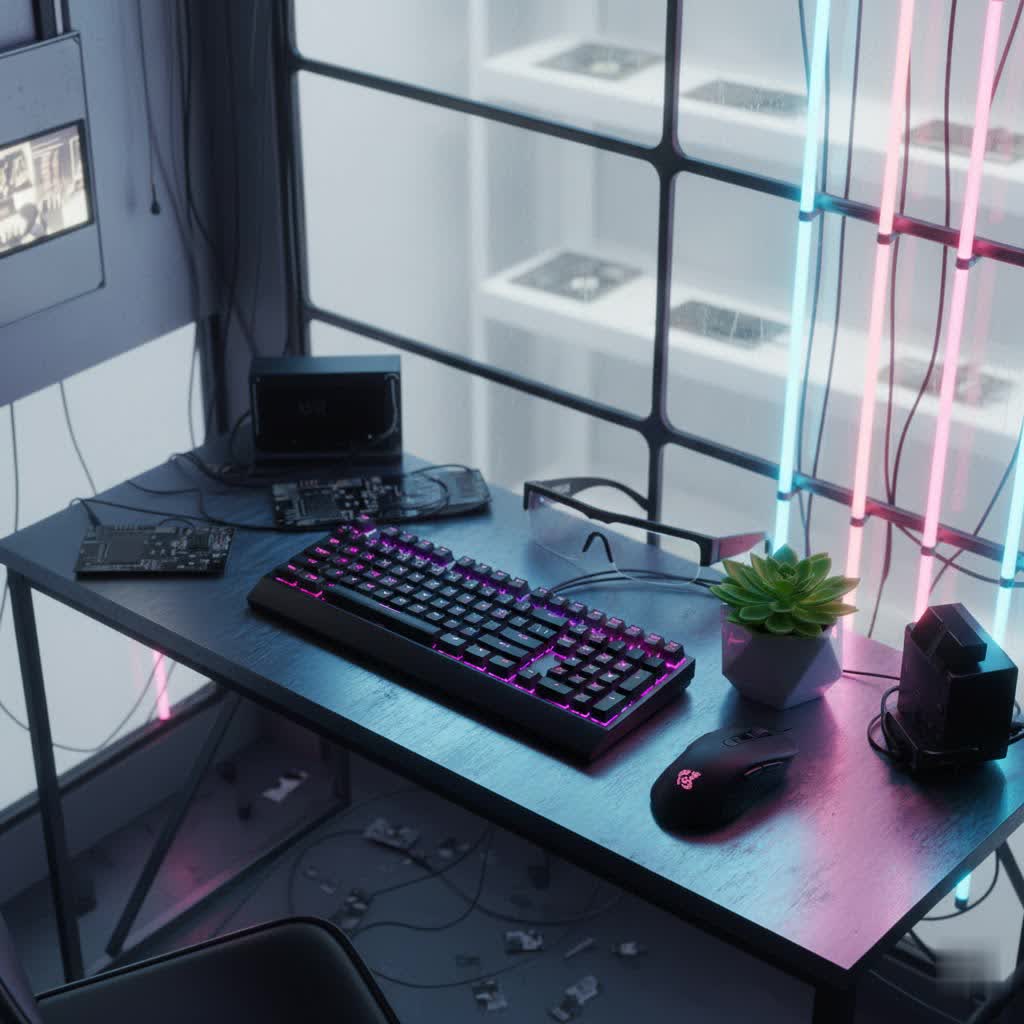
What is a Mechanical Gaming Keyboard?
At its heart, a mechanical gaming keyboard is defined by its individual switches located beneath each keycap. Unlike the rubber domes found in traditional membrane keyboards, each key on a mechanical keyboard has its own dedicated switch, comprised of a housing, a spring, and a stem. This unique construction provides a distinct feel, consistent actuation, and superior durability.
The history of mechanical keyboards stretches back decades, with their robust design initially favored for professional typing. However, as gaming evolved and demanded more precise and responsive input, mechanical keyboards found their true calling in the gaming arena. Their ability to register keystrokes quickly and reliably made them indispensable tools for competitive players.
Key components that make up a mechanical keyboard include:
- Switches: The most critical component, determining the feel and sound of each keypress.
- Keycaps: The covers you press, influencing aesthetics and finger feel.
- Plate: A metal or plastic layer that holds the switches in place, affecting rigidity and sound.
- Case: The outer shell that houses all components, impacting overall build quality and acoustics.
Decoding Mechanical Keyboard Switches for Gaming
The type of switch you choose is arguably the most impactful decision when selecting a mechanical gaming keyboard. Each switch type offers a unique feel, sound, and actuation characteristic that directly influences your gaming performance and comfort.
Linear Switches (Smooth & Fast)
Linear switches are characterized by a smooth, consistent keystroke from top to bottom, with no tactile bump or audible click. This allows for incredibly fast, uninterrupted keypresses.
- Characteristics: Smooth travel, no feedback “bump,” generally quieter.
- Popular types: Cherry MX Red, Gateron Red, Cherry MX Speed Silver, Kailh Speed Silver.
- Why they’re ideal for gaming: Their linear travel makes them excellent for fast-paced games like FPS (First-Person Shooters) and MOBAs, where quick, repetitive key presses and minimal resistance are crucial for rapid movements and instantaneous reactions. Many competitive gamers gravitate towards these for their raw speed.
|
Our Picks for the Best Mechanical Keyboard in 2026
As an Amazon Associate I earn from qualifying purchases.
|
||
| Num | Product | Action |
|---|---|---|
| 1 | AULA F2088 Typewriter Style Mechanical Gaming Keyboard Wired,Blue Switches,Rainbow LED Backlit,Removable Wrist Rest,Media Control Knob,Retro Punk Round Keycaps,USB Wired Computer Keyboard |

|
| 2 | AULA F99 Wireless Mechanical Keyboard,Tri-Mode BT5.0/2.4GHz/USB-C Hot Swappable Custom Keyboard,Pre-lubed Linear Switches,RGB Backlit Computer Gaming Keyboards for PC/Tablet/PS/Xbox |
|
| 3 | MageGee Portable 60% Mechanical Gaming Keyboard, MK-Box LED Backlit Compact 68 Keys Mini Wired Office Keyboard with Red Switch for Windows Laptop PC Mac - Black/Grey |
|
| 4 | AULA F75 Pro Wireless Mechanical Keyboard,75% Hot Swappable Custom Keyboard with Knob,RGB Backlit,Pre-lubed Reaper Switches,Side Printed PBT Keycaps,2.4GHz/USB-C/BT5.0 Mechanical Gaming Keyboards |
|
| 5 | SOLAKAKA A99 Pro Mechanical Keyboard with LCD Screen & Metal Knob, Wireless Gaming Keyboard with BT5.0/2.4GHz/USB-C, Hot Swappable Creamy Keyboard, Gasket Structure, RGB Backlit, for Win/Mac |
|
| 6 | GravaStar Mercury V75 HE Keyboard, 75% Hall‑Effect Magnetic Switch Gaming Keyboard, 8000 Hz Polling, 0.005RT, Wired USB-C, RGB Backlit, Adjustable Actuation, Semi‑Aluminum Chassis-Stealth Black |
|
| 7 | Wood Pattern Mechanical Keyboard Wireless & Bluetooth Brown Keyboard – RGB Backlit Hot-Swappable PBT Keycaps Aesthetic Keyboard for Mac, Windows, iOS & Android – Ergonomic Gaming & Office Keyboard |
|
| 8 | SteelSeries USB Apex 5 Hybrid Mechanical Gaming Keyboard – Per-Key RGB Illumination – Aircraft Grade Aluminum Alloy Frame – OLED Smart Display (Hybrid Blue Switch) |
|
| 9 | Logitech MX Mechanical Wireless Illuminated Performance Keyboard, Tactile Quiet Switches, Backlit Keys, Bluetooth, USB-C, macOS, Windows, Linux, iOS, Android, Metal, Graphite |
|
| 10 | Redragon Mechanical Gaming Keyboard Wired, 11 Programmable Backlit Modes, Hot-Swappable Red Switch, Anti-Ghosting, Double-Shot PBT Keycaps, Light Up Keyboard for PC Mac |
|
Tactile Switches (Feedback & Control)
Tactile switches provide a noticeable “bump” or resistance partway through the keypress, indicating that the key has actuated, but without a loud click.
- Characteristics: Distinct tactile bump, no audible click, moderate sound profile.
- Popular types: Cherry MX Brown, Gateron Brown, Zealios V2.
- Why they’re ideal for gaming: They offer a balanced experience, providing confirmation of a keypress for improved accuracy without the full resistance or noise of clicky switches. They are a good choice for gamers who also do a lot of typing and appreciate the feedback.
Clicky Switches (Audible Confirmation)
Clicky switches combine a tactile bump with a distinct, audible “click” sound at the actuation point.
- Characteristics: Tactile bump, loud “click” sound.
- Popular types: Cherry MX Blue, Gateron Blue, Kailh Box White.
- Why they’re ideal for gaming: While less common for competitive gaming due to their higher actuation force and noise, some gamers appreciate the clear auditory and tactile feedback, finding it satisfying and ensuring every keypress is registered with confidence. However, they might not be suitable for shared environments or streaming without a good microphone setup.
Advanced Switch Technologies
Beyond the traditional linear, tactile, and clicky classifications, newer technologies are pushing the boundaries of gaming keyboard performance.
- Hall Effect / Magnetic Switches: These switches use magnets and a Hall effect sensor to detect keypresses, allowing for highly customizable actuation points and “Rapid Trigger” functionality. Rapid Trigger means keys can actuate and deactivate based on movement rather than a fixed point, offering unparalleled speed and responsiveness in competitive titles. Keyboards like the Wooting 60HE and SteelSeries Apex Pro are pioneers in this space.
- Optical Switches: Utilizing a beam of light to register keypresses, optical switches eliminate debounce delay and offer extremely fast actuation, often leading to greater durability due to fewer moving parts.
Comparing Switch Types for Gamers:
| Switch Type | Feel | Sound | Ideal Gaming Scenario |
|---|---|---|---|
| Linear | Smooth, no bump | Quiet to moderate | FPS, MOBA, rhythm games (speed & rapid presses) |
| Tactile | Tactile bump, no click | Moderate | RTS, RPG, general gaming (feedback & accuracy) |
| Clicky | Tactile bump, loud click | Loud | Typing-heavy games, niche preference (strong feedback) |
| Hall Effect/Optical | Smooth, customizable actuation | Quiet to moderate | Competitive FPS/MOBA (ultimate speed & control) |
Understanding Keycaps for Your Gaming Keyboard
Keycaps are the covers on top of your switches, and they significantly influence the look, feel, and longevity of your keyboard.
Keycap Materials
- ABS (Acrylonitrile Butadiene Styrene): Common and affordable. ABS keycaps can develop a “shine” over time due to finger oils and wear.
- PBT (Polybutylene Terephthalate): More durable and resistant to shine, PBT keycaps offer a textured, premium feel. They are generally preferred for gaming keyboards due to their longevity.
- POM (Polyoxymethylene): Less common, POM keycaps are known for their smooth, slippery feel and excellent durability.
Keycap Profiles
Keycap profiles refer to the shape and height of the keycaps.
- OEM & Cherry: Standard, ergonomic profiles often found on most keyboards, with keys sculpted for comfort. Cherry profile is slightly lower than OEM.
- DSA & SA: Uniform profiles (DSA is flat, SA is spherical and tall) that provide a distinct aesthetic and typing experience.
Choosing the right keycap material, particularly PBT, ensures your gaming keyboard withstands intense use and maintains its aesthetic appeal for longer.
Essential Features of a Gaming Mechanical Keyboard
Beyond switches and keycaps, several other features are crucial for a top-tier mechanical gaming keyboard.
- Build Quality & Durability: A robust keyboard starts with a solid frame. Look for keyboards with aluminum or steel top plates or full cases, which offer greater stability and longevity compared to plastic builds.
- Anti-Ghosting & N-Key Rollover (NKRO): These are vital for gaming. Anti-ghosting prevents missed keypresses when multiple keys are pressed simultaneously. NKRO ensures that every single keypress is registered, no matter how many keys you press at once—essential for executing complex in-game commands without fail.
- RGB Lighting: While often seen as purely aesthetic, programmable RGB lighting can serve a functional purpose by highlighting critical gaming keys or indicating in-game statuses. It also adds a personalized flair to your setup.
- Form Factors/Layouts:
- Full-size (104/108 keys): Includes a number pad, ideal for those who also do data entry or prefer all keys present.
- Tenkeyless (TKL, ~87 keys): Omits the number pad, freeing up valuable desk space for mouse movement, a popular choice among FPS gamers.
- 60%/65%/75%: Even more compact layouts, removing function rows, arrow clusters, or navigation keys to maximize desk space and portability. These are highly favored by competitive gamers for the immense mouse room they provide.
- Connectivity:
- Wired: Offers the most reliable, lowest-latency connection, favored by competitive players.
- Wireless: Modern wireless mechanical keyboards using 2.4GHz dongles (like Logitech LIGHTSPEED or Razer HyperSpeed) offer near-wired latency, making them viable for gaming without the clutter of cables. Bluetooth is generally too high-latency for serious gaming.
- Hot-Swappable Switches: This feature allows you to easily remove and replace switches without soldering. It’s fantastic for experimentation, customization, and future-proofing your keyboard.
- Software Customization: Advanced software enables key remapping, macro creation (single key triggering a sequence of actions), and setting up multiple profiles for different games or applications. This level of customization can significantly enhance your gaming efficiency.
How to Choose the Perfect Mechanical Gaming Keyboard
Selecting the best mechanical gaming keyboard involves a blend of personal preference, gaming style, and practical considerations.
-
Identify Your Gaming Style:
- FPS/MOBA: Prioritize speed and minimal resistance. Linear switches (especially Speed Silvers or Hall Effect) and compact layouts (TKL, 60%) are often best for maximizing mouse space and quick reactions.
- MMO/RPG: Macros and programmable keys might be more important. A full-size keyboard or one with dedicated macro keys could be beneficial. Switch choice can be more flexible here.
- Casual Gaming/Mixed Use: A balanced tactile switch (Brown) and a TKL or 75% layout can offer a great experience for both gaming and general productivity.
-
Budget Considerations:
- Entry-level (under $100): You can find solid options with standard linear or tactile switches and decent build quality.
- Mid-range ($100-$200): Offers improved build quality, PBT keycaps, better software, and sometimes hot-swappability.
- High-end ($200+): Features premium materials (CNC aluminum cases), advanced switches (Hall Effect, optical), superior stabilizers, extensive customization, and often acoustic dampening.
-
Layout Preference: Consider your desk space and how much you use the number pad. TKL or smaller layouts are excellent for gaming.
-
Switch Selection: Based on the detailed breakdown above, choose a switch that aligns with your desired feel, sound, and gaming priorities.
-
Keycap Material: For durability and a premium feel, PBT keycaps are highly recommended.
-
Brand & Model Research: Major brands like Razer, Corsair, SteelSeries, and Logitech offer a wide range of gaming keyboards. Enthusiast brands like Ducky, Keychron, Wooting, and NuPhy are also highly regarded for their quality and innovation, especially in the customizable keyboard space.
Maintaining Your Mechanical Gaming Keyboard
Proper maintenance will ensure your mechanical gaming keyboard performs optimally and lasts for years.
- Regular Cleaning: Use compressed air to blow out dust and debris from between keycaps. A soft brush can help dislodge stubborn particles.
- Deep Cleaning: Periodically, remove all keycaps (using a keycap puller) to thoroughly clean the plate and switches beneath. Use a damp (not wet) cloth with a mild cleaning solution for keycaps and the case.
- Switch Care: If you have hot-swappable switches, you might consider lubing them for a smoother feel and improved acoustics, though this is an advanced step.
- General Care: Avoid eating or drinking directly over your keyboard. If spills happen, disconnect it immediately and clean thoroughly.
A well-maintained mechanical keyboard will continue to deliver the crisp, responsive performance you need to dominate in your games.
Conclusion
Choosing the right mechanical gaming keyboard is a personal journey, but a rewarding one. By understanding the nuances of switch types, keycap materials, essential features like NKRO and form factors, and how to maintain your gear, you’re now equipped to make an informed decision. A quality mechanical gaming keyboard isn’t just an accessory; it’s an investment in your performance, comfort, and overall enjoyment of the game. It’s about finding that perfect synergy between player and machine, where every keystroke is precise, responsive, and utterly satisfying.
What’s your ultimate gaming keyboard setup that fuels your victories?
Frequently Asked Questions
What are the best switches for competitive gaming?
For competitive gaming, linear switches are generally preferred due to their smooth, consistent travel, enabling rapid, uninterrupted key presses. Specifically, Cherry MX Speed Silver or similar “speed” linear switches are excellent. Even better are Hall Effect or magnetic switches, which offer customizable actuation points and “Rapid Trigger” for unparalleled speed and precision.
Is a 60% keyboard good for gaming?
Yes, a 60% keyboard is often an excellent choice for gaming, especially for FPS players. Its compact size maximizes desk space, allowing for much larger mouse movements without hitting the keyboard. While it lacks a dedicated number pad and function row, these keys are typically accessible via a function layer, which most gamers adapt to quickly.
What is N-key rollover (NKRO)?
N-key rollover (NKRO) is a feature that ensures every single keypress is registered by the keyboard, regardless of how many keys are pressed simultaneously. This is crucial for gaming, where complex key combinations and rapid successive presses are common, preventing “ghosting” or missed inputs that can hinder performance.
How often should I clean my mechanical gaming keyboard?
It’s recommended to do a light cleaning with compressed air and a wipe down regularly, perhaps weekly, to remove dust and surface grime. A deeper clean, involving removing keycaps to clean the plate and switches, should be done every few months, or more frequently if you game intensely or eat around your keyboard.
Are wireless mechanical keyboards good for gaming?
Modern wireless mechanical keyboards designed for gaming are indeed very good. They utilize dedicated 2.4GHz wireless technology, which provides extremely low latency comparable to wired connections, making them suitable for competitive play. However, ensure the model you choose specifically boasts low-latency gaming performance and a reliable connection.
