Imagine a keyboard that evolves with you, adapting to your mood, task, or even the latest game. This isn’t a futuristic fantasy; it’s the reality of a hot-swappable mechanical keyboard, a game-changer that has revolutionized how enthusiasts and casual users alike interact with their setups. Gone are the days of committing to a single switch type, or grappling with complex soldering to make a change. With hot-swappable technology, you gain unprecedented freedom to customize your typing experience, allowing you to fine-tune everything from the auditory feedback to the tactile feel in a matter of minutes. Whether you’re a seasoned keyboard connoisseur or just beginning your journey into the mechanical world, understanding these versatile devices can unlock a new level of personalization and performance.
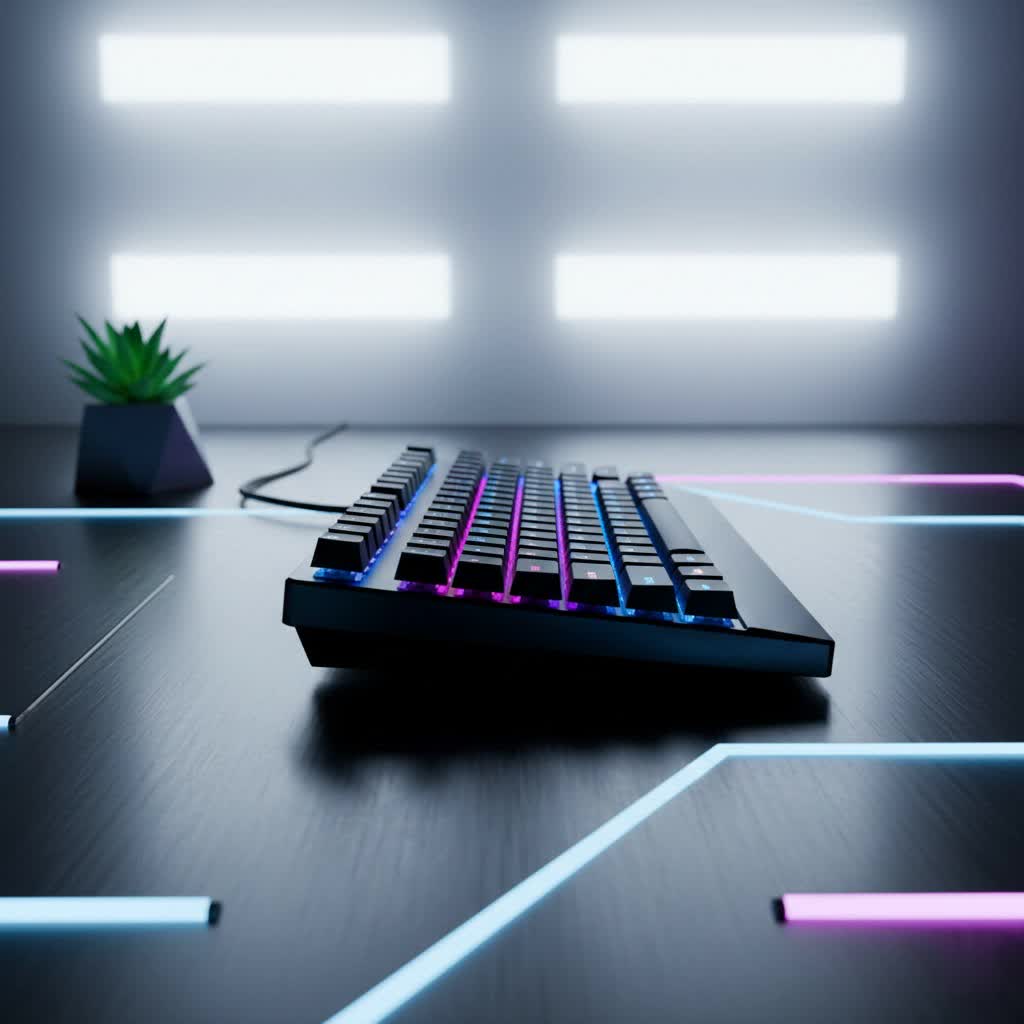
What is a Hot-Swappable Mechanical Keyboard?
At its core, a hot-swappable mechanical keyboard is a keyboard designed to allow users to easily change out its individual key switches without the need for soldering or desoldering. Unlike traditional mechanical keyboards where switches are permanently soldered onto the PCB (Printed Circuit Board), hot-swappable boards feature special sockets. These sockets provide an electrical connection while securely holding the switches in place, much like LEGO bricks snapping together.
This innovative design simplifies the customization process significantly. Historically, modifying a mechanical keyboard’s switches required specialized tools and a steady hand for soldering, which presented a considerable barrier to entry for many. Hot-swappable PCBs eliminate this hurdle, opening up the world of custom keyboards to a wider audience. The essential components of any hot-swappable mechanical keyboard include the PCB with its integrated sockets, the mechanical switches themselves, keycaps, a plate that holds the switches, and the case that houses everything.
Why Choose a Hot-Swappable Mechanical Keyboard?
The advantages of opting for a hot-swappable mechanical keyboard are numerous and compelling, addressing both practical needs and the desire for personalization.
- Unparalleled Customization: This is arguably the biggest draw. A hot-swappable board grants you the ultimate freedom to personalize your typing experience, allowing you to choose every single part, from the case color and keycap style to, most importantly, the exact feel and sound of your switches. You can effortlessly swap switches to fine-tune your typing feel and acoustic profile, creating a keyboard that is 100% uniquely yours.
- Effortless Repairs and Maintenance: Should a switch fail or become inconsistent, replacing it on a hot-swappable board is incredibly straightforward—often a simple 60-second fix using a switch puller. This convenience can save a keyboard that would otherwise require complex repair or even replacement. The same ease applies to refreshing aesthetics; worn or faded keycaps can be swapped out with minimal effort.
- Freedom to Experiment: Hot-swappable keyboards are ideal for those who enjoy trying out different switch types without making a permanent commitment. You can easily experiment with linear, tactile, or clicky switches to discover which ones best suit your various activities, whether it’s gaming, typing, or programming.
- Beginner-Friendly Entry into the Hobby: For newcomers to the mechanical keyboard world, hot-swappable boards offer a significantly lower barrier to entry. The “no-solder” advantage means you can build and modify your keyboard without needing specialized tools, knowledge of electronics, or soldering skills, making the process feel more like “building with LEGOs.”
- Future-Proof and Upgradable: Your preferences might change over time, or new, innovative switches might emerge. With a hot-swappable keyboard, you’re not locked into your initial choice. You can easily upgrade or swap out your switches as your needs evolve, ensuring your keyboard remains relevant and enjoyable for years to come.
Understanding Mechanical Switches for Hot-Swap Keyboards
The mechanical switch is the heart of your keyboard, directly influencing how each keystroke feels and sounds. Hot-swappable keyboards allow for easy experimentation with the three primary switch types:
Switch Linear
Linear switches are characterized by a smooth, consistent keystroke from top to bottom, with no tactile bump or audible click. This makes them ideal for rapid, repetitive presses.
- Characteristics: Smooth, fluid motion.
- Pros: Fast actuation, excellent for gaming, generally quieter than clicky switches.
- Cons: Lack of tactile feedback might lead to accidental presses for some users.
- Popular Types: Cherry MX Red, Gateron Red, Speed Silver.
- Best For: Gamers who need quick, unhindered key presses and those who prefer a silent typing experience.
|
Our Picks for the Best Mechanical Keyboard in 2026
As an Amazon Associate I earn from qualifying purchases.
|
||
| Num | Product | Action |
|---|---|---|
| 1 | SteelSeries USB Apex 5 Hybrid Mechanical Gaming Keyboard – Per-Key RGB Illumination – Aircraft Grade Aluminum Alloy Frame – OLED Smart Display (Hybrid Blue Switch) |

|
| 2 | Redragon Mechanical Gaming Keyboard Wired, 11 Programmable Backlit Modes, Hot-Swappable Red Switch, Anti-Ghosting, Double-Shot PBT Keycaps, Light Up Keyboard for PC Mac |
|
| 3 | SOLAKAKA A99 Pro Mechanical Keyboard with LCD Screen & Metal Knob, Wireless Gaming Keyboard with BT5.0/2.4GHz/USB-C, Hot Swappable Creamy Keyboard, Gasket Structure, RGB Backlit, for Win/Mac |
|
| 4 | AULA F2088 Typewriter Style Mechanical Gaming Keyboard Wired,Blue Switches,Rainbow LED Backlit,Removable Wrist Rest,Media Control Knob,Retro Punk Round Keycaps,USB Wired Computer Keyboard |
|
| 5 | AULA F75 Pro Wireless Mechanical Keyboard,75% Hot Swappable Custom Keyboard with Knob,RGB Backlit,Pre-lubed Reaper Switches,Side Printed PBT Keycaps,2.4GHz/USB-C/BT5.0 Mechanical Gaming Keyboards |
|
| 6 | Logitech MX Mechanical Wireless Illuminated Performance Keyboard, Tactile Quiet Switches, Backlit Keys, Bluetooth, USB-C, macOS, Windows, Linux, iOS, Android, Metal, Graphite |
|
| 7 | MageGee Portable 60% Mechanical Gaming Keyboard, MK-Box LED Backlit Compact 68 Keys Mini Wired Office Keyboard with Red Switch for Windows Laptop PC Mac - Black/Grey |
|
| 8 | AULA F99 Wireless Mechanical Keyboard,Tri-Mode BT5.0/2.4GHz/USB-C Hot Swappable Custom Keyboard,Pre-lubed Linear Switches,RGB Backlit Computer Gaming Keyboards for PC/Tablet/PS/Xbox |
|
| 9 | GravaStar Mercury V75 HE Keyboard, 75% Hall‑Effect Magnetic Switch Gaming Keyboard, 8000 Hz Polling, 0.005RT, Wired USB-C, RGB Backlit, Adjustable Actuation, Semi‑Aluminum Chassis-Stealth Black |
|
| 10 | Wood Pattern Mechanical Keyboard Wireless & Bluetooth Brown Keyboard – RGB Backlit Hot-Swappable PBT Keycaps Aesthetic Keyboard for Mac, Windows, iOS & Android – Ergonomic Gaming & Office Keyboard |
|
Switch Tactile
Tactile switches provide a noticeable bump partway through the keypress, confirming actuation without producing a loud click. This feedback helps typists know when a key has registered.
- Characteristics: A distinct “bump” in the middle of the press.
- Pros: Satisfying feedback for typing, good balance between gaming and productivity, generally not as loud as clicky switches.
- Cons: Can be perceived as less smooth than linear switches by some.
- Popular Types: Cherry MX Brown, Gateron Brown, Zealios V2.
- Best For: Typists who appreciate tactile feedback for accuracy and those seeking a versatile switch for both work and play.
Switch Clicky
Clicky switches offer both a tactile bump and an audible “click” sound when actuated, providing clear feedback that a keypress has registered.
- Characteristics: Tactile bump accompanied by a distinct, satisfying click sound.
- Pros: Excellent for typists who enjoy auditory feedback, highly satisfying typing experience.
- Cons: Can be very loud, potentially disruptive in quiet environments.
- Popular Types: Cherry MX Blue, Gateron Blue, Kailh Box White.
- Best For: Dedicated typists and individuals who work in private settings and enjoy a pronounced auditory and tactile experience.
Switch Compatibility
When choosing switches for your hot-swappable keyboard, compatibility with the PCB’s sockets is crucial. Most modern hot-swappable PCBs feature five-hole sockets, making them compatible with both 3-pin (plate mount) and 5-pin (PCB mount) switches. While 5-pin switches offer greater stability due to their extra plastic legs, 3-pin switches will fit into both types of sockets. Conversely, 5-pin switches can often be modified to fit 3-pin sockets by simply clipping off the two extra plastic legs with flush cutters.
It’s also important to note the type of hot-swap sockets on your board:
- Kailh Sockets: These are widely compatible with most MX-style switches and are known for their durability, making them a popular choice in custom keyboard communities.
- Outemu Sockets: Often found in more budget-friendly keyboards, Outemu sockets typically only fit Outemu or Bsun branded switches unless the pins of other switch brands are filed down. They may also be less durable with frequent swaps.
- Mill-Max Sockets: These are pin-receptacle sockets that can be soldered into a PCB designed for soldered switches, effectively converting it into a hot-swappable board. While this is more of a DIY modification for non-hot-swap boards, it highlights the versatility of hot-swap solutions.
Keycaps: The Personal Touch
Keycaps are the interface between your fingers and the switches, significantly impacting the aesthetics and feel of your keyboard. Most mechanical switches use a standardized cross-shaped stem, which is compatible with the vast majority of MX-style keycaps available on the market.
Keycap Materials
- ABS (Acrylonitrile Butadiene Styrene):
- Pros: Smooth texture, vibrant colors, generally more affordable.
- Cons: Prone to developing a “shine” over time due to finger oils, can feel thinner.
- PBT (Polybutylene Terephthalate):
- Pros: More durable, resistant to shine, textured feel that many prefer, often thicker.
- Cons: Can be more expensive, color options might be less vibrant than ABS.
- POM (Polyoxymethylene):
- Pros: Very smooth, slick feel, highly durable.
- Cons: Less common, limited color options.
Keycap Profiles
Keycap profile refers to the shape and height of the keycaps across the keyboard. Different profiles offer varying ergonomic experiences and aesthetics.
- OEM Profile: The most common profile, often seen on pre-built keyboards. Keycaps are sculpted with varying heights and angles across rows.
- Cherry Profile: Similar to OEM but typically lower in height and slightly more aggressive sculpting. Popular among enthusiasts.
- DSA Profile: Uniform height and shape across all keycaps, providing a flat surface.
- SA Profile: Tall, spherical, and sculpted keycaps, offering a retro look and feel.
Choosing the right keycaps involves balancing aesthetics, preferred texture, and ergonomic comfort to match your typing style.
Building or Customizing Your Hot-Swappable Mechanical Keyboard
One of the greatest joys of a hot-swappable mechanical keyboard is the ease with which you can assemble or modify it. The process is straightforward, requiring only a few basic tools.
Tools You’ll Need
- Keycap Puller: Essential for safely removing keycaps without damaging their stems.
- Switch Puller: A metal tool designed to grip and remove mechanical switches from their sockets.
- Tweezers: Useful for testing PCB sockets or straightening bent switch pins.
- Replacement Switches: Your choice of linear, tactile, or clicky switches.
Step-by-Step Customization
- Prepare Your Workspace: Lay out all your components on a clean, open surface to ensure easy access and prevent losing small parts.
- Test Your PCB (Crucial Step): Before assembling anything, plug the bare PCB into your computer. Visit a keyboard tester website and use tweezers to touch the two metal contacts inside each hot-swap socket. Verify that each corresponding key registers on the screen. This step can save significant headaches later by identifying any faulty sockets early.
- Lube and Install Stabilizers (Optional but Recommended): Stabilizers are crucial for larger keys like the spacebar, shift, and enter, preventing wobble and improving sound. Lubing them can dramatically enhance the typing feel and acoustic profile.
- Assemble the Case, Plate, and PCB: Gently place the plate on top of the PCB, ensuring proper alignment, then secure them into the keyboard case.
- Install Your Mechanical Switches: Carefully align the two metal pins on the bottom of each switch with the holes in the plate and the sockets on the PCB. Press the switch straight down firmly until it clicks securely into place. Avoid pressing at an angle, which can bend the delicate pins. It’s always a good idea to have a few extra switches on hand in case some pins get bent during installation.
- Mount Your Keycaps: Once all switches are installed, use your keycap puller to place the keycaps onto their respective switches. Gently press them down until they are seated correctly. Organize keycaps by row or layout beforehand to make reassembly quicker.
- Connect and Perform a Final Test: Plug your newly assembled keyboard into your computer and use a keyboard tester to ensure all keys, including modifiers, are working as expected.
Optional Step: Lubing Switches
For an even smoother feel and refined sound, consider lubing your switches. This process involves applying a thin layer of lubricant to the switch housing and stem. It can significantly reduce friction, eliminate scratchiness, and alter the sound profile. Lubing requires patience and a steady hand; avoid over-lubing, which can make switches feel mushy.
Top Hot-Swappable Mechanical Keyboards
The market for hot-swappable mechanical keyboards is incredibly diverse, with options catering to every budget and preference. When selecting a board, consider these key factors:
- Layout: From compact 60% and 65% layouts to popular TKL (tenkeyless) and full-size options, choose a layout that suits your workflow and desk space.
- Build Quality & Case Material: Keyboards come in various materials, including plastic, aluminum, and polycarbonate. Aluminum cases offer a premium feel and better acoustics, while plastic options are more budget-friendly.
- Connectivity: Decide between wired (USB-C), wireless (Bluetooth, 2.4GHz), or multi-mode options for maximum flexibility.
- Software & Features: Look for QMK/VIA compatibility for advanced key remapping and macro creation, per-key RGB lighting, and additional features like control knobs or display screens.
Many reputable brands offer excellent hot-swappable mechanical keyboards, providing a range of choices in terms of price, features, and design. Brands like Keychron, Glorious (GMMK series), Drop, Akko, and Royal Kludge (RK) are popular choices among enthusiasts.
Cleaning and Maintaining Your Hot-Swappable Mechanical Keyboard
Maintaining your hot-swappable mechanical keyboard is straightforward and essential for longevity and consistent performance. Regular cleaning helps prevent dust and debris from affecting switch performance.
- Dust Removal: Use compressed air to blow out loose dust and crumbs from between the keycaps.
- Keycap Cleaning: Remove keycaps with a keycap puller and wash them with mild soap and water. Allow them to dry completely before reattaching. This is also an opportune time to replace old keycaps with new ones.
- Switch Cleaning: With keycaps removed, you can gently clean around the switches with a brush or cotton swab dipped in isopropyl alcohol. Avoid spraying liquids directly into the switches.
- Socket Care: When swapping switches, ensure the pins are perfectly straight to avoid damaging the hot-swap sockets. Avoid applying excessive force.
Conclusion
Hot-swappable mechanical keyboards have truly democratized the world of keyboard customization, making it easier than ever to tailor your input device to your exact preferences. The ability to effortlessly swap switches, experiment with different tactile experiences, and undertake simple repairs without the complexity of soldering is a game-changer for both enthusiasts and casual users. This flexibility not only extends the life of your keyboard but also allows it to evolve with your needs, ensuring a consistently satisfying and personalized typing journey.
Ready to embark on your own customization adventure? With a hot-swappable mechanical keyboard, the perfect typing experience is always within reach. What unique switch combination will you discover first?
