Welcome to the ultimate resource for navigating the exciting world of mechanical keyboards, especially for those who demand the full functionality of a numpad. As an administrator with over a decade of deep expertise in mechanical keyboards, I’ve seen countless iterations and innovations. This guide will leverage that experience to help you uncover the perfect mechanical keyboard with a numpad, tailored precisely to your needs and preferences.
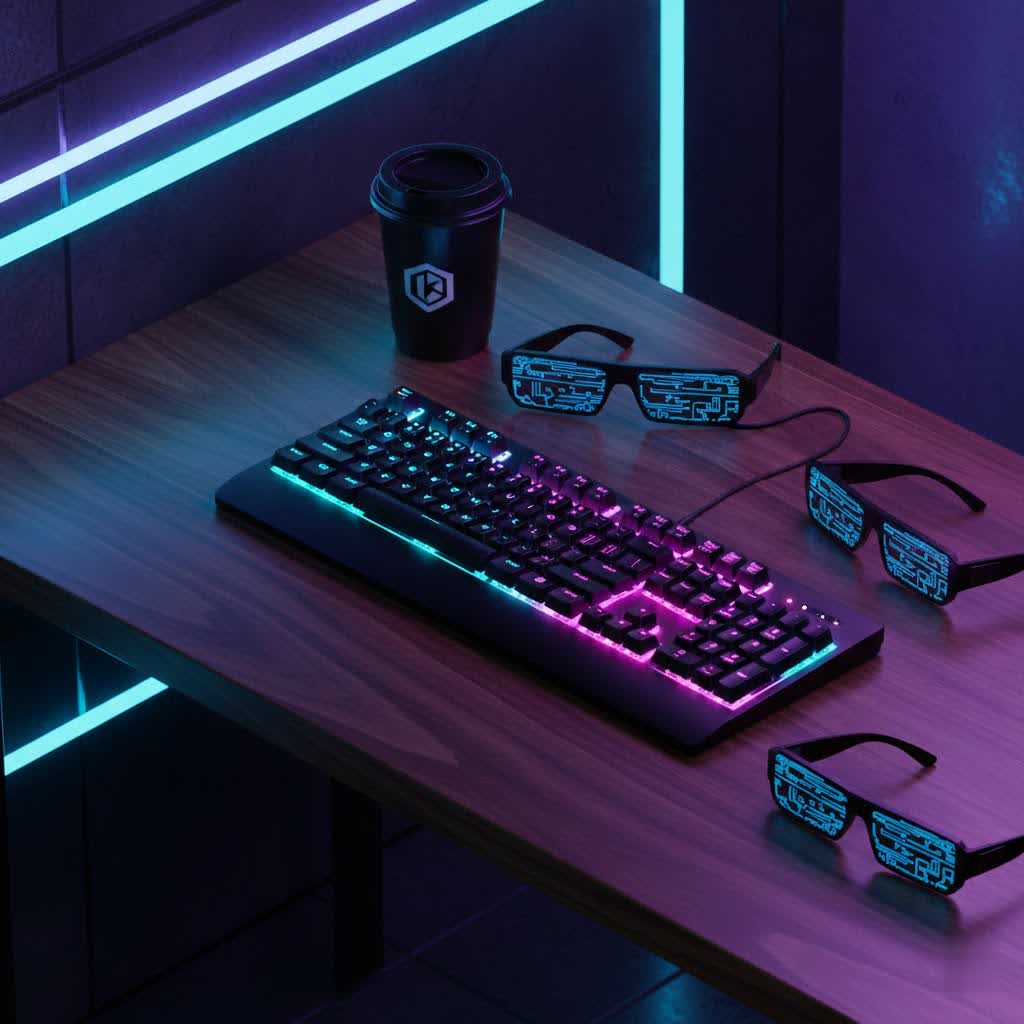
Mechanical Keyboards: A Comprehensive Overview
A mechanical keyboard distinguishes itself from a standard membrane keyboard by employing individual mechanical switches under each key. This fundamental difference provides a distinct tactile, auditory, or linear feedback with every keystroke, offering a more satisfying and often more precise typing experience. The history of mechanical keyboards dates back decades, evolving from robust, expensive peripherals to a diverse market catering to every user.
At its core, a mechanical keyboard comprises several key components: the switch, which registers the keystroke; the keycap, the plastic cover you press; the plate, a structural layer that holds the switches; and the case, which houses all the internal parts. Each element plays a crucial role in the keyboard’s overall feel, sound, and durability.
Common Switch Types
The type of switch is arguably the most defining characteristic of a mechanical keyboard, greatly influencing your typing and gaming experience. Switches are generally categorized into three main types:
- Linear Switches: These switches offer a smooth, consistent keystroke from top to bottom without any tactile bump or audible click. They are often favored by gamers for their rapid actuation and fluid feel, allowing for quick, repetitive presses. Cherry MX Red, Speed Silver, and Gateron Red are popular examples, providing a direct and unimpeded press.
- Tactile Switches: Characterized by a noticeable “bump” midway through the keystroke, tactile switches provide feedback to indicate that a keypress has registered without an accompanying click. This makes them ideal for typists who appreciate confirmation of actuation but prefer a quieter operation than clicky switches. Common choices include Cherry MX Brown, Gateron Brown, and high-end Zealios V2 switches.
- Clicky Switches: For those who enjoy an audible “click” in addition to a tactile bump, clicky switches deliver a satisfying and distinct sound. This feedback can be highly reassuring for typists, reinforcing each keypress. However, their loudness might be a consideration in shared environments. Cherry MX Blue, Gateron Blue, and Kailh Box White are classic examples of clicky switches.
|
Our Picks for the Best Mechanical Keyboard in 2026
As an Amazon Associate I earn from qualifying purchases.
|
||
| Num | Product | Action |
|---|---|---|
| 1 | AULA F99 Wireless Mechanical Keyboard,Tri-Mode BT5.0/2.4GHz/USB-C Hot Swappable Custom Keyboard,Pre-lubed Linear Switches,RGB Backlit Computer Gaming Keyboards for PC/Tablet/PS/Xbox |

|
| 2 | Redragon Mechanical Gaming Keyboard Wired, 11 Programmable Backlit Modes, Hot-Swappable Red Switch, Anti-Ghosting, Double-Shot PBT Keycaps, Light Up Keyboard for PC Mac |
|
| 3 | SteelSeries USB Apex 5 Hybrid Mechanical Gaming Keyboard – Per-Key RGB Illumination – Aircraft Grade Aluminum Alloy Frame – OLED Smart Display (Hybrid Blue Switch) |
|
| 4 | AULA F2088 Typewriter Style Mechanical Gaming Keyboard Wired,Blue Switches,Rainbow LED Backlit,Removable Wrist Rest,Media Control Knob,Retro Punk Round Keycaps,USB Wired Computer Keyboard |
|
| 5 | Wood Pattern Mechanical Keyboard Wireless & Bluetooth Brown Keyboard – RGB Backlit Hot-Swappable PBT Keycaps Aesthetic Keyboard for Mac, Windows, iOS & Android – Ergonomic Gaming & Office Keyboard |
|
| 6 | MageGee Portable 60% Mechanical Gaming Keyboard, MK-Box LED Backlit Compact 68 Keys Mini Wired Office Keyboard with Red Switch for Windows Laptop PC Mac - Black/Grey |
|
| 7 | AULA F75 Pro Wireless Mechanical Keyboard,75% Hot Swappable Custom Keyboard with Knob,RGB Backlit,Pre-lubed Reaper Switches,Side Printed PBT Keycaps,2.4GHz/USB-C/BT5.0 Mechanical Gaming Keyboards |
|
| 8 | SOLAKAKA A99 Pro Mechanical Keyboard with LCD Screen & Metal Knob, Wireless Gaming Keyboard with BT5.0/2.4GHz/USB-C, Hot Swappable Creamy Keyboard, Gasket Structure, RGB Backlit, for Win/Mac |
|
| 9 | Logitech MX Mechanical Wireless Illuminated Performance Keyboard, Tactile Quiet Switches, Backlit Keys, Bluetooth, USB-C, macOS, Windows, Linux, iOS, Android, Metal, Graphite |
|
| 10 | GravaStar Mercury V75 HE Keyboard, 75% Hall‑Effect Magnetic Switch Gaming Keyboard, 8000 Hz Polling, 0.005RT, Wired USB-C, RGB Backlit, Adjustable Actuation, Semi‑Aluminum Chassis-Stealth Black |
|
Comparing these types, linear switches prioritize speed, tactile switches balance feedback with relatively low noise, and clicky switches offer the most distinct sensory experience. The best choice ultimately depends on your personal preference and primary use case.
Exploring Keycap Options
Keycaps are not just cosmetic; they significantly affect the feel and longevity of your keyboard. The material and profile of keycaps are primary considerations:
- Keycap Materials:
- ABS (Acrylonitrile Butadiene Styrene): A common plastic, ABS keycaps are typically smooth and can develop a shine over time with heavy use. They are often thinner and more readily available.
- PBT (Polybutylene Terephthalate): PBT keycaps are generally more durable and resistant to shine, offering a textured, matte finish that feels premium. They are less prone to yellowing and wear, making them a popular choice for enthusiasts.
- POM (Polyoxymethylene): Less common than ABS or PBT, POM keycaps are known for their extremely smooth, slick surface and high durability, often used for specialized keys.
- Keycap Profiles: The profile refers to the shape and height of the keycaps across the keyboard. Popular profiles like OEM (standard, sculpted), Cherry (lower, slightly more angular sculpting), DSA (uniform, flat), and SA (tall, spherical, retro feel) can drastically change the typing ergonomics and aesthetic. Choosing the right keycap type ensures comfort and endurance for frequent numpad operations.
Mechanical Keyboards with Numpad: Functionality Meets Form
For many users, a dedicated numpad is an indispensable tool, transforming a keyboard from a simple typing instrument into a powerful productivity hub.
What is a Mechanical Keyboard with Numpad?
A mechanical keyboard with a numpad integrates the traditional 10-key numeric keypad, typically positioned on the right side of the keyboard. This dedicated block of keys—numbers 0-9, arithmetic operators, and an Enter key—is crucial for efficient numerical input. The presence of a numpad significantly boosts speed and accuracy for tasks like data entry, accounting, spreadsheet management, and coding. Gamers can also leverage the numpad for custom macros and hotkeys, enhancing their in-game control.
While offering immense utility, the numpad does increase the keyboard’s overall footprint, which can be a consideration for users with limited desk space. However, for professionals who frequently work with numbers, the benefits of a physical numpad far outweigh any space concerns, streamlining workflows and reducing potential errors from using the top-row numbers.
Numpad Layouts: Full-Size vs. Compact 1800 (96%)
When considering a mechanical keyboard with a numpad, understanding the different layouts is essential. The two most common options are full-size and compact 1800 (or 96%).
-
Full-Size (100%) Keyboards: These are the most traditional, typically featuring 104 to 108 keys. A full-size layout includes the alphanumeric cluster, function row (F1-F12), arrow keys, navigation cluster (Insert, Delete, Home, End, Page Up, Page Down), and a dedicated numpad, all spaced out in their conventional positions. This layout offers immediate familiarity for most users and provides every possible key function without layers. Its main drawback is the considerable desk space it occupies, often exceeding 440mm in width, which can limit mouse movement for some users.
-
Compact 1800 / 96% Keyboards: Also known as 96% keyboards, these layouts aim to retain almost all the keys of a full-size board (typically 96-99 keys) but in a significantly smaller footprint. The key clusters are compressed closer together, eliminating or minimizing the unused space found in traditional layouts. For example, the navigation cluster is often integrated tightly with the numpad and arrow keys. This results in a keyboard that is approximately 390-400mm wide, offering moderate desk space usage while preserving full functionality.
“You keep almost everything from a full-size layout, but in a tighter form factor.”
This design is particularly beneficial for gamers who need extra mouse room but still require a numpad, and for professionals seeking a more ergonomic setup without sacrificing numerical input. Transitioning to an 1800-compact layout is generally smooth due to the retained key positions, albeit in a more condensed arrangement.
-
Modular and Standalone Numpads: Some innovative mechanical keyboards, such as the Mountain Everest Max, offer a modular numpad that can be detached or repositioned. This provides ultimate flexibility, allowing users to place the numpad on either side of the main keyboard or remove it entirely when not needed. Alternatively, standalone numpads are available, often featuring hot-swappable switches and programmability (QMK/VIA), allowing for custom key mapping and macros, offering similar benefits to a dedicated numpad without committing to a larger keyboard layout.
Why Choose a Mechanical Keyboard with Numpad?
The decision to opt for a numpad-equipped mechanical keyboard often boils down to workflow and personal efficiency:
- Enhanced Productivity: For roles involving frequent data entry, calculations, or coding, a numpad drastically speeds up numerical input and reduces errors.
- Gaming Advantage: Many games benefit from custom macros, and a numpad provides an accessible bank of keys for these functions, keeping essential commands within easy reach.
- Ergonomic Flexibility: For those who opt for modular or standalone numpads, the ability to position the numpad independently can improve ergonomics, allowing for a more natural arm and shoulder posture.
- Complete Functionality: A numpad ensures that you never miss a key. It’s a full-featured solution for users who want every tool at their fingertips without relying on function layers.
Popular Mechanical Keyboards with Numpad
The market for mechanical keyboards with numpads is rich and varied, offering options across different price points and feature sets. Here are some notable mentions and criteria to consider:
- Keychron Q5 Max / V5 Max: These premium wireless keyboards are highly regarded for their robust, heavyweight aluminum cases and exceptional typing quality. They often feature a gasket-mounted design, providing a soft, flexible typing feel. With both Bluetooth and 2.4GHz connectivity, they balance productivity and casual gaming needs.
- AULA F99 / F75: For those on a budget, AULA offers wireless models that provide a solid mechanical keyboard experience with a numpad at a more accessible price point.
- Epomaker Galaxy 100 / Galaxy 100 Lite: These models are recognized for offering a great typing experience, often described as having “creamy” switches and good internal foam for sound dampening, making them excellent value options with a numpad.
- Logitech MX Mechanical: A flagship productivity keyboard, it’s an excellent choice for users already integrated into the Logitech peripheral ecosystem, offering a reliable and familiar experience with mechanical switches.
- Mountain Everest Max: This keyboard stands out with its innovative modular design, featuring a detachable numpad and media dock. This allows users unparalleled flexibility in positioning their numpad to suit their desk setup and ergonomic preferences.
- Yunzii YZ98: A budget-friendly option, the Yunzii YZ98 often comes ready-to-use with double-shot PBT keycaps, a gasket-mounted design, and tri-mode connectivity (wired, 2.4GHz, Bluetooth), making it a great entry point into feature-rich mechanical keyboards with numpads.
- WIND X98: This model features an “exploded” 96% layout and offers the unique option of having the numpad on the left side, which can be particularly advantageous for right-handed mouse users who want to keep their mouse hand free.
When comparing models, always look at:
- Price: Budget-friendly options exist, as do premium, customizable boards.
- Switch Type: Decide between linear, tactile, or clicky, and whether you want hot-swappable sockets for future customization.
- Keycap Material: PBT offers superior durability and feel over ABS.
- Special Features: Consider wireless connectivity, RGB lighting, programmable keys (QMK/VIA compatibility), and dedicated media controls.
- Build Quality: Aluminum cases offer a more premium and stable typing experience compared to plastic.
How to Choose the Perfect Mechanical Keyboard with Numpad
Selecting the ideal mechanical keyboard with a numpad involves a thoughtful assessment of your specific needs and preferences.
1. Identify Your Usage Needs
- Gaming: If competitive gaming is your priority, look for low-latency wired or 2.4GHz wireless options, responsive linear switches, and perhaps a compact 1800 layout to maximize mouse space.
- Office Work/Data Entry: Precision and comfort are key. Tactile or linear switches are often preferred for their consistent feel. A dedicated numpad is non-negotiable for high-volume numerical tasks.
- Programming/Content Creation: You’ll likely benefit from the full range of keys, including the function row and navigation cluster. Programmable keys (via QMK/VIA) can streamline complex commands and macros.
2. Set Your Budget
Mechanical keyboards with numpads span a wide price range. Entry-level options can be found for under $100 (e.g., Yunzii YZ98, AULA F99), while premium, highly customizable boards can exceed $200 (e.g., Keychron Q5 Max, Mountain Everest Max). Determine how much you’re willing to invest based on features, build quality, and your usage intensity.
3. Key Factors to Consider
- Layout Preference: Do you prefer the traditional full-size (100%) or the space-saving compact 1800/96% layout? Consider how much desk space you have and your mouse movement habits. Modular numpads offer the best of both worlds for some.
- Switch Feel: Experiment with linear, tactile, and clicky switches if possible. Hot-swappable boards allow you to change switches without soldering, offering future flexibility.
- Keycap Material and Profile: PBT keycaps offer durability and a premium feel. Choose a keycap profile that feels most comfortable for your typing style.
- Connectivity:
- Wired: Provides the most stable connection and lowest latency, ideal for competitive gaming.
- Wireless (Bluetooth/2.4GHz): Offers a clutter-free desk and portability. 2.4GHz via a USB dongle generally provides better performance than Bluetooth for critical tasks.
- Build Quality: Keyboards with aluminum cases tend to be more durable and provide a more premium typing experience, reducing flex and improving acoustics.
- Software Customization: Look for QMK/VIA compatibility if you plan to remap keys, create macros, or customize layers for enhanced workflow efficiency.
4. Where to Buy
Reputable online retailers, specialist keyboard stores, and manufacturer websites are excellent places to purchase. Check product reviews and community forums for insights into specific models and brands.
Maintaining Your Mechanical Keyboard with Numpad
Proper care and maintenance will significantly extend the lifespan of your mechanical keyboard and ensure a consistently satisfying typing experience.
- Regular Cleaning: Dust, crumbs, and debris can accumulate under keycaps and affect switch performance. Use compressed air to blow out loose particles regularly. For deeper cleaning, remove the keycaps using a keycap puller and gently brush or wipe down the switches and plate.
- Keycap Cleaning: Keycaps can be cleaned with a damp cloth or a mild soap solution. Ensure they are completely dry before reattaching.
- Switch Maintenance: For enthusiasts, lubing switches can enhance smoothness and sound. This is a more advanced task often performed on hot-swappable boards.
- Cable Management: Keep your keyboard cable (if wired) neatly managed to prevent strain on the connector.
Conclusion
Choosing the right mechanical keyboard with a numpad means finding the perfect harmony between robust functionality, ergonomic design, and personalized typing feel. Whether you’re a data entry professional seeking unmatched efficiency, a gamer demanding precise control, or a power user who simply values a complete set of keys, a mechanical keyboard with a numpad offers unparalleled advantages. From the space-saving ingenuity of 1800-compact layouts to the customizable feedback of diverse switch types, there’s a perfect board waiting to elevate your daily interactions.
Remember to consider your primary use, budget, preferred layout, and desired features like hot-swappable switches or wireless connectivity. With the insights shared here, you are well-equipped to make an informed decision and embark on a more productive and enjoyable typing journey. What aspects of your new mechanical keyboard with a numpad are you most excited to customize first?
Frequently Asked Questions
What’s the main benefit of a mechanical keyboard with a numpad for office work?
The primary benefit for office work is significantly increased efficiency for tasks involving numerical input, such as data entry, accounting, and spreadsheet management. A dedicated numpad allows for faster and more accurate number crunching compared to using the top-row number keys, streamlining your workflow.
Is an 1800-compact mechanical keyboard the same as a 96% keyboard?
Yes, the terms “1800-compact keyboard” and “96% keyboard” are often used interchangeably. Both refer to a layout that retains nearly all the keys of a full-size keyboard, including the numpad, but compresses them into a more space-efficient design by minimizing the gaps between key clusters.
Can I get a wireless mechanical keyboard with a numpad?
Absolutely. Many modern mechanical keyboards with numpads offer wireless connectivity options, including Bluetooth and 2.4GHz via a USB dongle. This allows for a cleaner, cable-free desk setup and can be convenient for switching between multiple devices.
Are mechanical keyboards with numpads good for gaming?
Yes, they can be excellent for gaming, particularly for games that benefit from additional macro keys or for specific genres like MMOs or strategy games. A compact 1800 layout can also free up valuable desk space for wider mouse movements, which is crucial for competitive FPS players.
What are hot-swappable switches, and why are they important for numpad keyboards?
Hot-swappable switches mean you can easily remove and replace the mechanical switches on your keyboard without soldering. This is important because it allows you to customize the typing feel by experimenting with different switch types (linear, tactile, clicky) or to replace a faulty switch, extending the life and versatility of your numpad keyboard.
What’s the typical price range for a good mechanical keyboard with a numpad?
The price range can vary significantly. You can find decent budget-friendly options starting around $80-$100, while premium, highly customizable models with advanced features like aluminum cases, wireless connectivity, and QMK/VIA support can range from $150 to $250 or more.
How do I clean my mechanical keyboard’s numpad effectively?
To clean your numpad effectively, start by using compressed air to remove loose dust and debris. For a deeper clean, carefully remove the keycaps using a keycap puller, then wipe the keycaps with a damp cloth and gently brush around the switches to clear any stuck-on grime. Ensure all components are dry before reassembling.
