In a world increasingly driven by efficiency and aesthetics, the traditional wired keyboard can feel like a relic. Tangled cables, limited desk space, and restricted movement are common frustrations for many users. But what if you could combine the satisfying tactility and durability of a mechanical keyboard with the liberating freedom of a wireless connection? Enter the wireless mechanical keyboard – a game-changer for gamers, typists, and professionals alike, offering unparalleled flexibility and a sleek, clutter-free setup. This comprehensive guide will explore everything you need to know to choose your perfect wireless mechanical companion.
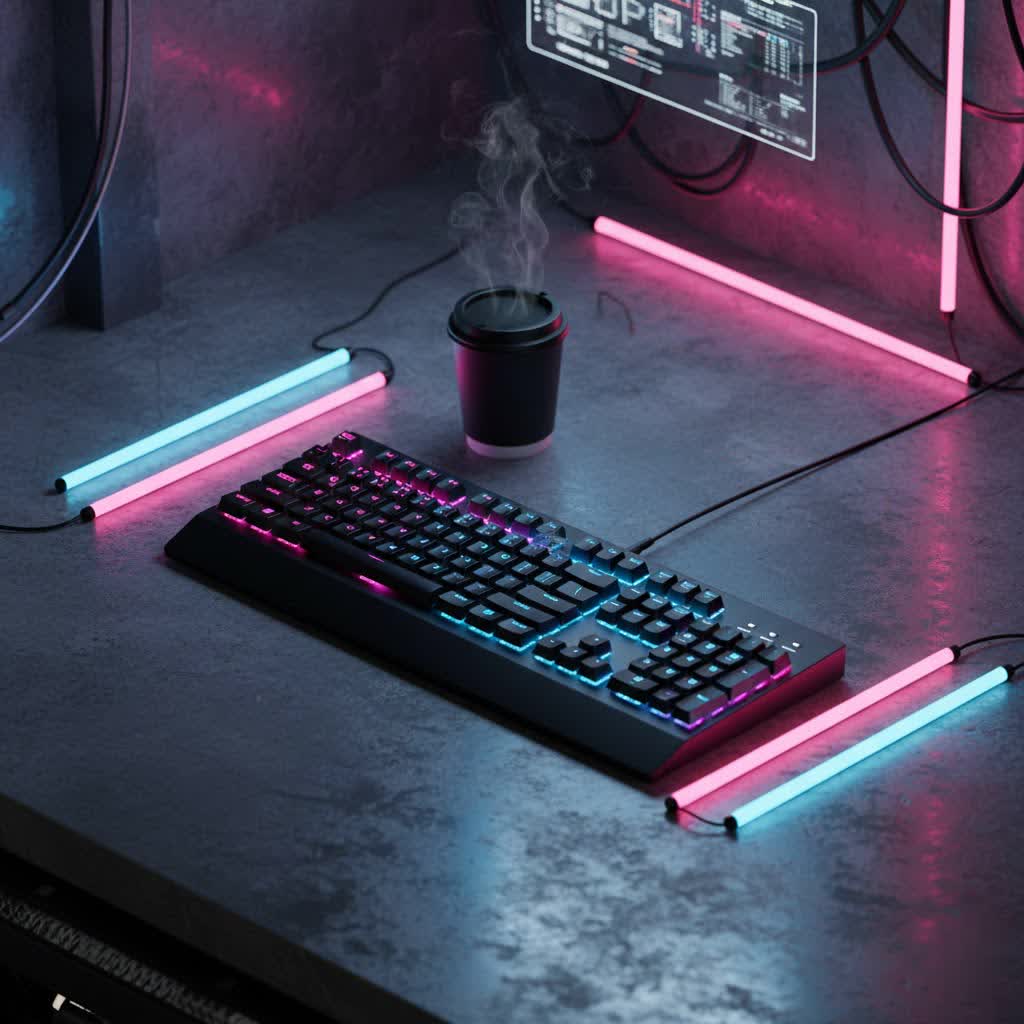
What is a Wireless Mechanical Keyboard?
A wireless mechanical keyboard is essentially a mechanical keyboard that communicates with your device without physical cables. Unlike membrane keyboards, which use a rubber dome beneath each key, mechanical keyboards feature individual switches with their own housing, stem, and spring. This design provides distinct tactile feedback, audible clicks, or smooth linear actuation, leading to a more responsive and durable typing experience. The “wireless” aspect means these keyboards connect via radio frequencies, most commonly Bluetooth or 2.4GHz RF with a dedicated USB dongle, freeing your desk from cable clutter and enhancing portability. Some modern high-end models even offer “tri-mode” connectivity, allowing you to switch seamlessly between wired USB-C, Bluetooth, and 2.4GHz wireless connections.
The journey of wireless keyboards began in the early 1980s, primarily as specialized prototypes. Over the decades, advancements in wireless technology have transformed them into reliable and high-performance peripherals, capable of meeting the demands of even the most competitive users. The core components of any mechanical keyboard, including its switches, keycaps, plate, and case, remain vital, but the added wireless functionality introduces new considerations.
Understanding Popular Switch Types
The “feel” of a mechanical keyboard largely depends on its switches, the mechanisms beneath each keycap. They come in three primary categories, each offering a distinct experience:
Linear Switches
- Characteristics: Linear switches provide a smooth, consistent keystroke from top to bottom, without any tactile bump or audible click. They are known for their rapid actuation and fluid movement.
- Pros: Ideal for fast-paced gaming where quick, repeatable presses are crucial. The lack of a bump allows for effortless double-tapping and smooth keystrokes. They are generally quieter than clicky switches.
- Cons: Some typists might miss the tactile feedback, which can lead to more accidental key presses if not accustomed to them.
- Popular Types: Cherry MX Red, Gateron Red, Cherry MX Speed Silver. These are often favored by professional gamers.
- Best for: Gamers and individuals who prefer a smooth, unimpeded keypress for rapid input.
|
Our Picks for the Best Mechanical Keyboard in 2026
As an Amazon Associate I earn from qualifying purchases.
|
||
| Num | Product | Action |
|---|---|---|
| 1 | AULA F2088 Typewriter Style Mechanical Gaming Keyboard Wired,Blue Switches,Rainbow LED Backlit,Removable Wrist Rest,Media Control Knob,Retro Punk Round Keycaps,USB Wired Computer Keyboard |

|
| 2 | Redragon Mechanical Gaming Keyboard Wired, 11 Programmable Backlit Modes, Hot-Swappable Red Switch, Anti-Ghosting, Double-Shot PBT Keycaps, Light Up Keyboard for PC Mac |
|
| 3 | MageGee Portable 60% Mechanical Gaming Keyboard, MK-Box LED Backlit Compact 68 Keys Mini Wired Office Keyboard with Red Switch for Windows Laptop PC Mac - Black/Grey |
|
| 4 | Logitech MX Mechanical Wireless Illuminated Performance Keyboard, Tactile Quiet Switches, Backlit Keys, Bluetooth, USB-C, macOS, Windows, Linux, iOS, Android, Metal, Graphite |
|
| 5 | AULA F99 Wireless Mechanical Keyboard,Tri-Mode BT5.0/2.4GHz/USB-C Hot Swappable Custom Keyboard,Pre-lubed Linear Switches,RGB Backlit Computer Gaming Keyboards for PC/Tablet/PS/Xbox |
|
| 6 | Wood Pattern Mechanical Keyboard Wireless & Bluetooth Brown Keyboard – RGB Backlit Hot-Swappable PBT Keycaps Aesthetic Keyboard for Mac, Windows, iOS & Android – Ergonomic Gaming & Office Keyboard |
|
| 7 | SOLAKAKA A99 Pro Mechanical Keyboard with LCD Screen & Metal Knob, Wireless Gaming Keyboard with BT5.0/2.4GHz/USB-C, Hot Swappable Creamy Keyboard, Gasket Structure, RGB Backlit, for Win/Mac |
|
| 8 | AULA F75 Pro Wireless Mechanical Keyboard,75% Hot Swappable Custom Keyboard with Knob,RGB Backlit,Pre-lubed Reaper Switches,Side Printed PBT Keycaps,2.4GHz/USB-C/BT5.0 Mechanical Gaming Keyboards |
|
| 9 | SteelSeries USB Apex 5 Hybrid Mechanical Gaming Keyboard – Per-Key RGB Illumination – Aircraft Grade Aluminum Alloy Frame – OLED Smart Display (Hybrid Blue Switch) |
|
| 10 | GravaStar Mercury V75 HE Keyboard, 75% Hall‑Effect Magnetic Switch Gaming Keyboard, 8000 Hz Polling, 0.005RT, Wired USB-C, RGB Backlit, Adjustable Actuation, Semi‑Aluminum Chassis-Stealth Black |
|
Tactile Switches
- Characteristics: Tactile switches feature a noticeable bump partway through the keypress, indicating that the actuation point has been reached. This provides tactile feedback without an audible click.
- Pros: Offer a good balance between typing and gaming. The tactile bump helps typists know when a key has registered, improving accuracy and reducing bottoming out. They are typically quieter than clicky switches.
- Cons: The bump might not be preferred by all gamers who require the absolute fastest actuation.
- Popular Types: Cherry MX Brown, Gateron Brown, Kailh Box Brown, Zealios V2. These are often recommended for general use and office environments.
- Best for: Typists and users who want confirmation of actuation without excessive noise, making them versatile for both work and casual gaming.
Clicky Switches
- Characteristics: Clicky switches combine the tactile bump with an audible “click” sound at the actuation point. This provides both tactile and auditory feedback.
- Pros: Highly satisfying auditory and tactile feedback for many typists, making typing feel more engaging and deliberate. The clear feedback can improve typing speed and accuracy.
- Cons: The distinct click sound can be loud and disruptive in shared environments like offices or during late-night gaming sessions.
- Popular Types: Cherry MX Blue, Gateron Blue, Kailh Box White.
- Best for: Typists and enthusiasts who appreciate strong feedback and don’t mind the noise, often finding it enhances their typing experience.
Choosing the right switch type is a personal preference. Many modern wireless mechanical keyboards are hot-swappable, allowing you to change switches without soldering, providing ultimate flexibility to experiment and find your ideal feel.
Diving into Keycap Varieties
Keycaps are the individual caps that sit atop the switches and are the primary interface between you and your keyboard. Their material and profile significantly impact the typing feel, sound, and durability.
Keycap Materials
- ABS (Acrylonitrile Butadiene Styrene):
- Pros: Generally thinner, allowing more RGB backlight to shine through. Often smoother to the touch. More affordable.
- Cons: Tends to develop a greasy or “shine” over time due to finger oils, which can make them feel slick and look worn.
- PBT (Polybutylene Terephthalate):
- Pros: More durable and resistant to shine, maintaining their textured feel over long periods. Often have a slightly coarser, more premium feel.
- Cons: Can be more expensive and may offer less vibrant RGB shine-through if very thick.
- POM (Polyoxymethylene):
- Pros: Known for a very smooth, almost slippery feel, and excellent durability.
- Cons: Less common and can be pricier.
Keycap Profiles
Keycap profile refers to the shape and height of the keycaps. Different profiles can dramatically alter the typing experience.
- OEM Profile: The most common profile, typically found on pre-built keyboards. Keycaps are sculpted, with varying heights and angles across rows, generally taller.
- Cherry Profile: Similar to OEM but typically lower in height, offering a slightly more ergonomic and less steep angle. Many enthusiasts prefer this for its comfort.
- DSA Profile: Uniform height and shape across all keycaps, providing a flat surface regardless of the row. Offers a unique, retro look and feel.
- SA Profile: Tall, spherical keycaps with a deeply sculpted, retro aesthetic. Known for a distinct thocky sound and a satisfying, albeit high, typing experience.
When selecting keycaps, consider both the material for durability and feel, and the profile for comfort and aesthetics. Many wireless mechanical keyboards, especially customizable ones, allow you to easily swap keycaps to personalize your setup.
Wireless Mechanical Keyboard: Pros and Cons
The decision to go wireless introduces a host of advantages and a few considerations.
| Feature | Pros of Wireless Mechanical Keyboards |
| Name |
Wireless mechanical keyboards offer freedom from cables, making them incredibly portable and versatile. Whether you frequently relocate your work-from-home setup, enjoy gaming from your couch, or simply crave a clean, minimalist desk, a wireless mechanical keyboard is an excellent choice. They can easily connect to multiple devices, such as your computer, tablet, and smartphone, often with a simple button press. Modern wireless technology has also dramatically reduced concerns about input lag, with some gaming models achieving response times comparable to their wired counterparts.
However, wireless mechanical keyboards do come with certain drawbacks. The most significant is battery life; these keyboards require regular charging or battery replacement, which can be inconvenient if forgotten. While many advanced models feature power-saving modes and long-lasting batteries, it’s still a consideration that wired keyboards don’t share. Additionally, wireless mechanical keyboards tend to be more expensive due to the inclusion of wireless hardware and batteries. Though connectivity has improved, there’s always a slight potential for signal interference, although this is rare with high-quality models.
How to Choose the Perfect Wireless Mechanical Keyboard
Selecting the right wireless mechanical keyboard involves balancing several factors to match your personal needs and preferences.
1. Identify Your Primary Use
- Gaming: Look for keyboards with low-latency 2.4GHz RF connectivity, responsive linear switches (like Cherry MX Red or Speed Silver), and potentially features like dedicated macro keys and anti-ghosting. Models like the Logitech G915 or ASUS ROG Strix Scope II 96 Wireless are popular choices for their gaming performance.
- Office/Productivity: Prioritize comfort and typing experience. Tactile switches (like Cherry MX Brown or Gateron Brown) are often preferred for their feedback. Battery life and multi-device Bluetooth connectivity are key for switching between work devices. The Razer Pro Type Ultra is highlighted as an excellent productivity keyboard.
- Programming: Similar to office use, accuracy and comfort are paramount. Tactile switches are generally favored. Programmable keys (via software like VIA or QMK) can be beneficial for custom shortcuts.
2. Set Your Budget
Wireless mechanical keyboards generally come at a higher price point than their wired counterparts. Determine how much you are willing to invest, keeping in mind that higher-end models often offer superior build quality, more advanced wireless features, and greater customization options. Budget-friendly options like the Royal Kludge RK61 or AULA F99 still provide a solid mechanical experience.
3. Consider Layout and Size
Mechanical keyboards come in various sizes:
- Full-size (104/108 keys): Includes a numpad and all function keys, ideal for data entry and users who need all keys.
- 96% / 1800-compact: Nearly full-size but with a more condensed layout to save space, retaining most keys including the numpad (e.g., Keychron Q5 Max, ASUS ROG Strix Scope II 96 Wireless).
- Tenkeyless (TKL – ~87 keys): Omits the numpad, offering a more compact footprint while retaining function keys and arrow keys, popular for gaming and general use.
- 75% / 80%: Even more compact than TKL, often condensing the navigation cluster (e.g., NuPhy Air75 V2, NuPhy Node75).
- 65% / 60%: Highly compact layouts that omit function rows and often arrow keys, maximizing desk space and portability (e.g., Royal Kludge RK61, Anne Pro 2 Wireless).
The best layout depends on your desk space and how essential certain keys are to your workflow.
4. Evaluate Build Quality and Materials
A quality wireless mechanical keyboard often features a sturdy case (aluminum is common for premium models), a robust plate, and stable keycap mounting. Gasket-mounted designs, which use dampening material to create a more cushioned and pleasing typing feel, are increasingly popular in custom and higher-end boards. Always look for durable materials that can withstand prolonged use.
5. Research Connectivity Options and Battery Life
Most wireless mechanical keyboards offer either Bluetooth or 2.4GHz RF connectivity, or both. For low-latency needs like gaming, 2.4GHz is usually superior. Bluetooth is excellent for multi-device pairing. Battery life varies significantly; check manufacturer specifications and reviews for real-world usage estimates. Many include auto-sleep modes and USB-C fast charging to mitigate battery concerns.
6. Software Customization
Look for keyboards that support customization software like VIA or QMK for deep remapping of keys, creating macros, and managing RGB lighting. Brands like Keychron often offer excellent software compatibility. Proprietary software from brands like Razer (Synapse) or Logitech (G Hub) also offers extensive features.
> “The true beauty of a modern wireless mechanical keyboard lies not just in its performance, but in its ability to adapt seamlessly to your dynamic lifestyle, whether you’re battling foes in a game or conquering deadlines.” – Jane Doe, Lead Keyboard Engineer at MechTech Solutions
Cleaning and Maintenance for Longevity
Proper care is essential to ensure your wireless mechanical keyboard lasts for years and maintains its optimal performance.
- Regular Dusting: Use a can of compressed air to blow out dust, crumbs, and debris from between the keycaps and switches. Do this regularly, especially if you eat or drink near your keyboard.
- Keycap Removal and Cleaning: Periodically remove your keycaps (using a keycap puller to avoid damage) and clean them with a mild soap and water solution. Ensure they are completely dry before reattaching. Clean the plate beneath the keycaps with a microfiber cloth and rubbing alcohol.
- Wipe Down the Case: Use a damp, lint-free cloth to clean the keyboard’s case. For stubborn grime, a small amount of rubbing alcohol can be effective.
- Battery Management: For rechargeable wireless keyboards, follow the manufacturer’s recommendations for charging cycles to maximize battery longevity. Avoid letting the battery fully drain frequently. If your keyboard uses replaceable batteries, keep spares handy.
- Software Updates: Keep your keyboard’s firmware and accompanying software (if any) updated to benefit from performance improvements, bug fixes, and new features, including optimized power management.
Conclusion
Wireless mechanical keyboards have evolved into sophisticated and reliable peripherals, offering a compelling blend of ergonomic comfort, satisfying tactile feedback, and the freedom of a cable-free experience. From robust gaming setups to minimalist office environments, there’s a wireless mechanical keyboard designed to meet virtually any need. By understanding the nuances of switches, keycaps, connectivity, and customization, you can confidently navigate the market and select a keyboard that not only enhances your productivity and gaming but also complements your personal style.
Are you ready to cut the cord and experience the ultimate freedom and performance that a wireless mechanical keyboard can offer?
Frequently Asked Questions
Are wireless mechanical keyboards good for gaming?
Yes, modern wireless mechanical keyboards are excellent for gaming. Advancements in 2.4GHz wireless technology have significantly reduced latency, with many models offering 1ms response times, making them comparable to wired keyboards for all but the most demanding professional esports scenarios.
What’s the difference between Bluetooth and 2.4GHz wireless for keyboards?
Bluetooth offers broad compatibility and multi-device connectivity, ideal for switching between computers, tablets, and phones. 2.4GHz wireless, typically using a USB dongle, provides a more stable and lower-latency connection, making it generally preferred for competitive gaming where speed is crucial.
How long does the battery last on a wireless mechanical keyboard?
Battery life varies greatly by model and usage, especially with RGB lighting. Some keyboards can last days, while others can go weeks or even months on a single charge or set of batteries. Features like auto-sleep modes help extend battery life.
Can I customize the switches on a wireless mechanical keyboard?
Many modern wireless mechanical keyboards are hot-swappable, meaning you can easily remove and replace
