For enthusiasts and everyday users alike, the mechanical keyboard is more than just a tool—it’s a canvas for personal expression and a gateway to a superior typing experience. While switches dictate the tactile and auditory feedback, it’s the keycaps that provide the crucial interface between your fingers and the keyboard, profoundly influencing both aesthetics and feel. Choosing the right keycaps can transform your keyboard from merely functional to truly extraordinary. This comprehensive guide will explore everything you need to know about mechanical keyboard keycaps, from materials and profiles to compatibility and care, helping you unlock your keyboard’s full potential.
What Are Mechanical Keyboard Keycaps?
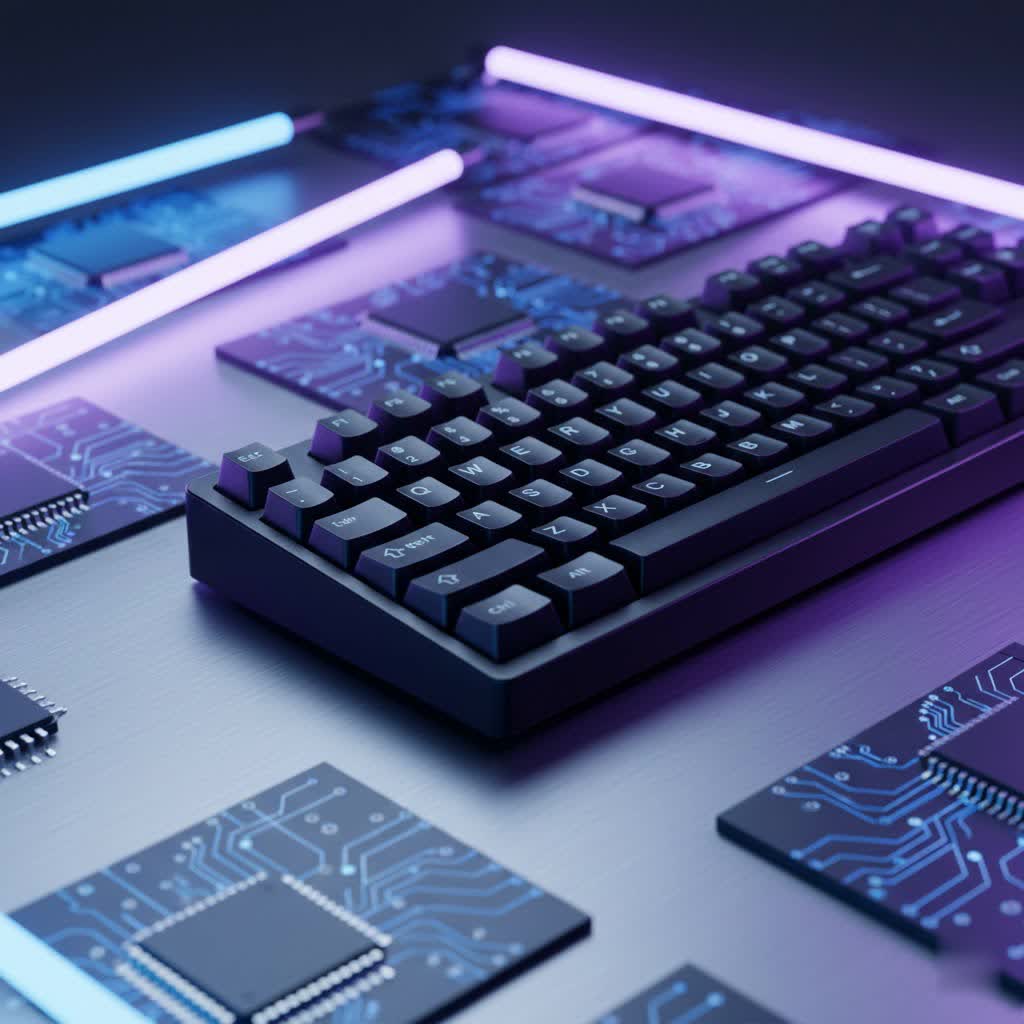
Mechanical keyboard keycaps are the removable caps that sit atop each switch, serving as the surface your fingers interact with. Far from being mere decorative elements, keycaps are fundamental to the overall typing and gaming experience. They contribute significantly to the sound produced by each keystroke, the tactile sensation under your fingertips, and the visual appeal of your setup. The right set of keycaps can enhance comfort, improve typing accuracy, and even mitigate finger fatigue during long sessions.
Diving Deep into Keycap Materials
The material of your keycaps is a critical factor, affecting their durability, texture, sound, and even how they age. The most prevalent materials are ABS, PBT, and POM, each with distinct characteristics.
ABS Keycaps
Acrylonitrile Butadiene Styrene (ABS) is a common thermoplastic polymer known for its versatility. Most mass-produced mechanical keyboards come equipped with ABS keycaps due to their affordability and ease of manufacturing.
- Characteristics: ABS keycaps are typically smooth to the touch and can produce vibrant, clear colors, making them excellent for intricate designs and backlighting.
- Pros: They are generally lighter, more affordable, and widely available. Their smooth finish feels familiar to many users, and they excel at light transmission for RGB setups.
- Cons: Over time, ABS keycaps are prone to developing a shiny, greasy look, often referred to as “ABS shine,” due to oil buildup and wear. They are also less resistant to abrasion and UV light, which can lead to discoloration.
|
Our Picks for the Best Mechanical Keyboard in 2026
As an Amazon Associate I earn from qualifying purchases.
|
||
| Num | Product | Action |
|---|---|---|
| 1 | GravaStar Mercury V75 HE Keyboard, 75% Hall‑Effect Magnetic Switch Gaming Keyboard, 8000 Hz Polling, 0.005RT, Wired USB-C, RGB Backlit, Adjustable Actuation, Semi‑Aluminum Chassis-Stealth Black |

|
| 2 | AULA F2088 Typewriter Style Mechanical Gaming Keyboard Wired,Blue Switches,Rainbow LED Backlit,Removable Wrist Rest,Media Control Knob,Retro Punk Round Keycaps,USB Wired Computer Keyboard |
|
| 3 | Wood Pattern Mechanical Keyboard Wireless & Bluetooth Brown Keyboard – RGB Backlit Hot-Swappable PBT Keycaps Aesthetic Keyboard for Mac, Windows, iOS & Android – Ergonomic Gaming & Office Keyboard |
|
| 4 | Logitech MX Mechanical Wireless Illuminated Performance Keyboard, Tactile Quiet Switches, Backlit Keys, Bluetooth, USB-C, macOS, Windows, Linux, iOS, Android, Metal, Graphite |
|
| 5 | MageGee Portable 60% Mechanical Gaming Keyboard, MK-Box LED Backlit Compact 68 Keys Mini Wired Office Keyboard with Red Switch for Windows Laptop PC Mac - Black/Grey |
|
| 6 | Redragon Mechanical Gaming Keyboard Wired, 11 Programmable Backlit Modes, Hot-Swappable Red Switch, Anti-Ghosting, Double-Shot PBT Keycaps, Light Up Keyboard for PC Mac |
|
| 7 | SteelSeries USB Apex 5 Hybrid Mechanical Gaming Keyboard – Per-Key RGB Illumination – Aircraft Grade Aluminum Alloy Frame – OLED Smart Display (Hybrid Blue Switch) |
|
| 8 | AULA F75 Pro Wireless Mechanical Keyboard,75% Hot Swappable Custom Keyboard with Knob,RGB Backlit,Pre-lubed Reaper Switches,Side Printed PBT Keycaps,2.4GHz/USB-C/BT5.0 Mechanical Gaming Keyboards |
|
| 9 | AULA F99 Wireless Mechanical Keyboard,Tri-Mode BT5.0/2.4GHz/USB-C Hot Swappable Custom Keyboard,Pre-lubed Linear Switches,RGB Backlit Computer Gaming Keyboards for PC/Tablet/PS/Xbox |
|
| 10 | SOLAKAKA A99 Pro Mechanical Keyboard with LCD Screen & Metal Knob, Wireless Gaming Keyboard with BT5.0/2.4GHz/USB-C, Hot Swappable Creamy Keyboard, Gasket Structure, RGB Backlit, for Win/Mac |
|
PBT Keycaps
Polybutylene Terephthalate (PBT) is often considered a premium keycap material, highly valued by mechanical keyboard enthusiasts for its robust properties.
- Characteristics: PBT keycaps feature a distinct matte, slightly textured surface that provides excellent grip. They are denser and heavier than ABS.
- Pros: PBT is exceptionally durable and highly resistant to shine and wear, maintaining its original texture and appearance for years. It produces a deeper, more “thocky” sound profile, which many find pleasing.
- Cons: PBT keycaps are generally more expensive than ABS. They can be more challenging to mold, sometimes leading to subtle inconsistencies in budget sets. Their color palette tends to be more muted than ABS.
POM Keycaps
Polyoxymethylene (POM) is a less common but increasingly popular thermoplastic polymer among custom keyboard builders.
- Characteristics: POM keycaps are known for their incredibly smooth, almost silky or buttery texture. They are durable and dense, similar to PBT, but with a unique feel.
- Pros: They offer excellent durability and resistance to wear and shine. The smooth surface can provide a distinct typing experience. Some POM keycaps are also good for RGB lighting, allowing light to shine through effectively.
- Cons: POM keycaps are typically rarer and can be more expensive than both ABS and PBT. They tend to produce a higher-pitched, “clacky” sound compared to PBT. Coloring POM can be difficult, limiting design options.
Other Materials
While less common for full sets, other materials exist:
- Metal Keycaps: Often crafted from aluminum or brass, these are exceptionally durable and offer a premium aesthetic, usually reserved for novelty keys or small accents like the Escape key.
- Ceramic Keycaps: A newer innovation, ceramic keycaps offer a distinct, smooth, and cool-to-the-touch feel, providing a truly unique typing experience.
| Material | Texture | Durability | Shine Resistance | Cost | Sound Characteristics | Common Use Cases |
|---|---|---|---|---|---|---|
| ABS | Smooth | Moderate | Low | Low | Brighter, higher-pitched | Gaming, vibrant colors, backlighting |
| PBT | Textured | High | High | Medium-High | Deeper, “thocky” | Enthusiasts, longevity, tactile feedback |
| POM | Silky Smooth | High | High | High | Higher-pitched, “clacky” | Custom builds, unique feel, RGB |
Exploring Keycap Profiles: Sculpted vs. Uniform
Beyond material, the profile of a keycap significantly impacts typing feel, ergonomics, and even sound. A keycap profile refers to the specific shape, height, and contour of the keycaps, both individually and across the rows of your keyboard.
Sculpted Profiles feature varying heights and angles across different rows, designed to follow the natural arc of your fingers. This can offer a more ergonomic and comfortable typing experience.
- OEM Profile: This is the most common keycap profile found on many pre-built mechanical keyboards. It’s a medium-height, sculpted profile with an angled top, making it a familiar and versatile choice for general use.
- Cherry Profile: Similar to OEM but often slightly shorter, Cherry profile is highly popular among enthusiasts for its comfortable and ergonomic design. Its lower height can lead to faster actuation and reset times. However, Cherry profile keycaps can sometimes cause interference with North-facing PCB switches, particularly on the top row.
- SA Profile: Characterized by its tall, spherical shape and sculpted rows, SA profile keycaps offer a distinctly retro aesthetic reminiscent of vintage typewriters. They tend to produce a deeper, “thocky” sound. While visually striking, their height can present a learning curve for some typists and may feel more fatiguing during extended sessions.
- MT3 Profile: A unique, tall, and deeply sculpted profile with a concave top surface that cradles the fingertips. It’s favored by some enthusiasts for its ergonomic comfort and distinctive typing feel, aiming for a more “scooped” sensation.
Uniform Profiles maintain the same height and angle across all rows, providing a consistent feel regardless of where your fingers land.
- DSA Profile: DSA keycaps are flat and uniform in height with a spherical top surface. Their consistent feel across all keys makes them popular among some gamers and those who prefer a minimalist aesthetic.
- XDA Profile: Similar to DSA, XDA keycaps also have a uniform height and a flat, cylindrical top surface, but with a slightly wider surface area. This offers a broad, consistent typing canvas.
Choosing a profile often comes down to personal preference, typing style, and hand size. Lower profiles like Cherry and DSA are often preferred for gaming due to potentially faster keypresses, while sculpted profiles can enhance ergonomic comfort for typists.
| Profile | Type | Height | Top Shape | Feel | Common Use Cases |
|---|---|---|---|---|---|
| OEM | Sculpted | Medium | Angled | Familiar, general comfort | Pre-built keyboards, everyday use |
| Cherry | Sculpted | Low-Medium | Angled | Ergonomic, quick, popular | Typing, gaming, enthusiasts |
| SA | Sculpted | Tall | Spherical | Retro, commanding, “thocky” | Aesthetics, vintage feel |
| MT3 | Sculpted | Tall | Deep Concave | Ergonomic, finger-cradling | Typists, ergonomic focus |
| DSA | Uniform | Low | Spherical | Consistent, flat | Gaming, minimalist aesthetics |
| XDA | Uniform | Medium | Cylindrical | Consistent, wide | Typing, custom builds |
Keycap Legends and Manufacturing Methods
The characters or symbols on your keycaps, known as legends, are applied using various methods, which dictate their durability and appearance.
- Double-Shot: This is considered the gold standard for legends. Two separate plastic molds are used to create the keycap: one for the legend and another for the keycap body. The legend is physically part of the keycap, meaning it will never fade or wear off, even with heavy use. Double-shot legends are typically crisp and clear.
- Dye-Sublimation (Dye-Sub): In this process, dye is infused into the keycap material at a high temperature, permanently bonding it to the plastic. Dye-sub legends are highly durable and won’t fade or rub off. This method works best on PBT keycaps and is excellent for intricate designs and multiple colors, though it typically requires lighter keycap colors for vibrant legends.
- Laser-Etched/Printed: These are more economical methods. Laser-etched legends are burned onto the surface of the keycap, while printed legends are simply inked on. Both are prone to fading, wearing off, or becoming shiny over time, especially with frequent use.
- Pudding Keycaps: These feature a translucent lower section that allows a keyboard’s RGB backlighting to shine through brightly, creating a vivid underglow effect. The legends themselves are usually opaque and can be made with any of the methods above.
Compatibility and Installation
Before investing in a new set of keycaps, ensuring compatibility with your existing mechanical keyboard is crucial.
- Switch Type: The vast majority of mechanical keyboard keycaps are designed for Cherry MX-style switches, which feature a distinctive “+” shaped stem. If your switches have this cross-shaped stem, you’ll have a wide array of options. Keyboards with proprietary switches (e.g., Topre, Logitech Romer-G) require specific keycaps.
- Keyboard Layout: Keycap sets are designed to cover various keyboard layouts (e.g., full-size, TKL, 60%, 65%). Pay close attention to non-standard key sizes, especially on the bottom row (spacebar, Ctrl, Alt, Fn keys), as these can vary between brands and custom builds. Always check the layout diagram of a keycap set to confirm it includes all the necessary keys for your specific keyboard.
- North-Facing PCBs: Some mechanical keyboards feature North-facing PCBs (Printed Circuit Boards), meaning the LED is positioned at the top of the switch. With certain keycap profiles, notably Cherry profile, this can cause the keycap to “interfere” or brush against the switch housing, resulting in a slightly different feel or sound on some keys.
Installing keycaps is generally straightforward. A wire keycap puller is recommended to safely remove old keycaps without damaging the switches. Simply align the new keycaps with the switch stems and press down gently until they click into place.
How to Choose the Perfect Keycap Set for You
Selecting the ideal keycaps is a personal journey, blending aesthetics, functionality, and budget. Here’s a structured approach to guide your decision:
-
Identify Your Primary Use:
- Gaming: You might prioritize lower-profile keycaps (like Cherry or DSA) for quicker actuation and a consistent feel across the board. Durability and grip (PBT) are also beneficial.
- Typing/Productivity: Ergonomics become paramount. Sculpted profiles (Cherry, OEM, MT3) and textured PBT keycaps can provide comfort and reduce fatigue during long typing sessions.
- Aesthetics/Customization: If visual appeal is your main goal, explore various colorways, unique legends, or even artisan keycaps. ABS offers vibrant colors, while POM can provide a distinctive smooth look.
-
Determine Your Budget: Keycaps range widely in price, from affordable ABS sets to premium double-shot PBT or custom artisan keycaps. Set a realistic budget to narrow down your options.
-
Consider Sound and Feel:
- Sound: PBT tends to offer a deeper, more satisfying “thock,” while ABS can be brighter, and POM often has a higher-pitched “clack.”
- Feel: Do you prefer the grippy texture of PBT, the familiar smoothness of ABS, or the silky glide of POM?
- Thicker keycaps (typically around 1.5mm) generally produce a more solid feel and deeper sound.
-
Prioritize Aesthetics and Theme: Think about the colors, fonts, and overall theme you want for your keyboard. Many brands offer extensive collections to match any setup.
-
Always Check Compatibility: Reconfirm that your chosen keycap set supports your keyboard’s switch type, layout, and doesn’t conflict with your PCB (e.g., North-facing interference with Cherry profile).
Caring for Your Keycaps: Cleaning and Maintenance
Proper care can significantly extend the life and maintain the appearance of your keycaps.
- Regular Cleaning: Dust and debris can accumulate between keycaps. Use compressed air to blow out loose particles.
- Deep Cleaning: For a thorough clean, remove your keycaps and soak them in a bowl of warm water with a small amount of mild dish soap. Gently agitate them, then rinse thoroughly with clean water.
- Drying: Air dry your keycaps completely before reinstalling them to prevent moisture from affecting your switches. Avoid direct sunlight, especially for ABS keycaps, to prevent yellowing.
- Avoid Harsh Chemicals: Do not use aggressive cleaning agents or solvents, as these can damage the plastic or fade the legends.
“Your keycaps are the most direct point of contact with your mechanical keyboard. Investing time in understanding their materials and profiles can drastically improve your daily typing comfort and overall enjoyment, making every keystroke a pleasure.”
Conclusion
Mechanical keyboard keycaps are far more than simple plastic covers; they are integral components that dictate the look, feel, and even sound of your keyboard. From the durable, textured grip of PBT to the vibrant versatility of ABS and the unique smoothness of POM, each material offers a distinct experience. Similarly, whether you prefer the ergonomic sculpting of Cherry and MT3 profiles or the consistent uniformity of DSA and XDA, there’s a design tailored to every preference. By understanding these nuances and carefully considering your typing style, aesthetic desires, and compatibility needs, you can curate a mechanical keyboard that not only performs flawlessly but also truly reflects your personality. So, go ahead, explore the vast world of keycaps, and discover the perfect set to complete your ultimate typing sanctuary. What combination of material and profile will define your next perfect keystroke?
Frequently Asked Questions
Are thicker keycaps better?
Generally, yes. Thicker keycaps (often around 1.5mm) tend to feel more substantial and solid under your fingers. They also contribute to a deeper, more pleasing sound profile compared to thinner keycaps, which can sound hollow or clacky.
Can I mix and match keycap profiles?
While technically possible, mixing keycap profiles is generally not recommended for the main alphanumeric keys, as it can disrupt the ergonomic consistency and create an uneven typing surface. However, mixing different profiles for novelty keys or specific modifier keys can be a fun way to add personality.
Do keycaps affect typing speed?
Keycaps can indirectly affect typing speed by influencing comfort and finger placement. A profile that feels natural and allows for fluid movement can contribute to faster, more accurate typing, while an uncomfortable or unfamiliar profile might temporarily slow you down.
How often should I clean my keycaps?
For optimal hygiene and appearance, a light cleaning with compressed air or a soft brush can be done weekly. A deeper clean by removing and washing keycaps is recommended every 1-3 months, depending on usage and environment, to prevent oil and dirt buildup.
What are “artisan” keycaps?
Artisan keycaps are handmade, custom-designed keycaps, often crafted from resin, metal, wood, or other unique materials. They are typically sold individually or in very small batches, prized for their intricate details and artistic value, and are used to personalize a single key on a keyboard.
