Are you spending countless hours perfecting your code, only to find your hands aching and your productivity dwindling due to a subpar keyboard? For programmers, a keyboard is not merely an input device; it’s an extension of their mind, a crucial tool that can significantly impact comfort, speed, and overall efficiency. Investing in the right mechanical keyboard can transform your coding experience, offering superior tactile feedback, durability, and customization options that standard keyboards simply can’t match. This comprehensive guide will equip you with the knowledge to navigate the vast world of mechanical keyboards and select the perfect companion for your programming journey.
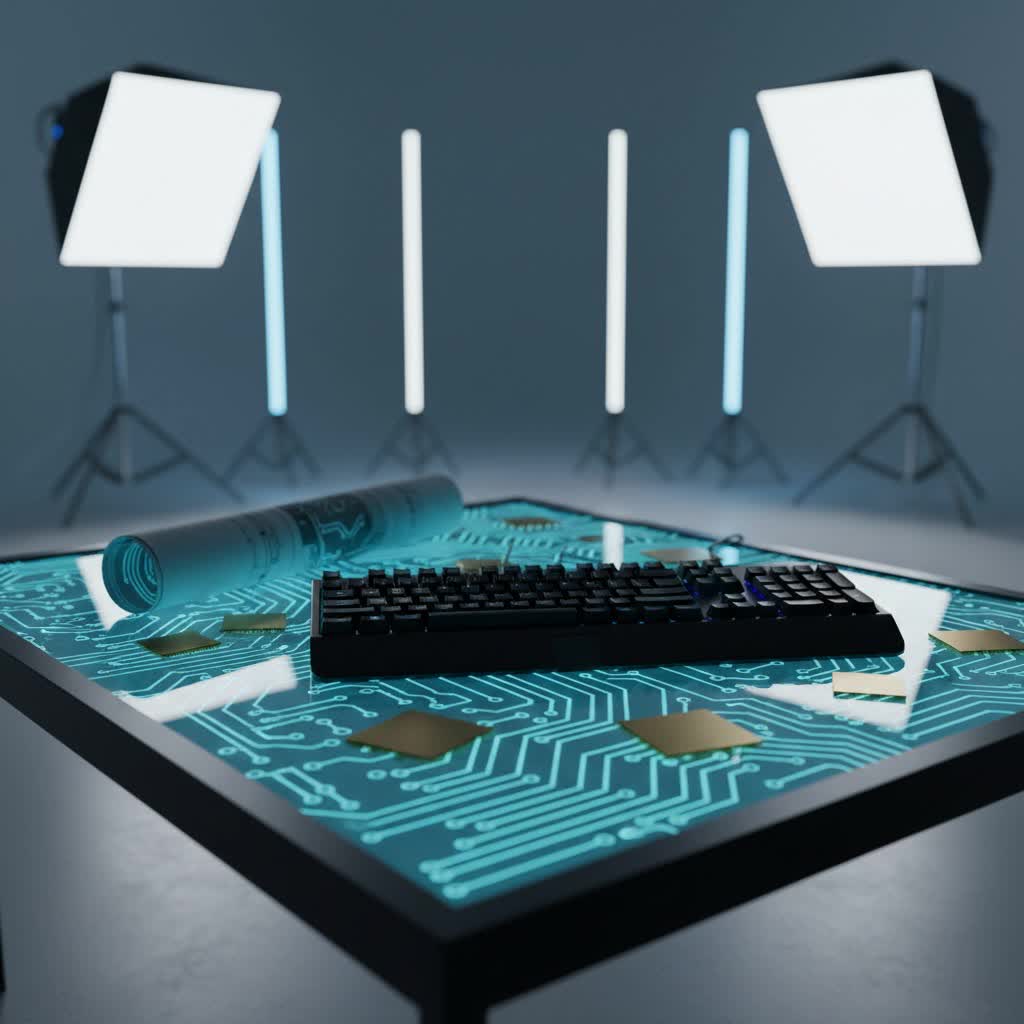
What is a Mechanical Keyboard?
A mechanical keyboard is a high-performance keyboard that uses individual mechanical switches under each keycap, unlike the rubber dome switches found in traditional membrane keyboards. This fundamental difference provides a distinct typing experience, characterized by a more pronounced tactile or auditory feedback, greater durability, and enhanced precision. Programmers often prefer mechanical keyboards for their reliability and the satisfying feel that reduces fatigue during long coding sessions.
The history of mechanical keyboards dates back to the early days of computing, with iconic models like the IBM Model M setting a gold standard for typing. While membrane keyboards gained popularity due to their lower manufacturing cost, mechanical keyboards have seen a resurgence among enthusiasts and professionals who value their superior performance. Key components include the switch, which registers keystrokes; the keycap, which is the cover you press; the plate, a rigid layer that holds the switches; and the case, which encloses all the components.
Popular Switch Types
The “feel” of a mechanical keyboard is primarily determined by its switches. Understanding the different types is crucial for programmers to find their ideal match for extended coding.
Linear Switches
Linear switches are characterized by a smooth, consistent keystroke from top to bottom, with no tactile bump or audible click. They offer the fastest and most fluid keypresses, making them popular among gamers and touch typists who value speed and minimal resistance.
- Characteristics: Smooth, quiet (relative to clicky), no tactile feedback.
- Pros: Fast actuation, ideal for rapid key presses, less finger fatigue over long periods due to consistent force.
- Cons: Lack of tactile feedback means you might “bottom out” keys, which can be louder and harder on fingers if not accustomed.
- Popular Types: Cherry MX Red, Gateron Red, Cherry MX Speed Silver.
- Best for: Programmers who prioritize speed and quiet operation, especially those working in shared spaces. They are excellent for fast, continuous typing without interruption.
|
Our Picks for the Best Mechanical Keyboard in 2026
As an Amazon Associate I earn from qualifying purchases.
|
||
| Num | Product | Action |
|---|---|---|
| 1 | GravaStar Mercury V75 HE Keyboard, 75% Hall‑Effect Magnetic Switch Gaming Keyboard, 8000 Hz Polling, 0.005RT, Wired USB-C, RGB Backlit, Adjustable Actuation, Semi‑Aluminum Chassis-Stealth Black |

|
| 2 | SOLAKAKA A99 Pro Mechanical Keyboard with LCD Screen & Metal Knob, Wireless Gaming Keyboard with BT5.0/2.4GHz/USB-C, Hot Swappable Creamy Keyboard, Gasket Structure, RGB Backlit, for Win/Mac |
|
| 3 | AULA F2088 Typewriter Style Mechanical Gaming Keyboard Wired,Blue Switches,Rainbow LED Backlit,Removable Wrist Rest,Media Control Knob,Retro Punk Round Keycaps,USB Wired Computer Keyboard |
|
| 4 | Logitech MX Mechanical Wireless Illuminated Performance Keyboard, Tactile Quiet Switches, Backlit Keys, Bluetooth, USB-C, macOS, Windows, Linux, iOS, Android, Metal, Graphite |
|
| 5 | MageGee Portable 60% Mechanical Gaming Keyboard, MK-Box LED Backlit Compact 68 Keys Mini Wired Office Keyboard with Red Switch for Windows Laptop PC Mac - Black/Grey |
|
| 6 | SteelSeries USB Apex 5 Hybrid Mechanical Gaming Keyboard – Per-Key RGB Illumination – Aircraft Grade Aluminum Alloy Frame – OLED Smart Display (Hybrid Blue Switch) |
|
| 7 | AULA F99 Wireless Mechanical Keyboard,Tri-Mode BT5.0/2.4GHz/USB-C Hot Swappable Custom Keyboard,Pre-lubed Linear Switches,RGB Backlit Computer Gaming Keyboards for PC/Tablet/PS/Xbox |
|
| 8 | Redragon Mechanical Gaming Keyboard Wired, 11 Programmable Backlit Modes, Hot-Swappable Red Switch, Anti-Ghosting, Double-Shot PBT Keycaps, Light Up Keyboard for PC Mac |
|
| 9 | Wood Pattern Mechanical Keyboard Wireless & Bluetooth Brown Keyboard – RGB Backlit Hot-Swappable PBT Keycaps Aesthetic Keyboard for Mac, Windows, iOS & Android – Ergonomic Gaming & Office Keyboard |
|
| 10 | AULA F75 Pro Wireless Mechanical Keyboard,75% Hot Swappable Custom Keyboard with Knob,RGB Backlit,Pre-lubed Reaper Switches,Side Printed PBT Keycaps,2.4GHz/USB-C/BT5.0 Mechanical Gaming Keyboards |
|
Tactile Switches
Tactile switches provide a noticeable “bump” or resistance partway through the keypress, signaling that the key has been actuated without needing to bottom out. This feedback helps improve typing accuracy and speed by confirming the keypress.
- Characteristics: Noticeable bump, quiet to moderately loud, distinct feedback.
- Pros: Excellent for accuracy, clear indication of actuation point, preferred by many typists for a satisfying feel.
- Cons: Slightly slower for rapid-fire presses compared to linear switches.
- Popular Types: Cherry MX Brown, Gateron Brown, Zealios V2.
- Best for: Programmers who value typing accuracy and positive feedback. The tactile bump can reduce the need to bottom out, potentially easing finger strain during long coding sessions.
Clicky Switches
Clicky switches offer both a tactile bump and a distinct audible click sound at the actuation point. These switches are known for their satisfying “click” that provides both auditory and tactile confirmation of a keystroke.
- Characteristics: Tactile bump and a loud, audible click.
- Pros: Highly satisfying sound and feel for some users, clear indication of actuation.
- Cons: Very loud, potentially disruptive in quiet environments or shared offices.
- Popular Types: Cherry MX Blue, Gateron Blue, Kailh Box White.
- Best for: Programmers who enjoy the classic typewriter feel and sound, and who work in an environment where noise isn’t a concern. Generally, less recommended for shared offices.
Comparing switch types, linear switches are fast and smooth, tactile switches offer a reassuring bump for accuracy, and clicky switches provide both tactile and auditory feedback. Many programmers find a balance with tactile switches, offering accuracy without the high noise level of clicky options, while others prefer the smooth, uninterrupted flow of linear switches for pure speed.
Keycap Types
Keycaps are the visible parts you press, and their material and profile significantly affect the typing feel and durability of your mechanical keyboard. Choosing the right keycaps can enhance comfort and prevent finger fatigue.
Popular Keycap Materials
- ABS (Acrylonitrile Butadiene Styrene):
- Pros: Smoother texture, vibrant colors, more readily available.
- Cons: Tends to develop a shine over time due to finger oils, can feel slippery, less durable.
- PBT (Polybutylene Terephthalate):
- Pros: Durable, resistant to shine and wear, textured feel, maintains its look over time.
- Cons: Can be more expensive, color options might be limited compared to ABS.
- POM (Polyoxymethylene):
- Pros: Very durable, smooth, low-friction surface, excellent sound profile.
- Cons: Less common, limited design options.
PBT keycaps are often favored by programmers for their durability and resistance to wear, which keeps them feeling consistent even after thousands of hours of coding.
Keycap Profiles
The profile refers to the shape and height of the keycaps, influencing ergonomics and typing comfort.
- OEM Profile: Standard keycap profile found on most pre-built mechanical keyboards. Keys have a cylindrical top and vary in height across rows.
- Cherry Profile: Similar to OEM but slightly lower and less sculpted, often preferred for its subtle ergonomic benefits and clean aesthetic.
- DSA Profile: Uniform height and shape across all rows, offering a flat, minimalist look and flexibility for remapping keys.
- SA Profile: Tall, spherical keycaps with a deeply sculpted profile, providing a retro feel and a distinct thocky sound.
Choosing the right keycap profile is largely personal. Many programmers prefer Cherry or OEM for their familiarity and ergonomic curve, while others enjoy the uniform nature of DSA or the retro appeal of SA.
Comparison Table: Top Mechanical Keyboards for Programming
This table highlights some highly-regarded mechanical keyboards for programming, based on common features and user preferences.
| Keyboard Model | Price Range | Switch Type (Common) | Keycap Material | Layout | Special Features |
|---|---|---|---|---|---|
| HHKB Professional Hybrid | Premium | Topre (Capacitive) | PBT | Compact (60%) | Highly customizable keymaps, silent keys (Type-S), multi-device Bluetooth. |
| Keychron Q5 Max | Mid-to-High | Gateron G Pro (Hot-swappable) | PBT | 96% | Full aluminum frame, gasket mount, QMK/VIA compatibility, sound-dampening foam. |
| NuPhy Air75 V2 | Mid-range | Gateron Low-Profile | PBT | 75% | Low-profile design, excellent typing experience, wireless, highly portable. |
| Royal Kludge S98 | Mid-range | Linear/Tactile (Pre-lubed) | PBT | 96% | Gasket-mounted, five layers of dampening foam, hot-swappable, multi-device wireless. |
| Keychron V5 Max | Budget | Gateron G Pro (Hot-swappable) | PBT | 96% | Sturdy plastic frame, sound-dampening foam, screw-in stabilizers, QMK/VIA compatibility. |
| Royal Kludge RK61 | Budget | Linear/Tactile | ABS (Shine-through) | 60% | Hot-swappable PCB, Bluetooth for three devices, compact and portable. |
This table offers a snapshot, but individual reviews and in-depth specifications are always recommended for a final decision.
Mechanical Keyboard Buying Guide
Selecting the “best” mechanical keyboard for programming is a personal journey, but a structured approach can help you narrow down your options and make an informed decision.
Determine Your Usage Needs
Your primary use case will heavily influence your choice.
- Gaming & Programming: If you game and code, you might seek faster linear switches and customizable RGB lighting, alongside programmable macros for both activities.
- Office & Programming: For a professional setting, quiet linear or tactile switches are often preferred. Ergonomic designs and compact layouts that save desk space might also be key.
- Pure Programming: Focus on durability, comfortable keycaps (PBT), highly customizable layouts (QMK/VIA compatibility), and switches that reduce fatigue over many hours.
Set Your Budget
Mechanical keyboards range widely in price, from budget-friendly options under $50 to premium, enthusiast-grade boards costing several hundred dollars.
- Budget-Friendly ($50-$100): Often offer core mechanical features but might compromise on build quality, switch options, or advanced customization.
- Mid-Range ($100-$200): Provides a good balance of build quality, hot-swappable switches, decent keycaps, and some customization.
- High-End ($200+): Features premium materials (aluminum cases), advanced gasket mounts, sophisticated customization software, and top-tier switches/keycaps.
Key Factors to Consider
- Layout:
- Full-size (100%): Includes a numpad, ideal for those who frequently input numbers.
- Tenkeyless (TKL, 87%): Omits the numpad, saving desk space while retaining arrow and function keys. Popular for many programmers.
- 75%: A compact TKL, often condensing the function row and navigation keys.
- 60%/65%: Very compact, requiring heavy use of function layers for missing keys. Great for minimalist setups but can have a learning curve for programmers who rely on dedicated arrow/function keys.
- “It depends on your workflow. Full-size or 96% layouts are great if you often use the numpad and arrow keys, while 75% or 60% keyboards are compact, portable, and ideal for minimal desk setups.”
- Switch Type: As discussed, linear for speed, tactile for feedback, clicky for auditory satisfaction. Consider your preference for typing feel and noise tolerance.
- Keycap Material & Profile: PBT keycaps are generally recommended for durability. Choose a profile that feels comfortable for your typing style.
- Build Quality: Look for sturdy materials (aluminum vs. plastic), good stabilizers (for larger keys), and features like gasket mounts or sound-dampening foam that enhance the typing experience.
- Customization (QMK/VIA): For programmers, the ability to remap keys, create macros, and set up multiple layers via QMK or VIA software is a significant advantage. This allows for an optimized workflow tailored to specific coding languages or environments.
- Connectivity: Wireless (Bluetooth, 2.4GHz) offers flexibility, while wired connections ensure zero latency. Many modern keyboards offer both.
Where to Buy
Reputable online retailers, specialty keyboard stores, and manufacturer websites are the best places to purchase. Reading reviews from other programmers and watching typing test videos can provide valuable insights.
Cleaning and Maintenance of Your Mechanical Keyboard
Proper cleaning and maintenance are essential to ensure the longevity and optimal performance of your mechanical keyboard. Dust, crumbs, and debris can accumulate under keycaps and interfere with switch operation.
- Regular Dusting: Use compressed air to blow away loose debris from between the keycaps. Do this weekly.
- Keycap Removal & Cleaning: Periodically, remove your keycaps using a keycap puller. Clean the keycaps with a mild soap and water solution, then dry them thoroughly. Use a brush or damp cloth to clean the plate and switches underneath.
- Switch Maintenance: Some switches can be lubricated (lubed) to improve smoothness and sound. This is an advanced maintenance step often done by enthusiasts. If your keyboard is hot-swappable, you can easily remove and replace switches.
- General Care: Avoid eating or drinking directly over your keyboard. If a spill occurs, disconnect the keyboard immediately, remove keycaps, and thoroughly clean and dry all components before reassembly.
By following these simple steps, you can keep your mechanical keyboard performing like new for many years, preserving the investment in your coding efficiency.
Conclusion
Choosing the right mechanical keyboard is a personal yet pivotal decision for any programmer. It’s about finding the perfect blend of comfort, durability, and customization that enhances your workflow and prevents fatigue during those marathon coding sessions. Whether you prioritize the silent, smooth action of linear switches, the reassuring feedback of tactile switches, or the deep customization offered by QMK/VIA software, there’s a mechanical keyboard designed to meet your specific needs. By considering switch types, keycap materials, layout, and build quality, you can select a tool that not only boosts your productivity but also makes every line of code a more enjoyable experience.
Ready to upgrade your typing experience and unlock new levels of coding efficiency? What features will define your perfect programming keyboard?
Frequently Asked Questions
What layout is best for a programmer?
The best layout depends on your workflow. Full-size or 96% layouts, which include a numpad and dedicated arrow keys, are ideal if you frequently work with numbers or navigate extensive code. However, compact 75% or 60% keyboards save desk space and are perfect for minimalist setups, although they may require learning function layers for some keys.
Can I customize keys and macros on a mechanical keyboard for programming?
Yes, many mechanical keyboards offer extensive customization options, which is a significant benefit for programmers. Keyboards compatible with open-source firmware like QMK or VIA allow you to remap individual keys, create complex macros, and set up multiple key layers, providing unparalleled flexibility to tailor the keyboard to your specific coding needs.
Are silent mechanical keyboards good for programming?
Silent mechanical keyboards, often featuring linear switches with sound-dampening components or Topre switches, are excellent for programming, especially in shared office environments or during late-night coding sessions. They provide the tactile benefits and durability of mechanical switches without the disruptive noise, allowing you to maintain focus and avoid disturbing others.
