The world of mechanical keyboards offers a vastly superior typing and gaming experience compared to traditional membrane keyboards. While high-end models can be expensive, a growing market of affordable options means you don’t have to break the bank to enjoy the tactile feedback and durability these keyboards provide. This comprehensive guide will help you navigate the features, components, and choices available when selecting the perfect budget mechanical keyboard to suit your needs and preferences.
What is a Mechanical Keyboard?
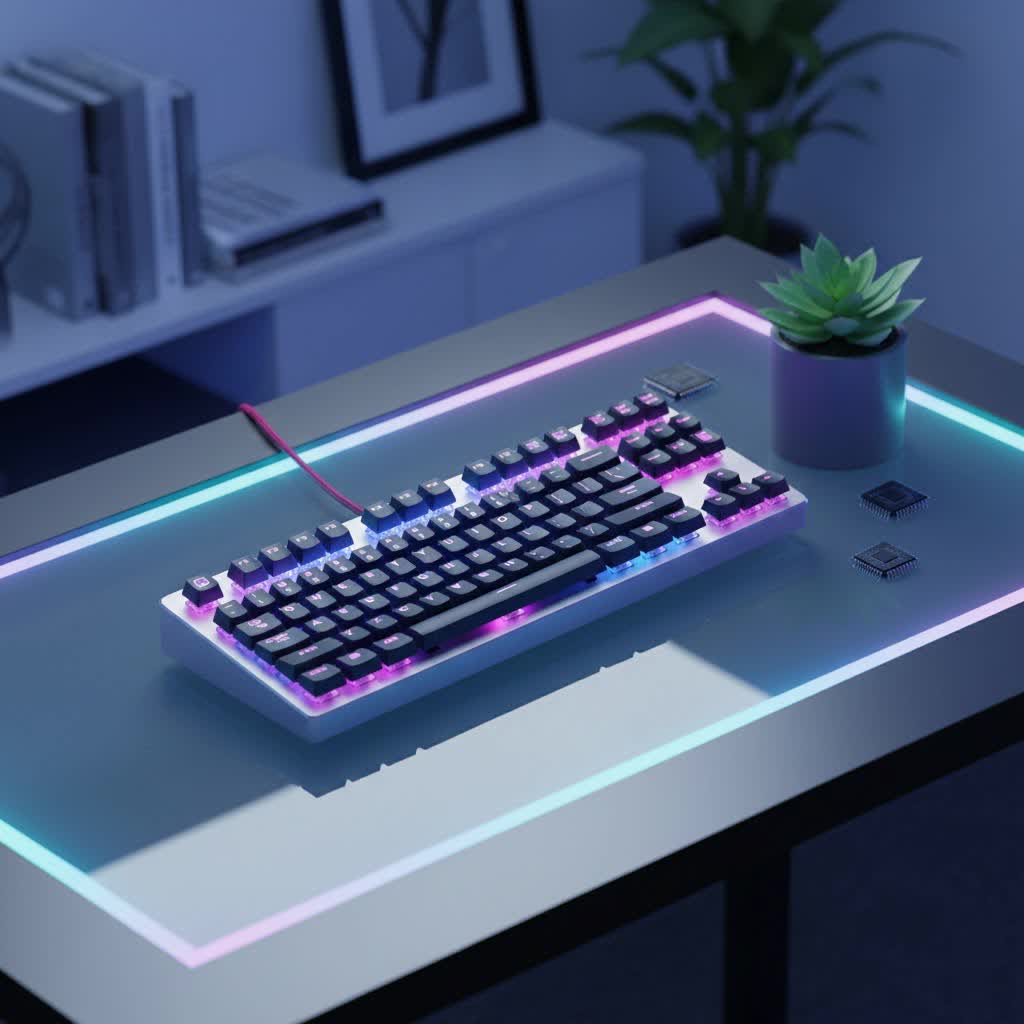
A mechanical keyboard uses individual mechanical switches under each keycap, unlike the rubber dome or membrane switches found in most standard keyboards. This design provides distinct tactile feedback, audible clicks, or a smooth linear press, leading to a more satisfying and precise typing experience.
The history of mechanical keyboards dates back to the early days of computing, evolving from typewriters. They dominated the market until the mid-1980s before being phased out in the 1990s due to falling computer prices and a demand for quieter office environments. However, the last decade has seen a resurgence, driven by their superior quality, enhanced typing enjoyment, ergonomic benefits, and a thriving community of enthusiasts.
The main components of a mechanical keyboard include:
- Switches: The mechanism beneath each keycap that registers a keystroke.
- Keycaps: The plastic covers with legends that you press.
- Plate: A component often made of metal that holds the switches in place and adds rigidity to the keyboard.
- Case: The outer housing that encases all the internal components.
Popular Switch Types
The type of switch is arguably the most crucial factor in a mechanical keyboard, as it dictates the feel and sound of each keystroke. There are three primary categories of mechanical switches: Linear, Tactile, and Clicky.
Linear Switches
Linear switches offer a smooth, consistent keystroke without any tactile bump or audible click. The keypress is uniform from top to bottom.
- Characteristics: Smooth travel, no bump, quiet operation (relative to clicky switches).
- Pros: Fast and consistent presses, often preferred by gamers for rapid, repeated inputs.
- Cons: Lack of tactile feedback means you might “bottom out” the key more often, requiring more force or leading to finger fatigue for some typists.
- Common Types: Cherry MX Red, Gateron Red, Speed Silver, Outemu Red.
- Best for: Gamers, particularly for fast-paced, reaction-based games where input speed is critical. They are also suitable for office environments where minimal noise is preferred.
|
Our Picks for the Best Mechanical Keyboard in 2026
As an Amazon Associate I earn from qualifying purchases.
|
||
| Num | Product | Action |
|---|---|---|
| 1 | Logitech MX Mechanical Wireless Illuminated Performance Keyboard, Tactile Quiet Switches, Backlit Keys, Bluetooth, USB-C, macOS, Windows, Linux, iOS, Android, Metal, Graphite |

|
| 2 | SOLAKAKA A99 Pro Mechanical Keyboard with LCD Screen & Metal Knob, Wireless Gaming Keyboard with BT5.0/2.4GHz/USB-C, Hot Swappable Creamy Keyboard, Gasket Structure, RGB Backlit, for Win/Mac |
|
| 3 | Redragon Mechanical Gaming Keyboard Wired, 11 Programmable Backlit Modes, Hot-Swappable Red Switch, Anti-Ghosting, Double-Shot PBT Keycaps, Light Up Keyboard for PC Mac |
|
| 4 | AULA F2088 Typewriter Style Mechanical Gaming Keyboard Wired,Blue Switches,Rainbow LED Backlit,Removable Wrist Rest,Media Control Knob,Retro Punk Round Keycaps,USB Wired Computer Keyboard |
|
| 5 | MageGee Portable 60% Mechanical Gaming Keyboard, MK-Box LED Backlit Compact 68 Keys Mini Wired Office Keyboard with Red Switch for Windows Laptop PC Mac - Black/Grey |
|
| 6 | Wood Pattern Mechanical Keyboard Wireless & Bluetooth Brown Keyboard – RGB Backlit Hot-Swappable PBT Keycaps Aesthetic Keyboard for Mac, Windows, iOS & Android – Ergonomic Gaming & Office Keyboard |
|
| 7 | SteelSeries USB Apex 5 Hybrid Mechanical Gaming Keyboard – Per-Key RGB Illumination – Aircraft Grade Aluminum Alloy Frame – OLED Smart Display (Hybrid Blue Switch) |
|
| 8 | GravaStar Mercury V75 HE Keyboard, 75% Hall‑Effect Magnetic Switch Gaming Keyboard, 8000 Hz Polling, 0.005RT, Wired USB-C, RGB Backlit, Adjustable Actuation, Semi‑Aluminum Chassis-Stealth Black |
|
| 9 | AULA F75 Pro Wireless Mechanical Keyboard,75% Hot Swappable Custom Keyboard with Knob,RGB Backlit,Pre-lubed Reaper Switches,Side Printed PBT Keycaps,2.4GHz/USB-C/BT5.0 Mechanical Gaming Keyboards |
|
| 10 | AULA F99 Wireless Mechanical Keyboard,Tri-Mode BT5.0/2.4GHz/USB-C Hot Swappable Custom Keyboard,Pre-lubed Linear Switches,RGB Backlit Computer Gaming Keyboards for PC/Tablet/PS/Xbox |
|
Tactile Switches
Tactile switches feature a noticeable bump partway through the keypress, providing feedback that a key has been actuated without necessarily making a loud click.
- Characteristics: A clear “bump” in the middle of the keystroke, providing feedback without an audible click.
- Pros: Excellent for typing as the bump confirms actuation, reducing errors and allowing for faster, more accurate input without bottoming out.
- Cons: Can be slower for rapid double-taps compared to linear switches due to the bump.
- Common Types: Cherry MX Brown, Gateron Brown, Kailh Box Brown, Zealios V2.
- Best for: Typists, programmers, and general users who appreciate feedback on actuation and do not want the noise of clicky switches.
Clicky Switches
Clicky switches combine the tactile bump with a distinct, audible “click” sound, often described as reminiscent of a typewriter.
- Characteristics: Tactile bump accompanied by a sharp, audible click.
- Pros: Highly satisfying auditory and tactile feedback for many users, which can improve typing speed and accuracy by clearly signaling actuation.
- Cons: The loud click can be disruptive in shared or quiet environments, making them less suitable for offices or public spaces.
- Common Types: Cherry MX Blue, Gateron Blue, Kailh Box White, Outemu Blue.
- Best for: Users who work alone and enjoy the loud sound of typing, or those who prioritize clear feedback and don’t mind the noise.
Comparing Switch Types
When choosing, consider your primary use case and noise tolerance. Linear switches offer speed, tactile switches offer feedback without excessive noise, and clicky switches provide both tactile and audible confirmation. Many budget keyboards offer switches from brands like Gateron and Outemu, which are often excellent, more affordable alternatives to Cherry MX.
Keycap Materials and Profiles
Keycaps are the interface between your fingers and the switches. Their material and profile significantly impact typing feel, durability, and aesthetics.
Common Keycap Materials
- ABS (Acrylonitrile Butadiene Styrene):
- Pros: More affordable, widely available, smooth texture, allows for vibrant colors and backlighting.
- Cons: Can develop a shiny, greasy look over time due to finger oils, and legends may wear off with heavy use if not double-shot.
- PBT (Polybutylene Terephthalate):
- Pros: More durable and resistant to shine, textured feel provides better grip, legends are usually more durable (often double-shot or dye-sublimated).
- Cons: Can be more expensive, colors may be less vibrant than ABS, and can be prone to warping on larger keys if not manufactured well.
- POM (Polyoxymethylene):
- Pros: Very durable, smooth and slick feel, resistant to oils.
- Cons: Less common, can be more expensive.
For budget mechanical keyboards, PBT keycaps are a premium feature that has become increasingly common, offering better durability and a more satisfying feel than basic ABS.
Keycap Profiles
Keycap profile refers to the shape and height of the keycaps.
- OEM Profile: The most common profile, typically found on mass-produced keyboards. Keys have a sculpted shape that varies by row.
- Cherry Profile: Similar to OEM but slightly lower in height and with a subtly different sculpting angle, often preferred by enthusiasts for its comfortable feel.
- DSA Profile: Uniform height and spherical tops across all rows, offering a minimalist look and flexibility for keycap placement.
- SA Profile: Tall, spherical, and deeply sculpted keycaps, providing a vintage typewriter aesthetic and feel.
For a budget mechanical keyboard, OEM or Cherry profiles are most common. Some budget options also feature MDA profile PBT keycaps, which offer a sophisticated look and feel.
Budget Mechanical Keyboard Recommendations
Finding an excellent mechanical keyboard on a budget is more feasible than ever, with many options offering premium features for under $100, and some even under $50. When evaluating budget options, look for features like hot-swappable switches, quality PBT keycaps, and decent build quality.
Here’s a comparison of some highly-rated budget mechanical keyboards based on recent reviews:
| Model | Price Range (USD) | Layout | Key Switches | Keycaps | Special Features | Best For |
|---|---|---|---|---|---|---|
| Keychron V5 Max | ~$80-$100 | 75% | Gateron switches | PBT | Gasket mount, hot-swappable, QMK/VIA support, layers of acoustic dampening | Overall value, typing, customization |
| Keychron C2 Pro | ~$55-$75 | Full-size | Keychron K Pro Red/Brown | Double-shot PBT | Removable braided cable, QMK/VIA support | Productivity, office use |
| Ajazz AK820 Pro | ~$60-$80 | 75% | Ajazz Flying Fish/Gift | Double-shot PBT | Gasket mount, hot-swappable, tri-mode wireless (2.4GHz, BT, wired), TFT screen, volume knob | Feature-rich, productivity, gaming |
| Royal Kludge R65 | ~$50-$60 | 65% (with arrows) | RK Cream (lubed) | MDA-profile PBT | Hot-swappable, gasket mount, sound-absorption layers, VIA web app support | Compact, gaming, aesthetic |
| Havit KB487L | Under $50 | TKL (with Numpad) | Outemu Red | PBT | Unique layout (TKL with Numpad), attractive design | Work and play, space-saving |
| Logitech K845 | ~$60 | Full-size | TTC/Cherry MX (Red/Brown/Blue) | Molded ABS | Aluminum top plate, white backlighting | Basic productivity, reliability |
| MSI Vigor GK50 Elite | Under $50 | Full-size | Kailh Box White/Blue (clicky) | Plastic | Sturdy metal top plate, RGB backlighting | Clicky switch fans, typing |
| Qisan Magicforce 68 | ~$30-$50 | 65% | Outemu/Gateron/Cherry MX | Doubleshot | Metal top plate, removable Micro-USB cable | Entry-level, compact |
| Lemokey X3 | ~$50 | Full-size | Red or Brown | ABS | QMK/VIA customization, adjustable red backlight, side light bars | All-around, customizable |
| Tecware Phantom 87 | ~$50-$60 | TKL | Outemu (Red/Brown/Blue) | ABS | Hot-swappable, full RGB backlighting | Value for money, gaming, productivity |
Note: Prices are approximate and can vary based on retailer and ongoing sales.
How to Choose Your Budget Mechanical Keyboard
When picking a budget mechanical keyboard, consider these factors:
-
Determine Your Needs:
- Gaming: Look for linear switches (Red, Speed Silver) for fast actuation, anti-ghosting, and N-key rollover. A TKL or 60% layout might save desk space for mouse movement.
- Typing/Productivity: Tactile (Brown) or Clicky (Blue) switches can enhance typing accuracy and enjoyment. Full-size or 75% layouts offer dedicated function rows and arrow keys for efficiency.
- General Use: A balanced tactile switch (Brown) often serves well for both typing and casual gaming.
-
Set Your Budget: While budget options are generally under $100, you can find excellent choices closer to $50. Decide how much you’re willing to spend to narrow down your options.
-
Consider the Layout/Form Factor:
- Full-size (104/105 keys): Includes a numpad and function row. Best for data entry or users who need all keys.
- Tenkeyless (TKL, ~87 keys): Removes the numpad, saving desk space while retaining the function row and arrow keys. Popular for gamers and general users.
- 75% (~84 keys): A compact layout that keeps the function row and arrow keys but groups them more tightly. Offers a good balance of size and functionality.
- 60% (~61 keys): Highly compact, sacrificing the numpad, function row, and often arrow keys, which are accessed via function layers. Ideal for minimalist setups or maximum mouse space.
- 65% (~68 keys): Similar to 60% but usually includes dedicated arrow keys, a popular compromise for many.
-
Switch Type Preference: As discussed, choose between linear, tactile, or clicky based on your feel and sound preferences. If unsure, a switch tester can be invaluable.
-
Keycap Material: PBT is generally superior for durability and feel, but quality ABS keycaps can also be good, especially if they are double-shot.
-
Build Quality and Features: Look for solid construction (metal plates add rigidity), hot-swappable switches for future customization, RGB or white backlighting (if desired), and a removable USB-C cable for convenience and longevity. Features like gasket mounts and sound-dampening foam are now appearing in budget models, offering a more premium typing feel.
-
Reputable Brands: Brands like Keychron, Royal Kludge, Ajazz, Redragon, and Tecware frequently offer strong contenders in the budget mechanical keyboard space.
Cleaning and Maintaining Your Mechanical Keyboard
Proper maintenance can significantly extend the life of your mechanical keyboard, ensuring it continues to perform optimally.
- Regular Dusting and Vacuuming: Use compressed air or a small brush to remove dust, crumbs, and debris from between the keycaps. A small USB vacuum can also be effective.
- Keycap Removal and Cleaning: Periodically remove keycaps (using a keycap puller) to clean the switches and plate underneath. Keycaps can be washed with mild soap and water, then thoroughly dried before reattaching.
- Switch Cleaning: For hot-swappable keyboards, switches can be removed for deeper cleaning or lubrication. Use specialized switch lube for a smoother feel.
- Case Cleaning: Wipe the keyboard case with a damp cloth and mild cleaning solution.
- Avoid Spills: Keep liquids away from your keyboard. If a spill occurs, disconnect the keyboard immediately, dry it thoroughly, and clean any affected components.
- Cable Management: Ensure your cable isn’t crimped or pulled, especially if it’s non-detachable, to prevent damage.
Conclusion
The pursuit of the perfect typing experience doesn’t have to be an expensive one. The budget mechanical keyboard market is vibrant and constantly evolving, bringing premium features to more accessible price points. By understanding the core components—switches, keycaps, and build quality—and considering your specific needs, you can confidently choose a keyboard that elevates your daily interactions with your computer without breaking your budget.
What are your thoughts on budget mechanical keyboards, and what features do you prioritize most when making a choice?
