Stepping into the world of mechanical keyboards can be a revelation, transforming your daily typing or gaming sessions from mundane to genuinely satisfying. These sophisticated input devices, celebrated for their durability, tactile feedback, and customizable nature, have become a staple for enthusiasts and professionals alike. Amazon, with its vast selection and competitive pricing, serves as an excellent marketplace to discover the mechanical keyboard that perfectly aligns with your needs and preferences. Whether you’re a seasoned typist, a competitive gamer, or simply seeking an upgrade, navigating the myriad options on Amazon can lead you to your ideal keyboard.
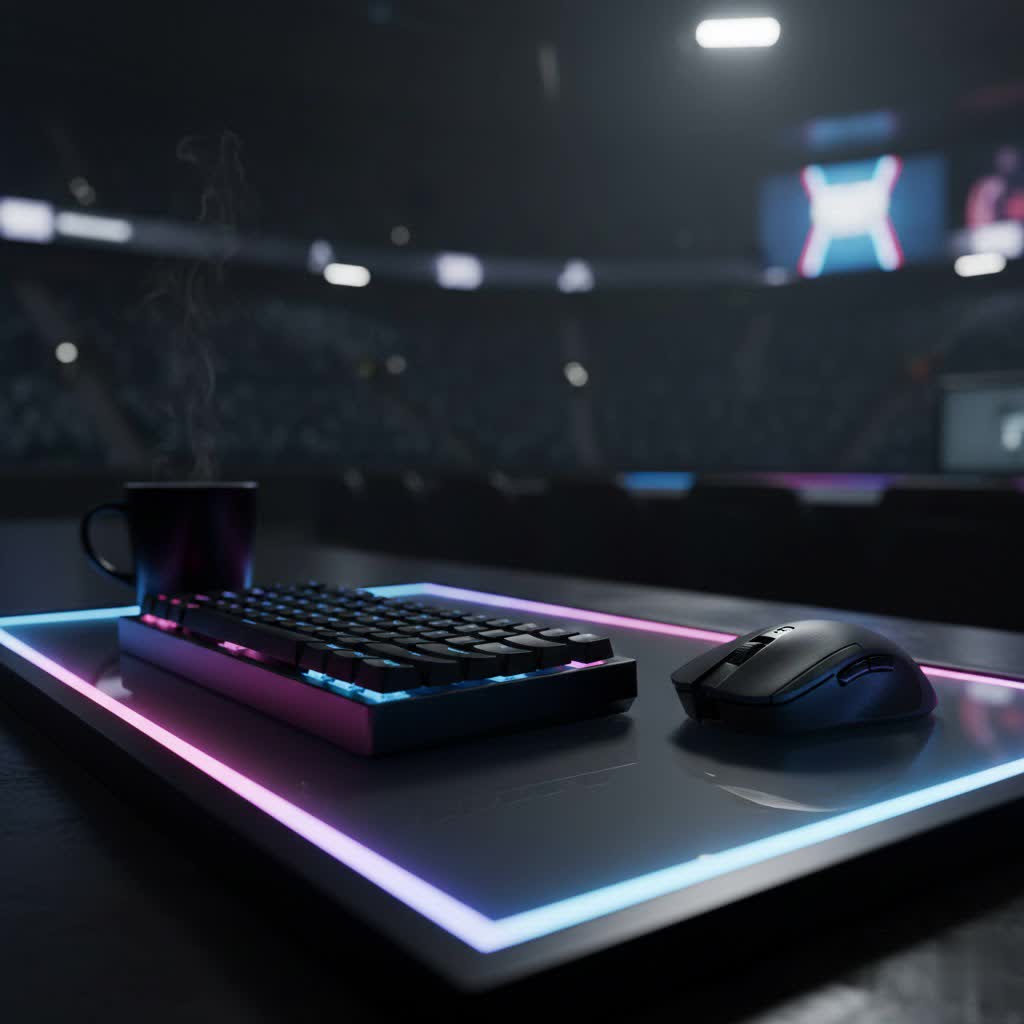
What is a Mechanical Keyboard?
A mechanical keyboard distinguishes itself from conventional membrane keyboards by utilizing individual mechanical switches under each keycap. Unlike membrane keyboards, where a rubber dome registers a key press, mechanical switches feature a physical spring and stem mechanism, offering a distinct and consistent feel. This design provides superior durability and a more satisfying “click-clack” feedback with every press. The history of mechanical keyboards dates back to the IBM Model M, a revered classic known for its robust buckling-spring switches. Today, mechanical keyboards have evolved significantly, offering diverse switch types, materials, and designs tailored to various user preferences. Key components include the switches, which define the typing feel; keycaps, which cover the switches; the plate, which holds the switches in place; and the case, which houses all internal components.
Decoding Mechanical Keyboard Switches: Linear, Tactile, and Clicky
The heart of any mechanical keyboard lies in its switches, which dictate the sound and feel of each keystroke. Understanding the differences between common switch types is crucial for choosing the right keyboard.
Linear Switches
- Characteristics: These switches offer a smooth, consistent keystroke from top to bottom without any tactile bump or audible click.
- Popular Types: Cherry MX Red, Razer Yellow, Keychron Red, and Gateron G Pro Red are common examples. Razer Yellow switches, for instance, are known for their speed and quiet operation.
- Pros: Fast actuation, quiet operation (especially with lubing), ideal for rapid key presses.
- Cons: Lack of tactile feedback may lead to accidental presses for some users.
- Best for: Gamers who require quick, uninterrupted key presses, and office environments where minimal noise is preferred. The Razer Pro Type Ultra, featuring Razer Yellow switches, is praised for its quiet and fast typing, making it a great crossover option for productivity and gaming.
|
Our Picks for the Best Mechanical Keyboard in 2026
As an Amazon Associate I earn from qualifying purchases.
|
||
| Num | Product | Action |
|---|---|---|
| 1 | Logitech MX Mechanical Wireless Illuminated Performance Keyboard, Tactile Quiet Switches, Backlit Keys, Bluetooth, USB-C, macOS, Windows, Linux, iOS, Android, Metal, Graphite |

|
| 2 | MageGee Portable 60% Mechanical Gaming Keyboard, MK-Box LED Backlit Compact 68 Keys Mini Wired Office Keyboard with Red Switch for Windows Laptop PC Mac - Black/Grey |
|
| 3 | AULA F99 Wireless Mechanical Keyboard,Tri-Mode BT5.0/2.4GHz/USB-C Hot Swappable Custom Keyboard,Pre-lubed Linear Switches,RGB Backlit Computer Gaming Keyboards for PC/Tablet/PS/Xbox |
|
| 4 | SteelSeries USB Apex 5 Hybrid Mechanical Gaming Keyboard – Per-Key RGB Illumination – Aircraft Grade Aluminum Alloy Frame – OLED Smart Display (Hybrid Blue Switch) |
|
| 5 | Redragon Mechanical Gaming Keyboard Wired, 11 Programmable Backlit Modes, Hot-Swappable Red Switch, Anti-Ghosting, Double-Shot PBT Keycaps, Light Up Keyboard for PC Mac |
|
| 6 | AULA F2088 Typewriter Style Mechanical Gaming Keyboard Wired,Blue Switches,Rainbow LED Backlit,Removable Wrist Rest,Media Control Knob,Retro Punk Round Keycaps,USB Wired Computer Keyboard |
|
| 7 | GravaStar Mercury V75 HE Keyboard, 75% Hall‑Effect Magnetic Switch Gaming Keyboard, 8000 Hz Polling, 0.005RT, Wired USB-C, RGB Backlit, Adjustable Actuation, Semi‑Aluminum Chassis-Stealth Black |
|
| 8 | AULA F75 Pro Wireless Mechanical Keyboard,75% Hot Swappable Custom Keyboard with Knob,RGB Backlit,Pre-lubed Reaper Switches,Side Printed PBT Keycaps,2.4GHz/USB-C/BT5.0 Mechanical Gaming Keyboards |
|
| 9 | Wood Pattern Mechanical Keyboard Wireless & Bluetooth Brown Keyboard – RGB Backlit Hot-Swappable PBT Keycaps Aesthetic Keyboard for Mac, Windows, iOS & Android – Ergonomic Gaming & Office Keyboard |
|
| 10 | SOLAKAKA A99 Pro Mechanical Keyboard with LCD Screen & Metal Knob, Wireless Gaming Keyboard with BT5.0/2.4GHz/USB-C, Hot Swappable Creamy Keyboard, Gasket Structure, RGB Backlit, for Win/Mac |
|
Tactile Switches
- Characteristics: Tactile switches feature a noticeable “bump” midway through the key press, indicating that the key has registered. They do not typically produce an audible click.
- Popular Types: Cherry MX Brown, Gateron Brown, and Razer Orange Tactile are widely used. Satechi SM3 Slim uses low-profile brown switches, providing a pleasant tactile feedback for office work.
- Pros: Provide feedback without the loud click, good for typing accuracy, a popular middle-ground.
- Cons: The bump might feel less pronounced on some switch variations.
- Best for: Typists, programmers, and general users who appreciate confirmation of actuation without the noise of clicky switches. The Razer BlackWidow V4 75% Pro features Razer Orange Tactile switches, offering excellent feedback for both gaming and productivity.
Clicky Switches
- Characteristics: These switches combine the tactile bump with a distinct, audible “click” sound when the actuation point is reached.
- Popular Types: Cherry MX Blue, Gateron Blue, and Kailh Box White. The Satechi SM1 Slim, often highlighted for Mac users, provides satisfying, clicky keys.
- Pros: Highly satisfying sound and feel for many typists, clear indication of key press.
- Cons: The noise can be disruptive in shared or quiet environments.
- Best for: Typists who enjoy the auditory feedback and do not share their workspace, providing a nostalgic typing experience reminiscent of older keyboards.
Magnetic Switches
- Characteristics: A more modern innovation, magnetic key switches (often Hall effect sensors) allow for adjustable actuation points, meaning you can customize how deep a key needs to be pressed to register.
- Popular Types: Found in specialized gaming keyboards like the Sony Inzone KBD-H75.
- Pros: Extreme precision, rapid trigger functions, ideal for competitive gaming.
- Cons: Often more expensive, can have niche software.
- Best for: Esports professionals and competitive gamers who demand the fastest response times and highly customizable inputs.
Keycap Materials and Profiles
Keycaps are not just cosmetic; their material and profile significantly impact the typing experience and durability.
Keycap Materials
- ABS (Acrylonitrile Butadiene Styrene):
- Pros: Generally smoother, allows for vibrant colors and “shine-through” legends for backlighting. More affordable.
- Cons: Prone to developing a shiny, greasy look over time due to finger oils.
- PBT (Polybutylene Terephthalate):
- Pros: More durable and resistant to shine, offering a textured, matte finish that lasts longer. The Keychron C3 Pro, for example, comes with shine-through PBT keycaps.
- Cons: Can be more expensive; color options might be less vibrant than ABS.
- POM (Polyoxymethylene): Less common, known for a unique smooth feel and durability.
Keycap Profiles
Keycap profiles refer to the shape and height of the keycaps. Common profiles include:
- OEM: The most common profile, typically found on pre-built keyboards. Keys are sculpted with varying heights across rows.
- Cherry: Similar to OEM but slightly lower and more uniform in height, preferred by many typists.
- DSA/XDA: Uniform profiles where all keycaps have the same height and shape, allowing for flexible key placement.
- SA: Tall, spherical keycaps with a retro aesthetic and deep, sculpted dish, offering a distinct typing feel.
Choosing the right keycap material and profile often comes down to personal preference for feel, aesthetics, and longevity.
Understanding Keyboard Layouts and Sizes
Mechanical keyboards come in various layouts and sizes, each designed to cater to different space requirements and functional needs.
- Full-Size (104/108 keys): These include a full alphanumeric section, function row, navigation cluster, and a dedicated Numpad. Ideal for office work, data entry, and users who frequently use a Numpad. Examples include the Razer Pro Type Ultra and Satechi SM3 Slim.
- Tenkeyless (TKL – 87 keys): A full-size keyboard without the Numpad. This compact design saves desk space while retaining essential keys. The OnePlus Keyboard 81 Pro, with 81 keys, is a slightly more compact TKL variation.
- 75% (81-84 keys): Even more compact than TKL, these keyboards condense the navigation cluster by arranging keys more tightly. Popular for gaming and those who want a smaller footprint without sacrificing too many keys. The Alienware Pro Wireless Gaming Keyboard and Sony Inzone KBD-H75 are 75% layouts.
- 65% (67-68 keys): These remove the function row and most of the navigation cluster, retaining only the arrow keys and a few modifiers. Excellent for minimalist setups and portability. The Fnatic Streak65 is a prime example of a 65% gaming keyboard.
- 60% (61 keys): The most compact layout, omitting the function row, Numpad, and navigation cluster. Functions are accessed via a function layer. Highly portable and minimalist, favored by some gamers and custom keyboard enthusiasts.
Top Mechanical Keyboards on Amazon: Curated Recommendations
Amazon offers an extensive range of mechanical keyboards across various categories. Here are some highly-rated options that stand out:
- Best Overall Mechanical Keyboard: Razer Pro Type Ultra
- Praised for its blend of productivity and gaming features, offering quiet linear switches, wireless connectivity (Bluetooth and 2.4GHz), and an ergonomic wrist rest. It’s a versatile choice for any user.
- Best Budget Mechanical Keyboard: Keychron C3 Pro
- An excellent entry-level option, the Keychron C3 Pro provides a superb typing experience at an affordable price, featuring shine-through PBT keycaps and a wired USB-C connection.
- Best Mechanical Keyboard for Gaming: Alienware Pro Wireless Gaming Keyboard
- This compact 75% keyboard boasts hot-swappable switches, impressive RGB lighting, and robust wireless performance, making it a top contender for serious gamers.
- Best Mechanical Keyboard for Esports: Sony Inzone KBD-H75
- Designed for competitive play, it features magnetic key switches with adjustable actuation points, an 8,000Hz polling rate, and a compact 75% form factor for razor-sharp precision.
- Best Mechanical Keyboard for the Office: Satechi SM3 Slim Mechanical Backlit Bluetooth Keyboard
- Combining a stylish design with an excellent typing feel, this low-profile keyboard offers multiple wireless connectivity options and is suitable for both Mac and Windows environments.
- Best Customizable Mechanical Keyboard: Razer BlackWidow V4 75% Pro
- A standout for enthusiasts, this keyboard features hot-swappable switches, beautiful RGB lighting, and a comfortable wrist rest, making it perfect for modding and personalized setups.
- Best Ergonomic Mechanical Keyboard: Keychron Q11
- With its unique split design, the Keychron Q11 aims to reduce shoulder strain. It’s hot-swappable and compatible with VIA software for extensive customization, though it comes at a premium price.
- Best Mechanical Keyboard for Macs: Satechi SM1 Slim Mechanical Backlit Bluetooth Keyboard
- Mac users seeking an alternative to Apple’s Magic Keyboard will appreciate the Satechi SM1 Slim’s sturdy build, satisfying clicky keys, and multiple wireless connection options.
Your Essential Guide to Buying a Mechanical Keyboard on Amazon
Navigating Amazon’s vast selection requires a strategic approach to ensure you find the perfect mechanical keyboard.
1. Define Your Needs and Use Case
Consider how you’ll primarily use the keyboard. Are you a:
- Gamer: Look for fast actuation switches (linear, magnetic), anti-ghosting, N-key rollover, and potentially hot-swappability for switch customization.
- Typist/Writer: Tactile or clicky switches might be preferred for feedback. Layouts like full-size or TKL can be beneficial.
- Office Worker: Quieter linear or tactile switches are often more appropriate. Wireless options and ergonomic designs can enhance comfort.
- Programmer: Layouts with dedicated function rows or custom programmability are often valued.
2. Set Your Budget
Mechanical keyboards on Amazon range widely in price, from budget-friendly options under $60 (like the Keychron C3 Pro) to premium models exceeding $200. Determine what you’re willing to spend, keeping in mind that higher prices often correlate with better build quality, premium materials (like PBT keycaps or aluminum cases), advanced features (wireless, RGB, hot-swappability), and renowned brands.
3. Consider Hot-Swappability
Many modern mechanical keyboards on Amazon are hot-swappable, meaning you can easily remove and replace switches without soldering. This feature is invaluable for beginners, as it allows you to experiment with different switch types and customize your typing feel without buying an entirely new keyboard. The Alienware Pro and Razer BlackWidow V4 75% Pro are excellent hot-swappable options.
4. Read User Reviews
Amazon’s strength lies in its extensive user review system. Pay close attention to feedback regarding:
- Typing feel and sound: Do users describe the switches as smooth, scratchy, loud, or quiet?
- Build quality: Are there complaints about flimsy construction or wobbly keycaps?
- Software and customization: Is the accompanying software intuitive, or does it have glitches?
- Durability: How has the keyboard held up over time for other users?
Look for trends in positive and negative feedback to get a realistic picture of the product.
5. Wired vs. Wireless Connectivity
- Wired: Offers the most reliable connection with minimal latency, crucial for competitive gaming. Often more affordable.
- Wireless (Bluetooth/2.4GHz): Provides a clutter-free desk and portability. Modern wireless mechanical keyboards, like the Razer Pro Type Ultra and Satechi SM3 Slim, offer excellent battery life and low latency, making them viable for many use cases. Some keyboards offer both.
6. RGB Lighting and Aesthetics
While RGB lighting can enhance the visual appeal of a keyboard, it’s not a primary factor in performance. Decide if multi-color backlighting is important to you, or if single-color or no backlighting suffices. Prioritize core functionality and build quality over flashy aesthetics, especially if you’re on a budget.
Essential Care and Maintenance for Your Mechanical Keyboard
Proper care can significantly extend the lifespan of your mechanical keyboard:
- Regular Cleaning: Use compressed air to remove dust and debris from between keycaps. A soft brush or a specialized keyboard vacuum can also be effective.
- Keycap Removal and Cleaning: Periodically remove keycaps using a keycap puller for a deeper clean. Wash keycaps with mild soap and water, ensuring they are completely dry before reattaching.
- Switch Maintenance: If you have hot-swappable switches, you can remove them for cleaning or lubrication, which can improve their smoothness and sound.
- Avoid Spills: Keep liquids away from your keyboard to prevent damage to the switches and PCB.
- Storage: When not in use, consider a dust cover to protect your keyboard from environmental elements.
Conclusion
The journey to finding your perfect mechanical keyboard on Amazon is an exciting one, filled with options that cater to every preference and budget. From the satisfying tactile feedback of a well-chosen switch to the ergonomic comfort of a split design, mechanical keyboards offer a superior typing experience. By understanding the core components, exploring recommended models, and considering your specific needs, you can confidently navigate Amazon’s extensive offerings. Remember to prioritize features that genuinely enhance your workflow or gaming, leverage user reviews, and invest in proper care to ensure your chosen keyboard serves you for years to come. What mechanical keyboard feature are you most excited to explore on Amazon?
Frequently Asked Questions
Are mechanical keyboards bought on Amazon good quality?
Yes, many high-quality mechanical keyboards are available on Amazon from reputable brands like Razer, Keychron, and Logitech. It’s crucial to check seller ratings, product reviews, and brand reputation to ensure you’re getting a genuine and reliable product. PCMag and RTINGS often review models readily available on Amazon.
What’s the best budget mechanical keyboard on Amazon?
For those on a tighter budget, the Keychron C3 Pro is often recommended on Amazon for its excellent feature-to-price ratio, offering a solid typing experience with PBT keycaps. Other brands like Royal Kludge also offer competitive budget options.
Can I customize mechanical keyboards purchased from Amazon?
Many mechanical keyboards on Amazon, particularly those advertised as “hot-swappable,” allow for extensive customization. You can easily change switches and keycaps without soldering. Some also offer software for programming macros and adjusting RGB lighting. The Razer BlackWidow V4 75% Pro is an example of a highly customizable option.
What switch type is best for gaming/typing?
For gaming, linear switches (like Razer Yellow or Cherry MX Red) are often preferred for their smooth, fast actuation, while magnetic switches (Sony Inzone KBD-H75) offer ultimate precision. For typing, tactile switches (like Cherry MX Brown) provide a satisfying bump for feedback without excessive noise, and clicky switches (Cherry MX Blue) offer both tactile and auditory feedback for those who enjoy it. Your personal preference is key.
