The landscape of gaming peripherals has evolved dramatically, transforming from basic necessities into highly specialized tools designed to give players a competitive edge. Among these advancements, the wireless mechanical gaming keyboard stands out as a pinnacle of performance, freedom, and customization. No longer tethered by cables, these keyboards combine the satisfying tactile feedback and durability of mechanical switches with the untethered flexibility of advanced wireless technology. This comprehensive guide will equip you with the knowledge to navigate the exciting world of wireless mechanical gaming keyboards, helping you choose and maintain the perfect weapon for your gaming arsenal.
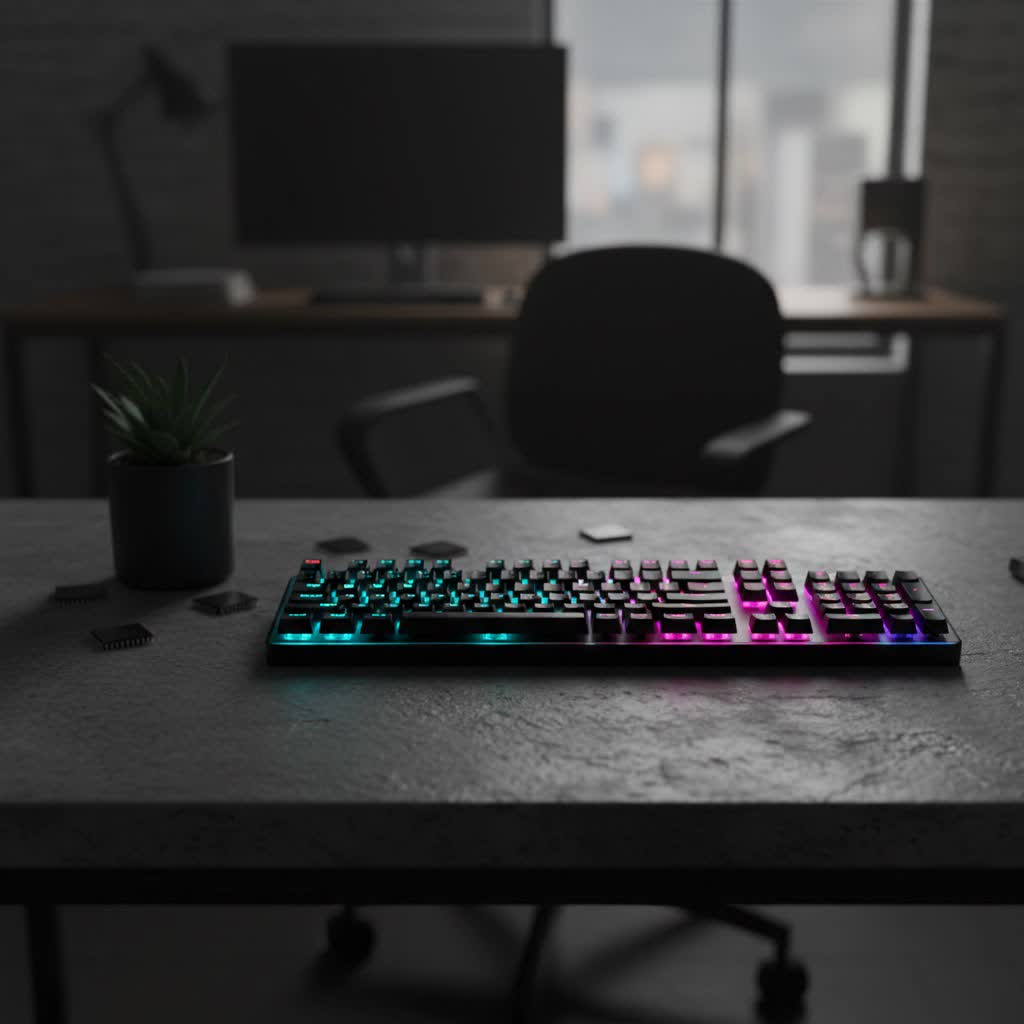
Understanding the Wireless Mechanical Gaming Keyboard
At its core, a mechanical keyboard is defined by its individual mechanical switches located under each key. Unlike membrane keyboards, which use a rubber dome that registers a keypress when it makes contact with a circuit board, mechanical keyboards feature a spring-loaded switch for every key. This design provides distinct tactile feedback, audible clicks, or a smooth linear press, leading to more precise and responsive inputs. Mechanical keyboards boast a rich history, with iconic models like the IBM Model M from the 1980s setting the standard for durability and typing satisfaction. Key components include the switch (the mechanism itself), the keycap (the plastic cap you press), the plate (which holds the switches), and the case (the keyboard’s outer housing).
The integration of wireless technology into mechanical gaming keyboards represents a significant leap forward. Early wireless peripherals often struggled with latency and unreliable connections, deterring serious gamers. However, modern advancements, particularly in 2.4GHz wireless and Bluetooth 5.0 technologies, have virtually eliminated these issues. Today’s wireless gaming keyboards offer near-instantaneous response times, often indistinguishable from their wired counterparts. The primary benefits of going wireless include a cleaner, clutter-free desk setup, enhanced portability for gaming on the go or across different rooms, and the flexibility to adjust your posture without cable constraints. While they typically come with a higher price tag and require diligent battery management, the freedom and aesthetic appeal often outweigh these minor drawbacks for many enthusiasts.
Delving into Mechanical Switches: Your Gaming Edge
The “feel” of a mechanical keyboard is predominantly determined by its switches, the intricate mechanisms beneath each keycap. There are three primary types of mechanical switches, each offering a distinct experience tailored to different preferences and uses, especially in gaming.
Linear Switches
Linear switches are characterized by a smooth, consistent keystroke from top to bottom, without any tactile bump or audible click. This straightforward travel path allows for extremely fast, fluid actuation, making them a favorite among competitive gamers who prioritize speed and rapid, repeatable keypresses.
- Characteristics: Smooth, consistent travel; no tactile bump; typically quiet.
- Popular Types: Cherry MX Red, Cherry MX Speed Silver, Gateron Red, Razer Yellow.
- Ideal For: Fast-paced gaming genres like FPS (First-Person Shooters) or rhythm games, where quick double-taps and minimal resistance are crucial. Their quiet operation also makes them suitable for shared environments.
|
Our Picks for the Best Mechanical Keyboard in 2026
As an Amazon Associate I earn from qualifying purchases.
|
||
| Num | Product | Action |
|---|---|---|
| 1 | Logitech MX Mechanical Wireless Illuminated Performance Keyboard, Tactile Quiet Switches, Backlit Keys, Bluetooth, USB-C, macOS, Windows, Linux, iOS, Android, Metal, Graphite |

|
| 2 | GravaStar Mercury V75 HE Keyboard, 75% Hall‑Effect Magnetic Switch Gaming Keyboard, 8000 Hz Polling, 0.005RT, Wired USB-C, RGB Backlit, Adjustable Actuation, Semi‑Aluminum Chassis-Stealth Black |
|
| 3 | AULA F75 Pro Wireless Mechanical Keyboard,75% Hot Swappable Custom Keyboard with Knob,RGB Backlit,Pre-lubed Reaper Switches,Side Printed PBT Keycaps,2.4GHz/USB-C/BT5.0 Mechanical Gaming Keyboards |
|
| 4 | Wood Pattern Mechanical Keyboard Wireless & Bluetooth Brown Keyboard – RGB Backlit Hot-Swappable PBT Keycaps Aesthetic Keyboard for Mac, Windows, iOS & Android – Ergonomic Gaming & Office Keyboard |
|
| 5 | AULA F2088 Typewriter Style Mechanical Gaming Keyboard Wired,Blue Switches,Rainbow LED Backlit,Removable Wrist Rest,Media Control Knob,Retro Punk Round Keycaps,USB Wired Computer Keyboard |
|
| 6 | SOLAKAKA A99 Pro Mechanical Keyboard with LCD Screen & Metal Knob, Wireless Gaming Keyboard with BT5.0/2.4GHz/USB-C, Hot Swappable Creamy Keyboard, Gasket Structure, RGB Backlit, for Win/Mac |
|
| 7 | SteelSeries USB Apex 5 Hybrid Mechanical Gaming Keyboard – Per-Key RGB Illumination – Aircraft Grade Aluminum Alloy Frame – OLED Smart Display (Hybrid Blue Switch) |
|
| 8 | MageGee Portable 60% Mechanical Gaming Keyboard, MK-Box LED Backlit Compact 68 Keys Mini Wired Office Keyboard with Red Switch for Windows Laptop PC Mac - Black/Grey |
|
| 9 | Redragon Mechanical Gaming Keyboard Wired, 11 Programmable Backlit Modes, Hot-Swappable Red Switch, Anti-Ghosting, Double-Shot PBT Keycaps, Light Up Keyboard for PC Mac |
|
| 10 | AULA F99 Wireless Mechanical Keyboard,Tri-Mode BT5.0/2.4GHz/USB-C Hot Swappable Custom Keyboard,Pre-lubed Linear Switches,RGB Backlit Computer Gaming Keyboards for PC/Tablet/PS/Xbox |
|
Tactile Switches
Tactile switches provide a noticeable “bump” or resistance partway through the keypress, indicating that the key has registered. This feedback is reassuring for typists and can help prevent bottoming out, but they do not produce an audible click like clicky switches.
- Characteristics: Distinct tactile bump at the actuation point; no loud click; moderate sound profile.
- Popular Types: Cherry MX Brown, Gateron Brown, Zealios V2.
- Ideal For: A balanced experience, suitable for both typing and gaming. The tactile feedback can improve typing accuracy and provide confirmation for strategic in-game actions without being overly noisy. Many consider them a great all-around choice.
Clicky Switches
Clicky switches offer both a tactile bump and a distinct, audible “click” sound at the actuation point. This provides maximum feedback, letting you hear and feel precisely when a keypress is registered. While satisfying for some, their loud nature can be a point of contention.
- Characteristics: Tactile bump and loud, audible click; definite feedback.
- Popular Types: Cherry MX Blue, Gateron Blue, Kailh Box White.
- Ideal For: Typists who crave strong auditory and tactile feedback. In gaming, while some prefer the definitive feedback, they are generally less common for competitive play due to the potential for noise distraction in streaming or shared setups, and the slight increase in actuation force.
Choosing Your Switch: A Comparison
| Switch Type | Feel | Sound | Gaming Suitability | Typing Suitability |
|---|---|---|---|---|
| Linear | Smooth, no bump | Quiet | Excellent for speed and rapid presses | Good, but lacks feedback |
| Tactile | Noticeable bump | Moderate | Good, balanced feedback for actions | Excellent, aids accuracy |
| Clicky | Noticeable bump | Loud “click” | Fair, strong feedback but noisy | Excellent, satisfying feedback |
> “The right switch type is incredibly personal. Gamers often gravitate towards linear for raw speed, but a tactile switch can offer a fantastic balance for both gaming and everyday use, providing that satisfying confirmation without the noise of a clicky switch.”
The Role of Keycaps: Material, Feel, and Aesthetics
Beyond the switches, keycaps are your primary interface with the keyboard, influencing both the feel and durability of your gaming setup. The material and profile of keycaps significantly impact your typing and gaming experience.
Keycap Materials
The two most common materials for keycaps are ABS and PBT, each with distinct advantages and disadvantages.
- ABS (Acrylonitrile Butadiene Styrene)
- Pros: ABS keycaps often have a smoother surface out of the box and are easier to manufacture, allowing for more vibrant colors and intricate legend designs. They are typically more affordable.
- Cons: Over time, ABS keycaps are prone to developing a “shine” from finger oils and wear, leading to a slicker, less textured feel on frequently used keys like WASD. They are generally thinner, which can result in a higher-pitched, “clacky” sound profile.
- PBT (Polybutylene Terephthalate)
- Pros: PBT is a more durable and harder plastic, renowned for its resistance to shine and wear. It maintains its textured, matte surface much longer than ABS, providing a consistent grip. PBT keycaps are also thicker, contributing to a deeper, more satisfying “thock” sound profile.
- Cons: Historically, PBT was more challenging to mold, leading to fewer vibrant color options and higher production costs. While modern manufacturing has improved, PBT keycaps can still be pricier.
- POM (Polyoxymethylene): Less common, POM keycaps offer a slick, smooth feel and good durability, though they are rarely seen as stock keycaps on gaming keyboards.
Keycap Profiles
Keycap profile refers to the shape and height of the keycaps, influencing ergonomics and typing comfort. Common profiles include:
- OEM: The most standard profile, with sculpted rows and a slight angle.
- Cherry: Similar to OEM but slightly lower in profile, often preferred by enthusiasts.
- DSA: Uniform height and shape across all rows, offering a flat, modern look.
- SA: Tall, spherical, and sculpted keycaps, providing a retro feel and distinct typing experience.
The choice of keycap material and profile can significantly alter your keyboard’s acoustics, tactile feel, and overall aesthetic. For gamers, PBT keycaps are often favored for their durability and consistent texture, ensuring a reliable grip during intense sessions.
Top Wireless Mechanical Gaming Keyboards: A Comparative Look
The market for wireless mechanical gaming keyboards is vibrant, with manufacturers constantly pushing the boundaries of technology and design. Brands like Razer, Asus, Logitech, SteelSeries, and Keychron consistently offer top-tier models that cater to diverse gaming needs. Leading wireless mechanical gaming keyboards typically feature ultra-low latency 2.4GHz connectivity, often complemented by Bluetooth for multi-device pairing. Many high-end models now come with hot-swappable switches, allowing users to easily swap out switch types without soldering, providing unparalleled customization and future-proofing. Keycap materials are often PBT for enhanced durability and a premium feel. Layouts vary widely, from compact 60% and TKL (Tenkeyless) options that maximize desk space for mouse movement, to 75%, 96%, and full-size keyboards that retain the number pad and function keys. Notable features across popular models include impressive battery life, often ranging from dozens to hundreds of hours, per-key RGB lighting for personalization, and dedicated media controls or programmable macro keys for in-game convenience.
Essential Buying Guide for Your Wireless Mechanical Gaming Keyboard
Selecting the ideal wireless mechanical gaming keyboard requires careful consideration of several factors to ensure it aligns perfectly with your gaming style and personal preferences.
1. Define Your Needs
- Gaming: Are you a competitive FPS player needing extreme responsiveness, or a casual RPG player who values comfort and programmability?
- Work/Typing: Will you also use this keyboard for productivity? Tactile switches might be preferable for typing.
- Portability: Do you need a compact keyboard for travel or to switch between setups?
2. Budget Considerations
Wireless mechanical gaming keyboards generally cost more than their wired counterparts due to the added technology for wireless connectivity and batteries. Be prepared to invest in a quality model to avoid issues with latency or battery life.
3. Key Factors to Evaluate
- Connectivity: For serious gaming, prioritize keyboards with a dedicated 2.4GHz wireless dongle. While Bluetooth offers versatility for connecting to multiple devices, 2.4GHz provides the lowest latency and most stable connection crucial for competitive play.
- Latency & Polling Rate: Look for keyboards with low latency and a high polling rate (e.g., 1000Hz or higher, with some cutting-edge models reaching 8000Hz) to ensure your inputs are registered as quickly as possible.
- Battery Life: Check the advertised battery life and consider features like auto-sleep modes, LED indicators, and USB-C fast charging to minimize interruptions.
- Layout:
- Full-size: Includes number pad, function row, and arrow keys.
- TKL (Tenkeyless): Omits the number pad, saving desk space.
- 75% / 65% / 60%: Increasingly compact layouts, ideal for maximizing mouse space, but may require learning key combinations for certain functions.
- Build Quality & Ergonomics: Look for sturdy materials like aluminum alloy top plates. Consider ergonomics, such as adjustable feet and whether a wrist rest is included or can be added, for comfort during extended gaming sessions.
- Hot-swappable Switches: This feature allows you to change switches without soldering, offering immense flexibility to experiment with different switch types or replace faulty ones.
- Software & Customization: Robust software allows for remapping keys, setting up macros, and customizing RGB lighting to create a personalized experience.
- Key Rollover & Anti-Ghosting: Essential for gaming, these features ensure that every keypress is registered accurately, even when multiple keys are pressed simultaneously.
4. Where to Buy
Purchase your wireless mechanical gaming keyboard from reputable retailers, both online and in physical stores, to ensure authenticity, warranty support, and reliable customer service. Reading reviews from trusted sources can also provide valuable insights.
Maintaining Your Investment: Care and Cleaning
Proper care and maintenance will significantly extend the lifespan and performance of your wireless mechanical gaming keyboard.
Cleaning Your Mechanical Keyboard
Dust, crumbs, and debris can accumulate under keycaps, affecting performance and hygiene.
- Unplug/Turn Off: Always disconnect your keyboard or switch off its wireless function before cleaning.
- Remove Keycaps: Use a keycap puller to safely remove keycaps.
- Dust & Debris: Use a can of compressed air to blast out loose debris from the switch area. A small brush can help dislodge stubborn particles.
- Wipe Down: Clean the keycaps and keyboard case with a microfiber cloth lightly dampened with isopropyl alcohol or a gentle cleaner. Ensure all components are dry before reattaching keycaps or reconnecting.
Battery Management Tips
For wireless keyboards, battery care is paramount.
- Charge Regularly: Don’t wait until the battery is completely drained. Establish a regular charging routine.
- Optimize Settings: Utilize power-saving features like adjustable RGB brightness, shorter backlight timeouts, or auto-sleep functions to conserve battery life when not actively gaming.
- Use 2.4GHz for Gaming: While 2.4GHz offers superior performance for gaming, it can sometimes consume more power than Bluetooth. Balance your usage based on need.
Longevity Advice
- Gentle Use: While mechanical keyboards are durable, avoid excessive force.
- Firmware Updates: Keep your keyboard’s firmware updated to ensure optimal performance and access to the latest features or bug fixes.
- Store Properly: If transporting, use a protective case to prevent damage.
Investing in a wireless mechanical gaming keyboard is about more than just a peripheral; it’s about enhancing your entire gaming experience. From the satisfying click of a switch to the freedom of a clutter-free desk, a well-chosen and maintained keyboard can elevate your play and immerse you deeper into your favorite virtual worlds. By understanding the nuances of switches, keycaps, connectivity, and maintenance, you’re empowered to make an informed decision that will serve you faithfully through countless gaming sessions.
So, are you ready to unleash your full potential with the ultimate gaming companion?
Frequently Asked Questions
Are wireless mechanical gaming keyboards good for competitive gaming?
Absolutely. Modern wireless mechanical gaming keyboards, especially those utilizing 2.4GHz proprietary connections, offer extremely low latency, often on par with or even surpassing wired keyboards. This ensures that your every command is registered instantly, providing a seamless and responsive experience crucial for competitive play.
How long does the battery typically last on a wireless gaming keyboard?
Battery life varies significantly by model and usage, particularly depending on RGB lighting and connectivity. Many high-end wireless gaming keyboards can last anywhere from several days to a few weeks, with some reaching hundreds or even over a thousand hours on a single charge with optimized settings, making them reliable for extended gaming.
What’s the difference between 2.4GHz and Bluetooth for gaming?
2.4GHz wireless connectivity uses a dedicated USB dongle and is generally preferred for gaming due to its lower latency and more stable connection, minimizing input lag. Bluetooth, while more versatile for connecting to multiple devices without a dongle, typically has slightly higher latency, making 2.4GHz the superior choice for competitive gaming.
Can I change the switches on a wireless mechanical gaming keyboard?
Many modern wireless mechanical gaming keyboards feature hot-swappable switch sockets. This allows users to easily remove and replace switches without soldering, offering extensive customization options and making it simple to experiment with different switch types or replace individual switches if they malfunction.
Are PBT keycaps worth the extra cost for gaming?
For many gamers, PBT keycaps are well worth the investment. Their superior durability means they resist shine and wear much better than ABS keycaps, maintaining their textured grip over time. This consistent feel is vital for intense gaming sessions, and their robust construction often contributes to a more satisfying sound profile.
