Are you ready to unlock a typing experience that transcends the ordinary, where every keystroke feels precise, satisfying, and uniquely yours? The world of mechanical keyboards offers a vast and sometimes overwhelming array of choices, promising a level of customization and performance that traditional keyboards simply can’t match. Whether you’re a dedicated gamer chasing lightning-fast responses, a writer seeking unparalleled tactile feedback, or a professional aiming for ergonomic comfort, finding your ideal mechanical keyboard can elevate your daily interactions with technology. This comprehensive guide will demystify the options, helping you navigate switches, keycaps, layouts, and more, so you can confidently select the perfect mechanical keyboard tailored to your needs and preferences.
What is a Mechanical Keyboard?
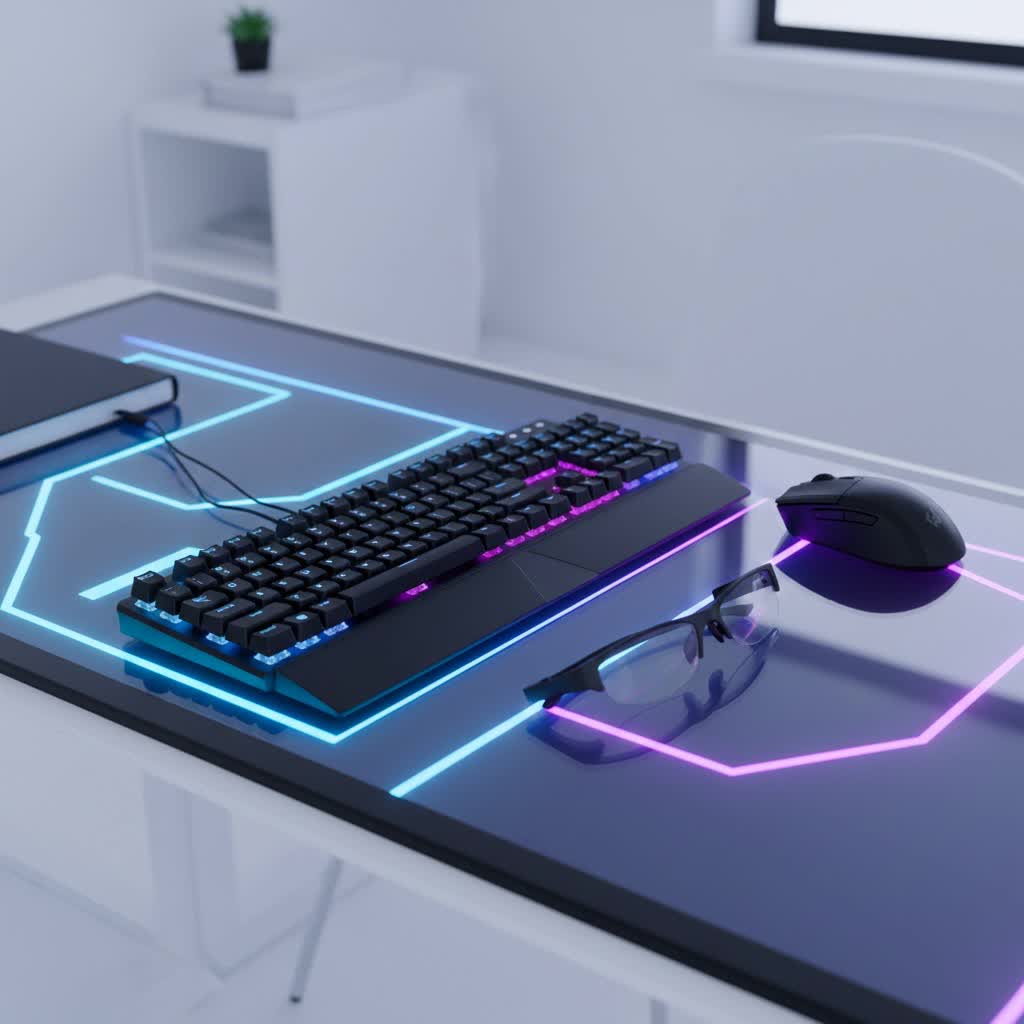
A mechanical keyboard distinguishes itself from standard membrane or rubber dome keyboards by employing individual mechanical switches beneath each keycap. Instead of a single rubber sheet registering key presses, each key on a mechanical keyboard has its own self-contained switch mechanism, complete with a housing, stem, and spring. This intricate design provides a more consistent, durable, and responsive typing experience.
The lineage of mechanical keyboards stretches back decades, with iconic models like the IBM Model M from the 1980s, famed for its robust “buckling spring” switches. While those vintage designs hold a nostalgic charm, modern mechanical keyboards have evolved significantly, offering a diverse palette of switch types and advanced features to suit virtually any user. At its core, every mechanical keyboard relies on these fundamental components:
- Switch: The mechanism directly underneath the keycap that registers a press. This is the heart of a mechanical keyboard, determining its feel and sound.
- Keycap: The plastic cap with the legend (letter, number, symbol) that your fingers press. Keycaps come in various materials, shapes, and printing methods, greatly influencing aesthetics and feel.
- Plate: A rigid component, usually metal, that sits between the PCB (printed circuit board) and the switches. It provides stability and can affect the keyboard’s overall sound and typing feel.
- Case: The outer housing of the keyboard that encloses all the internal components. Cases vary widely in material, size, and design, from minimalist plastic to premium aluminum.
Popular Switch Types
The mechanical switch is arguably the most critical component of a mechanical keyboard, defining its fundamental feel and sound profile. These tiny mechanisms dictate how much force is required to register a keypress, whether you feel a bump, and if you hear an audible “click.” Switches are broadly categorized into three main types: linear, tactile, and clicky.
Linear Switches
Linear switches are characterized by their smooth, consistent travel from the top to the bottom of the keystroke, with no tactile bump or audible click. They offer a fluid and unimpeded keypress, making them popular for specific uses.
- Characteristics: Smooth, uninterrupted keystroke, minimal actuation force (typically around 45g), quiet operation.
- Pros:
- Speed: The consistent travel allows for rapid, effortless key presses, crucial for fast-paced gaming.
- Quiet Operation: Their lack of a click or pronounced bump makes them suitable for shared environments like offices or dorms.
- Fluidity: Provides a seamless typing or gaming experience without any interruptions in the key travel.
- Cons:
- Lack of Feedback: Typists might miss the tactile confirmation of a keypress, potentially leading to bottoming out keys harder.
- Accidental Presses: The light actuation force can sometimes result in unintentional key activations.
- Popular Types:
- Cherry MX Red: A classic, widely recognized linear switch with a light, smooth feel.
- Gateron Red: Often compared to Cherry MX Reds, known for being slightly smoother and often more affordable.
- Kailh Speed Silver: Designed for speed with a shorter actuation distance, favored by competitive gamers.
- Razer Yellow: Razer’s proprietary linear switch, engineered for speed and quiet performance.
- Best for: Competitive gaming, users who prefer a quiet typing experience, or those who enjoy a very light and smooth keypress.
|
Our Picks for the Best Mechanical Keyboard in 2026
As an Amazon Associate I earn from qualifying purchases.
|
||
| Num | Product | Action |
|---|---|---|
| 1 | Wood Pattern Mechanical Keyboard Wireless & Bluetooth Brown Keyboard – RGB Backlit Hot-Swappable PBT Keycaps Aesthetic Keyboard for Mac, Windows, iOS & Android – Ergonomic Gaming & Office Keyboard |

|
| 2 | Logitech MX Mechanical Wireless Illuminated Performance Keyboard, Tactile Quiet Switches, Backlit Keys, Bluetooth, USB-C, macOS, Windows, Linux, iOS, Android, Metal, Graphite |
|
| 3 | AULA F99 Wireless Mechanical Keyboard,Tri-Mode BT5.0/2.4GHz/USB-C Hot Swappable Custom Keyboard,Pre-lubed Linear Switches,RGB Backlit Computer Gaming Keyboards for PC/Tablet/PS/Xbox |
|
| 4 | SteelSeries USB Apex 5 Hybrid Mechanical Gaming Keyboard – Per-Key RGB Illumination – Aircraft Grade Aluminum Alloy Frame – OLED Smart Display (Hybrid Blue Switch) |
|
| 5 | AULA F75 Pro Wireless Mechanical Keyboard,75% Hot Swappable Custom Keyboard with Knob,RGB Backlit,Pre-lubed Reaper Switches,Side Printed PBT Keycaps,2.4GHz/USB-C/BT5.0 Mechanical Gaming Keyboards |
|
| 6 | AULA F2088 Typewriter Style Mechanical Gaming Keyboard Wired,Blue Switches,Rainbow LED Backlit,Removable Wrist Rest,Media Control Knob,Retro Punk Round Keycaps,USB Wired Computer Keyboard |
|
| 7 | SOLAKAKA A99 Pro Mechanical Keyboard with LCD Screen & Metal Knob, Wireless Gaming Keyboard with BT5.0/2.4GHz/USB-C, Hot Swappable Creamy Keyboard, Gasket Structure, RGB Backlit, for Win/Mac |
|
| 8 | GravaStar Mercury V75 HE Keyboard, 75% Hall‑Effect Magnetic Switch Gaming Keyboard, 8000 Hz Polling, 0.005RT, Wired USB-C, RGB Backlit, Adjustable Actuation, Semi‑Aluminum Chassis-Stealth Black |
|
| 9 | MageGee Portable 60% Mechanical Gaming Keyboard, MK-Box LED Backlit Compact 68 Keys Mini Wired Office Keyboard with Red Switch for Windows Laptop PC Mac - Black/Grey |
|
| 10 | Redragon Mechanical Gaming Keyboard Wired, 11 Programmable Backlit Modes, Hot-Swappable Red Switch, Anti-Ghosting, Double-Shot PBT Keycaps, Light Up Keyboard for PC Mac |
|
Tactile Switches
Tactile switches offer a noticeable “bump” partway through the keypress, providing physical feedback to confirm that the key has actuated, but without the loud click sound of clicky switches. This makes them a versatile middle-ground option.
- Characteristics: A distinct, non-audible bump during the keypress, moderate actuation force (around 45-55g).
- Pros:
- Tactile Feedback: The bump helps typists know when a key has registered without needing to press all the way down, improving accuracy and reducing fatigue.
- Versatility: Suitable for both typing and gaming, offering a balanced experience.
- Quieter Than Clicky: Provides feedback without being overly noisy, making them acceptable for most office environments.
- Cons:
- Slightly Slower for Pure Gaming: The tactile bump, while subtle, can be perceived as an impedance for competitive gamers seeking absolute fastest response.
- Subtle Bump: Some users might find the tactile bump too soft or not pronounced enough.
- Popular Types:
- Cherry MX Brown: The most iconic tactile switch, known for its gentle bump and widespread appeal.
- Gateron Brown: Similar to Cherry MX Browns but often smoother and more affordable.
- Razer Orange: Razer’s tactile switch, offering a quiet, crisp bump.
- Zealios V2: A premium tactile switch known for a very pronounced and satisfying tactile bump.
- Best for: Programmers, writers, office use, or users seeking a versatile keyboard for both gaming and typing who appreciate feedback without excessive noise.
Clicky Switches
Clicky switches combine a tactile bump with a distinct, audible “click” sound at the actuation point. They are known for their satisfying, typewriter-like feedback, which some users find highly addictive.
- Characteristics: Tactile bump with a sharp, audible click, often requiring a slightly firmer actuation force (50-60g).
- Pros:
- Clear Feedback: Provides both auditory and physical confirmation of every keypress, which can boost typing confidence and accuracy.
- Satisfying Sound: Many typists love the distinct “click” sound, finding it enjoyable and reminiscent of vintage typewriters.
- Cons:
- Loudness: The prominent click can be very disruptive in quiet environments or shared workspaces.
- Less Ideal for Gaming: The additional click mechanism can sometimes feel less smooth or fast for rapid, repetitive key presses compared to linear switches.
- Popular Types:
- Cherry MX Blue: The quintessential clicky switch, famous for its crisp click and tactile bump.
- Gateron Blue: A more affordable alternative to Cherry MX Blue, often with a slightly lighter feel.
- Kailh Box White: Known for a “click bar” mechanism that produces a clean, sharp click and enhanced dust/water resistance.
- Razer Green: Razer’s clicky switch, designed for a satisfying click with optimized actuation and reset points.
- Best for: Typists who crave strong auditory and tactile feedback, users who enjoy a traditional typewriter feel, or those who don’t need to worry about disturbing others.
When choosing switches, remember that personal preference is paramount. Many enthusiasts recommend trying a switch tester to physically feel and hear different types before committing to a full keyboard. Beyond these primary categories, you’ll also find specialized switches like Hall effect switches (which offer adjustable actuation points ideal for esports) and “silent” variations of linear and tactile switches designed to further minimize noise.
Understanding Keycaps
While switches determine the fundamental feel of your mechanical keyboard, keycaps are what your fingers interact with directly, profoundly impacting the typing experience, aesthetics, and overall durability. They come in a wide range of materials, profiles, and manufacturing methods.
Keycap Materials
The material of your keycaps significantly affects their feel, sound, and how they age over time. The two most common materials are ABS and PBT.
- ABS (Acrylonitrile Butadiene Styrene):
- Characteristics: Smooth, slightly glossy finish.
- Pros: More affordable, widely available, allows for brighter colors and shine-through legends for RGB lighting.
- Cons: Prone to developing a shiny, “greasy” look over time due to finger oils and wear (often called “ABS shine”), generally thinner and can produce a higher-pitched sound.
- PBT (Polybutylene Terephthalate):
- Characteristics: Denser, more durable plastic with a matte, slightly textured finish.
- Pros: Highly resistant to wear and “shine,” maintains its texture over time, often thicker, leading to a deeper, more “thocky” sound profile, excellent durability.
- Cons: Generally more expensive, can be harder to produce in vibrant colors or with shine-through legends, initially feels rougher which some may dislike.
- Other Materials: While ABS and PBT dominate, you might also find keycaps made from materials like POM (Polyoxymethylene), which offers a silky smooth feel and high durability, or even more exotic options like resin, wood, or metal for artisan keycaps.
Keycap Profiles
The profile of a keycap refers to its shape, height, and the angle of its rows. This ergonomic design impacts how your fingers rest and move across the keyboard.
- OEM (Original Equipment Manufacturer):
- Characteristics: The most common profile found on pre-built mechanical keyboards. It features sculpted rows where each row has a different height and angle, conforming to the natural curve of your fingers.
- Comparison: A comfortable and familiar profile for most users, offering a balanced typing experience.
- Cherry:
- Characteristics: Similar to OEM but generally slightly lower in height. It also features sculpted rows designed for ergonomic comfort.
- Comparison: Highly popular for both typing and gaming due to its slightly lower profile, which can reduce finger travel and improve speed.
- DSA (Spherical All):
- Characteristics: Uniform height and spherical (concave) shape across all keycaps, regardless of the row. Very low profile.
- Comparison: Offers a consistent feel, which some users prefer, especially when customizing layouts or for touch typing where finger placement is consistent. However, the uniform height can take some getting used to.
- SA (Spherical All):
- Characteristics: A high-profile keycap set with a spherical top, often reminiscent of vintage typewriters. It features dramatically sculpted rows.
- Comparison: Known for its striking aesthetic and often produces a deep, satisfying “thocky” sound. The tall height can be an adjustment for some and may not be ideal for fast-paced gaming.
- Other Profiles:
- XDA: Another uniform profile, similar to DSA but with a larger, flatter top surface.
- MDA / KAT / MT3: Various sculpted profiles that offer unique ergonomic curves and aesthetics, often popular among keyboard enthusiasts for their distinctive feel and sound characteristics.
How to Choose Keycaps
When selecting keycaps, consider the following:
- Compatibility: Ensure the keycaps fit your switches (most use a cross-shaped stem, like Cherry MX).
- Texture & Feel: Do you prefer the smooth feel of ABS or the textured grip of PBT?
- Sound: Thicker PBT keycaps often produce a deeper sound than thinner ABS ones.
- Aesthetics: If you have RGB lighting, consider “shine-through” keycaps (often double-shot ABS) or “pudding” keycaps that allow light to emanate from the sides.
- Ergonomics & Comfort: Experiment with different profiles to find what feels most natural for your typing style and hand positioning.
Top Mechanical Keyboards: A Comparative Overview
Choosing the “best” mechanical keyboard is subjective, as it heavily depends on individual preferences and intended use. However, some models consistently receive high praise across different categories for their performance, build quality, and features. Here’s a look at some leading contenders in 2026:
- Best Overall Mechanical Keyboard: Razer Pro Type Ultra
- Highlights: This keyboard excels in productivity, offering comfortable, quiet linear Razer Yellow switches and versatile connectivity (Bluetooth and 2.4GHz wireless). It’s renowned for its supreme typing comfort and long battery life, making it a stellar crossover option for both professional work and casual gaming.
- Best Budget Mechanical Keyboard: Keychron C3 Pro
- Highlights: An excellent entry-level option, the Keychron C3 Pro provides a superb mechanical typing experience without breaking the bank. It often features durable PBT keycaps, is hot-swappable, and offers solid build quality for its price point, making it a great introduction to mechanical keyboards.
- Best Mechanical Keyboard for Gaming: Alienware Pro Wireless Gaming Keyboard / Sony Inzone KBD-H75
- Alienware Pro Wireless: Features hot-swappable switches, vibrant RGB lighting, and excellent wireless performance, perfect for serious gamers who value customization and aesthetics.
- Sony Inzone KBD-H75: A top-tier choice for esports, equipped with precise magnetic key switches and an 8,000Hz polling rate for incredibly fast and adjustable actuation, giving competitive players a distinct edge.
- Best Mechanical Keyboard for Office/Productivity: Satechi SM3 Slim Mechanical Backlit Bluetooth Keyboard
- Highlights: Blends seamlessly into a professional environment with its stylish design and excellent typing feel, often featuring low-profile brown tactile switches for quiet yet responsive keystrokes. It offers multiple wireless connectivity options and is particularly good for Mac and Windows users seeking a space-efficient full-size layout.
- Best Customizable/Enthusiast Mechanical Keyboard: Razer BlackWidow V4 75% Pro / Keychron Q Series
- Razer BlackWidow V4 75% Pro: This model offers hot-swappable switches, robust build quality, and advanced software for deep customization. It’s a great platform for those looking to experiment with different switch types or personalize their setup with premium features like an OLED screen.
- Keychron Q Series (e.g., Q1 Max, Q5 Max): These premium keyboards are highly favored by enthusiasts for their all-aluminum cases, gasket-mount design (for a softer typing feel), and full QMK/VIA compatibility, allowing for extensive remapping and macro creation. They come hot-swappable, inviting users to customize switches and keycaps to their heart’s content.
- Best Ergonomic Mechanical Keyboard: Keychron Q11
- Highlights: Featuring a unique split design, the Keychron Q11 is engineered to reduce shoulder and wrist strain during long typing sessions. It maintains Keychron’s customizable nature with hot-swappable switches and QMK/VIA compatibility, appealing to tinkerers who need an ergonomic solution.
Mechanical Keyboard Buying Guide
Navigating the vast world of mechanical keyboards can feel daunting, but by focusing on a few key areas, you can narrow down your choices and find the perfect match.
Determine Your Needs
Before anything else, consider your primary use case. This will heavily influence the type of switches, layout, and features you should prioritize.
- Gaming: If competitive gaming is your priority, look for keyboards with linear switches (like Reds or Speed Silvers) for quick actuation, low latency, N-key rollover, anti-ghosting, and potentially dedicated macro keys. Hot-swappable boards can be a bonus for trying different gaming-optimized switches.
- Typing/Writing: For extensive typing, tactile (Browns) or clicky (Blues) switches often enhance accuracy and comfort by providing clear feedback. A comfortable keycap profile like Cherry or OEM and a sturdy build quality are also beneficial.
- Office/Programming: In a shared office environment, quieter linear or tactile switches are preferable. Ergonomic designs, compact layouts (like Tenkeyless or 75% to save desk space), and programmable keys for shortcuts can boost productivity.
- Portability: If you need to travel with your keyboard, smaller form factors (60%, 65%, 75%) and wireless connectivity are key considerations.
Set Your Budget
Mechanical keyboards range significantly in price, from entry-level models to high-end custom builds.
- Entry-Level ($50-$100): You can find solid, pre-built mechanical keyboards with good switches (often Gateron or Kailh) and basic features. These are excellent for those new to mechanical keyboards.
- Mid-Range ($100-$200): This segment offers improved build quality, more premium switch options (including Cherry MX), better keycap materials (like PBT), advanced lighting, and often wireless connectivity. Hot-swappability also becomes more common here.
- High-End/Enthusiast ($200+): These keyboards typically feature premium materials (e.g., aluminum cases), advanced mounting styles (like gasket mount), sophisticated software, unique or boutique switches, and often come barebones for full customization.
Key Factors to Consider
- Layout and Size:
- Full-size (100%): Includes a numpad, function row, and arrow keys. Ideal for data entry or users who require all keys.
- Tenkeyless (TKL / 80%): Removes the numpad but retains the function row and arrow keys. A popular choice for gamers and those who want more desk space.
- 75%: A compact TKL, compressing the navigation cluster and arrow keys closer to the main keys. Offers a smaller footprint while keeping most essential keys.
- 65%: Eliminates the function row and numpad but keeps arrow keys and a few navigation keys.
- 60%: The most compact, removing the numpad, function row, and most navigation keys. Access to these functions requires “Fn” layer combinations.
- Switch Type: Revisit the linear, tactile, and clicky descriptions above based on your primary use (gaming, typing, or mixed).
- Keycap Material and Profile: Consider ABS for vibrant colors and lower cost, or PBT for durability, texture, and a deeper sound. Choose a profile (OEM, Cherry, DSA, SA) that matches your ergonomic preference.
- Build Quality and Materials: Higher-end keyboards often feature aluminum cases and plates, which provide greater heft, durability, and a more premium typing feel compared to plastic. Gasket-mount designs are also popular for their softer, more cushioned keystroke.
- Connectivity:
- Wired (USB-C): Offers the lowest latency and no battery concerns, essential for competitive gaming.
- Wireless (Bluetooth, 2.4GHz dongle): Provides a clean, cable-free desk setup. Look for dual-mode options for versatility.
- Customization: If you’re an enthusiast, look for features like hot-swappable switches (allowing you to change switches without soldering), RGB backlighting with per-key customization, and software compatibility (e.g., QMK/VIA) for remapping keys and creating macros.
Where to Buy
You can find mechanical keyboards at major online retailers like Amazon, Best Buy, and Newegg. Many specialized brands (e.g., Keychron, Glorious, Razer, Corsair, SteelSeries) also sell directly from their websites, often offering exclusive models or better customization options. For niche or enthusiast-grade components, explore dedicated mechanical keyboard stores online.
Cleaning and Maintaining Your Mechanical Keyboard
Proper cleaning and maintenance will significantly extend the lifespan and preserve the satisfying feel of your mechanical keyboard.
Simple Cleaning Routine
Regular cleaning is crucial for preventing dust and debris from affecting switch performance.
- Dusting: Use a can of compressed air to regularly blow out dust, crumbs, and other particles from between and under the keycaps.
- Keycap Removal: For a more thorough clean, use a keycap puller (often included with mechanical keyboards) to gently remove keycaps. This allows access to the switch stems and plate.
- Cleaning Keycaps: Most plastic keycaps can be hand-washed in a bowl of warm, soapy water. Ensure they are completely dry before reattaching them to avoid damaging the switches or PCB.
- Cleaning Under Keycaps: With the keycaps removed, use a small brush (like a soft toothbrush or makeup brush) or a microfiber cloth lightly dampened with isopropyl alcohol to clean the switch housings and plate.
Maintenance Tips
- Avoid Spills: Liquids are the nemesis of electronics. Keep drinks away from your keyboard or invest in a spill-resistant model. If a spill occurs, disconnect the keyboard immediately and allow it to dry thoroughly, potentially disassembling it for better access if you are comfortable doing so.
- Regular Dusting: Make dusting a routine habit to prevent buildup, especially if your keyboard sits exposed.
- Switch Lubing (Advanced): For enthusiasts, carefully lubricating switches can significantly improve smoothness and sound. This is an advanced technique that requires specific tools and lubricants.
- Use a Dust Cover: When not in use, a simple dust cover can go a long way in protecting your keyboard from environmental dust and accidental spills.
Conclusion
Embarking on the journey to find your perfect mechanical keyboard is an exciting one, filled with choices that directly impact your daily computing experience. From the satisfying thock of PBT keycaps to the precise actuation of linear switches, each element contributes to a deeply personal setup. We’ve explored the core components, demystified switch types for different uses like gaming and typing, delved into keycap materials and profiles, and highlighted some of the top models across various categories. Remember, the “best” mechanical keyboard isn’t a universal truth; it’s the one that feels right under your fingertips, sounds pleasing to your ears, and perfectly complements your workflow. Take the time to consider your needs, experiment with different options, and embrace the joy of customization.
Which features are you most excited to customize first on your journey to mechanical keyboard bliss?
Frequently Asked Questions
What’s the difference between red and blue switches?
Red switches are linear, meaning they offer a smooth, consistent keystroke without any tactile bump or audible click. Blue switches, in contrast, provide both a noticeable tactile bump and a distinct, audible “click” sound, making them a favorite for typists who enjoy clear feedback.
Which mechanical switch color is best for gaming?
For gaming, red switches are often preferred due to their linear operation and low actuation force, which allows for rapid, unobstructed key presses crucial for fast-paced games. Other linear switches like Kailh Speed Silver or Razer Yellow are also popular among competitive gamers seeking maximum speed.
What color switches are the loudest?
Blue switches are typically the loudest mechanical switches. Their design includes a mechanism that creates a pronounced tactile bump and an audible “click” with each keypress, providing strong feedback that can be distracting in quiet environments.
Are brown switches quieter than red?
No, brown switches are not quieter than red switches. Red switches are linear and generally considered quiet due to the absence of a tactile bump and click. Brown switches are tactile and produce a softer sound than clicky switches, but the tactile bump itself can generate a slightly different sound profile compared to purely linear red switches. “Silent” versions of linear (like silent reds) are generally the quietest.
Which switch is quietest?
The quietest switches are generally linear switches, particularly those specifically designed as “silent” variants (e.g., Silent Cherry MX Red or Gateron Silent Red). These switches incorporate dampening materials to minimize both the bottom-out and top-out sounds, making them ideal for noise-sensitive environments.
Is a brown switch good for gaming?
Yes, brown switches can be good for gaming, especially for those who prefer some tactile feedback. They offer a versatile balance between typing and gaming needs, providing a noticeable bump for actuation confirmation while still allowing for reasonably quick and responsive keystrokes without the loud noise of clicky switches.
